4OM-1505-004_w.pdf - 第97页
4OM-1505 1-46 4. Maintenance Method : Chap.1 4.3 Replacement of Cleaning Paper (How to change the cleaning paper width) CAUTION Press the cover lock sw itch and open the trans parent cover to work. Only the person in cha…
4OM-1505
1-45
4. Maintenance Method : Chap.1
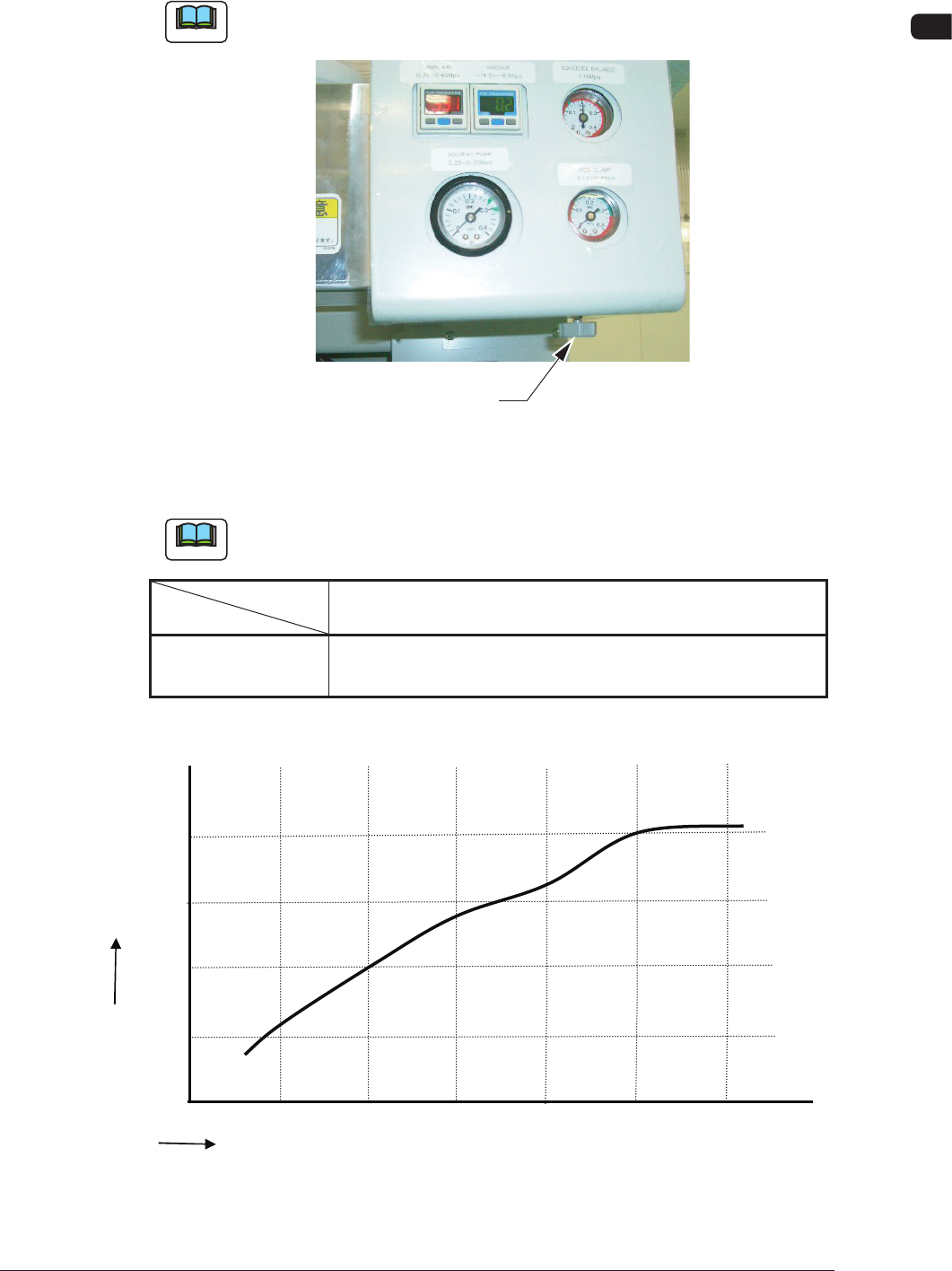
4.2 Adjustment of PCB Horizontal Clamping
The PCB clamp adjustment is performed using the pressure reducing valve.
Note
Perform the adjustment of the pressure reducing value appropriately depending
on the change in the PCB thickness.
Pressure Reducing Valve
F4A40
•
Target Air Pressures Related to PCB Thickness
Example
: The values were obtained when the PCB size is "150 × 100".
Note
Refer to the following table for the standard for the air pressure based on the
PCB thickness.
PCB Thickness
Air Pressure
0.3 0.5 1.0 1.5 2.0 2.5 (mm)
MPa 0.1 0.12 0.2 0.3 0.3 0.4
(kgf/cm
2
) (1.0) (1.2) (2.0) (3.0) (3.0) (4.0)
T4A13
Relationship between the PCB Thickness and Clamp Pressure
Air
Pressure
MPA
PCB Thickness
mm
0.5 1.0 1.5
2.0
0.1
0.2
0.3
0.4
★
★
★
★
0.0
0.3
2.5
3.0
★
★
F4A40-1
1105-002
4OM-1505
1-46
4. Maintenance Method : Chap.1
4.3 Replacement of Cleaning Paper
(How to change the cleaning paper width)
CAUTION
Press the cover lock switch and open the transparent
cover to work.
Only the person in charge of maintenance should
perform this work.
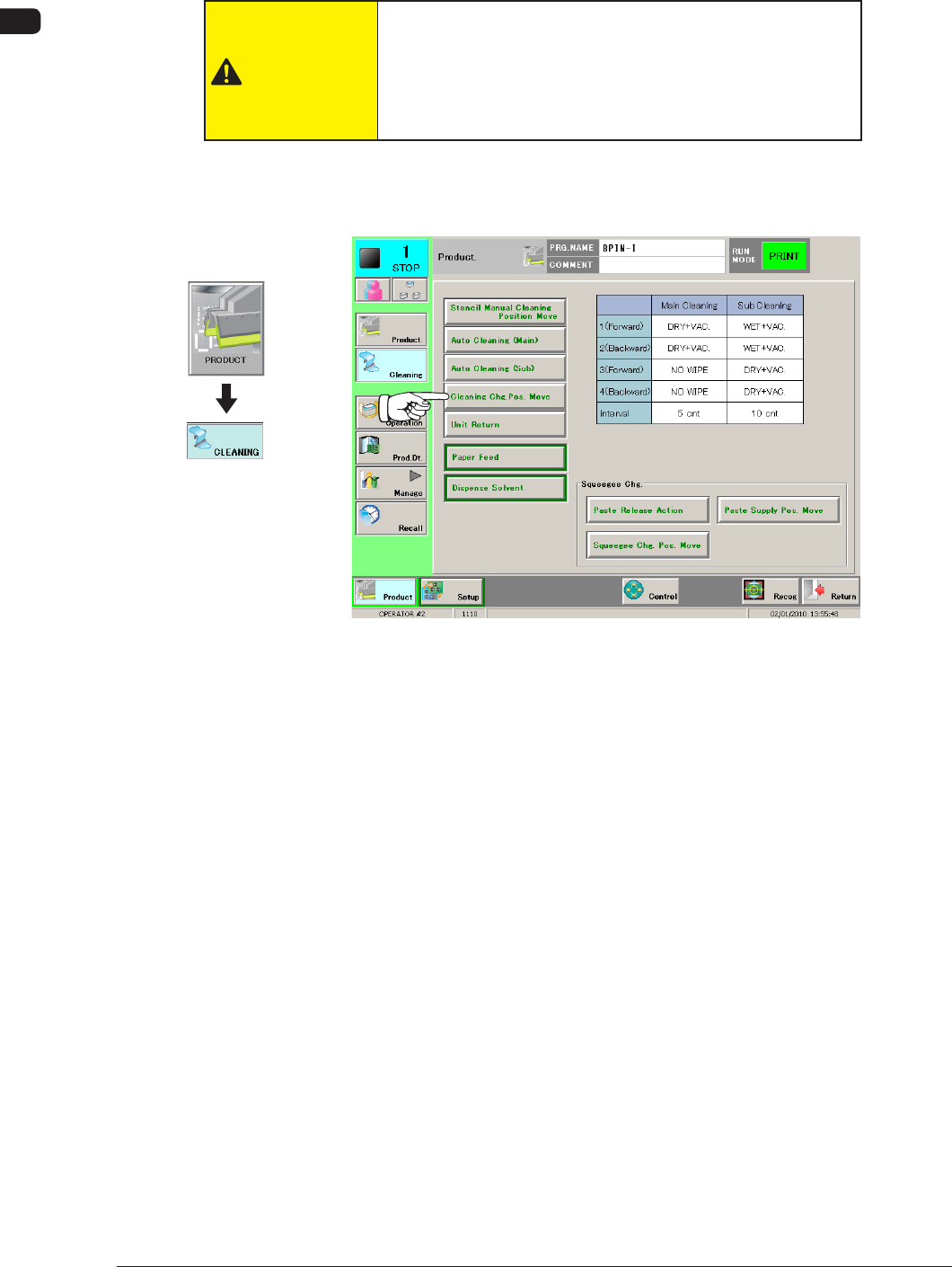
(1) Press the [Cleaning Chg. Pos. Move] button in the "CLEANING" window.
When it is selected, the button ashes green.
F4A41
1002-002
Graphic
Development
4OM-1505
1-47
4. Maintenance Method : Chap.1
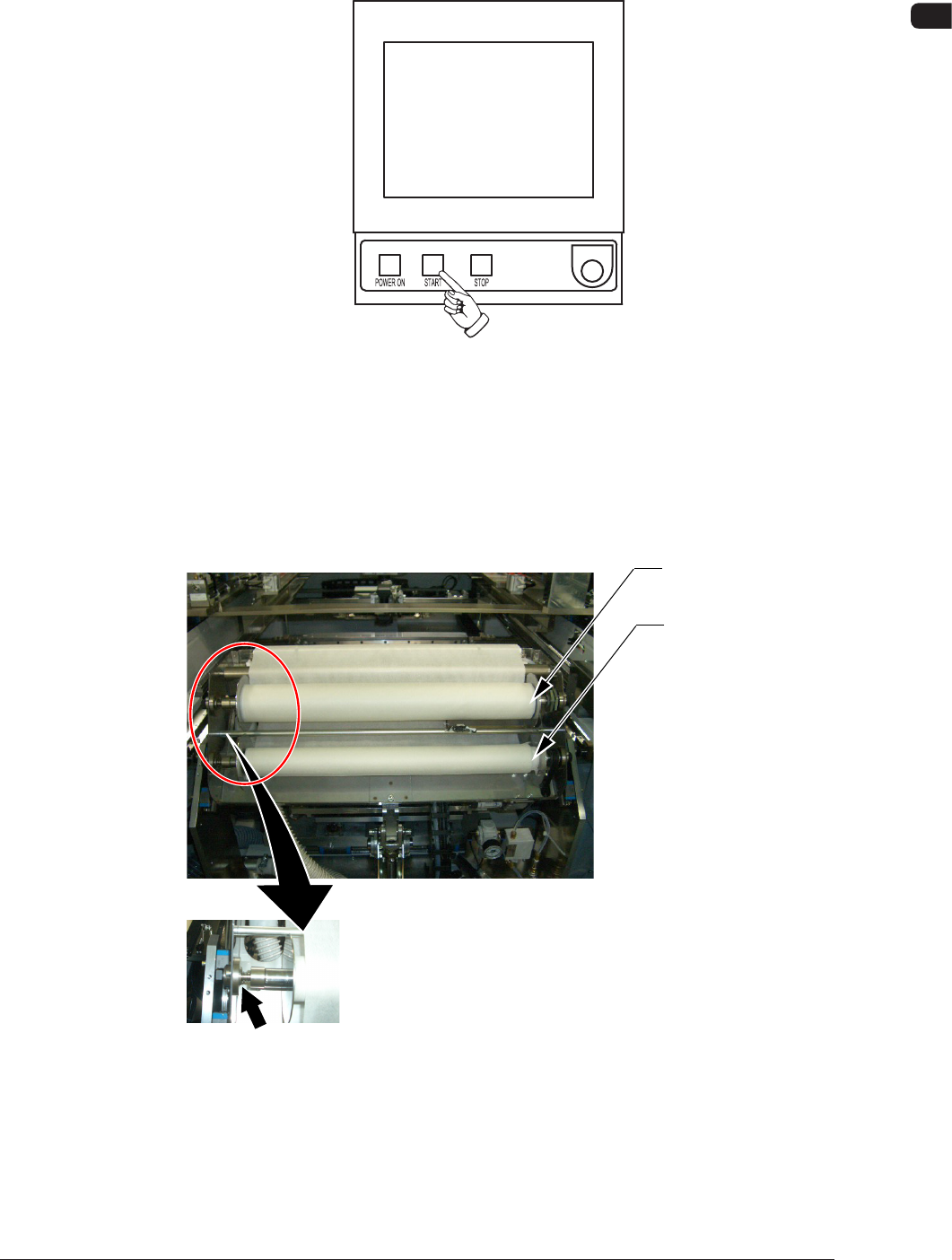
(2) Press the [START] button on the front operation panel.
(The PEC recognition and stencil holder sections move to the front side of
the machine.)
F4A42
(3) Press the cover lock switch on the front of the machine to open the front
transparent cover.
(4) Push up the levers of the take-up and supply rollers and pull out each roller
to the front side to detach from the cleaning unit.
Supply Roller
Take-Up Roller
Press it to the left.
F4A43
1002-002