xp141-241-341-5.0E.pdf - 第175页
FK-9F98- 29 XP Series Training Text for Service Engineers Edition 5.0 XP241 – Chapter 8 Options Page 3 of 10 Fuji Machine Mfg. Co., Ltd. Okazaki SMT Equipment Quality Assurance Dept. 8 – 3 CS Section 3. When setting up t…
FK-9F98-29 XP Series Training Text for Service Engineers
Edition 5.0 XP241 – Chapter 8 Options Page 2 of 10
Fuji Machine Mfg. Co., Ltd. Okazaki
SMT Equipment Quality Assurance Dept.
8 – 2 CS Section
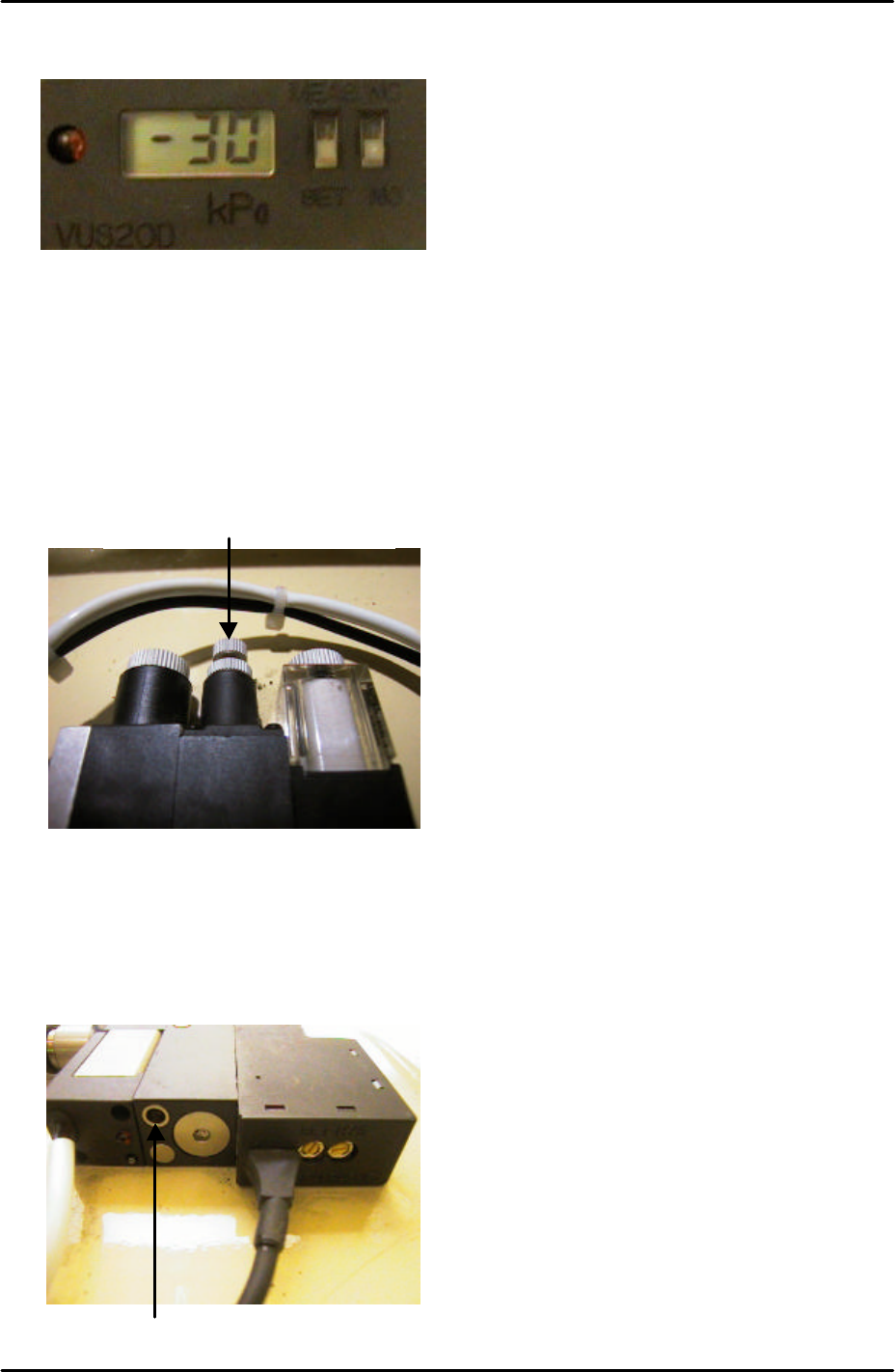
2. Set the Pressure Trimmer (SET) to –30cmHg.
3. For more details on the operation of the pressure sensor refer to the user manual in the
supplementary section of this manual.
Speed Controller Adjustment
1. Turn the air blow volume controller 3 turns from fully closed and lock.
2. Use a minus screw driver to turn the air blow release timer fully closed clockwise. From
this position turn the timer 7 turns counter clockwise. Turning the timer clockwise will
increase the air blow release time. Turning it counter clockwise will decrease the air blow
release time.
Air Blow Volume Controller
Air Blow Release Timer
FK-9F98-29 XP Series Training Text for Service Engineers
Edition 5.0 XP241 – Chapter 8 Options Page 3 of 10
Fuji Machine Mfg. Co., Ltd. Okazaki
SMT Equipment Quality Assurance Dept.
8 – 3 CS Section
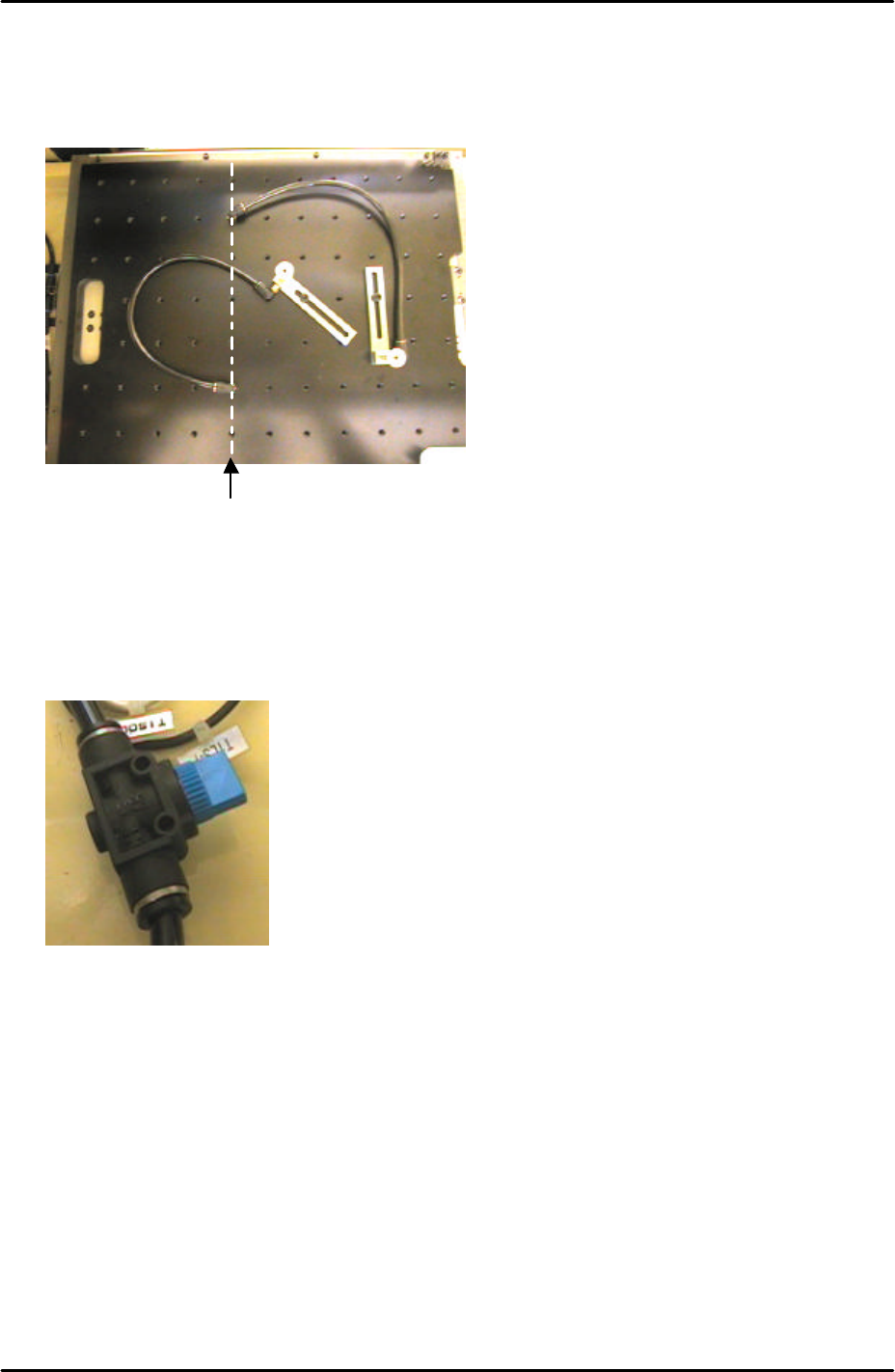
3. When setting up the vacuum back up pins on the back up plate the air terminals should
be screwed into the correct holes. The vacuum air supply is only available from the Y-
direction line 5 holes from the back up plate left hand side.
4. An air valve can be used to switch the vacuum backup air supply ON and OFF.
Only holes in this
line have a vacuum
backup air supply
FK-9F98-29 XP Series Training Text for Service Engineers
Edition 5.0 XP241 – Chapter 8 Options Page 4 of 10
Fuji Machine Mfg. Co., Ltd. Okazaki
SMT Equipment Quality Assurance Dept.
8 – 4 CS Section
8.2 Coplanarity Check Camera Adjustment
1. Equipment: Coplanarity Camera Nozzle Jig (Z9631DEPJ3410).
Coplanarity camera settings
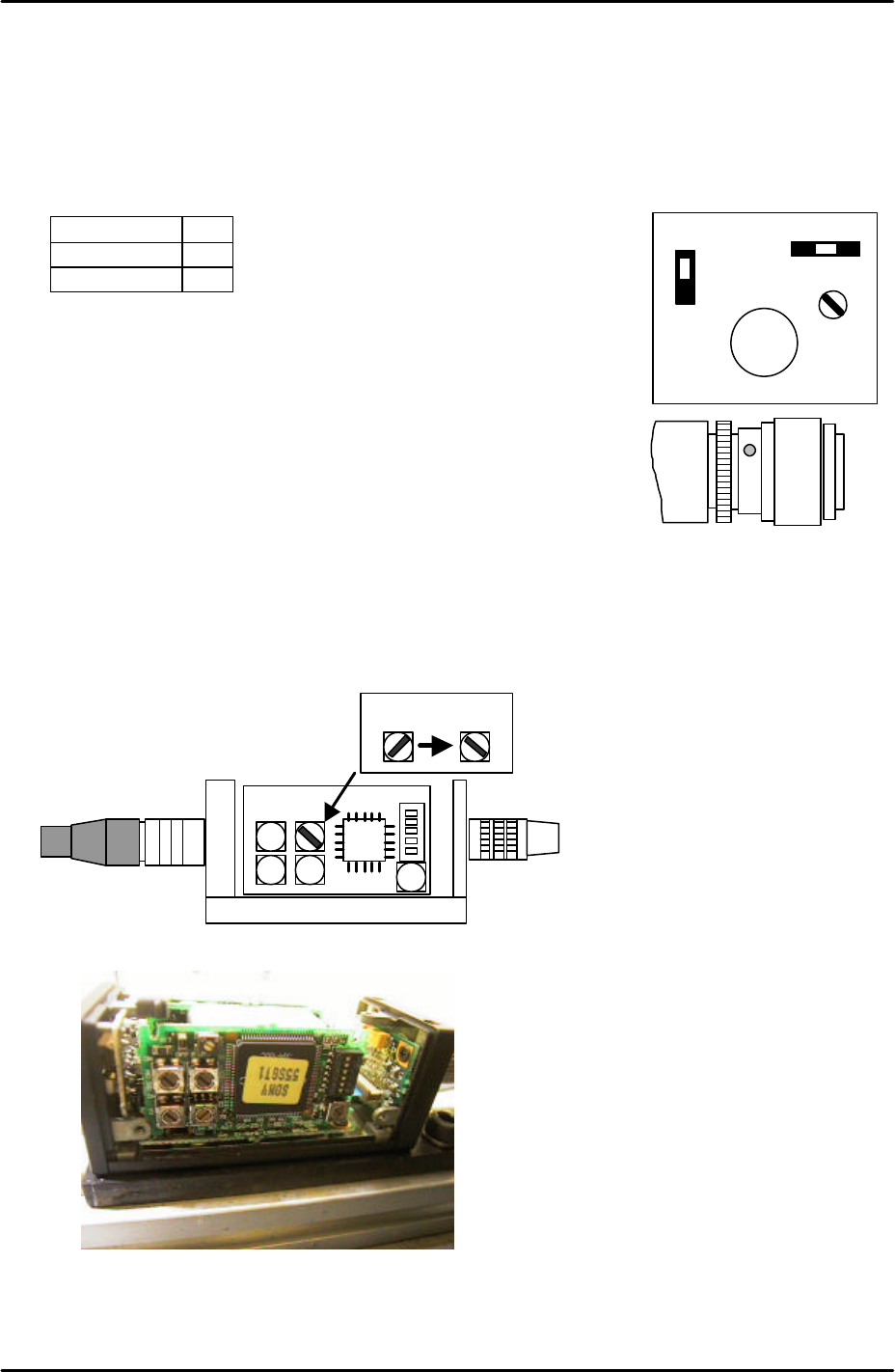
1. Set the coplanarity check camera settings and aperture as follows:
Signal 1N
Gain F
Aperture 8
Note: ensure that the lens unit is fastened to the camera unit with
adhesive (Loctite 425).
Note: Confirm that the camera lens is a 35mm lens.
2. Make sure the machine power and main breaker are OFF and
then remove the cover from the coplanarity check camera amplifier. This is located on
the machine base below the camera.
3. Set the top right rotary switch to the correct position as illustrated in the following diagram
and picture:
35mm lens
A F M
GAIN
SIGNAL
1 N
1 I
VIDEO OUT/DC IN/SYNC
35 mm
Coplanarity Camera Amplifier
Coplanarity Camera Amplifier