xp141-241-341-5.0E.pdf - 第68页
FK-9F98- 29 XP Series Training Text for Service Engineers Edition 5.0 XP141 – Chapter 6 Proper Data Measurements Page 13 of 26 Fuji Machine Mfg. Co., Ltd. Okazaki SMT Equipment Quality Assurance Dept. 6 – 13 CS Section 6…
FK-9F98-29 XP Series Training Text for Service Engineers
Edition 5.0 XP141 – Chapter 6 Proper Data Measurements Page 12 of 26
Fuji Machine Mfg. Co., Ltd. Okazaki
SMT Equipment Quality Assurance Dept.
6 – 12 CS Section
10. Select [Maintenance C] – [Proper Data Editor] and confirm that the new value has been
saved in the following proper data item:
[Camera Offset] – [_DegFdclCam1Theta]
11. Select [X unit Measure] – [START] to measure the mark camera resolution. Note that this
is not the primary resolution measurement, therefore do not save the results. Check
that the resolution values are within 0.005mm of those recorded in 6.7 and then press
[Cancel].
12. Select [Y unit Measure] – [START] to measure the mark camera resolution. Note that this
is not the primary resolution measurement, therefore do not save the results. Check
that the resolution values are within 0.005mm of those recorded in 6.7 and then press
[Cancel].
13. If the deviation between the resolution values recorded in steps 6.7 and 6.8 is more than
0.005mm re-measure the resolution using the glass gage procedure described in 6.7.
14. Note that 6.7 is the primary resolution measurement because it reads a whole series of
marks on the glass gage and takes into account lens distortion.
15. Should the values in 6.7 and 6.8 fail to match within tolerance after re-measurement,
please contact FUJI.
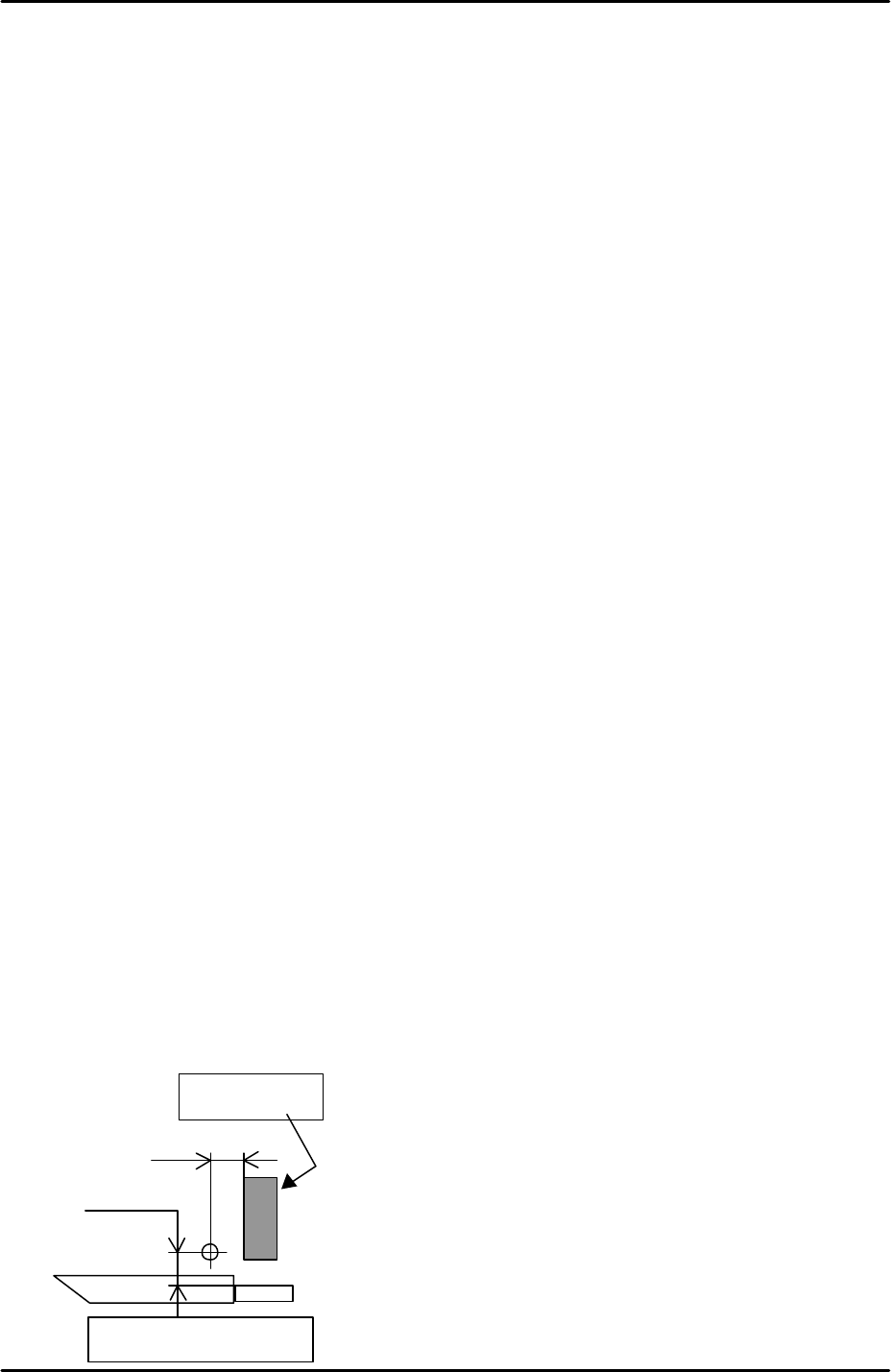
6.9 Measuring the board origin
1. Select [Maintenance A] – [I/O Check] – [Y02A Main StationSt] – and raise the main
stopper.
2. Select [Maintenance A] – [Jog] – [Fiducial] and display the cross hairs on the screen.
3. Set the vertical cross hair flush with the left side of the main stopper and then use the
inching tabs (in step mode) to move the X axis exactly 5mm in the minus direction.
4. Select [Maintenance C] – [Proper Data Editor] – [Machine Origin] – [X_board Origin] –
[Direct Servo Input] to save the current position to proper data.
5. Return to the [JOG] screen and set the horizontal cross hair flush with the side of the
reference rail and then use the inching tabs to move the Y axis 5.25mm in the plus
direction.
6. Select [Maintenance C] – [Proper Data Editor] – [Machine Origin] – [Y_board Origin] –
[Direct Servo Input] to save the current position to proper data.
5.0 mm
5.25 mm
Main Stopper
Side of the reference rail
FK-9F98-29 XP Series Training Text for Service Engineers
Edition 5.0 XP141 – Chapter 6 Proper Data Measurements Page 13 of 26
Fuji Machine Mfg. Co., Ltd. Okazaki
SMT Equipment Quality Assurance Dept.
6 – 13 CS Section
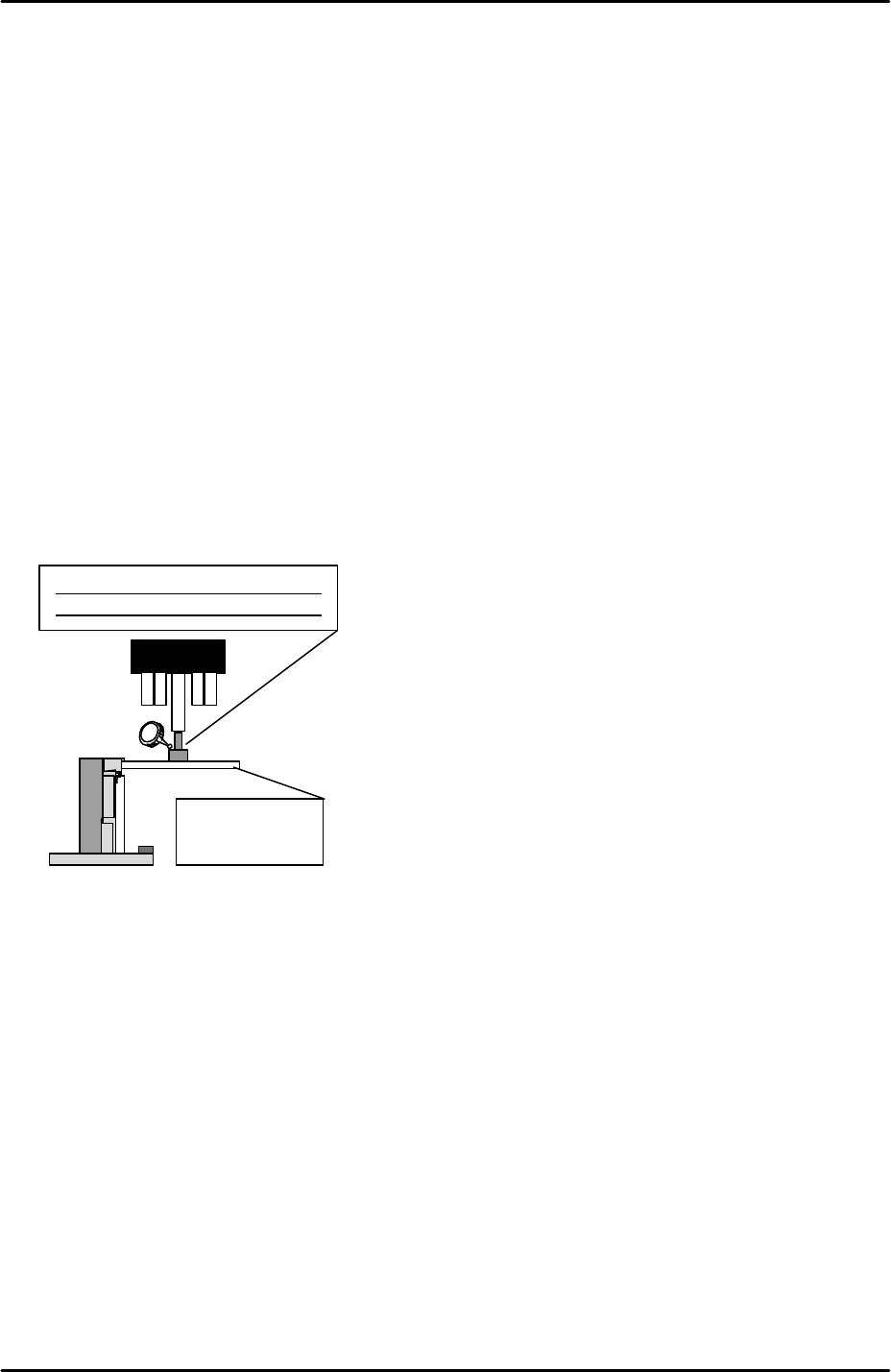
6.10 Measuring Z0
1. Equipment: Lever type dial gage (0.01mm). Plate jig (AJPJ-0060). Nozzle jig
(A5706ADEAJ8100).
2. Refer to the piston height measurement results recorded in chapter 3, step 3, to identify
the highest piston.
3. Move the highest piston to the front of the machine and install the nozzle jig on the
piston.
4. Clamp the plate jig in the main conveyor.
5. Inch the nozzle jig above the plate jig and then press the emergency stop button to cut
the 200v power supply to the servos.
6. Set the Q axis pusher to 0 degrees and align the pusher and piston.
7. Manually descend the Z-axis until the nozzle jig contacts the plate jig.
8. Set the dial gage on the nozzle jig and then raise the Z-axis until the dial indicator starts
to move. This point is Z0.
9. Select [Maintenance C] – [Proper Data Editor] – [Machine Origin] – [Z Board Surface] –
[Direct Servo Input] to save the current Z-axis counter value to proper data.
10. Note: components higher than 0.3mm are all placed at Z0. The spring in the nozzle
cushions the contact between component and panel during placement. Components with
heights of 0.3 or less are placed at Z0 – (minus) 0.3mm.
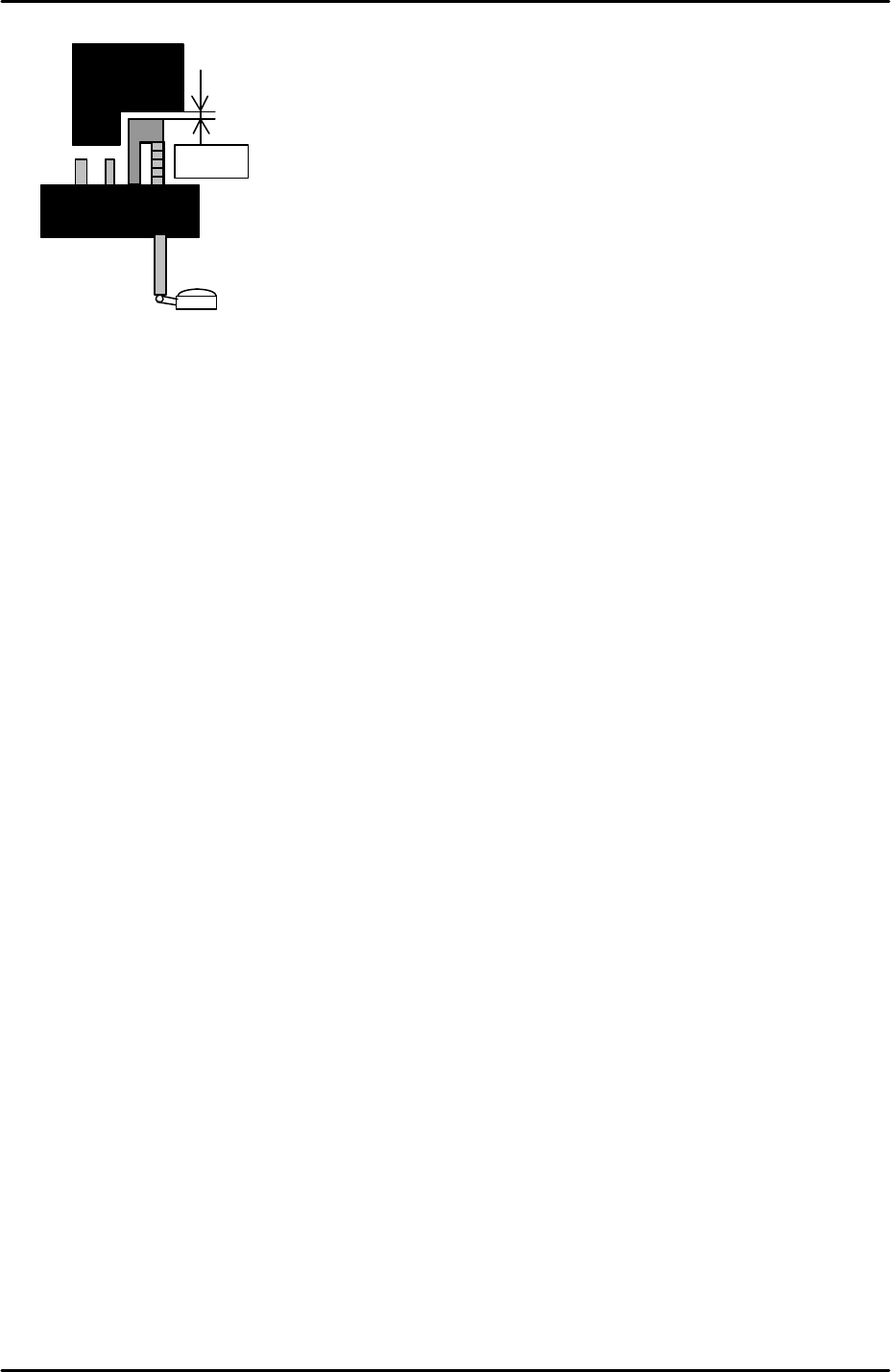
6.11 Measuring the maximum nozzle height
1. Equipment: Lever type dial gage (0.01mm).
2. Refer to the piston height measurement results recorded in chapter 3, step 3, to identify
the highest piston.
3. Move the highest piston to the front of the machine.
4. Set the Q axis pusher to 0 degrees and align the pusher and piston.
5. Set the dial gage on the piston tip.
Pickup height measuring
nozzle jig (A5706ADEAJ8100)
Plate jig
AJPJ-0060
FK-9F98-29 XP Series Training Text for Service Engineers
Edition 5.0 XP141 – Chapter 6 Proper Data Measurements Page 14 of 26
Fuji Machine Mfg. Co., Ltd. Okazaki
SMT Equipment Quality Assurance Dept.
6 – 14 CS Section
6. Lower the Z-axis and use the dial indicator to find the point where the pusher and piston
first contact.
7. Raise the Z-axis 0.1mm from this point and select [Maintenance C] – [Proper Data Editor]
– [Nozzle Position] – [Z_NzlPosZH] – [Direct Servo Input] to save the current Z-axis
counter value to proper data.
8. Rotate the Q axis pusher to confirm that at this height there is no interference between
the nozzle pistons and the pusher.
9. Once this proper data item has been input it is safe to use the “Retract Head” command
in the [Production] screen.
0.1mm