ts9800-user-guide-7511-0360_A.pdf - 第13页
13 Step 3: Start the ca li bration procedure by touching the ‘ Calibration ’ icon Step 4: Use the nozzle adjustment tool to slowly and gently scr ew (clockwise) the no zzl e unit on to the fluid manifold un t il i t st o…
12
4.3 Nozzle Calibration
The nozzle calibration process is to make sure that the nozzle insert is
placed at the correct position with respect to the tappet. Follow the
instructions below before starting the actual dispense procedure.
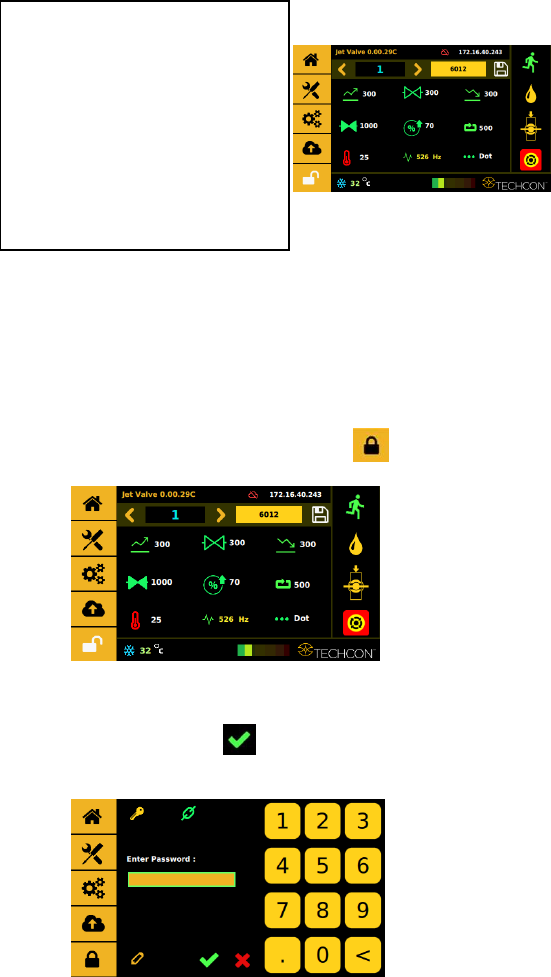
Step 1:
Touch the ‘Login’ icon to enter the login screen
Step 2:
Enter the default password ‘0000” in the password window. Then touch
‘Accept’ icon to save and exit . Attention: For changing the password,
refer to section 9.5.1.
Step 10:
• Turn on the controller by
pressing the On/Off switch.
Perform the calibration process;
this process is to make sure the
nozzle insert is placed at the correct
position with respect to the tappet.
(see next section 4.3 for
instructions).
13
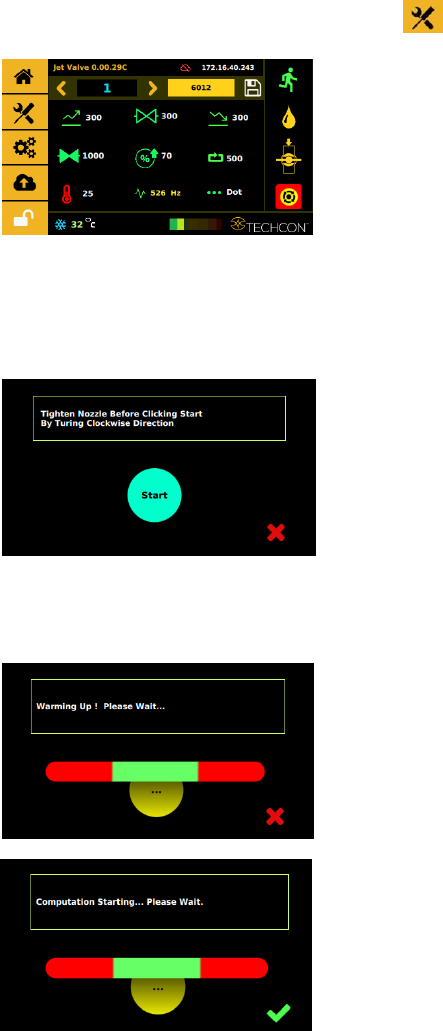
Step 3:
Start the calibration procedure by touching the ‘Calibration’ icon
Step 4:
Use the nozzle adjustment tool to slowly and gently screw (clockwise) the
nozzle unit onto the fluid manifold until it stops against the tappet. Then
touch the ‘Start’ icon.
Step 3:
The system will warm up before starting the calibration computation.
14
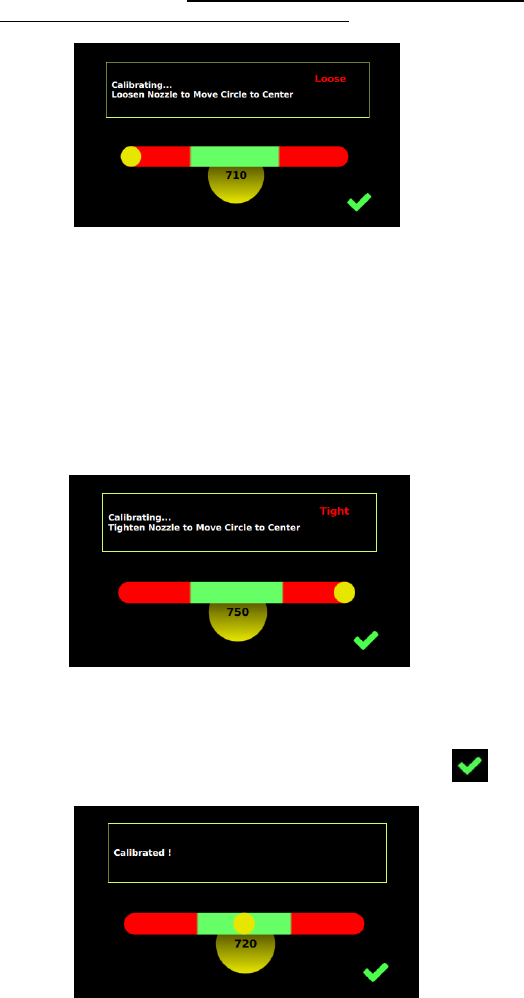
Step 4:
Slowly and gently un-screw the nozzle unit (counter-clockwise), using
the nozzle adjustment tool if necessary, to move the yellow circle to the
center of the green zone. Note: values in the yellow circle are only for
reference and it will vary from valve to valve.
Caution: The value shown below the green zone does not make a significant
difference for the precision of the dispense process if the yellow circle is
inside the green zone.
Step 5:
If the nozzle unit is un-screwed too far out, the yellow circle will move to
the right of the green zone. Slowly screw the nozzle unit to move the
yellow circle back to the center of the green zone.
Step 6:
Once the yellow circle is at the center of the green zone, the nozzle insert is
properly calibrated. Touch the ‘Accept’ icon to save and exit .