ts9800-user-guide-7511-0360_A.pdf - 第36页
36 9.5.3 En able Password protection (keep controller in Lock Mode) 1. Touch the ‘ Login ’ icon to enter the login scre en 2. Enter defaul t password ‘ 0000 ’ in the password wind ow and touch the un lo ck icon . The un …
35
9.5 Operation
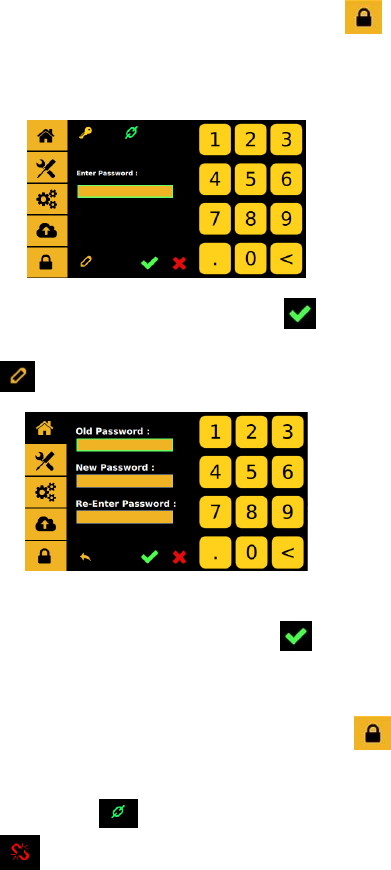
9.5.1 Login
1. Touch the ‘Login’ icon to enter the login screen
2. Enter default password ‘0000’ in the password window.
Caution: To change the password, skip step 2 and proceed to step 4.
3. Touch ‘Accept’ icon to save and exit
4. To change the password, touch the ‘Change Password’ icon
5. Enter the old password, then enter the new password.
6. Touch ‘Accept’ icon to save and exit
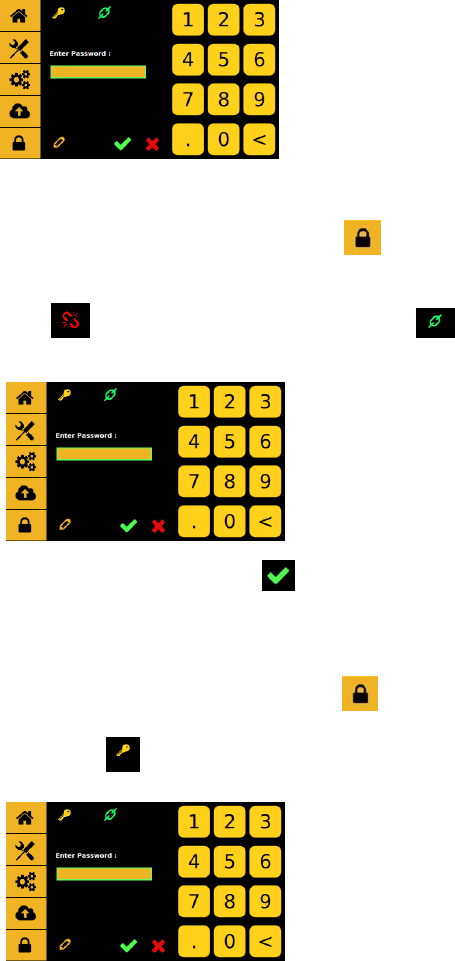
9.5.2 Disable Password protection (keep controller in Unlock Mode)
1. Touch the ‘Login’ icon to enter the login screen
2. Enter default password ‘0000’ in the password window and touch
the lock icon . The lock icon will switch to an unlock icon
indicating that the login icon will stay unlock untill it get
switch back.
36
9.5.3 Enable Password protection (keep controller in Lock Mode)
1. Touch the ‘Login’ icon to enter the login screen
2. Enter default password ‘0000’ in the password window and touch
the unlock icon . The unlock icon will switch to an lock icon
indicating that the login icon will lockup with every login and logout.
3. Touch ‘Accept’ icon to save and exit
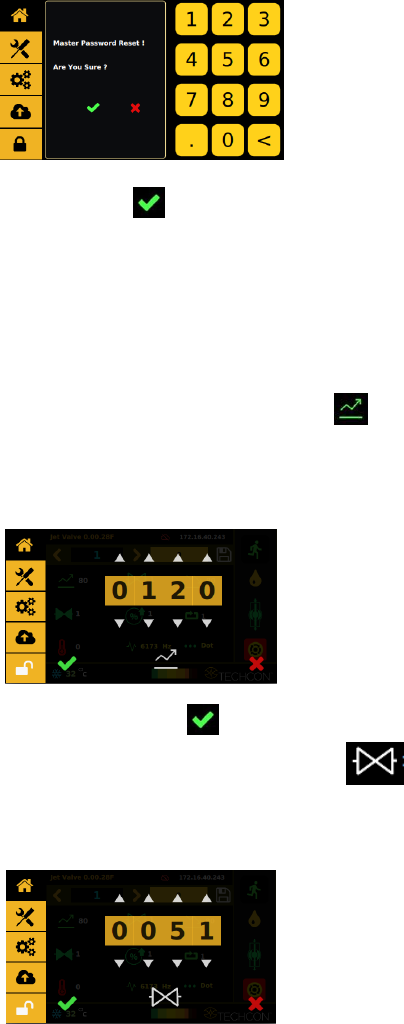
9.5.4 Reseting Master password ( Please call TECHON for Master
Password)
1. Touch the ‘Login’ icon to enter the login screen
2. Enter password ‘xxxx’ in the password window and touch the
master reset icon .
37
3. If the master password is correct the next menu will pop up
4. Touch ‘Accept’ icon to accept and exit
5. Once the master password is comfirmed the password will reset to
0000.
9.5.5 Setup Dispensing Parameters
All essential dispensing parameters can be accessed from the home
screen.
1. Touch ‘Rise Time’ icon to enter the setup screen
2. Touch the up and down arrows to set the desired rise time in µs.
Caution: The minimum rise time is 80 µs and the maximum rise
time is 1999 µs.
3. Touch ‘Accept’ icon to exit
4. Touch ‘Open Time’ icon to enter the setup screen
5. Touch the up and down arrows to set the desired open time in µs.
Caution: The minimum and maximum open time is 1 to 9999 µs.