ts9800-user-guide-7511-0360_A.pdf - 第39页
39 15. Touch the ‘ Accept ’ icon to exit 16. Touch the ‘ Pulse ’ ic on to enter the setup scr een 17. Touch th e up and down arrows to set the desired number strokes per dispensing cycle. 18. Touc h the ‘ Accept ’ icon t…
38
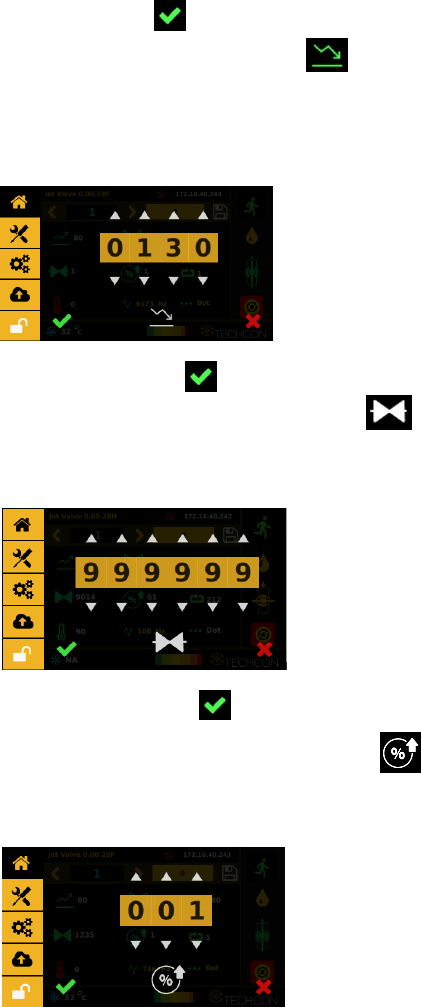
6. Touch ‘Accept’ icon to exit
7. Touch ‘Fall Time’ icon to enter the setup screen
8. Touch the up and down arrows to set the desired fall time in µs.
Caution: The minimum fall time is 80 µs and the maximum fall
time is 1999 µs.
9. Touch the ‘Accept’ icon to exit
10. Touch the ‘Delay Time’ icon to enter the setup screen
11. Touch the up and down arrows to set the desired delay time in
µs.
12. Touch the ‘Accept’ icon to exit
13. Touch the ‘Pecentage Lift’ icon to enter the setup screen
14. Touch the up and down arrows to enter the desired percentage
lift for the tappet to open/lift.
39
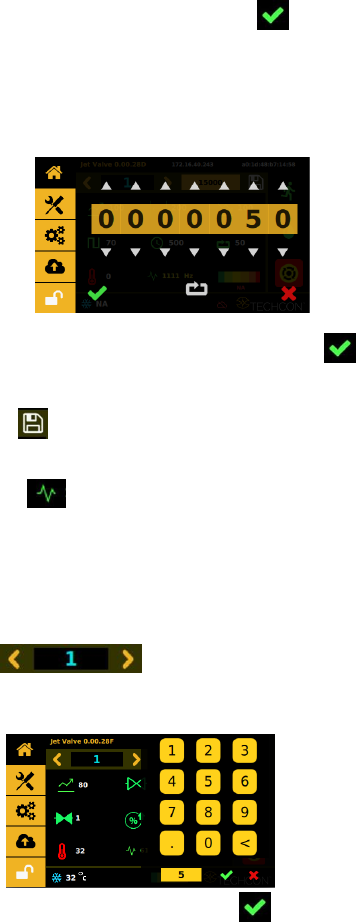
15. Touch the ‘Accept’ icon to exit
16. Touch the ‘Pulse’ icon to enter the setup screen
17. Touch the up and down arrows to set the desired number
strokes per dispensing cycle.
18. Touch the ‘Accept’ icon to save and exit
19. Enter all desired dispensing parameters, then touch ‘Save’ icon
Note: The system will automatically calculate and display the operating
frequency based on the entered dispensing parameters.
9.5.6 Calling up Dispensing Parameters
The controller has 50 memory cells store all dispensing parameters.
1. Touch the forward or backward arrow to select
the desired memory cell or touch the value to type in a specific
location.
2. Touch the ‘Accept’ icon to exit
9.5.7 Reset Cycle Counter
The cycle counter records the number of dispense cycle being activated.
Up to 999,999,999 cycles can be recorded for each of the program saved
in memory. To reset the counter for the current program, follow the
steps below:
40
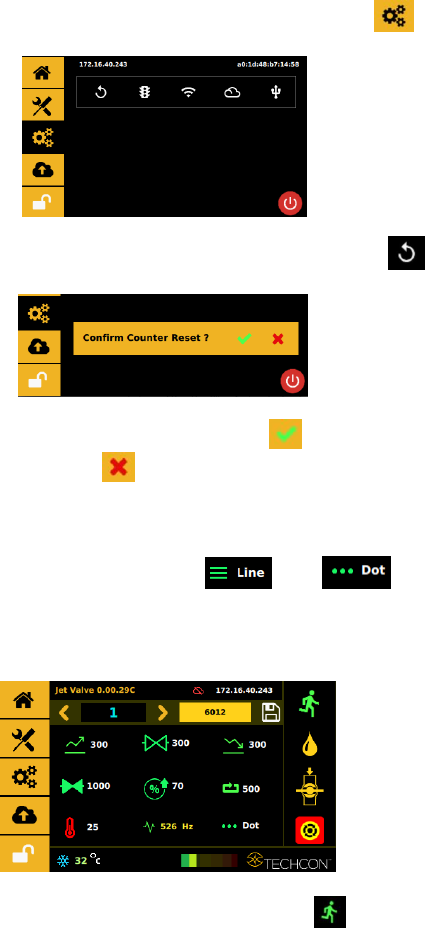
1. Touch the ‘Settings’ icon to enter the setup screen
2. Touch the ‘Counter Reset’ icon to reset the counter
3. Touch the ‘Accept’ icon to confirm or touch the
‘Cancel’icon to exit without resetting counter.
9.5.8 To Run in Dot or Line Mode
1. Touch to toggle between the line or dot icons
to switch mode. Note: switching from Line to Dot mode may
required a re-entry of a specific number of pulses desired to run
the parameter or setup.
1.
2. Touch ‘Run’ icon to start the dispensing cycle
3. If Line Mode is selected an external triggering devise is required
to trigger a start.
Caution: Line mode, the controller must be activated by secondary
source such as PLC or XYZ Table connected through 15-Pin I/O port.