00197902-03_UM_X-Serie-S_EN.pdf - 第219页
User manual SIPLACE X-Series 4 Setting up and commissioning From software version 710.0 Edition 12/2016 4.2 In frastructure at the in stallation location 219 4.2.3.4 Mains connection - delivery configuration The main pow…
4 Setting up and commissioning User manual SIPLACE X-Series
4.2 Infrastructure at the installation location From software version 710.0 Edition 12/2016
218
4.2.3.3 Power supply cable - specification
The following specifications apply to the power supply cable for the machine:
– 5 x 4 mm² at 3 x 360 V~ to 3 x 480 V ± 10 %, 50/60 Hz mains voltage
– 5 x 4 mm² for 3 x 200 V~ to 3 x 240 V~ ± 10 %; 50/60 Hz mains voltage.
The color coding for the wires will depend on the country in which the system is operated.
4
4
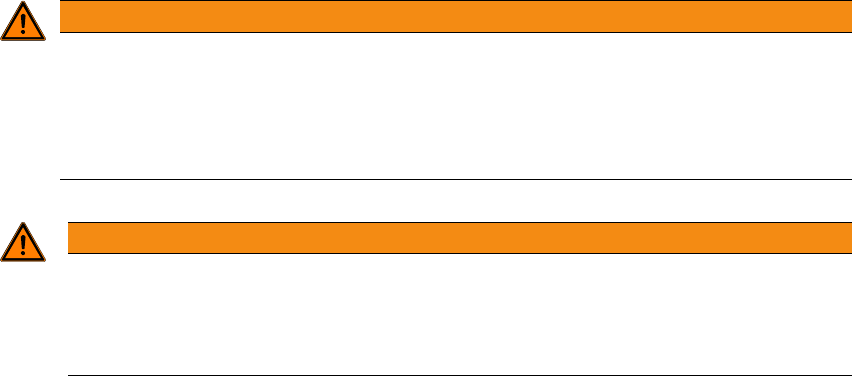
WARNING
Cross-section and length of mains connection cable
The cross-section and length of the mains connection cable influence the Short-Circuit-
Current-Rating (SCCR) of the machine.
When replacing the mains connection cable, do not increase the cross-section of the
wires or shorten the length of the cable.
WARNING
Clear marking of electrical leads!
The electrical leads to each individual machine and to the options installed must be clear-
ly labeled and easily assignable.
The regulations of the country in which the machine is operated apply.
User manual SIPLACE X-Series 4 Setting up and commissioning
From software version 710.0 Edition 12/2016 4.2 Infrastructure at the installation location
219
4.2.3.4 Mains connection - delivery configuration
The main power connection is configured according to the power supply of the country concerned.
– The machine is configured for voltages of 3 x 200 V~ to 3 x 240 V~ ± 10 %; 50/60 Hz.
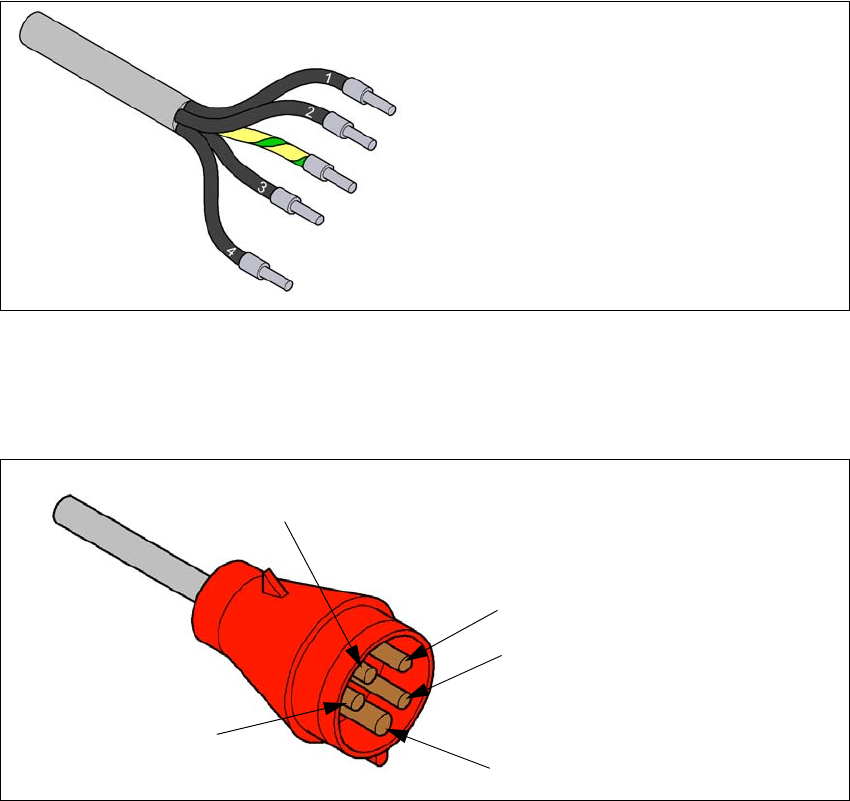
The machine has a mains power cable WITHOUT plug. 4
4
Fig. 4.2 - 4 Description of wires in the mains power cable
– The machine is configured for voltages of 3 x 360 V~ to 3 x 480 V ± 10 %, 50/60 Hz.
The machine has a mains power cable WITH Cekon plug. 4
4
Fig. 4.2 - 5 Assignment in the Cekon plug
1 = (L1): three-phase
2 = (L2): three-phase
3 = (L3): three-phase
4 = (N): neutral conductor
green/yellow = (PE): conductor
PE
L1
L2
L3
N
4 Setting up and commissioning User manual SIPLACE X-Series
4.2 Infrastructure at the installation location From software version 710.0 Edition 12/2016
220
4.2.3.5 Connecting the power supply cable
4
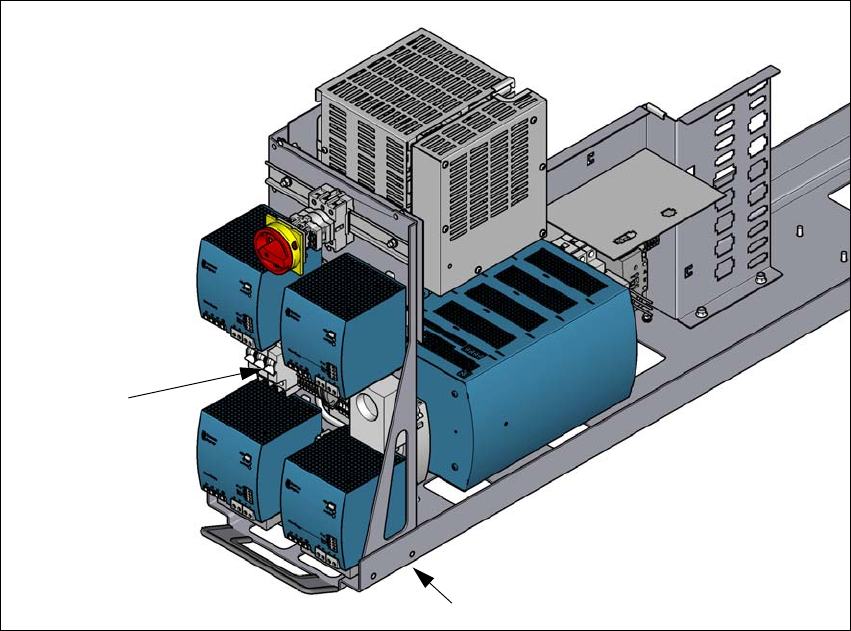
Fig. 4.2 - 6 Terminal panel for connecting the power cable
(1) Mains terminals (X95) for the power supply cable
(2) Opening on the power supply with cable fixture under the power supply
Crimp a ferrule onto each end of the wire.
Run the mains power cable through the cable fixture under the power supply (2) to the termi-
nal panel X95 (1).
Fasten the cable to the terminal panel X95 (1)
(L1): three-phase 4
(L2): three-phase 4
(L3): three-phase 4
(N): neutral conductor 4
(PE): PE conductor 4
Make sure that the bending radius is adequate. The wires must not be kinked.
Manually tighten the cable fixture.
Make sure you also fix the cable with cable ties.
(1)
(2)