00197902-03_UM_X-Serie-S_EN.pdf - 第91页
User manual SIPLACE X-Series 2 Operational safety From software version 710.0 Edition 12/2016 2.6 Safety features 91 2 Fig. 2.6 - 6 Position of buttons and switches - view of PCB input side (example of SIPLACE X2 S / X3 …
2 Operational safety User manual SIPLACE X-Series
2.6 Safety features From software version 710.0 Edition 12/2016
90
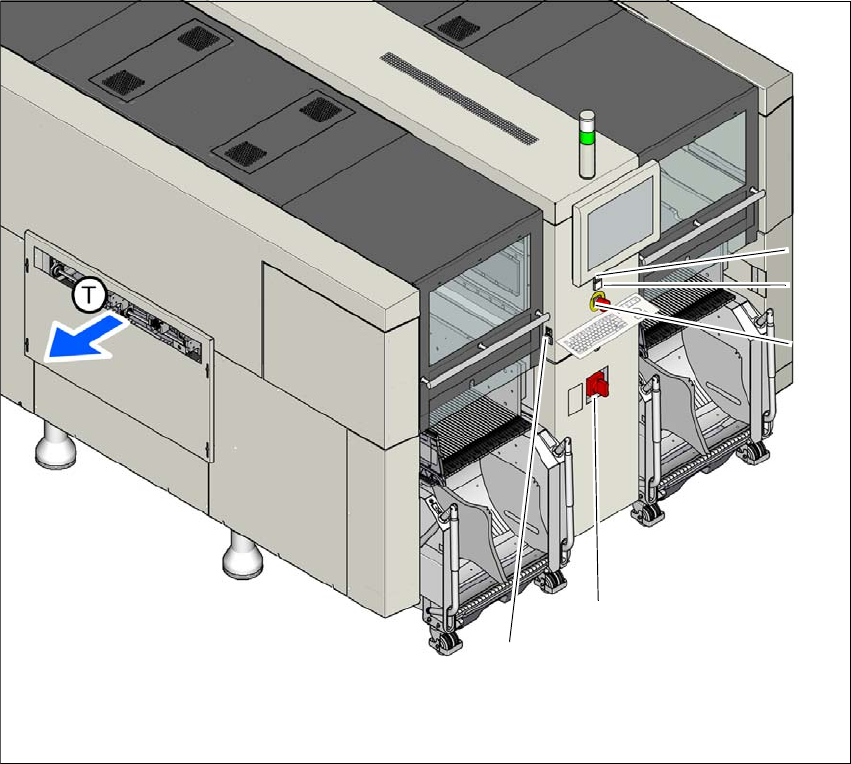
2.6.3 Switches and buttons on the machine
2.6.3.1 Position of switches and buttons on the machine
2
Fig. 2.6 - 5 Position of buttons and switches - view of PCB output side (example of SIPLACE X2 S / X3 S / X4 S
shown)
(1) Stop button (black)
(2) Start button (green)
(3) EMERGENCY STOP button
(4) Main switch
(5) Button for docking and undocking the component trolley at the respective location
(T) PCB transport direction
(3)
(1)
(4)
(2)
(5)
User manual SIPLACE X-Series 2 Operational safety
From software version 710.0 Edition 12/2016 2.6 Safety features
91
2
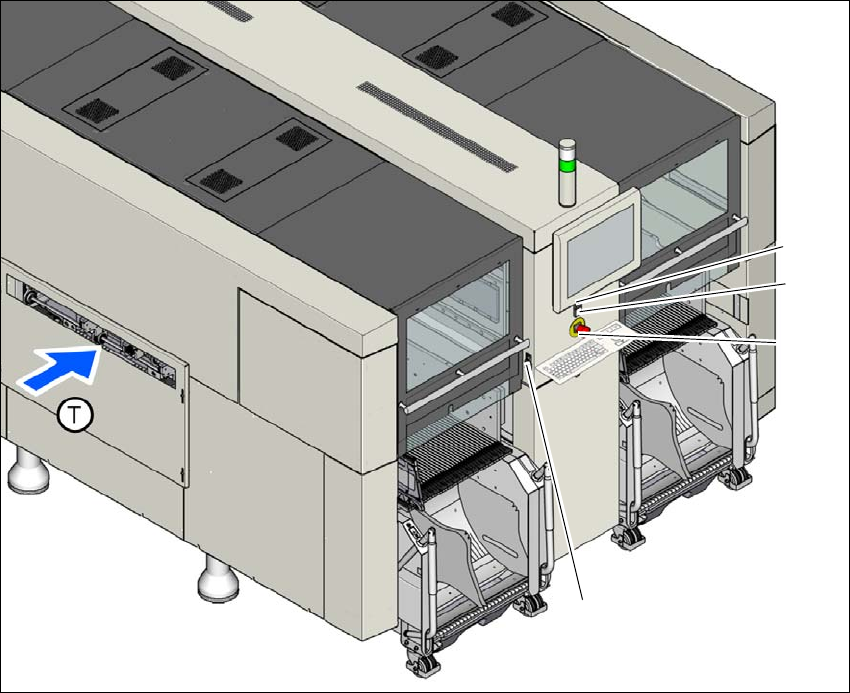
Fig. 2.6 - 6 Position of buttons and switches - view of PCB input side (example of SIPLACE X2 S / X3 S / X4 S
shown)
(1) Stop button (black)
(2) Start button (green)
(3) EMERGENCY STOP button
(4) Button for docking and undocking the component trolley at the respective location
(T) PCB transport direction
(3)
(1)
(4)
(2)
2 Operational safety User manual SIPLACE X-Series
2.6 Safety features From software version 710.0 Edition 12/2016
92
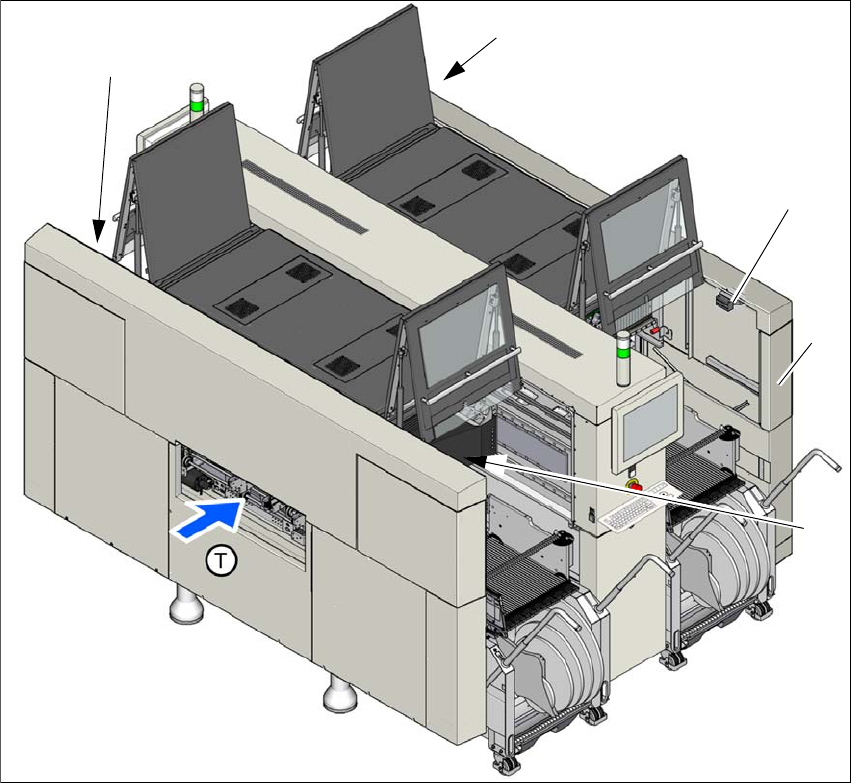
2.6.3.2 Position of protective switches on the machine
2
Fig. 2.6 - 7 Position of protective switches on the machine (example of SIPLACE X4i S shown)
(1) Protective cover switch, location 1
(2) Protective cover switch, location 2
(3) Protective cover switch, location 3
(4) Protective cover switch, location 4
(5) Example service flap with protective cover switch at location 2 (optional at all locations)
(T) PCB transport direction
(2)
(3)
(1)
(4)
(5)