00194422-09_MM_X-Series_en.pdf - 第48页
Major Maintenance Maintenance Tasks for Optical Systems 5.4.3 Performing Maintenan ce Tas ks 48 Maintenance Manual SIPLACE X Series ► Repeat these steps for all IC and FC cameras. CAUTION! There is a risk of cut ting y o…
Major Maintenance
5.4.1 Tools, Consumables, Spare and Wear Parts Maintenance Tasks for Optical Systems
Maintenance Manual SIPLACE X Series 47
5.4
5.4 Maintenance Tasks for Optical Systems
Maintenance Tasks for Optical Systems
5.4.1
5.4.1 Tools, Consumables, Spare and Wear Parts
Tools, Consumables, Spare and Wear Parts
▪ Microfiber cloth for cleaning optical assemblies
▪ ESD wristband [00320279-xx]
▪ Cotton gloves [00359087-xx]
5.4.2
5.4.2 Preparatory Steps
Preparatory Steps
► Switch off the machine, disconnect it from the power supply and secure it to prevent unauthorized
reactivation. Observe the instructions in section "1.2 Preparatory Work..." [ ➙ 12].
5.4.3
5.4.3 Performing Maintenance Tasks
Performing Maintenance Tasks
5.4.3.1
5.4.3.1 Cleaning the IC and FC Cameras
Cleaning the IC and FC Cameras
NOTICE
IC, FC camera
This cleaning procedure is the same for IC (type 33) and FC cameras (type 25).
CAUTION
Risk of cutting yourself on the glass disk!
► There is a risk of cutting your fingers along the edges of the glass disk.
► Wear cotton gloves as protection and avoid touching the edges. The cotton gloves are also
required for effective cleaning (to avoid fingerprints!).
CAUTION
Electrical components
Make sure that the electrical components are not live!
CAUTION
Do not get the upper sections mixed up.
The upper sections of the different cameras are coordinated with the specific lower sections
and may not be mixed up.
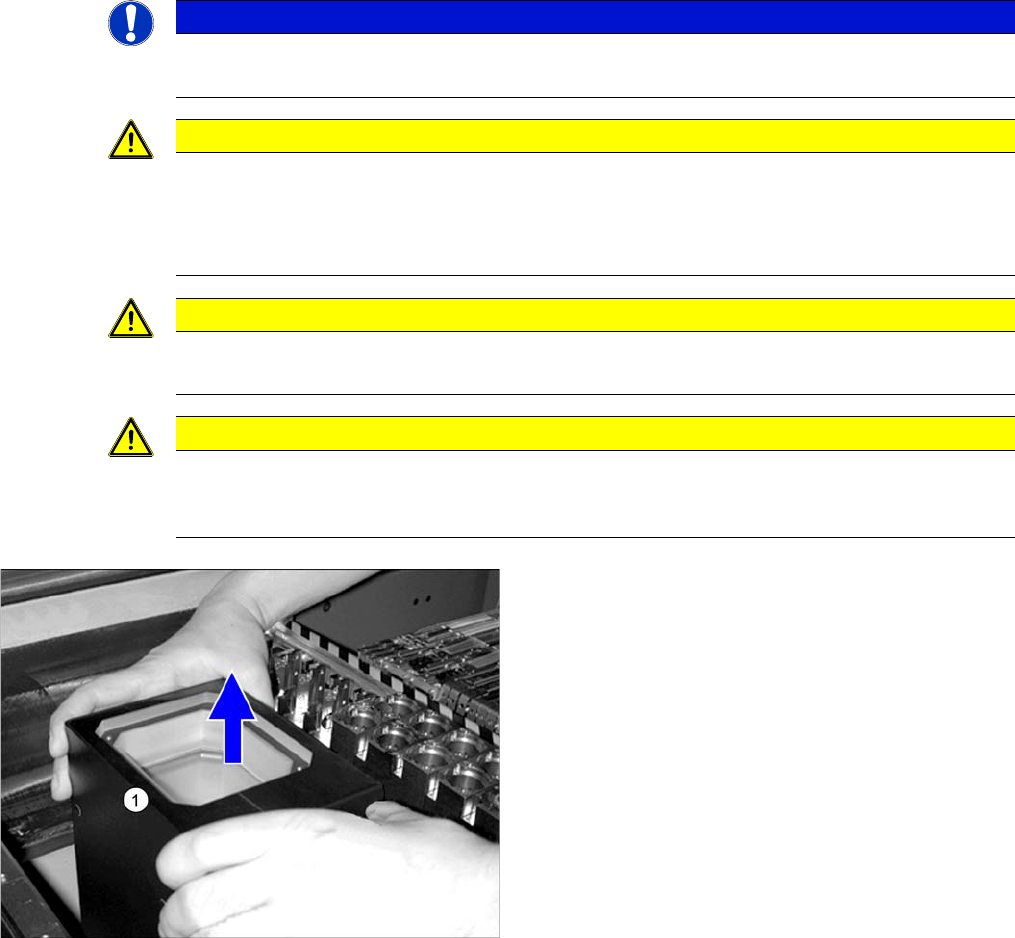
► Carefully lift the upper section (1) of the IC camera up
and off.
Major Maintenance
Maintenance Tasks for Optical Systems 5.4.3 Performing Maintenance Tasks
48 Maintenance Manual SIPLACE X Series
► Repeat these steps for all IC and FC cameras.
CAUTION!
There is a risk of cutting yourself on the edges of the
glass disk!
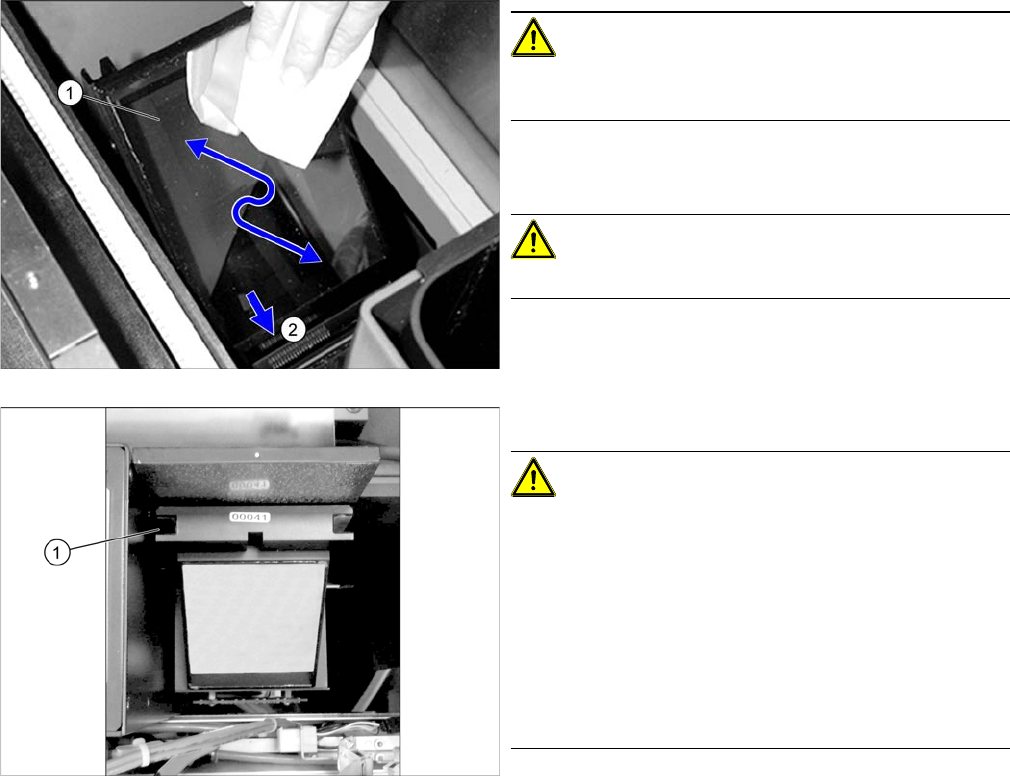
► Clean the slanted glass disk (1) with a microfiber
cloth.
CAUTION!
Do not use any chemical cleaning agents!
► Remove any components which have collected in the
duct (2) underneath the glass disk.
► Refit the upper part.
CAUTION!
Make sure that you do not damage the glass disk.
Make sure that the upper part of the camera slides
smoothly into the (1) guidance.
Make sure that the upper part of the camera is evenly
seated on the lower section and that it cannot move. If
necessary, gently press against the metal cover of the
upper part.
Make sure that the upper part does not protrude at the
upper edge of the conveyor.
Major Maintenance
5.4.3 Performing Maintenance Tasks Maintenance Tasks for Optical Systems
Maintenance Manual SIPLACE X Series 49
5.4.3.2
5.4.3.2 Cleaning the Coplanarity Module
Cleaning the Coplanarity Module
5.4.3.3
5.4.3.3 Clean the stationary 3D sensor module
Clean the stationary 3D sensor module
5.4.3.4
5.4.3.4 Clean the PCB barcode scanner
Clean the PCB barcode scanner
NOTICE!
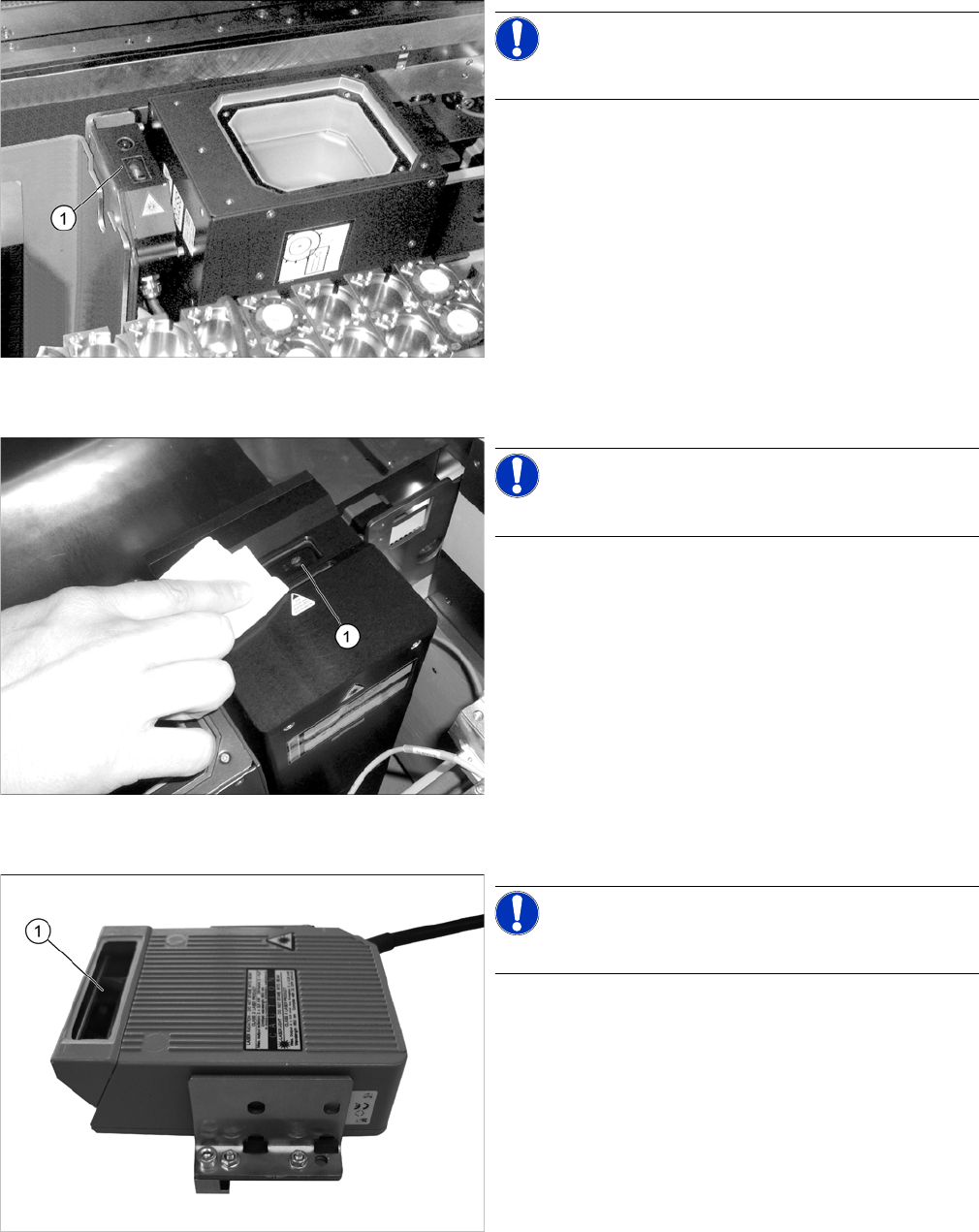
The coplanarity module is optional.
► Clean the lenses (1) of the coplanarity module with a
microfiber cloth.
NOTICE!
The 3D sensor module is optional.
► Clean the 3D sensor module lens (1) with a microfiber
cloth.
NOTICE!
The PCB barcode scanner is optional.
► Clean the lens (1) of the PCB barcode scanner with a
microfiber cloth.