00195044-11_UM_VisionTeachStation_DE EN.pdf - 第167页
Vision Teach Station User Manual 9 Using the vision teach station on the SIPLACE LAN 11/2013 Edition 9.4 Handling computers without an additional network card 167 Fig. 9.4 - 3 Selecting the properties for TCP/IP Enter …
9 Using the vision teach station on the SIPLACE LAN Vision Teach Station User Manual
9.4 Handling computers without an additional network card 11/2013 Edition
166
If you want to run two or more VTSs on a SIPLACE LAN, you will have to assign a separate IP
address and computer (host) name to each further VTS. To do this, take the data from table 9.3 -
2. As you have changed the host name, you will have to reinstall the computer (otherwise the
SIPLACE Pro installation will no longer start on a separate computer). Follow the description in
section 7.3, page 149.
If you are using the old range of numbers (139.10.x.x) for the SIPLACE LAN, please ask
SIPLACE Service to assign an IP address.
9.4 Handling computers without an additional network card
A SIPLACE Pro computer has two network connections as standard. The onboard connection
allows the user to connect the computer to his company network; the network card is then used
to connect to the SIPLACE LAN.
With the first series of the vision teach station, computers were supplied without a network card.
If you have such a computer, configure the onboard network connection for use on the SIPLACE
LAN.
Follow these steps:
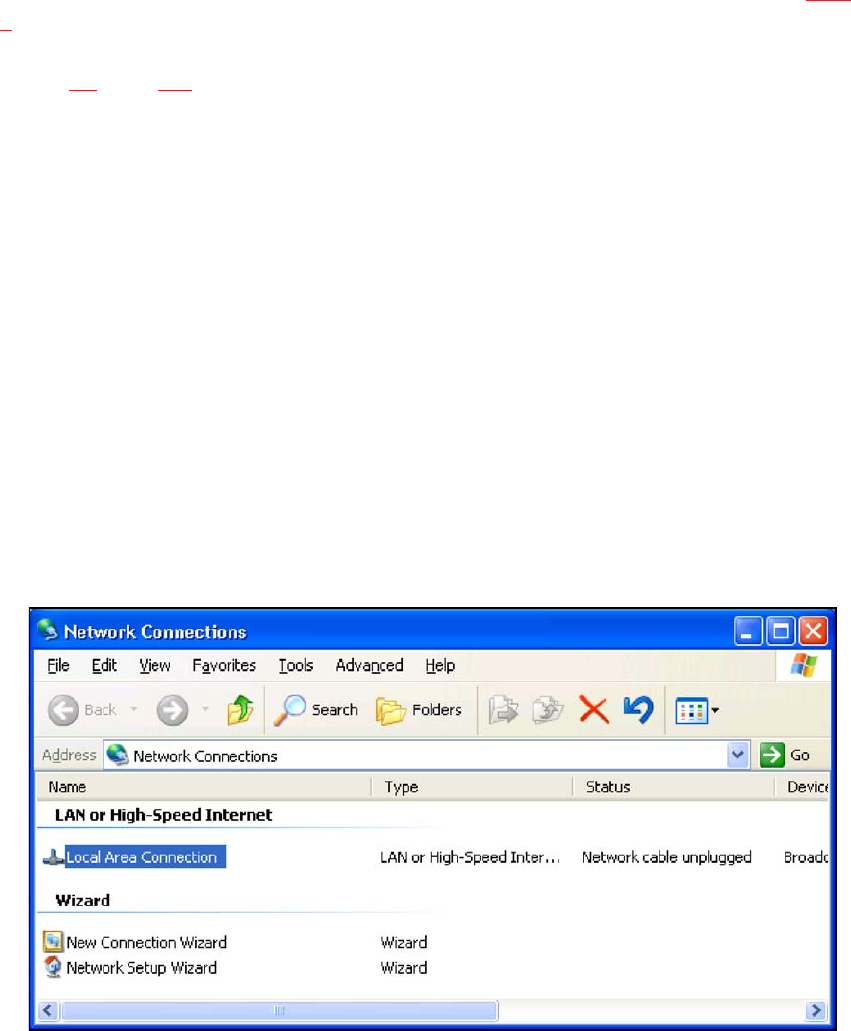
Open the "Network Connections" dialog (Start menu Settings Network Connections).
Right-click to select the "Local Area Connection" entry and click "Properties"
Fig. 9.4 - 2 Entry for the onboard network card
9
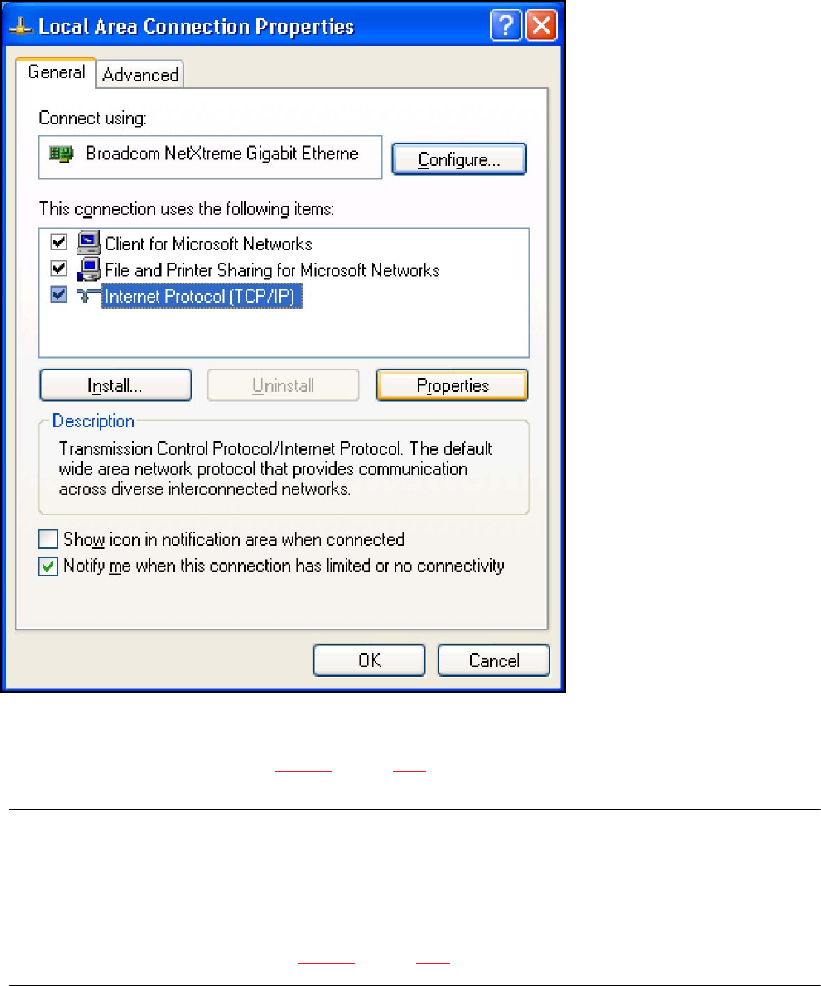
Select the "Internet Protocol (TCP/IP)" entry from the Properties dialog and click the
"Properties" button.
Vision Teach Station User Manual 9 Using the vision teach station on the SIPLACE LAN
11/2013 Edition 9.4 Handling computers without an additional network card
167
Fig. 9.4 - 3 Selecting the properties for TCP/IP
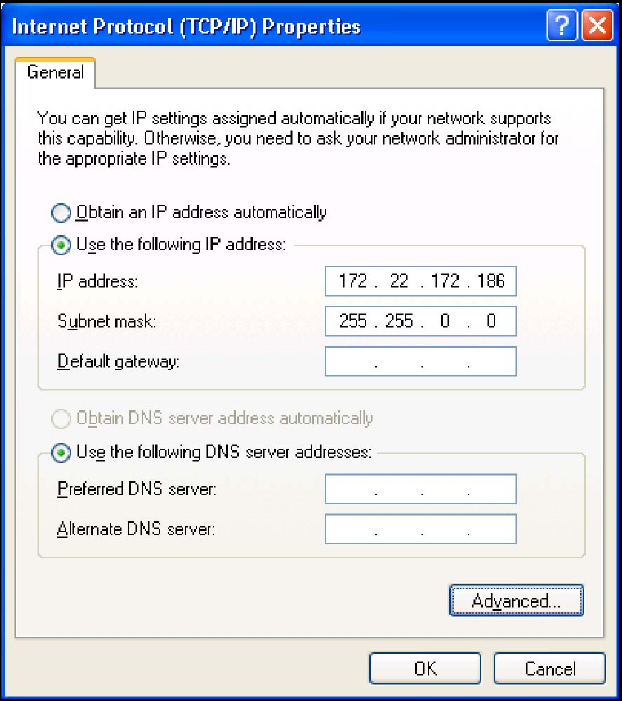
Enter an IP address from table 9.3 - 2, page 165 in the dialog that opens.
CAUTION: 9
If you have already assigned one of these IP addresses while you were installing XP, you
cannot use it again here. The XP installation has reserved the address for the network card,
even though it is not present.
Use another address from table 9.3 - 2, page 165 instead. 9
9 Using the vision teach station on the SIPLACE LAN Vision Teach Station User Manual
9.4 Handling computers without an additional network card 11/2013 Edition
168
9
Fig. 9.4 - 4 Entry for the IP address and subnet mask
If you need connections to both your company network and the SIPLACE LAN, please
contact SIPLACE Service. 9