NPM Calibration Manual-En.pdf - 第15页
NPM Maint en anc e E di ti on 9.4 Head / Plane Compensati on Z Page 9-14 EJM9BE-M B-09M-21 11 Press + [OK]. • T he cali br ation is carri ed out . 12 Check that it i s successfu ll y com pl ete. • W hen t he height measu…
NPM
Maintenance Edition
9.4 Head / Plane Compensation Z
EJM9BE-MB-09M-21 Page 9-13
5
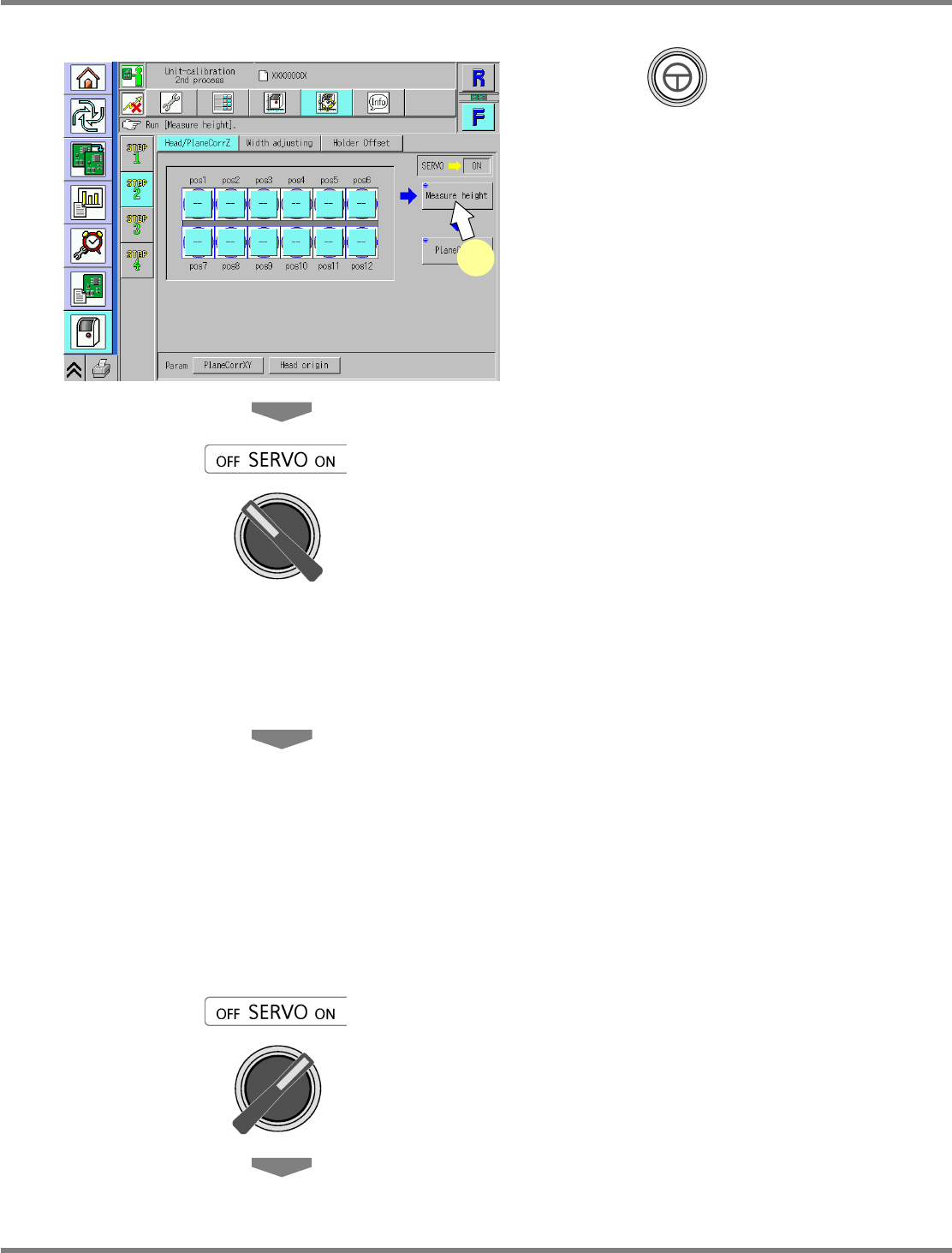
Press + [Measure height].
•
The head moves to the working position.
6
Turn OFF the servo switch.
7
Open the safety cover.
8
Attach the nozzles to the nozzle
positions selected in step 4.
12-nozzle head
∗
Attach the 230CS nozzle.
8-nozzle head
∗
Attach the 230C nozzle.
2-nozzle head
∗
Attach the No.1002 nozzle.
9
Close the safety cover.
10
Turn ON the servo switch.
UnitCalibAxisSurfaceZ-01E02
5
NPM
Maintenance Edition
9.4 Head / Plane Compensation Z
Page 9-14 EJM9BE-MB-09M-21
11
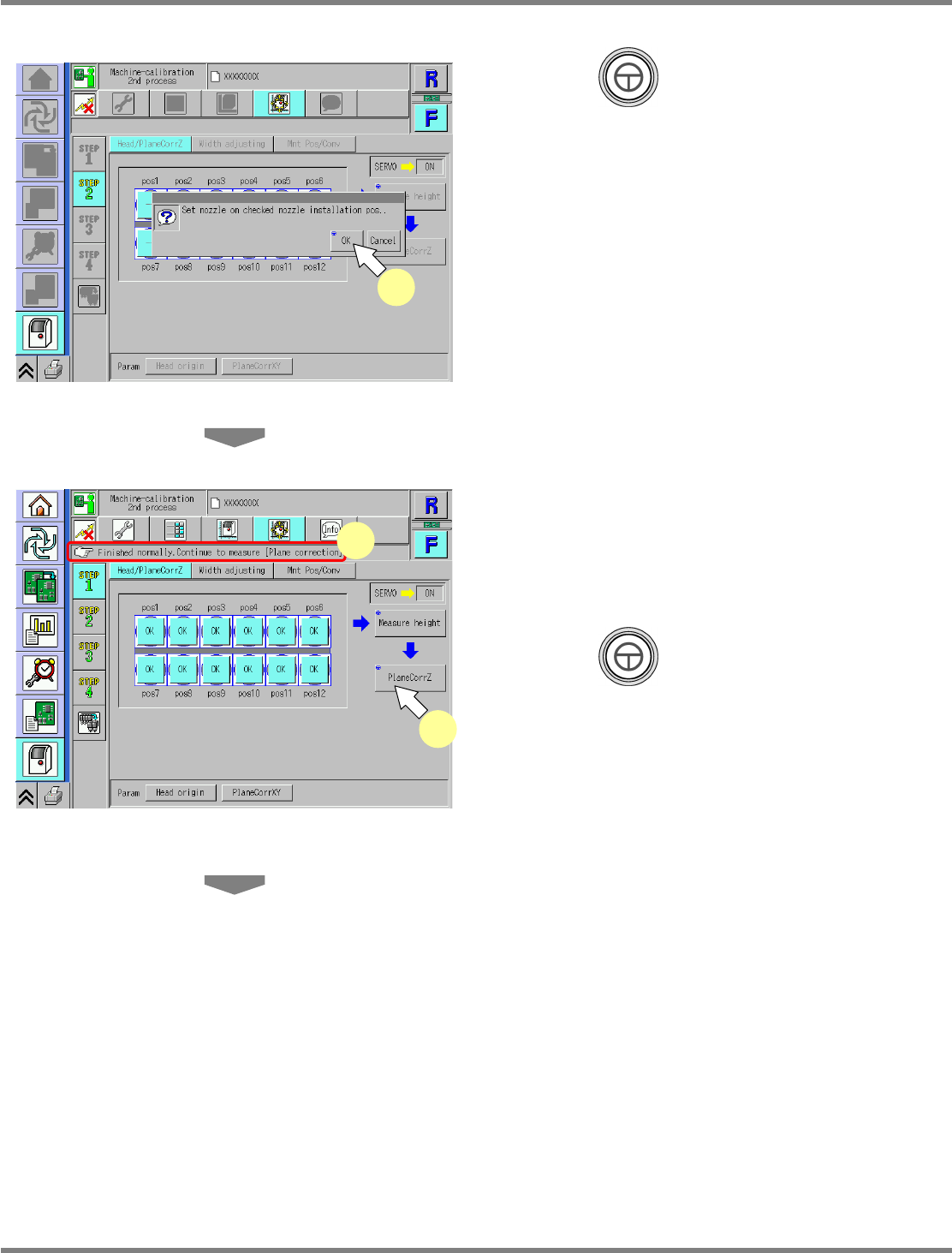
Press + [OK].
•
The calibration is carried out.
12
Check that it is successfully complete.
•
When the height measurement is successfully
complete, ‘--’ changes to ‘OK’ on each nozzle
position.
13
Press + [PlaneCorrZ].
•
The head moves to the working position.
14
Check the nozzle attachment
positions.
12-nozzle head
∗
Use the 230CS nozzle.
8-nozzle head
∗
Use the 230C nozzle.
2-nozzle head
∗
Use the No.1002 nozzle.
UnitCalibAxisSurfaceZ-03E01
12
13
UnitCalibAxisSurfaceZ-02E01
11
NPM
Maintenance Edition
9.4 Head / Plane Compensation Z
EJM9BE-MB-09M-21 Page 9-15
15
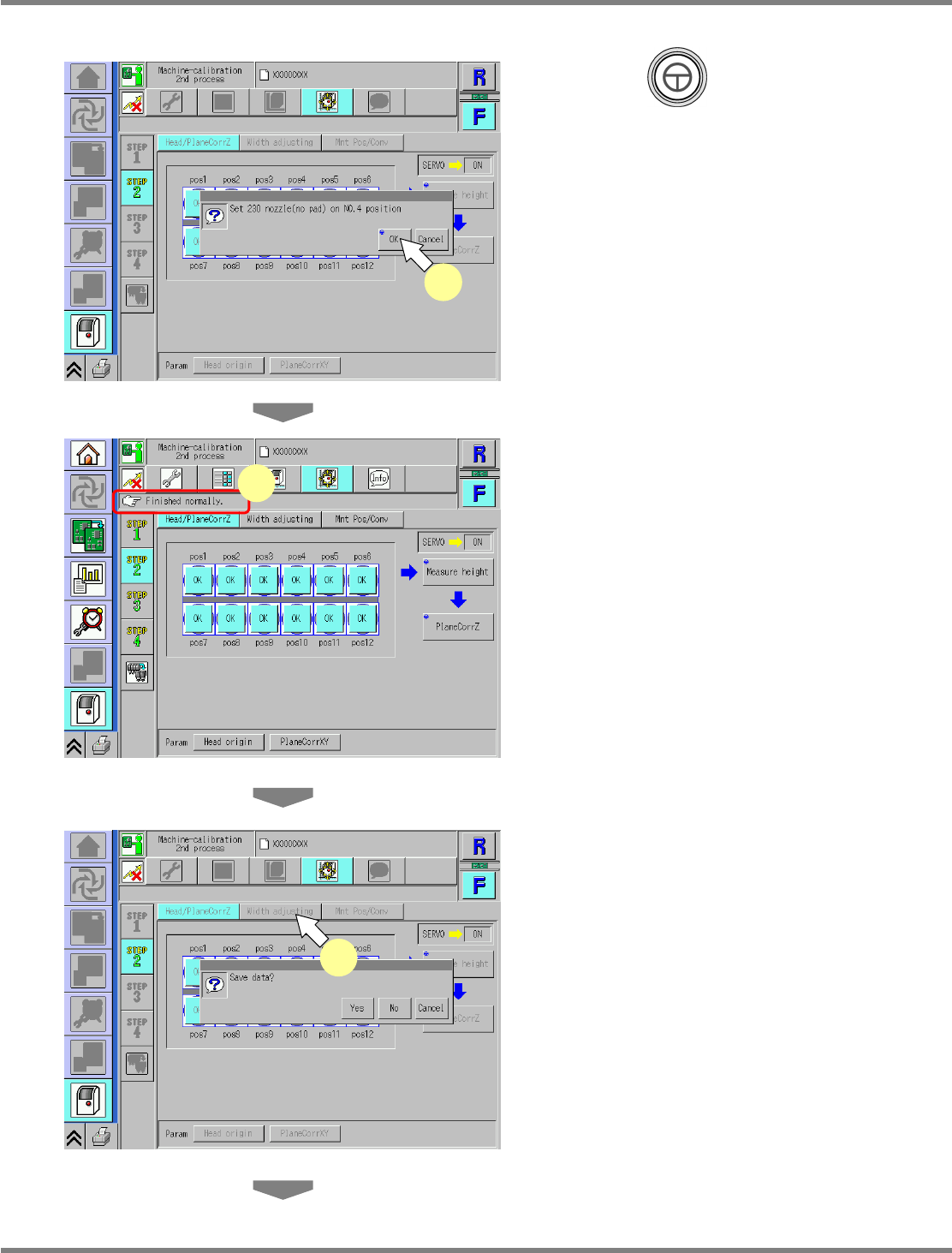
Press + [OK].
•
The calibration is carried out.
16
Check that it is successfully complete.
∗
Perform steps 3–15 for also the other table.
17
Press [Width adjusting].
•
When exiting this screen to the other one, you
are always prompted to save the data.
∗
To save the data obtained by the calibration,
press [Yes].
•
If you press [No], the return-to-origin process
is carried out and the data obtained by the
calibration are lost.
•
After the above operation, the next screen is
displayed.
UnitCalibAxisSurfaceZ-04E01
15
UnitCalibAxisSurfaceZ-06E01
17
UnitCalibAxisSurfaceZ-05E01
16