NPM Calibration Manual-En.pdf - 第16页
NPM Maint en anc e E di ti on 9.4 Head / Plane Compensati on Z EJM9BE-M B-09M-21 Page 9-15 15 Press + [OK]. • T he cali br ation is carri ed out . 16 Check that it i s successfu ll y com pl ete. ∗ Perf orm steps 3–15 f o…
NPM
Maintenance Edition
9.4 Head / Plane Compensation Z
Page 9-14 EJM9BE-MB-09M-21
11
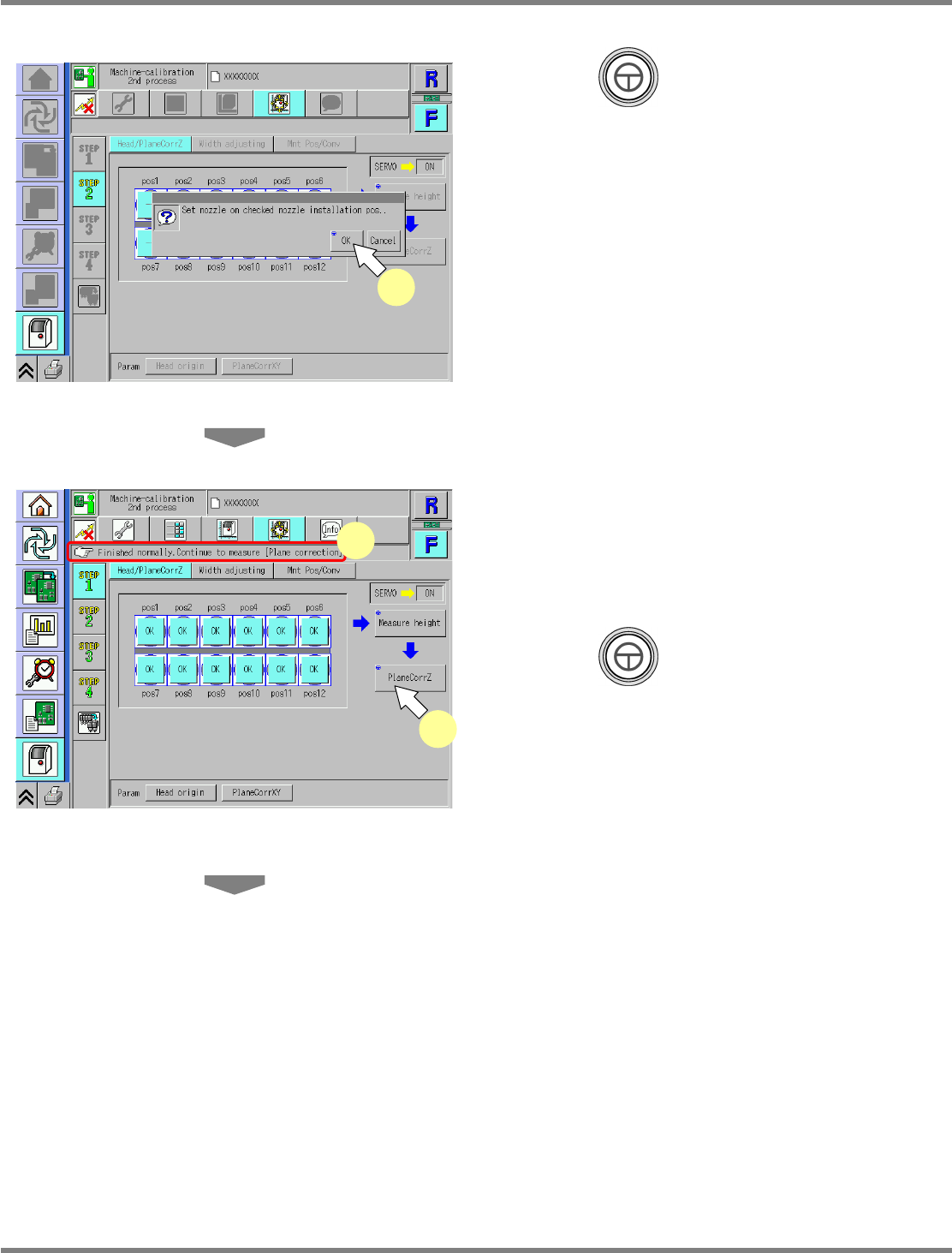
Press + [OK].
•
The calibration is carried out.
12
Check that it is successfully complete.
•
When the height measurement is successfully
complete, ‘--’ changes to ‘OK’ on each nozzle
position.
13
Press + [PlaneCorrZ].
•
The head moves to the working position.
14
Check the nozzle attachment
positions.
12-nozzle head
∗
Use the 230CS nozzle.
8-nozzle head
∗
Use the 230C nozzle.
2-nozzle head
∗
Use the No.1002 nozzle.
UnitCalibAxisSurfaceZ-03E01
12
13
UnitCalibAxisSurfaceZ-02E01
11
NPM
Maintenance Edition
9.4 Head / Plane Compensation Z
EJM9BE-MB-09M-21 Page 9-15
15
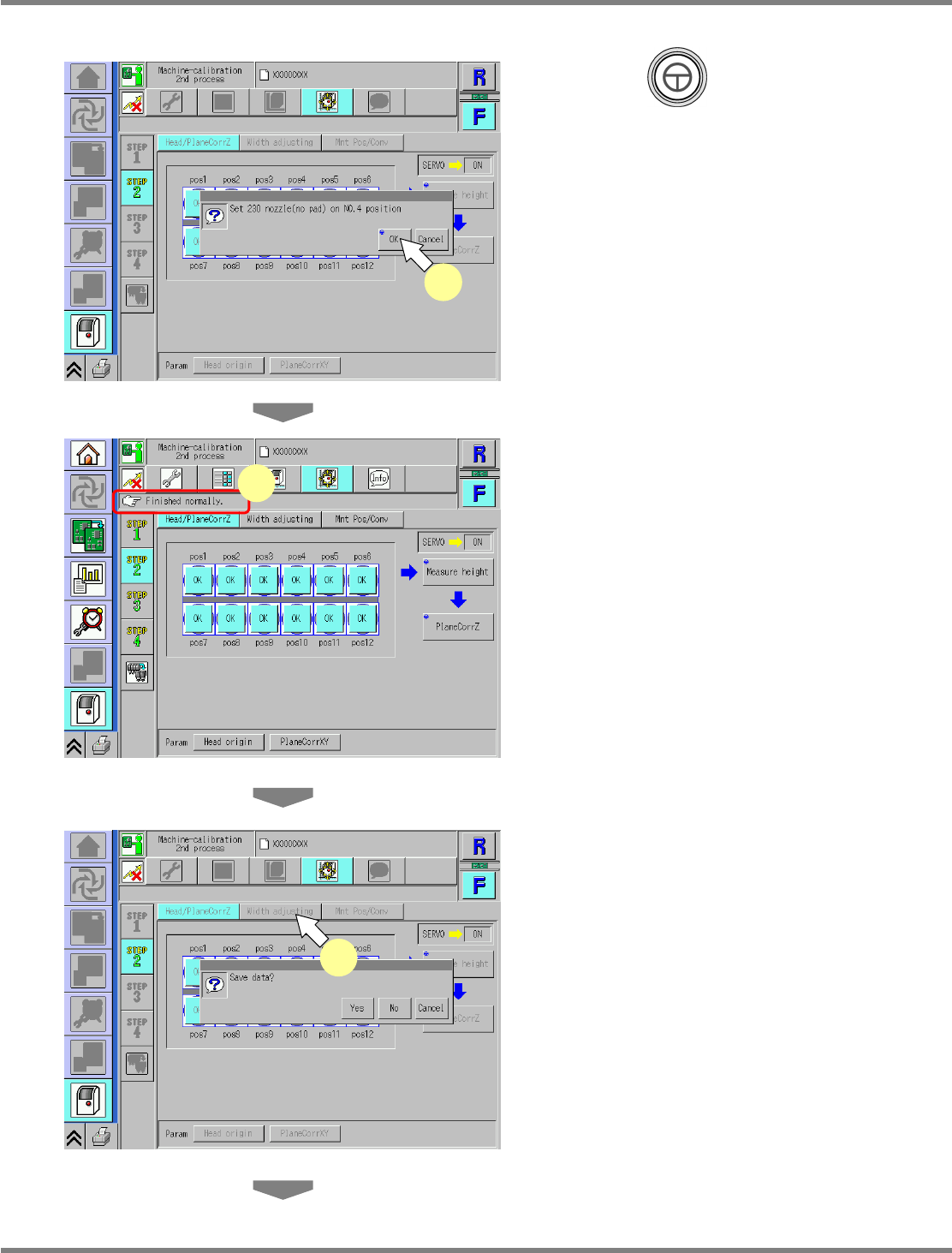
Press + [OK].
•
The calibration is carried out.
16
Check that it is successfully complete.
∗
Perform steps 3–15 for also the other table.
17
Press [Width adjusting].
•
When exiting this screen to the other one, you
are always prompted to save the data.
∗
To save the data obtained by the calibration,
press [Yes].
•
If you press [No], the return-to-origin process
is carried out and the data obtained by the
calibration are lost.
•
After the above operation, the next screen is
displayed.
UnitCalibAxisSurfaceZ-04E01
15
UnitCalibAxisSurfaceZ-06E01
17
UnitCalibAxisSurfaceZ-05E01
16
NPM
Maintenance Edition
9.4 Head / Plane Compensation Z
Page 9-16 EJM9BE-MB-09M-21
18
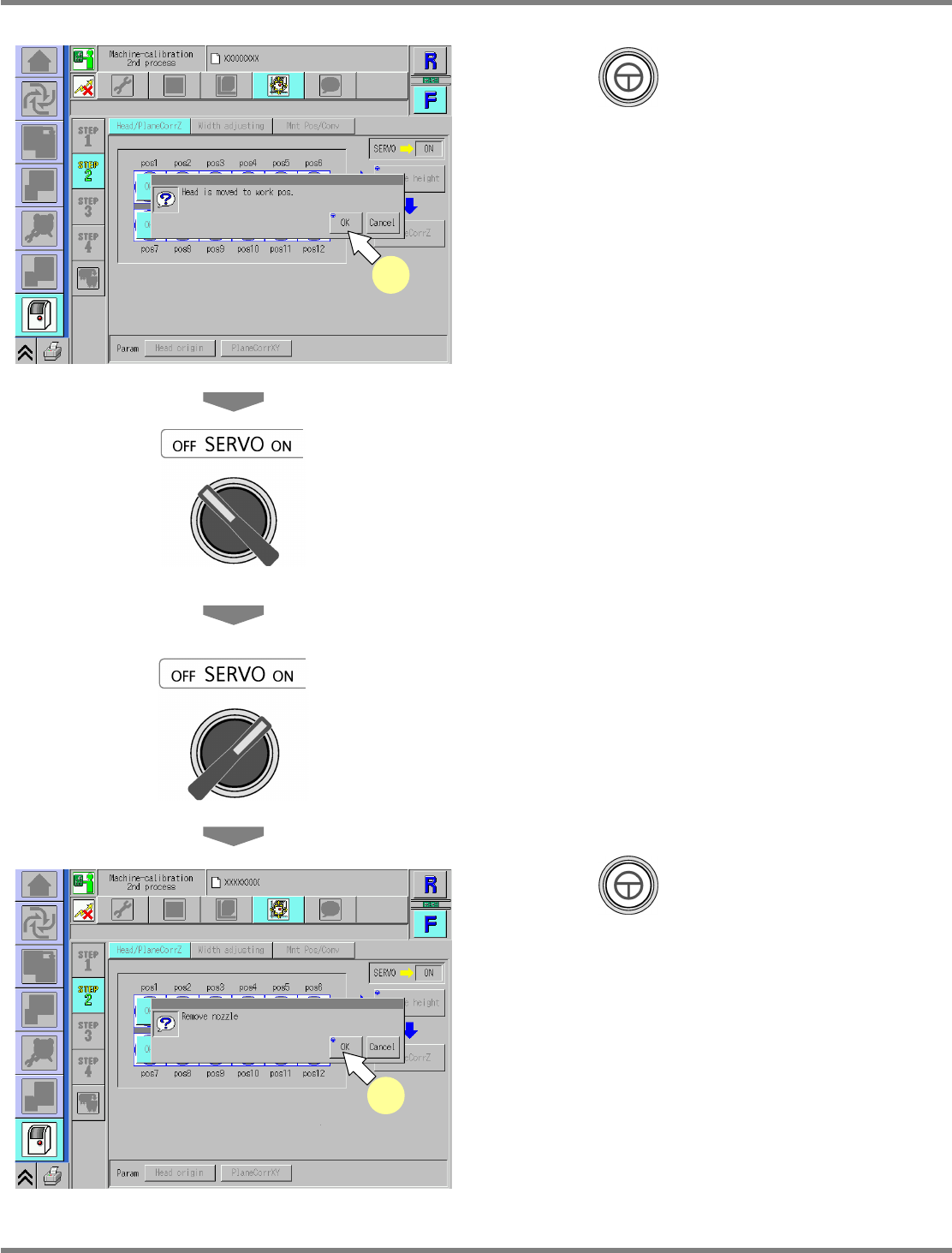
Press + [OK].
•
The head moves to the working position.
19
Turn OFF the servo switch.
20
Open the safety cover.
21
Detach the nozzles.
22
Close the safety cover.
23
Turn ON the servo switch.
24
Press + [OK].
•
After the head moves to the origin position,
the screen selected in step 17 is displayed.
UnitCalibAxisSurfaceZ-07E01
18
UnitCalibAxisSurfaceZ-08E01
24