NPM Calibration Manual-En.pdf - 第18页
NPM Maint en anc e E di ti on 9.5 W idth Adj ustm ent EJM9BE-M B-09M-21 Page 9-17 9.5 Width A djustment S ingle c onve yor t ype 1 Press . 2 Press [ W idth adj usti ng]. 3 Press + [Std w idth m ove]. • T he conv e yor …
NPM
Maintenance Edition
9.4 Head / Plane Compensation Z
Page 9-16 EJM9BE-MB-09M-21
18
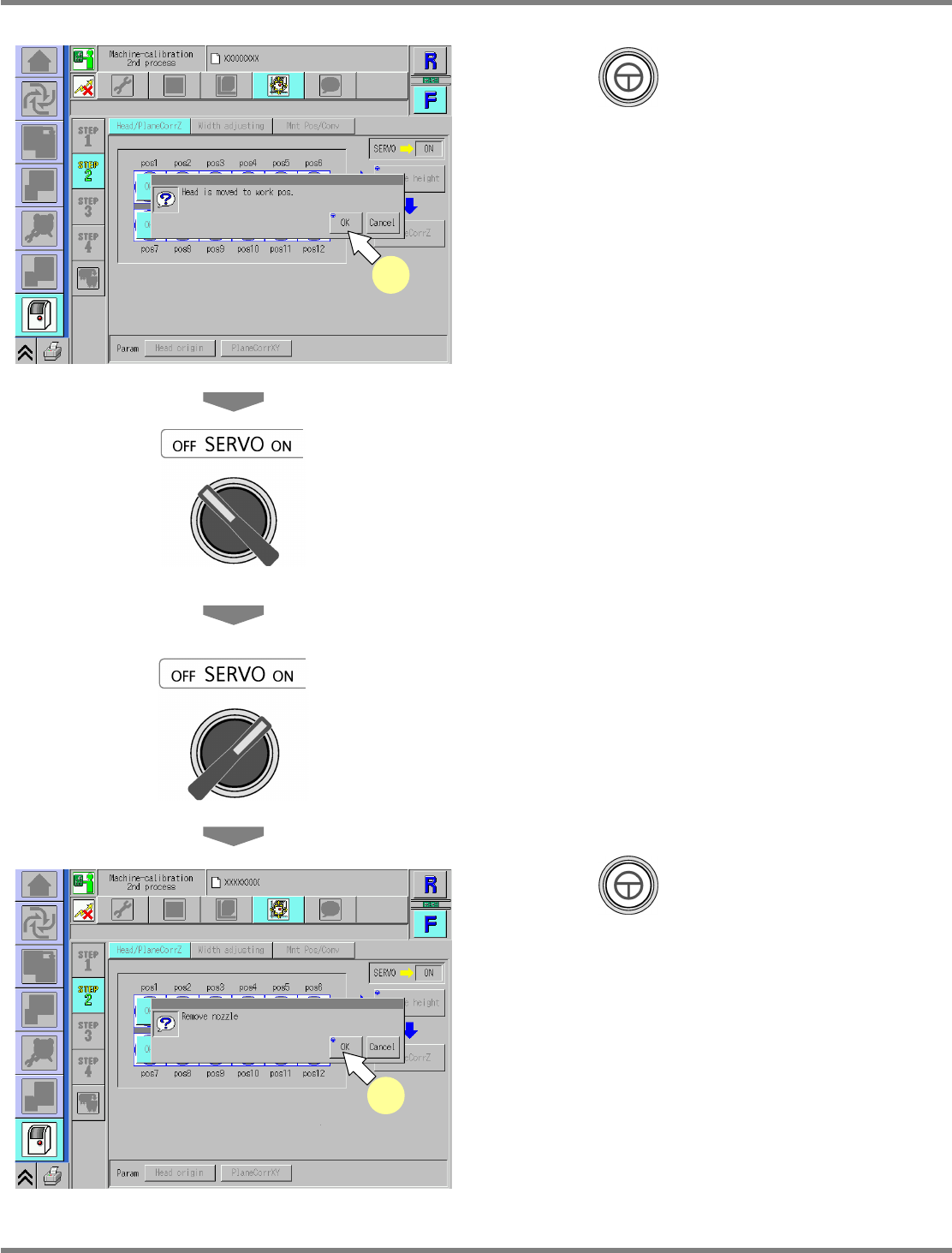
Press + [OK].
•
The head moves to the working position.
19
Turn OFF the servo switch.
20
Open the safety cover.
21
Detach the nozzles.
22
Close the safety cover.
23
Turn ON the servo switch.
24
Press + [OK].
•
After the head moves to the origin position,
the screen selected in step 17 is displayed.
UnitCalibAxisSurfaceZ-07E01
18
UnitCalibAxisSurfaceZ-08E01
24
NPM
Maintenance Edition
9.5 Width Adjustment
EJM9BE-MB-09M-21 Page 9-17
9.5 Width Adjustment
Single conveyor type
1
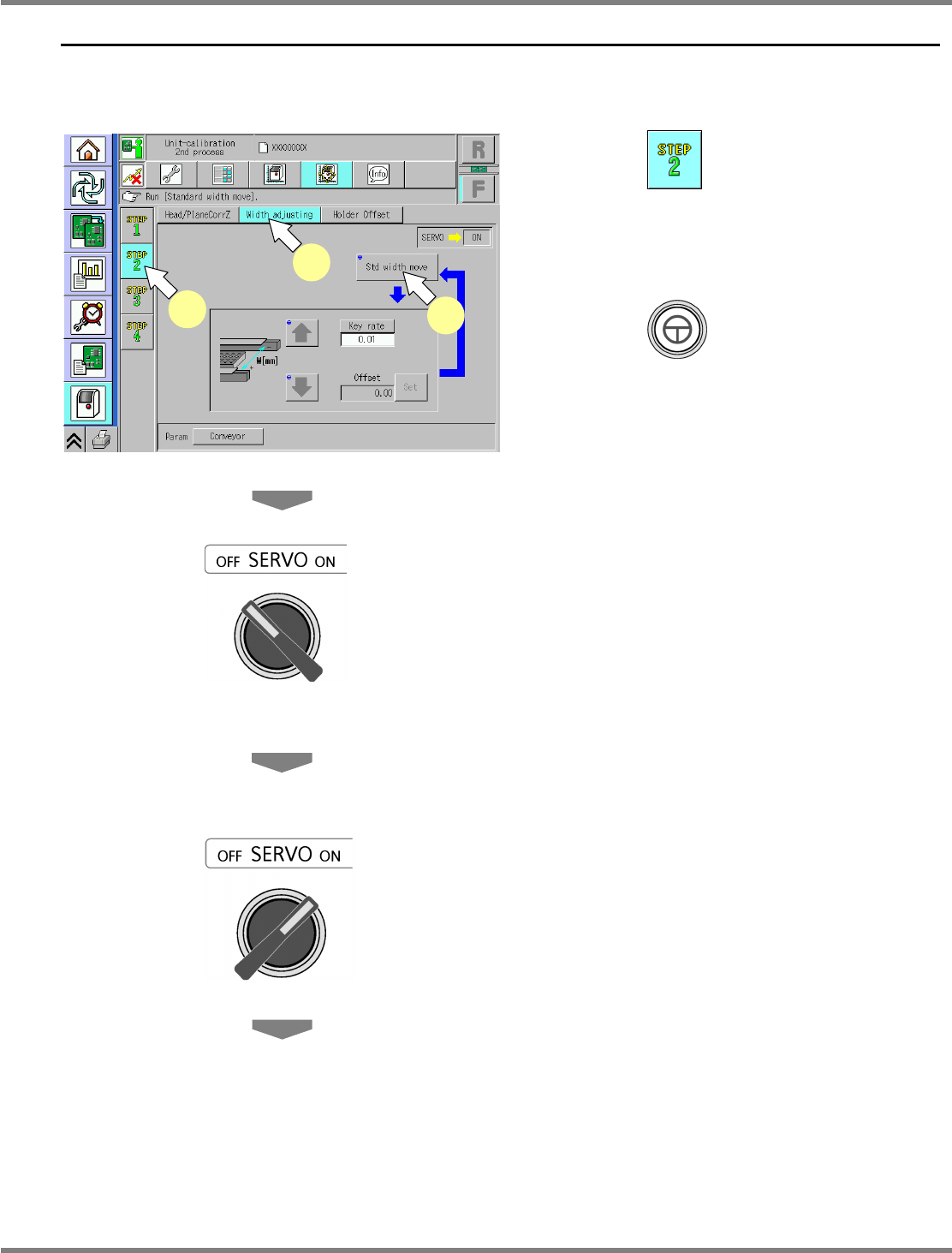
Press .
2
Press [Width adjusting].
3
Press + [Std width move].
•
The conveyor width is adjusted to the
reference width: 460 mm.
4
Turn OFF the servo switch.
5
Open the safety cover.
6
Measure the conveyor width with a
vernier caliper.
7
Close the safety cover.
8
Turn ON the servo switch.
UnitCalibConveyorWideOrigin-01E02
1
2
3
NPM
Maintenance Edition
9.5 Width Adjustment
Page 9-18 EJM9BE-MB-09M-21
9
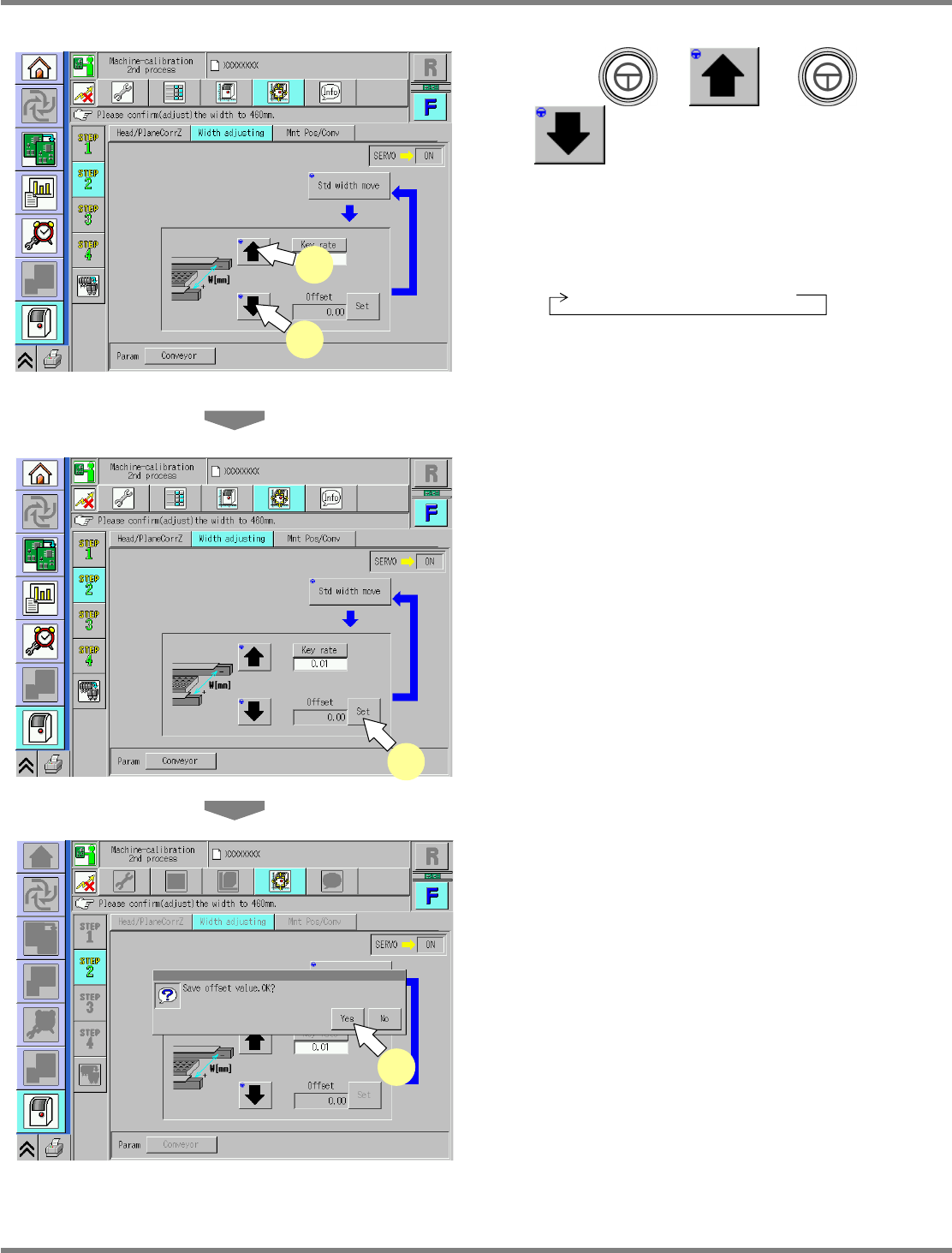
Press + or +
.
∗
Adjust the conveyor width to the reference
width + 0.5 mm to 0.7 mm.
∗
When pressing [Key rate], you can change the
response.
0.01 mm
→
0.1 mm
→
1 mm
10
Repeat steps 4 to 9 until the above
reference width is reached.
11
Press [Set].
•
The adjustment result is saved.
12
Save the result of adjustment.
•
Press [Yes] to save the result.
UnitCalibConveyorWideOrigin-02E01
11
UnitCalibConveyorWideOrigin-03E01
12
UnitCalibConveyorWideOrigin-02E01
9
10