NPM Calibration Manual-En.pdf - 第19页
NPM Maint en anc e E di ti on 9.5 W idth Adj ustm ent Page 9-18 EJM9BE-M B-09M-21 9 Press + or + . ∗ Adj ust the c onveyor widt h to the ref erenc e width + 0.5 mm to 0.7 mm. ∗ W hen pressing [ Key r ate], you can c hang…
NPM
Maintenance Edition
9.5 Width Adjustment
EJM9BE-MB-09M-21 Page 9-17
9.5 Width Adjustment
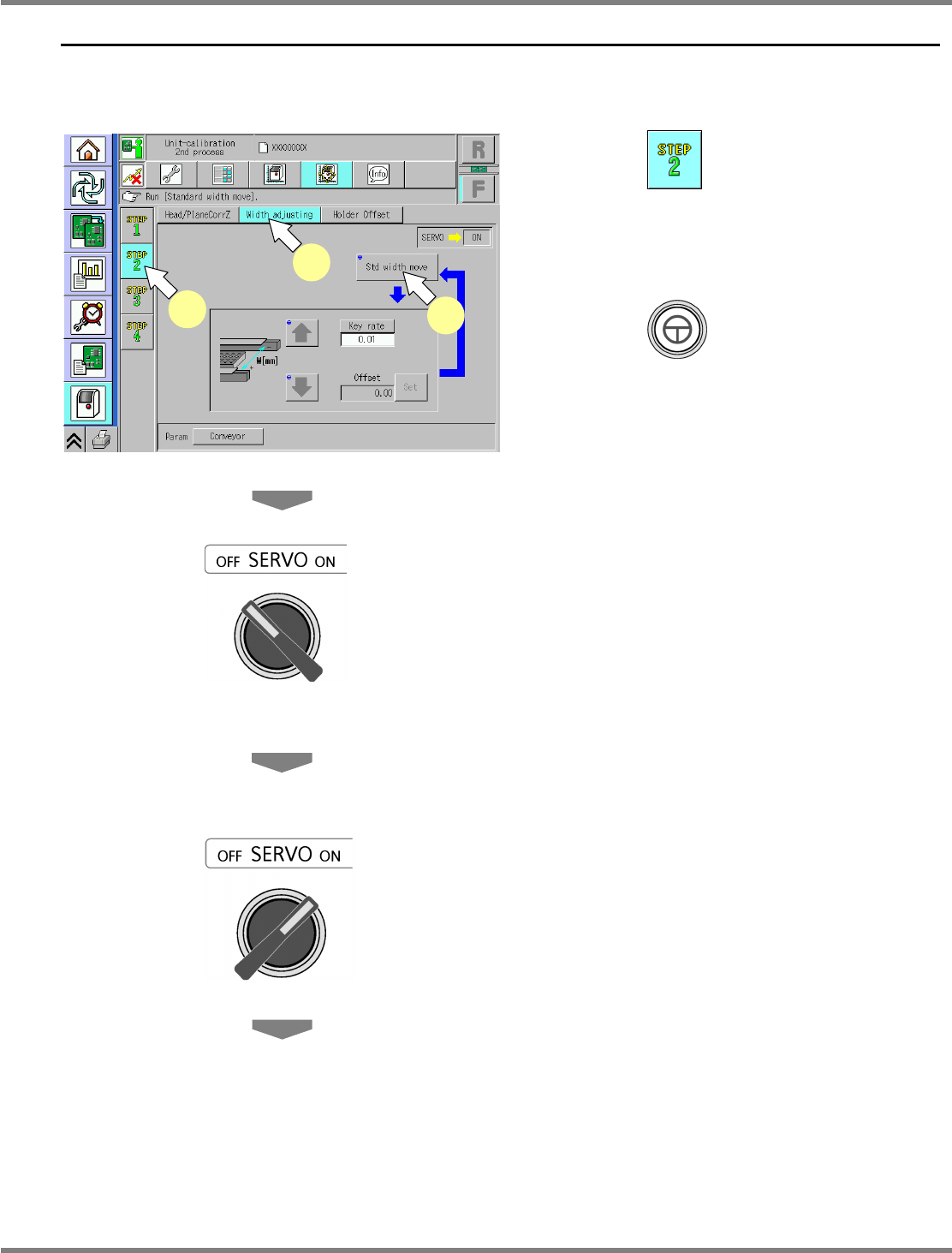
Single conveyor type
1
Press .
2
Press [Width adjusting].
3
Press + [Std width move].
•
The conveyor width is adjusted to the
reference width: 460 mm.
4
Turn OFF the servo switch.
5
Open the safety cover.
6
Measure the conveyor width with a
vernier caliper.
7
Close the safety cover.
8
Turn ON the servo switch.
UnitCalibConveyorWideOrigin-01E02
1
2
3
NPM
Maintenance Edition
9.5 Width Adjustment
Page 9-18 EJM9BE-MB-09M-21
9
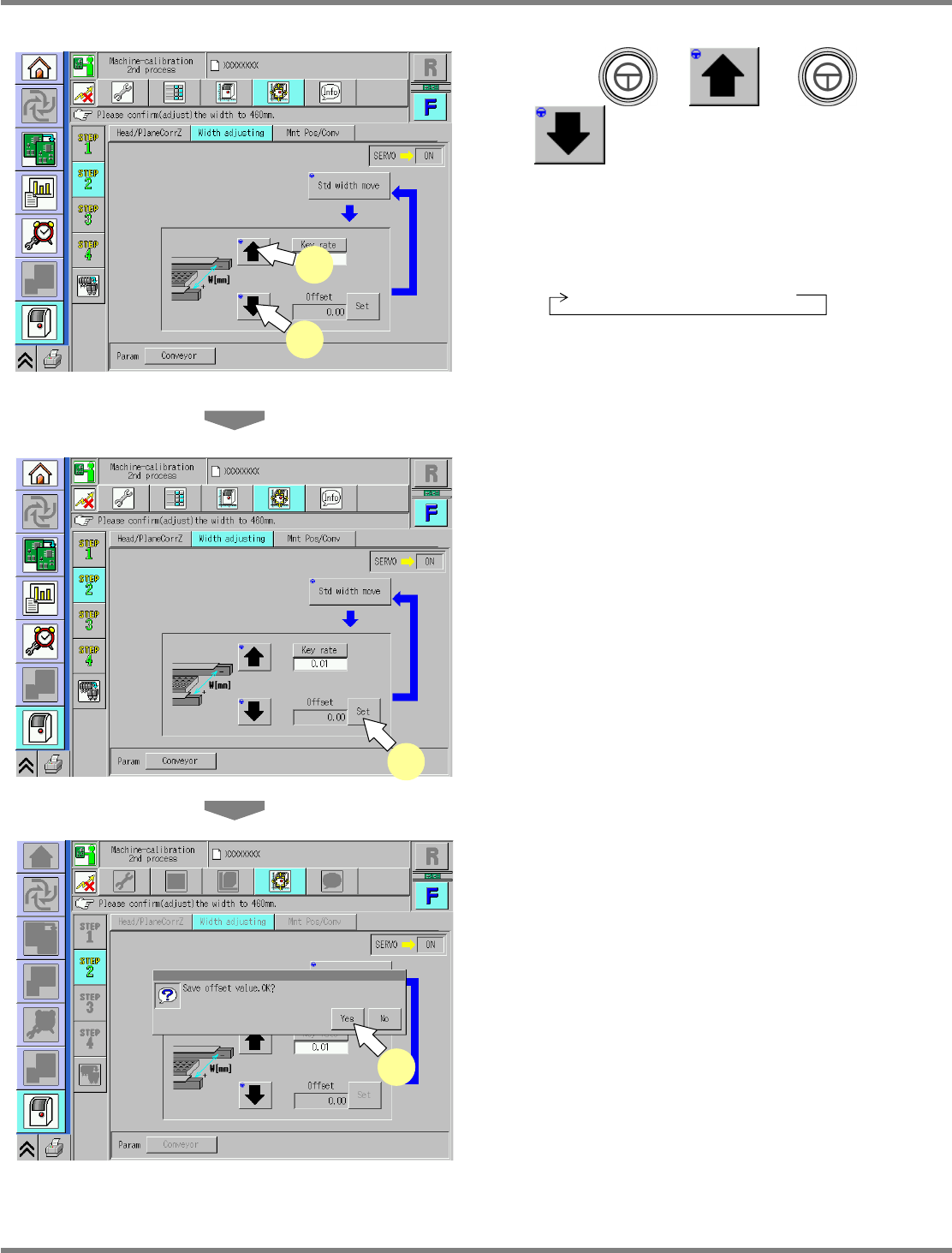
Press + or +
.
∗
Adjust the conveyor width to the reference
width + 0.5 mm to 0.7 mm.
∗
When pressing [Key rate], you can change the
response.
0.01 mm
→
0.1 mm
→
1 mm
10
Repeat steps 4 to 9 until the above
reference width is reached.
11
Press [Set].
•
The adjustment result is saved.
12
Save the result of adjustment.
•
Press [Yes] to save the result.
UnitCalibConveyorWideOrigin-02E01
11
UnitCalibConveyorWideOrigin-03E01
12
UnitCalibConveyorWideOrigin-02E01
9
10
NPM
Maintenance Edition
9.5 Width Adjustment
EJM9BE-MB-09M-21 Page 9-19
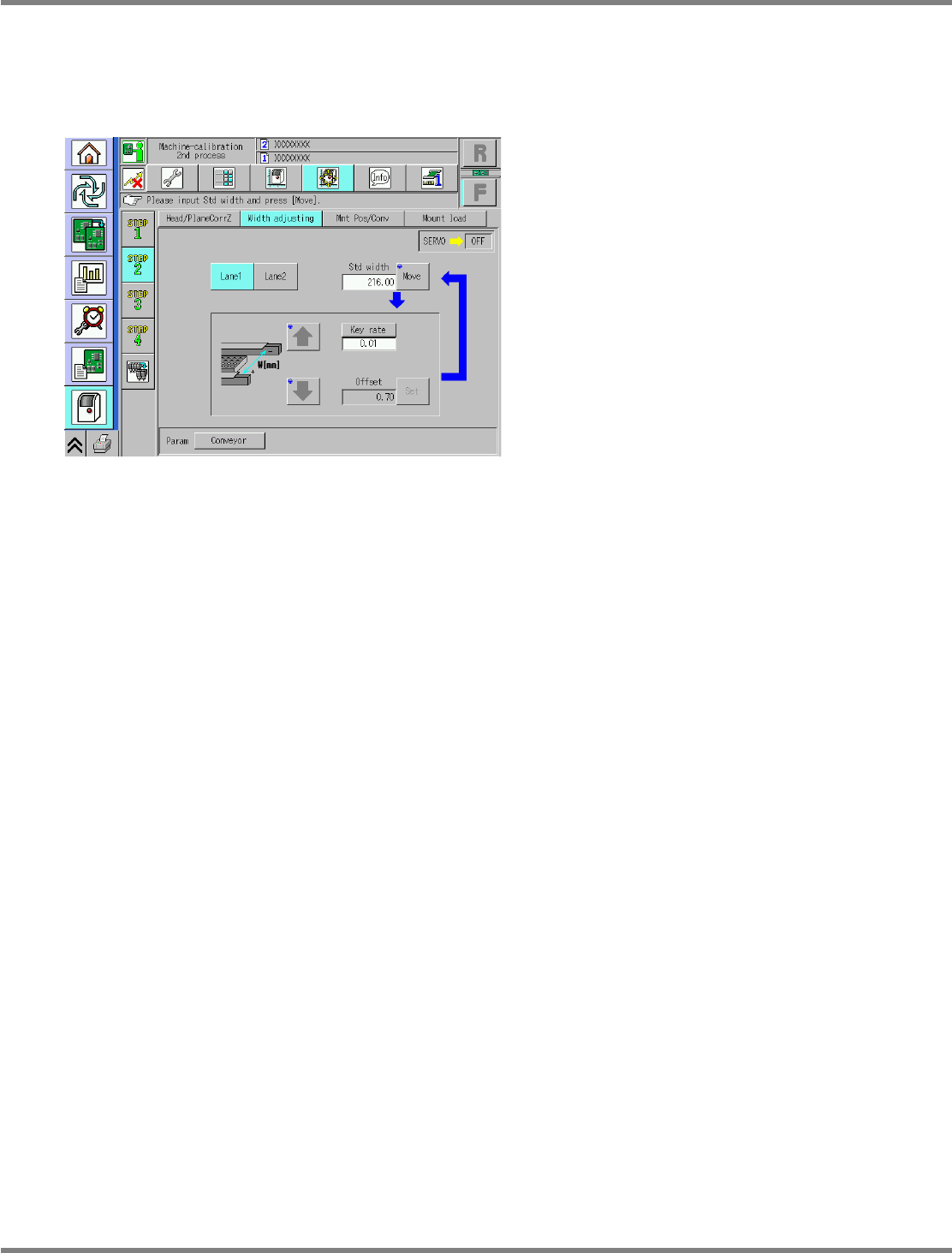
Dual conveyor type
For the dual conveyor type, select the lanes 1 and 2.
The operating procedure and details are the same as those for the single conveyor.
∗
The reference width is 216 mm.
UnitCalibConveyorWideOrigin-05E00