NPM Calibration Manual-En.pdf - 第24页
NPM Maint en anc e E di ti on 9.6 Pl ac ement Positi on / Conveyor EJM9BE-M B-09M-21 Page 9-23 15 Press [OK]. 16 Press + [Measure he i ght]. • T he head mov es to the worki ng posi tion. 17 Turn OFF the se rvo switch. 18…
NPM
Maintenance Edition
9.6 Placement Position / Conveyor
Page 9-22 EJM9BE-MB-09M-21
9
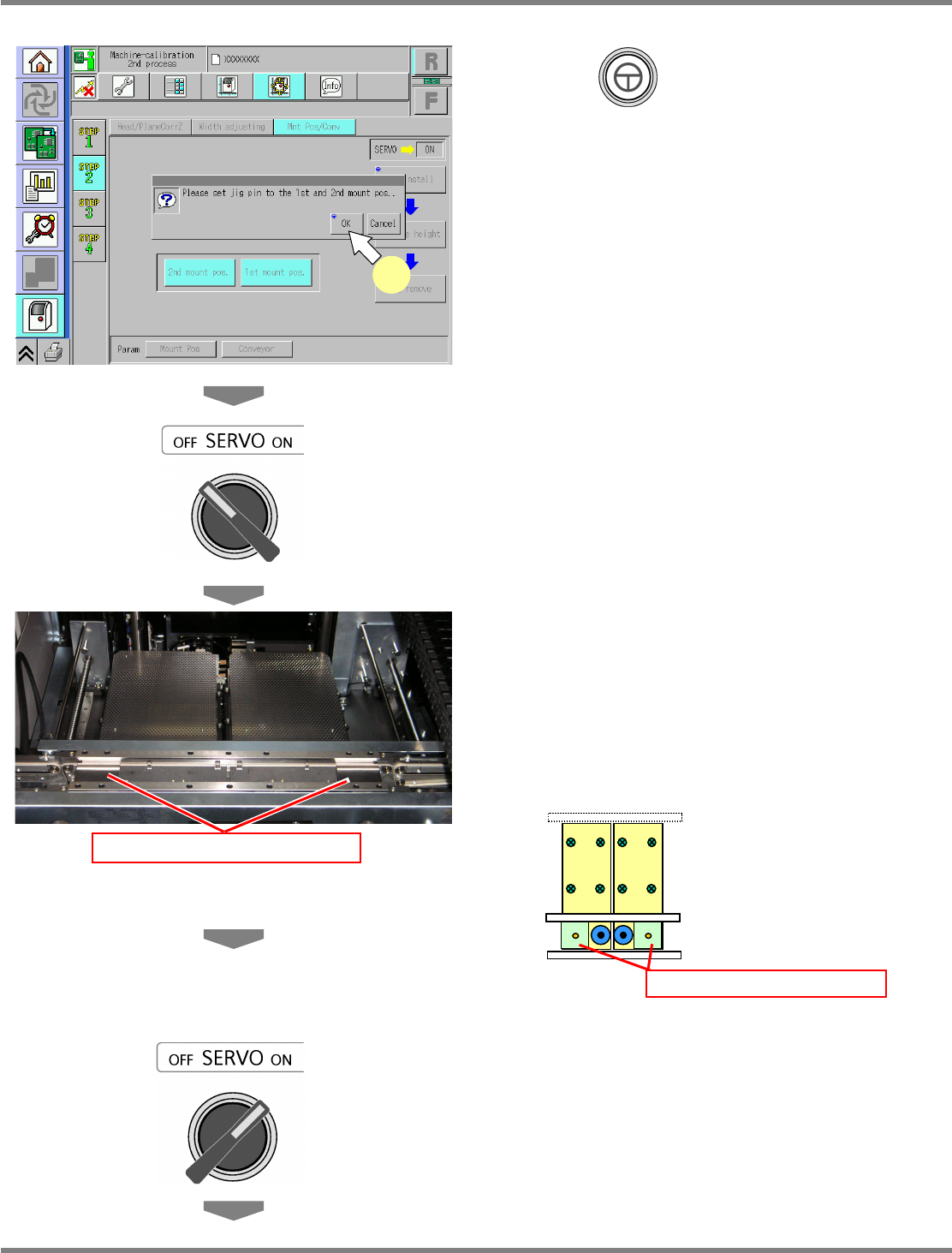
Press + [OK].
•
The support blocks descend, and the
width-adjustment axis moves.
10
Turn OFF the servo switch.
11
Open the safety cover.
12
Set the placement-height teaching
jigs.
∗
The placement-height teaching jig for the right
1st placement position should be set with its
right end fit to the right end of the PCB clamp.
The placement-height teaching jig for the left
2nd placement position should be set with its
left end fit to the left end of the PCB clamp.
13
Close the safety cover.
14
Turn ON the servo switch.
Placement-height teaching jig
Placement-height teaching jig
UnitCalibConveyorPCBPos-02E01
9
NPM
Maintenance Edition
9.6 Placement Position / Conveyor
EJM9BE-MB-09M-21 Page 9-23
15
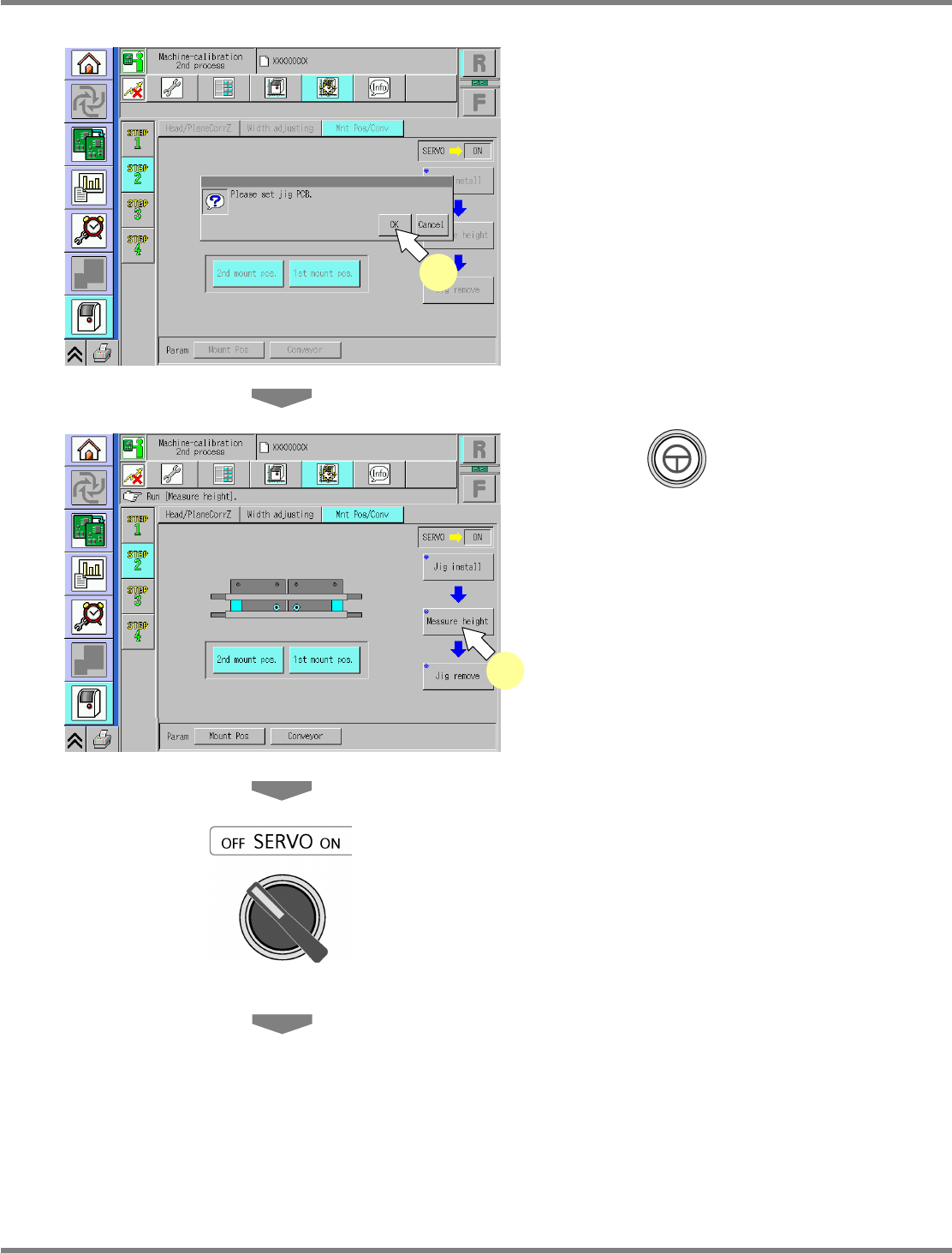
Press [OK].
16
Press + [Measure height].
•
The head moves to the working position.
17
Turn OFF the servo switch.
18
Open the safety cover.
UnitCalibConveyorPCBPos-03E01
15
UnitCalibConveyorPCBPos-04E01
16
NPM
Maintenance Edition
9.6 Placement Position / Conveyor
Page 9-24 EJM9BE-MB-09M-21
19
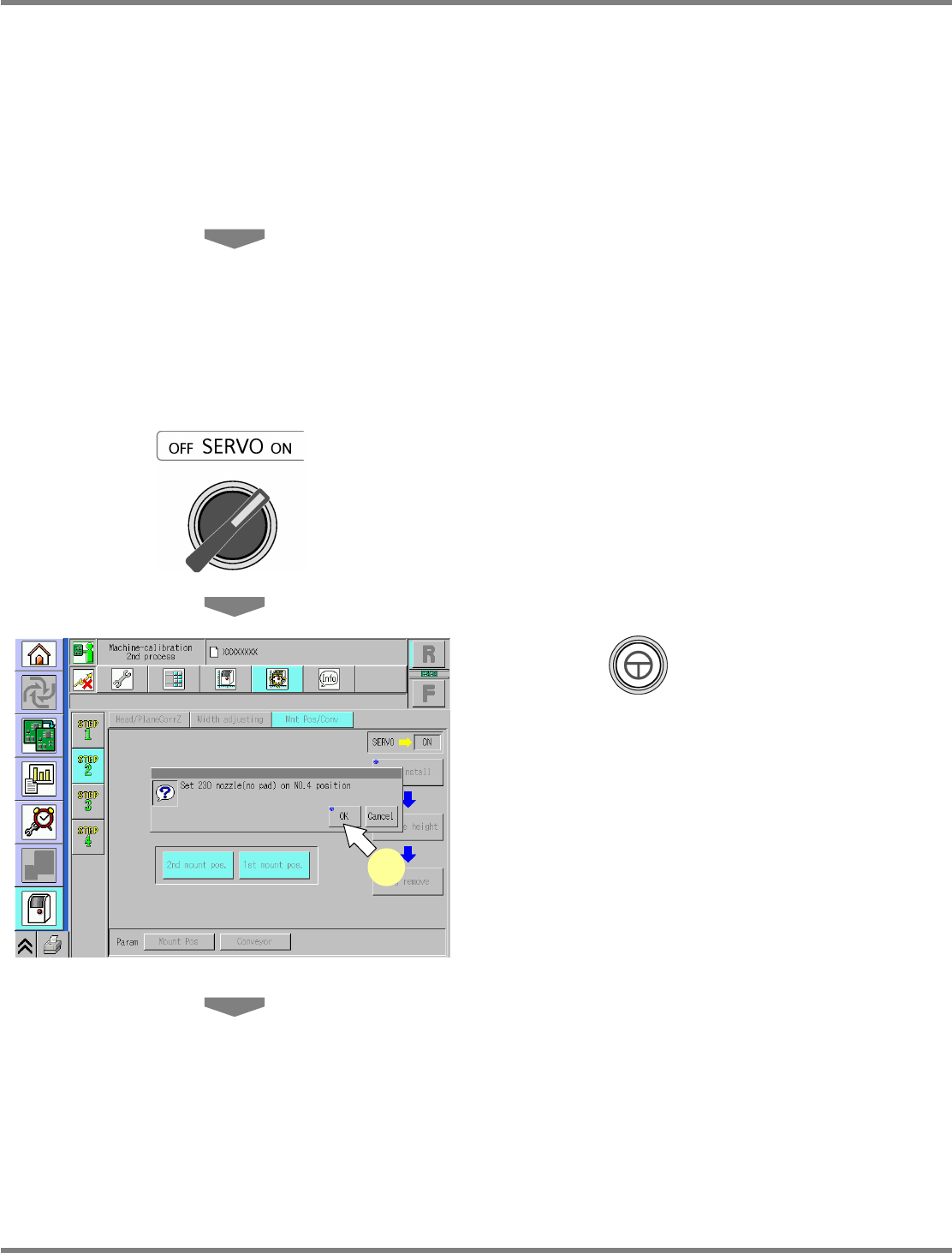
Attach the nozzle.
12-nozzle head
∗
Attach the 230CS nozzle to the nozzle
position 4.
8-nozzle head
∗
Attach the 230C nozzle to the nozzle position
3.
2-nozzle head
∗
Attach the No.1003 nozzle to the nozzle
position 2.
20
Close the safety cover.
21
Turn ON the servo switch.
22
Press + [OK].
•
The calibration is carried out.
UnitCalibConveyorPCBPos-05E01
22