NPM Calibration Manual-En.pdf - 第27页
NPM Maint en anc e E di ti on 9.6 Pl ac ement Positi on / Conveyor Page 9-26 EJM9BE-M B-09M-21 32 Press + [OK]. • T he head mov es to the r etracti on positi on. 33 Turn OFF the se rvo switch. 34 Open the s afety cover. …
NPM
Maintenance Edition
9.6 Placement Position / Conveyor
EJM9BE-MB-09M-21 Page 9-25
23
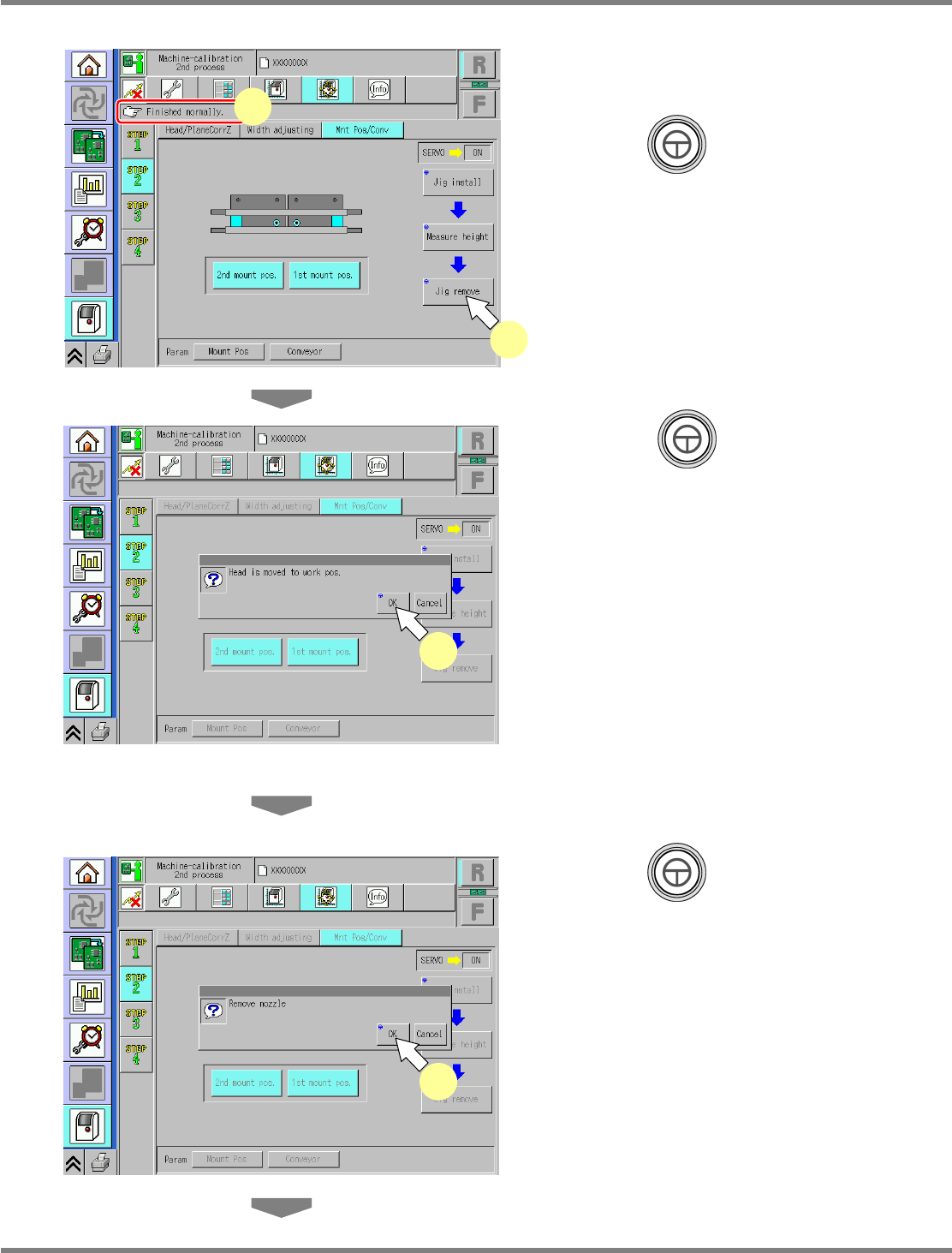
Check that it is successfully complete.
24
Press + [Jig remove].
25
Press + [OK].
26
Turn OFF the servo switch.
27
Open the safety cover.
28
Detach the nozzles.
29
Close the safety cover.
30
Turn ON the servo switch.
31
Press + [OK].
UnitCalibConveyorPCBPos-07E01
25
UnitCalibConveyorPCBPos-08E01
31
UnitCalibConveyorPCBPos-06E01
24
23
NPM
Maintenance Edition
9.6 Placement Position / Conveyor
Page 9-26 EJM9BE-MB-09M-21
32
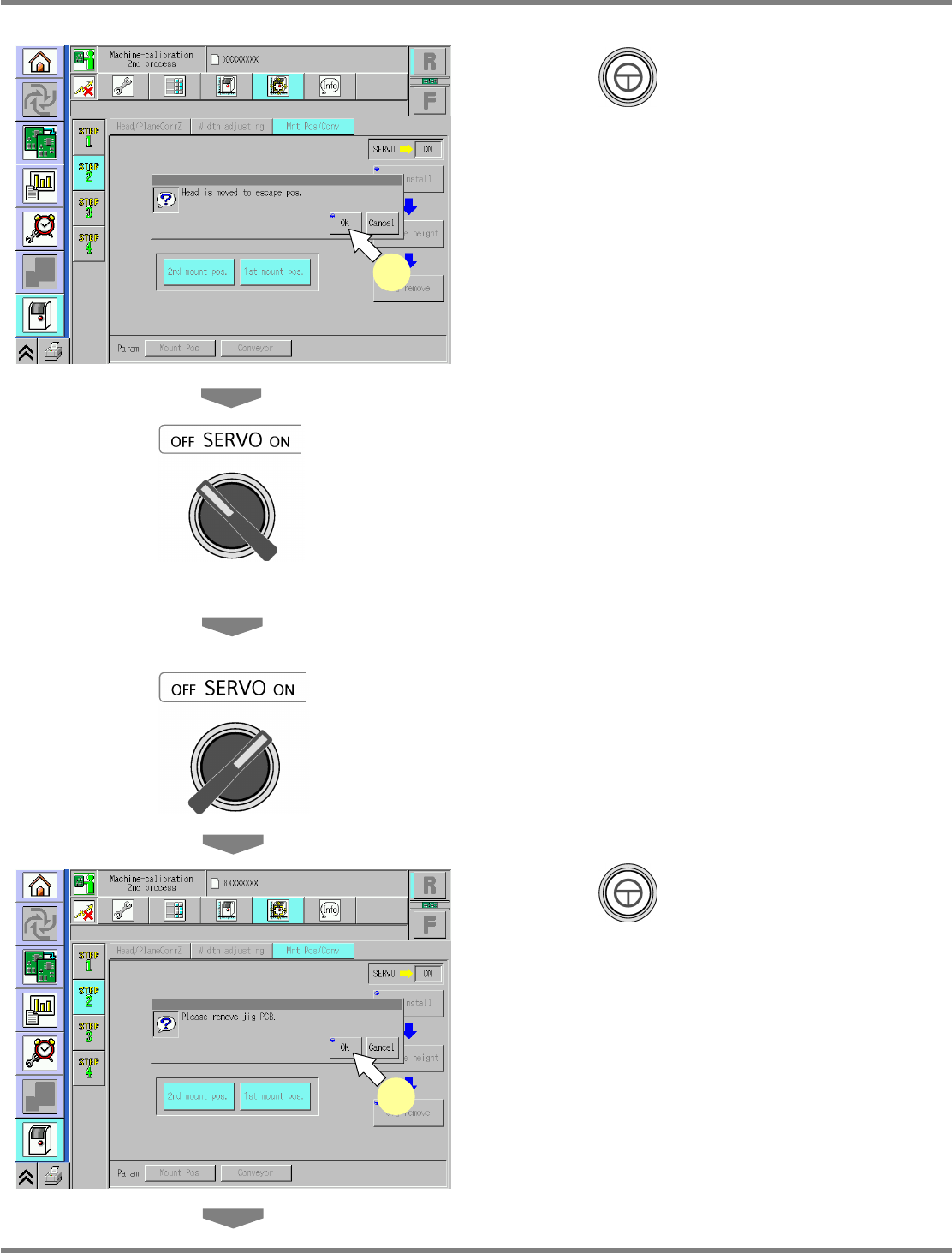
Press + [OK].
•
The head moves to the retraction position.
33
Turn OFF the servo switch.
34
Open the safety cover.
35
Remove the placement-height
teaching jig.
36
Close the safety cover.
37
Turn ON the servo switch.
38
Press + [OK].
•
The width-adjustment axis moves to the
origin, and the support blocks ascend.
UnitCalibConveyorPCBPos-10E01
38
UnitCalibConveyorPCBPos-09E01
32
NPM
Maintenance Edition
9.6 Placement Position / Conveyor
EJM9BE-MB-09M-21 Page 9-27
39
Turn OFF the servo switch.
40
Open the safety cover.
41
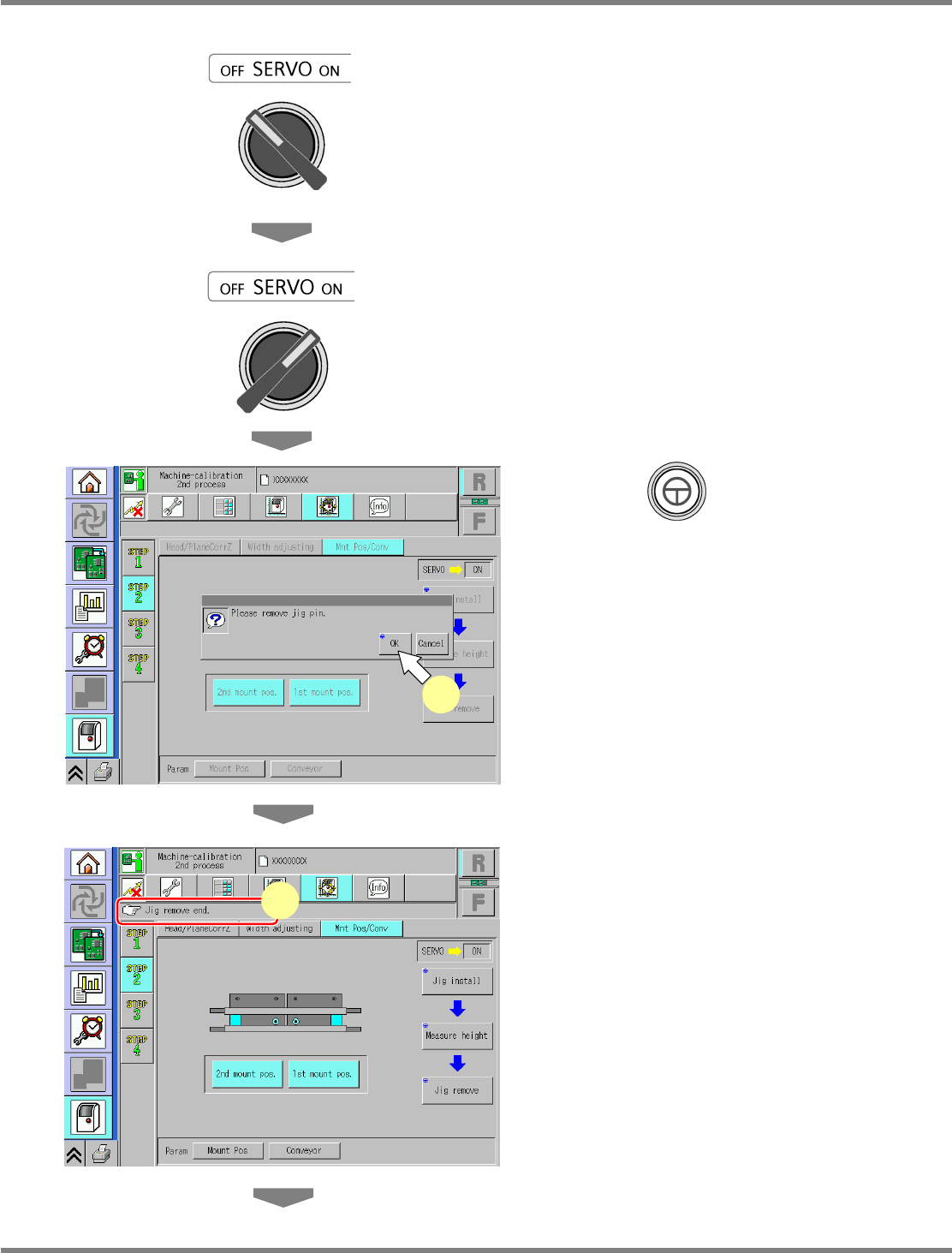
Remove the support jig pins.
42
Close the safety cover.
43
Turn ON the servo switch.
44
Press + [OK].
•
The support blocks descend.
45
Check that the process has been
finished successfully.
UnitCalibConveyorPCBPos-11E01
44
UnitCalibConveyorPCBPos-12E01
45