NPM Calibration Manual-En.pdf - 第29页
NPM Maint en anc e E di ti on 9.6 Pl ac ement Positi on / Conveyor Page 9-28 EJM9BE-M B-09M-21 46 Save the data . • If you press [No], t he ret urn-to-or i gin process is car ri ed out and the dat a obtained by t he cal …
NPM
Maintenance Edition
9.6 Placement Position / Conveyor
EJM9BE-MB-09M-21 Page 9-27
39
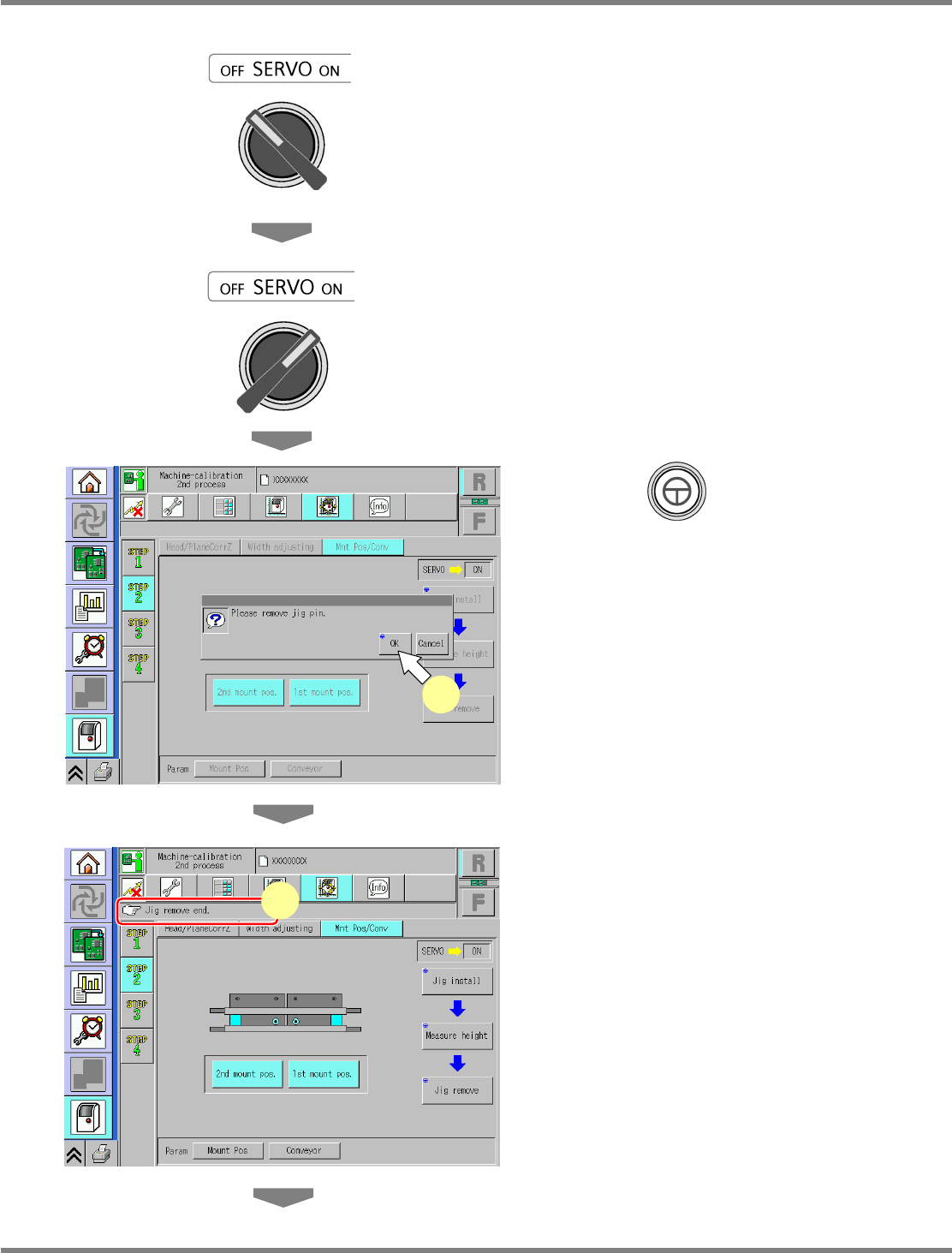
Turn OFF the servo switch.
40
Open the safety cover.
41
Remove the support jig pins.
42
Close the safety cover.
43
Turn ON the servo switch.
44
Press + [OK].
•
The support blocks descend.
45
Check that the process has been
finished successfully.
UnitCalibConveyorPCBPos-11E01
44
UnitCalibConveyorPCBPos-12E01
45
NPM
Maintenance Edition
9.6 Placement Position / Conveyor
Page 9-28 EJM9BE-MB-09M-21
46
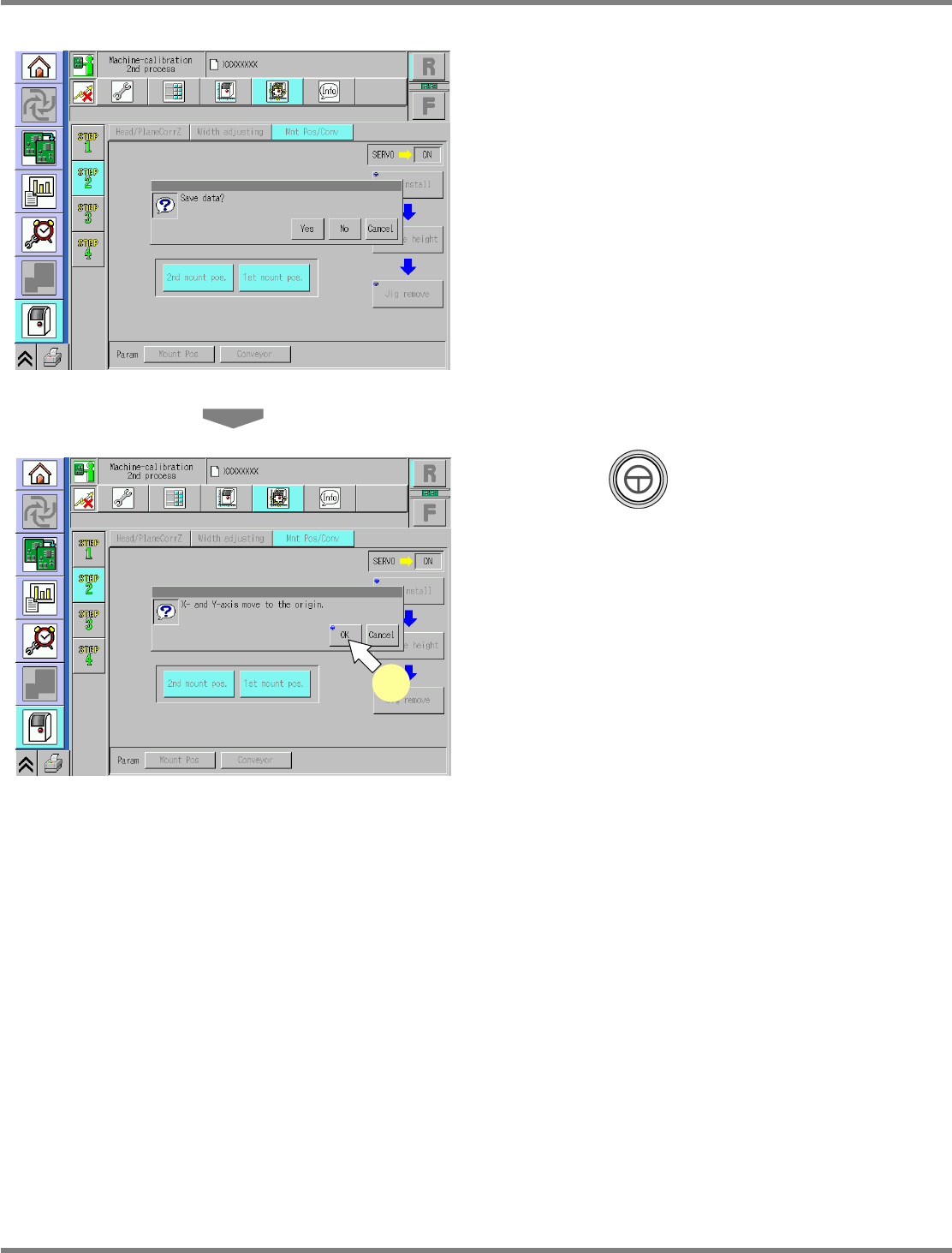
Save the data.
•
If you press [No], the return-to-origin process
is carried out and the data obtained by the
calibration are lost.
47
Press + [OK].
•
The head moves to the origin position.
•
After the above operation, the next screen is
displayed.
UnitCalibConveyorPCBPos-13E01
UnitCalibConveyorPCBPos-14E01
47
NPM
Maintenance Edition
9.6 Placement Position / Conveyor
EJM9BE-MB-09M-21 Page 9-29
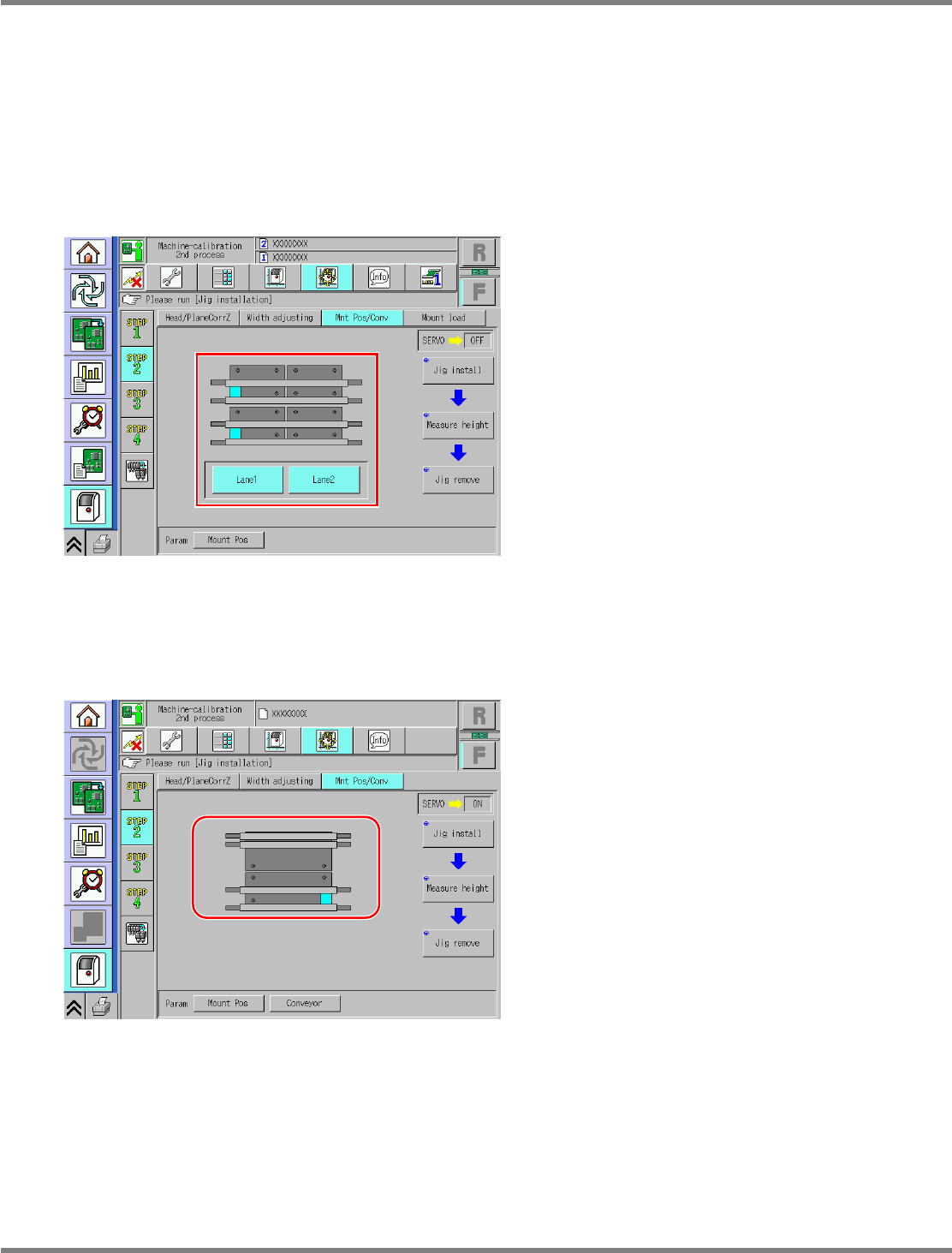
Dual conveyor type
For the dual conveyor type, only the placement height is measured. The operation screen varies
according to whether the conveyor mode is dual lane mode or single lane mode.
The operation screen switches according to the conveyor mode automatically.
In dual lane mode, you can select the lane 1 or the lane 2, allowing calibration of each lane.
For single lane mode, only the lane 1 is targeted.
The operation is the same.
A) For dual lane mode
B) For single lane mode
UnitCalibConveyorPCBPos-15E00
UnitCalibConveyorPCBPos-016E01