NPM Calibration Manual-En.pdf - 第35页
NPM Maint en anc e E di ti on 9.7 Pl ac ement Load Page 9-34 EJM9BE-M B-09M-21 12 Press + [OK]. 13 Press [Head No]. • Ev ery press i ng swit ches the nozz l e positi on No. ∗ Sel ect the tar get nozzl e positi on f or ca…
NPM
Maintenance Edition
9.7 Placement Load
EJM9BE-MB-09M-21 Page 9-33
∗
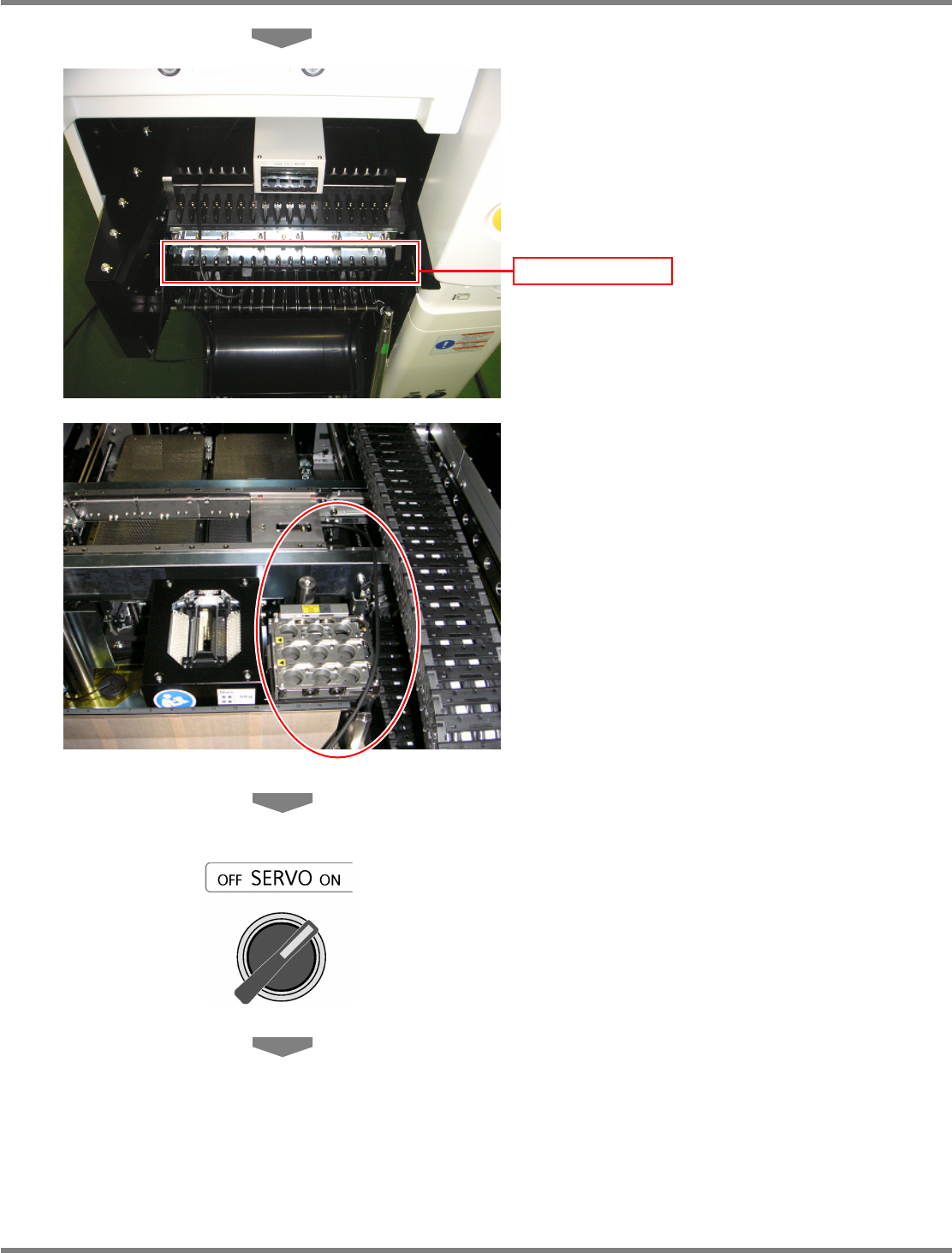
Connect the power cord to one of the
connector on the power supply unit of the
changing truck.
∗
Route the wire between the nozzle changer
and the cable bearer so that it will not interfere
with the head, as shown in the photo.
10
Close the safety cover.
11
Turn ON the servo switch.
Power supply unit
NPM
Maintenance Edition
9.7 Placement Load
Page 9-34 EJM9BE-MB-09M-21
12
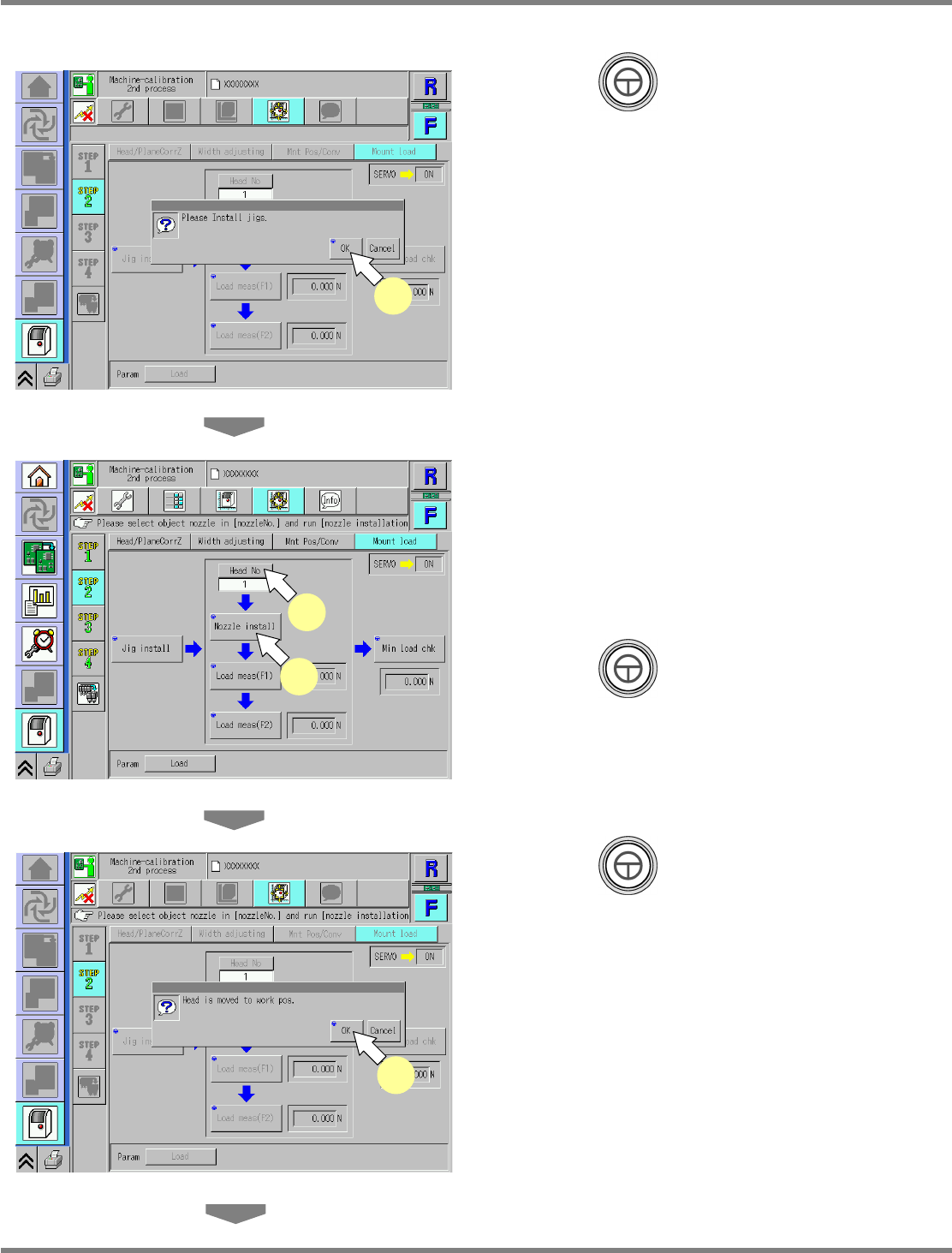
Press + [OK].
13
Press [Head No].
•
Every pressing switches the nozzle position
No.
∗
Select the target nozzle position for
calibration.
14
Press + [Nozzle install].
15
Press + [OK].
•
The head moves to the working position.
UnitCalibHeadLoad-03E01
12
UnitCalibHeadLoad-04E01
13
14
UnitCalibHeadLoad-05E01
15
NPM
Maintenance Edition
9.7 Placement Load
EJM9BE-MB-09M-21 Page 9-35
16
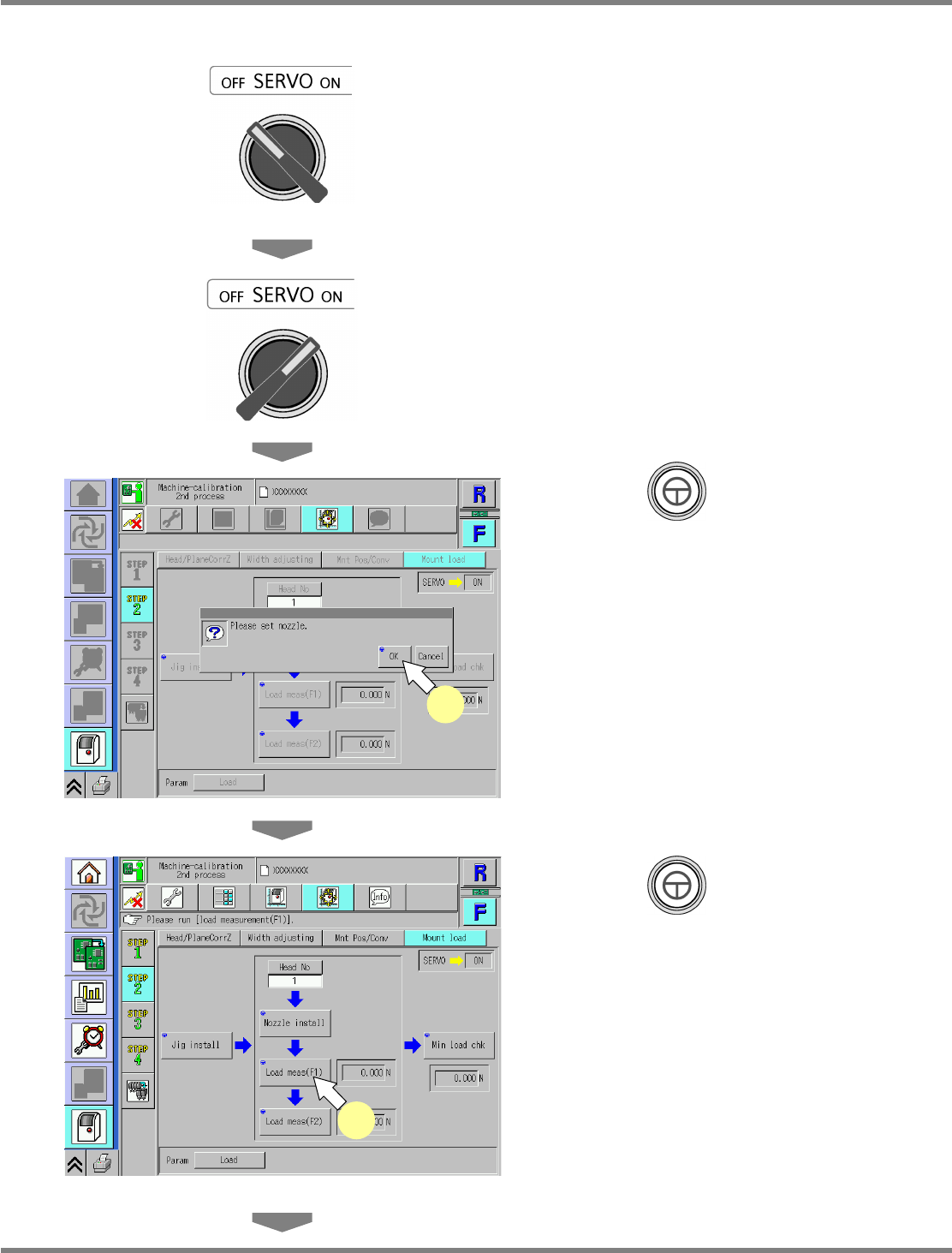
Turn OFF the servo switch.
17
Open the safety cover.
18
Attach the nozzle.
∗
Attach the nozzle to the target nozzle position
for measurement.
Use the No.1003 nozzle.
19
Close the safety cover.
20
Turn ON the servo switch.
21
Press + [OK].
22
Press + [Load meas(F1)].
•
The calibration is carried out.
UnitCalibHeadLoad-06E01
21
UnitCalibHeadLoad-07E01
22