NPM Calibration Manual-En.pdf - 第36页
NPM Maint en anc e E di ti on 9.7 Pl ac ement Load EJM9BE-M B-09M-21 Page 9-35 16 Turn OFF the se rvo switch. 17 Open the s afety cover. 18 Attach the nozz le. ∗ Att ach the nozzl e to the t arget nozzl e positi on f or …
NPM
Maintenance Edition
9.7 Placement Load
Page 9-34 EJM9BE-MB-09M-21
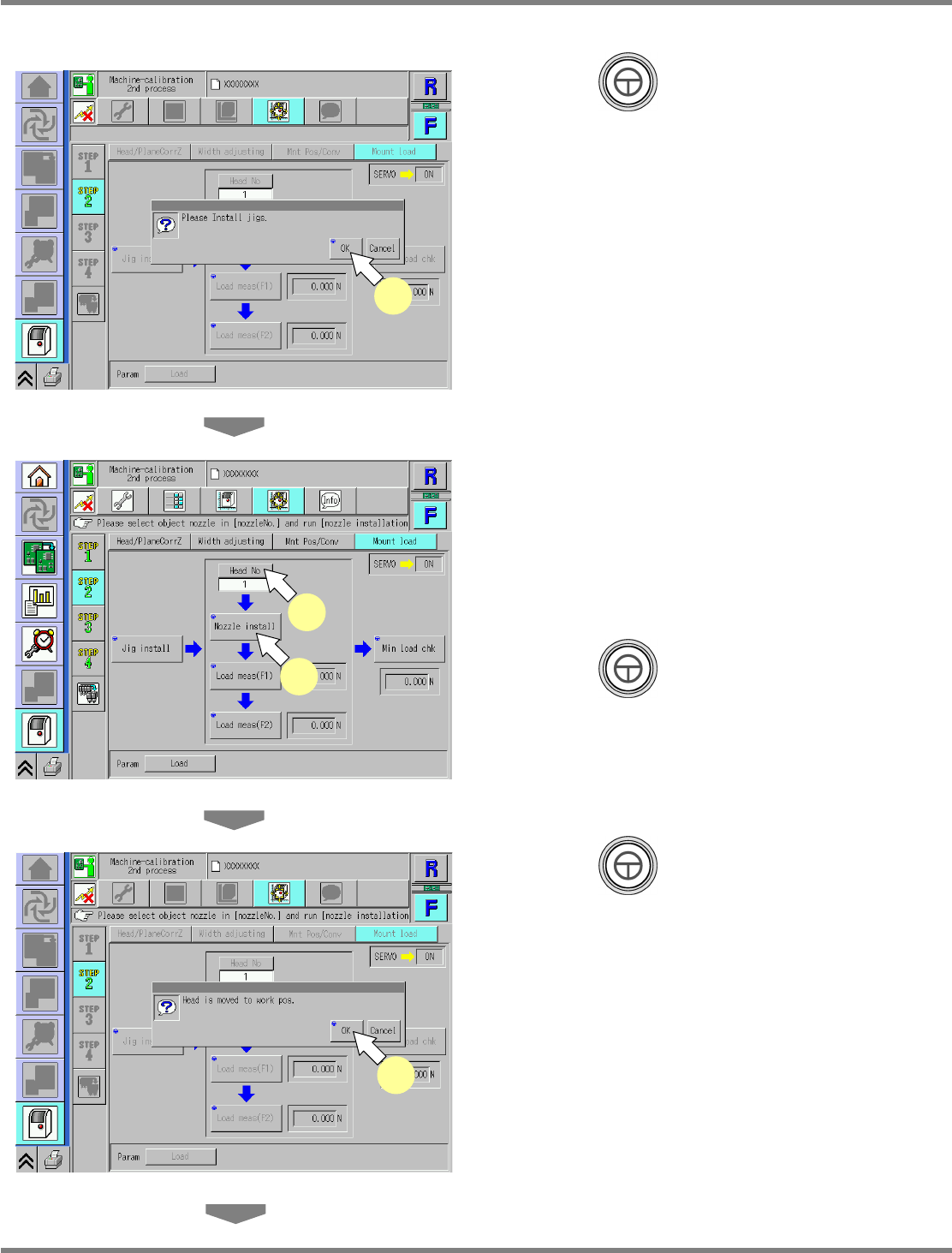
12
Press + [OK].
13
Press [Head No].
•
Every pressing switches the nozzle position
No.
∗
Select the target nozzle position for
calibration.
14
Press + [Nozzle install].
15
Press + [OK].
•
The head moves to the working position.
UnitCalibHeadLoad-03E01
12
UnitCalibHeadLoad-04E01
13
14
UnitCalibHeadLoad-05E01
15
NPM
Maintenance Edition
9.7 Placement Load
EJM9BE-MB-09M-21 Page 9-35
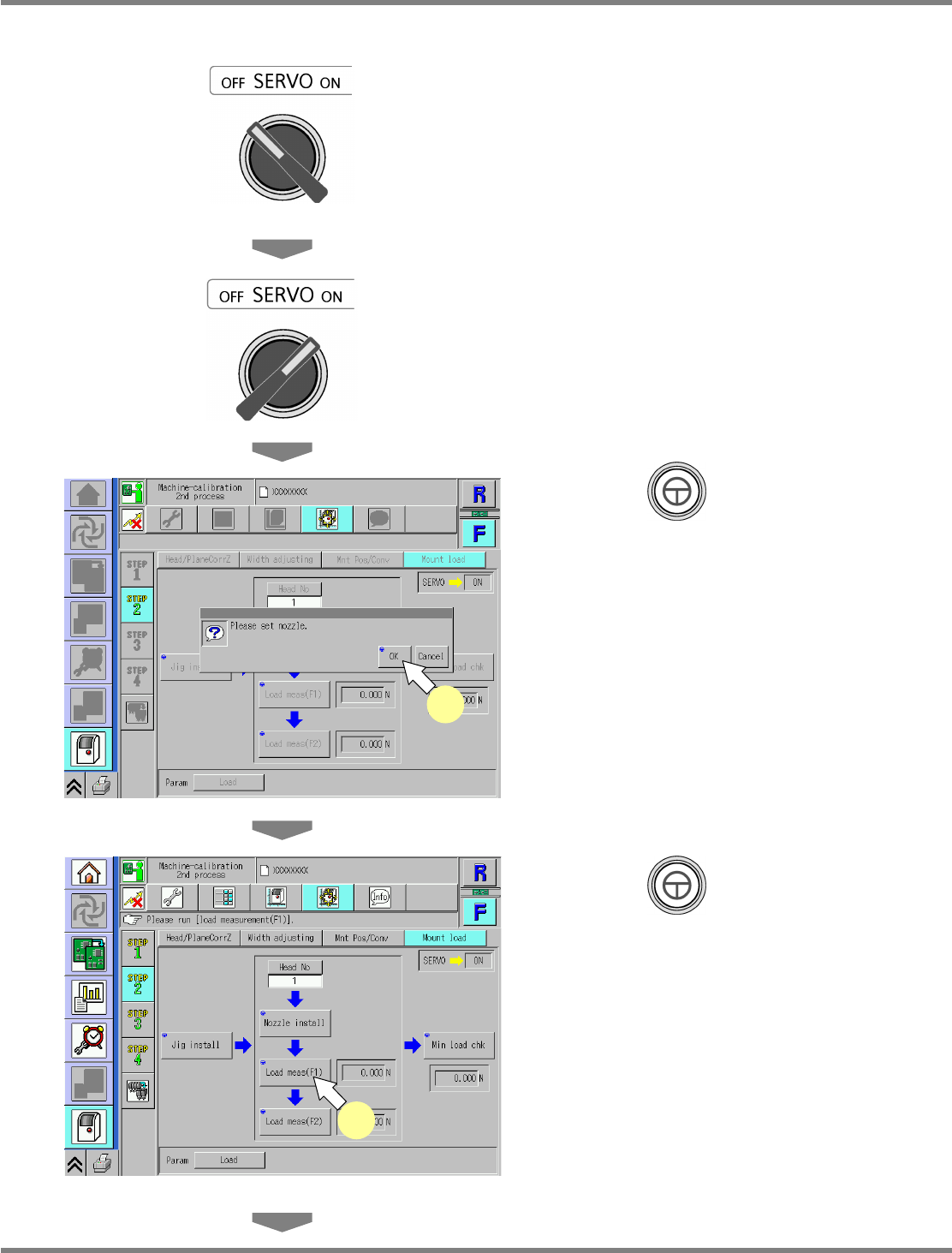
16
Turn OFF the servo switch.
17
Open the safety cover.
18
Attach the nozzle.
∗
Attach the nozzle to the target nozzle position
for measurement.
Use the No.1003 nozzle.
19
Close the safety cover.
20
Turn ON the servo switch.
21
Press + [OK].
22
Press + [Load meas(F1)].
•
The calibration is carried out.
UnitCalibHeadLoad-06E01
21
UnitCalibHeadLoad-07E01
22
NPM
Maintenance Edition
9.7 Placement Load
Page 9-36 EJM9BE-MB-09M-21
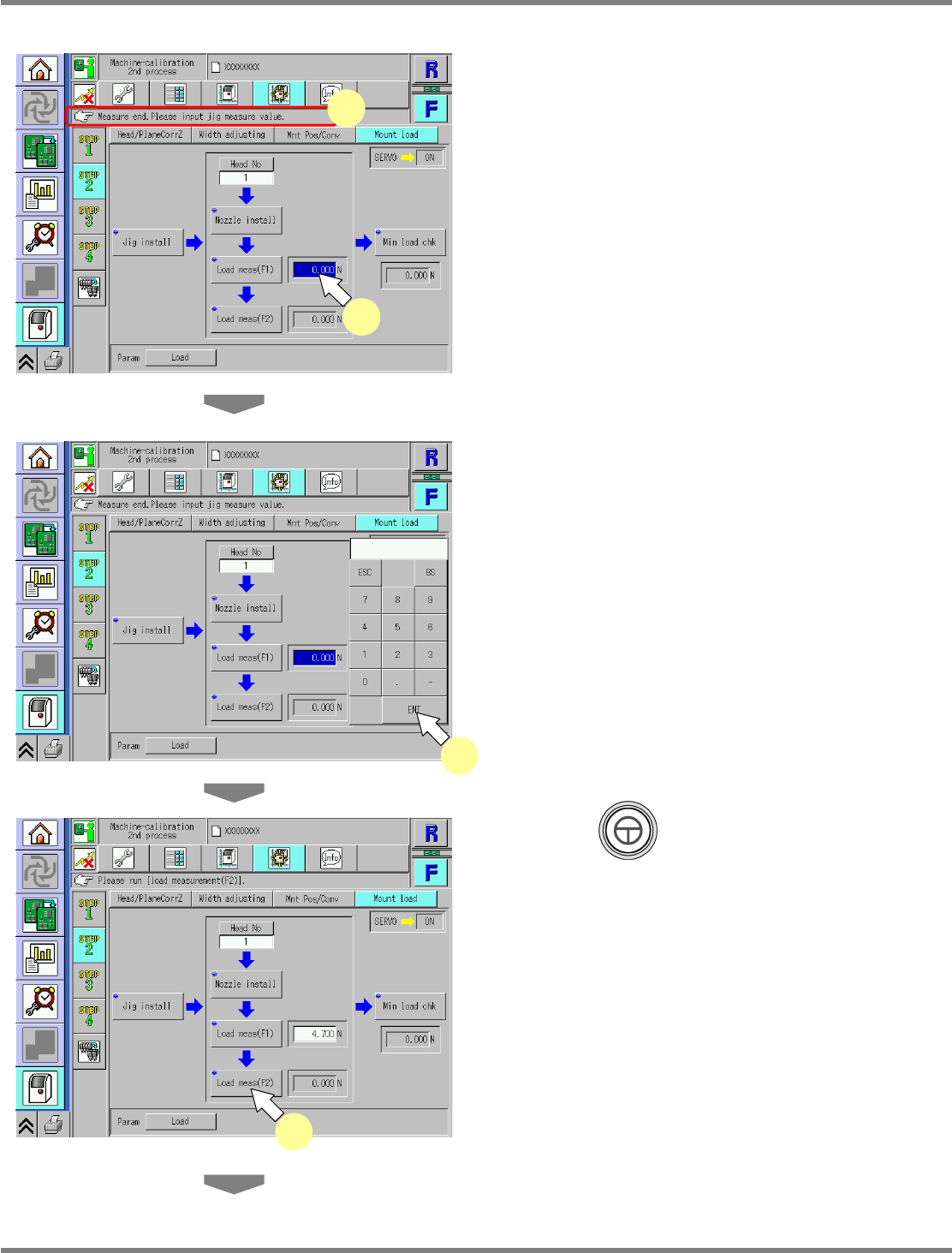
23
Check that it is successfully complete.
24
Press the numeric value.
•
The numeric keypad window opens.
25
Enter the measured value.
∗
Enter the numeric value indicated on the load
measuring jig.
Input range: 3.2 N to 6.2 N
26
Press + [Load meas(F2)].
•
The calibration is carried out.
UnitCalibHeadLoad-08E01
23
24
UnitCalibHeadLoad-09E01
25
UnitCalibHeadLoad-10E01
26