NPM Calibration Manual-En.pdf - 第42页
NPM Maint en anc e E di ti on 9.7 Pl ac ement Load EJM9BE-M B-09M-21 Page 9-41 47 Close the safety cover . 48 Turn ON the se rvo switch. 49 Press + [OK]. • Af t er the head mov es to the ori gin positi on, the screen sel…
NPM
Maintenance Edition
9.7 Placement Load
Page 9-40 EJM9BE-MB-09M-21
42
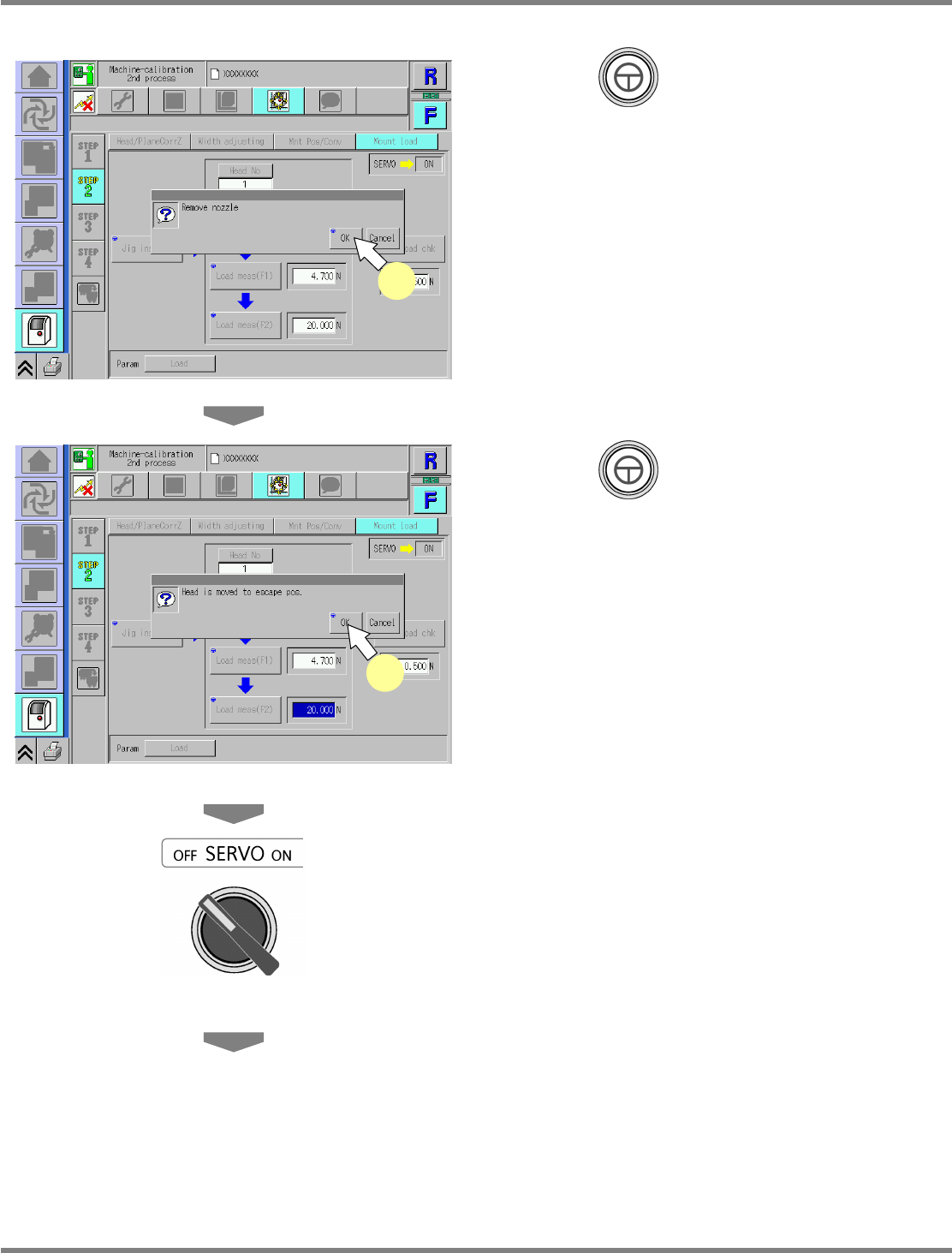
Press + [OK].
43
Press + [OK].
•
The head moves to the retraction position.
44
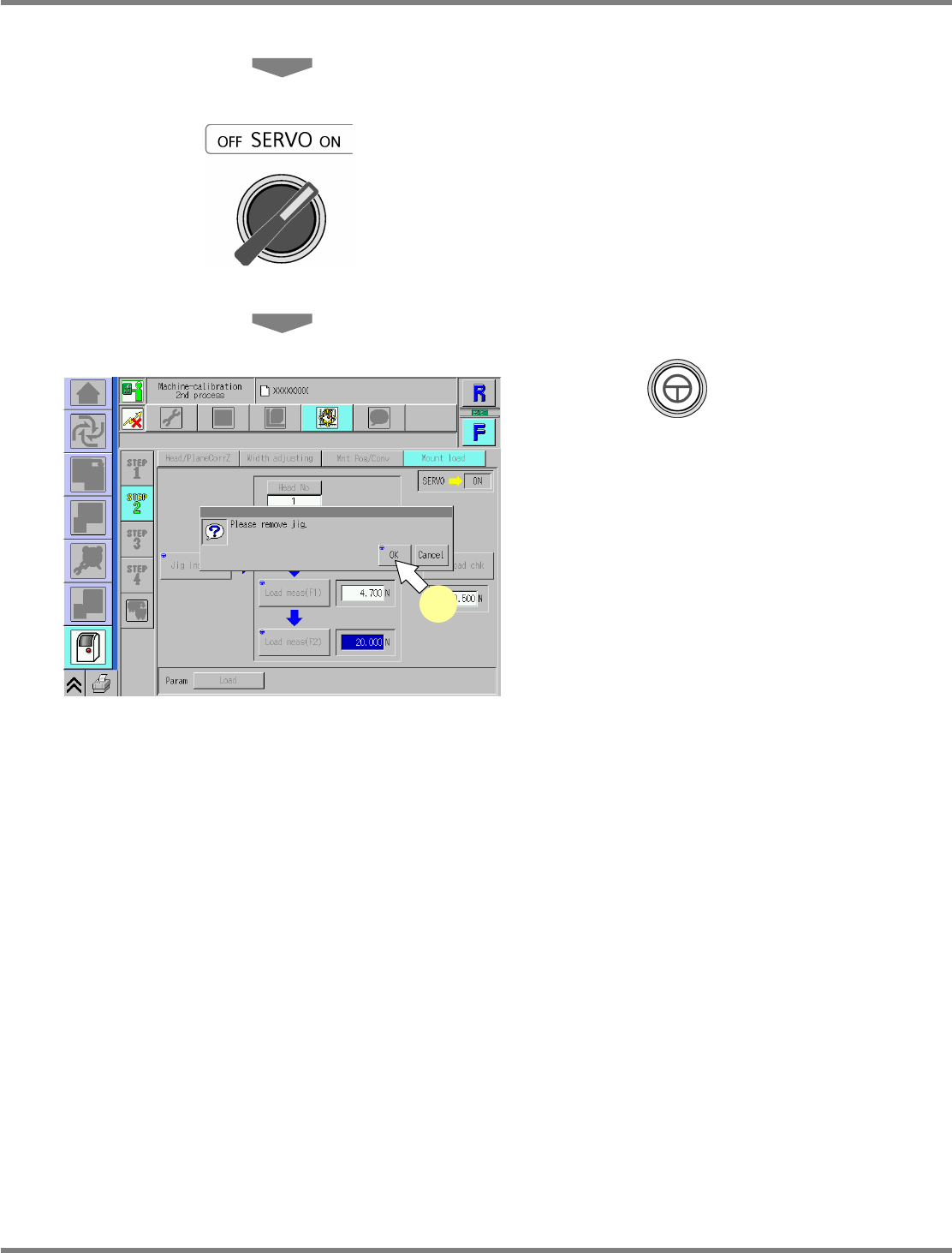
Turn OFF the servo switch.
45
Open the safety cover.
46
Remove the load measuring jig.
UnitCalibHeadLoad-19E01
43
UnitCalibHeadLoad-18E01
42
NPM
Maintenance Edition
9.7 Placement Load
EJM9BE-MB-09M-21 Page 9-41
47
Close the safety cover.
48
Turn ON the servo switch.
49
Press + [OK].
•
After the head moves to the origin position,
the screen selected in step 35 is displayed.
UnitCalibHeadLoad-20E01
49
NPM
Maintenance Edition
9.7 Placement Load
Page 9-42 EJM9BE-MB-09M-21
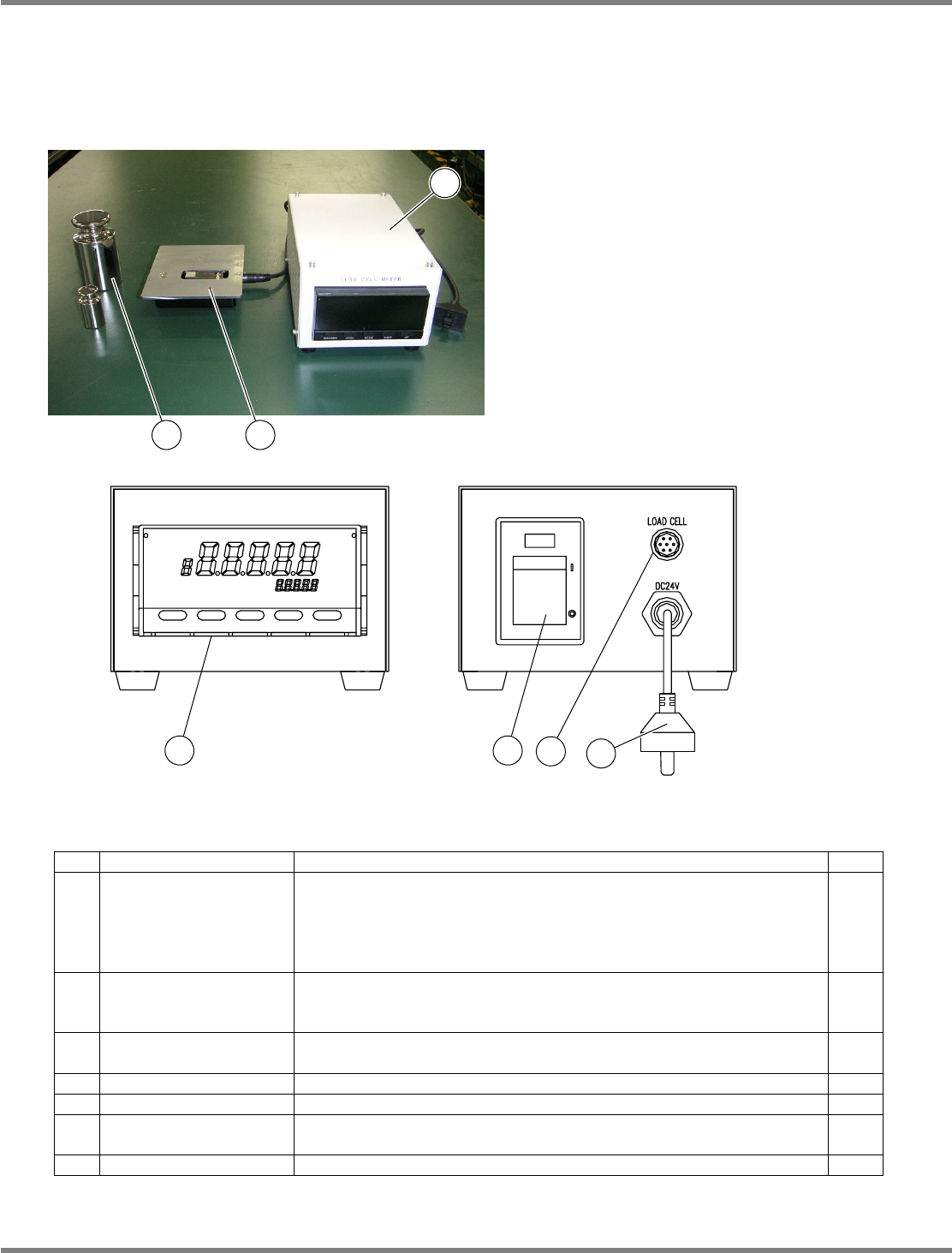
Load measuring jig (Option)
Initial settings
Normally, the initial settings are not necessary because factory-configured.
Jig configuration
No. Unit name Function Qty
1 Load cell meter
Used for calibration to control the head load after head replacement.
Exclusive to the 2-nozzle head.
Power rating: 24 VDC, 7 VA
Mass: 1.2
kg
, overall dimensions: 120 mm (W)
×
80 mm (H)
×
190
mm (D)
1
2 Load cell
Sensor for load measurement. To be used by connecting with the
load cell meter (1).
Mass: 600
g
1
3 Weights
Used to calibrate the load cell meter (1).
Mass: 100
g
/ 1
kg
1
each
4 Display Indicates the load value.
---
5 Power switch Turns ON/OFF the power to the load cell meter.
---
6
Sensor cable
connector
Connects to the load cell with the included cable.
---
7 Power cable Connects to the changing truck to supply power.
---
3
2
1
4 5
6
7