NPM Calibration Manual-En.pdf - 第48页
NPM Maint en anc e E di ti on 9.7 Pl ac ement Load EJM9BE-M B-09M-21 Page 9-47 5. Setting th e in di cate d val ue 2 1 Set a screen display to ‘dSP .A2.’ 2 Press to blink ‘199 99.’ 3 Press to set the display to ‘09800.’ …
NPM
Maintenance Edition
9.7 Placement Load
Page 9-46 EJM9BE-MB-09M-21
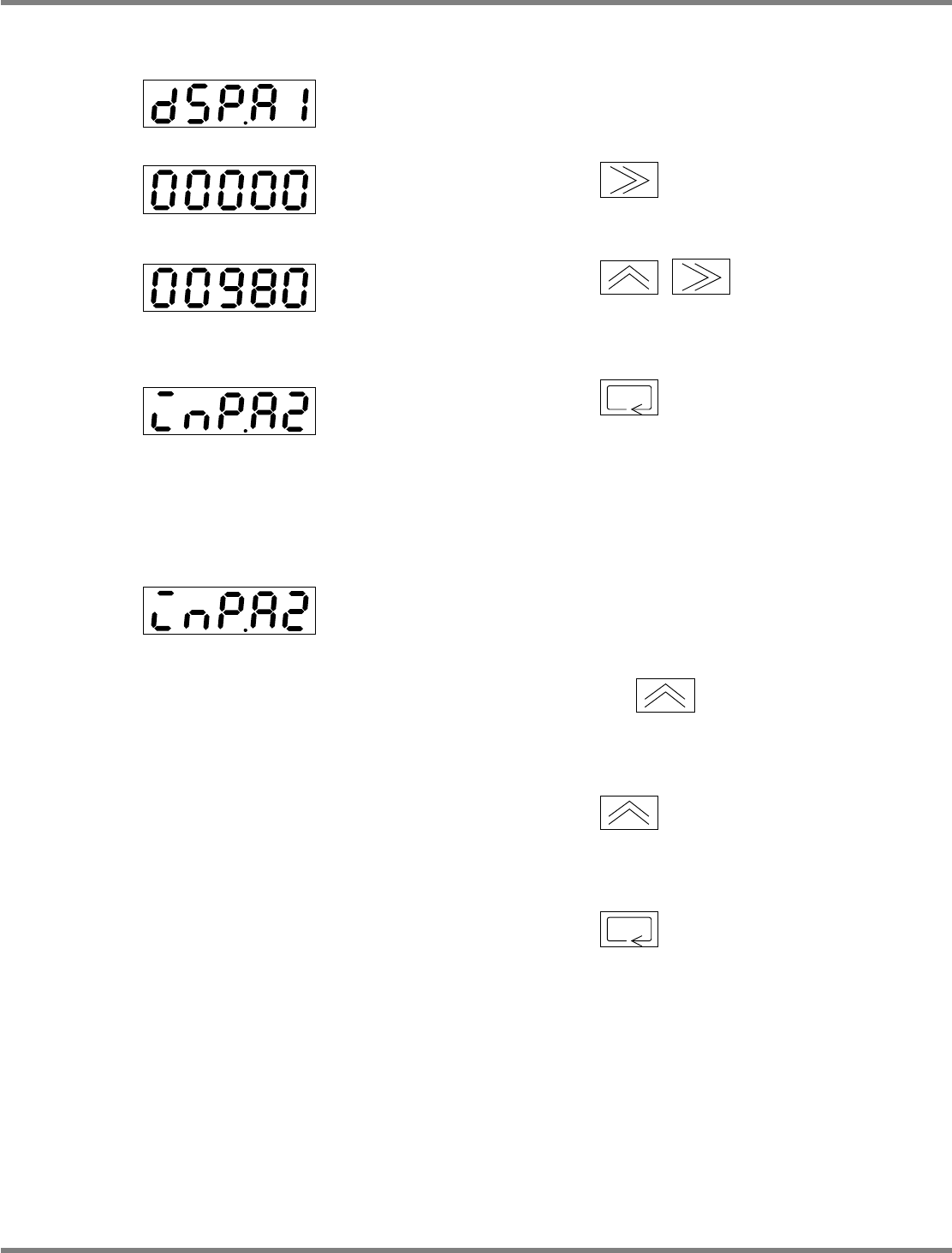
3. Setting the indicated value 1
1
Set a screen display to ‘dSP.A1.’
2
Press to blink ‘0.’
3
Press to set the
display to ‘00980.’
4
Press to accept.
4. Setting the input value 2
1
Set a screen display to ‘inP.A2.’
2
Place a 1
kg
weight onto the load cell,
and press once.
•
Teaching starts.
3
Press again.
•
Teaching is complete.
4
Press to accept.
EJM4A-417E
EJM4A-419E
EJM4A-420E
EJM4A-418E
EJM4A-420E
NPM
Maintenance Edition
9.7 Placement Load
EJM9BE-MB-09M-21 Page 9-47
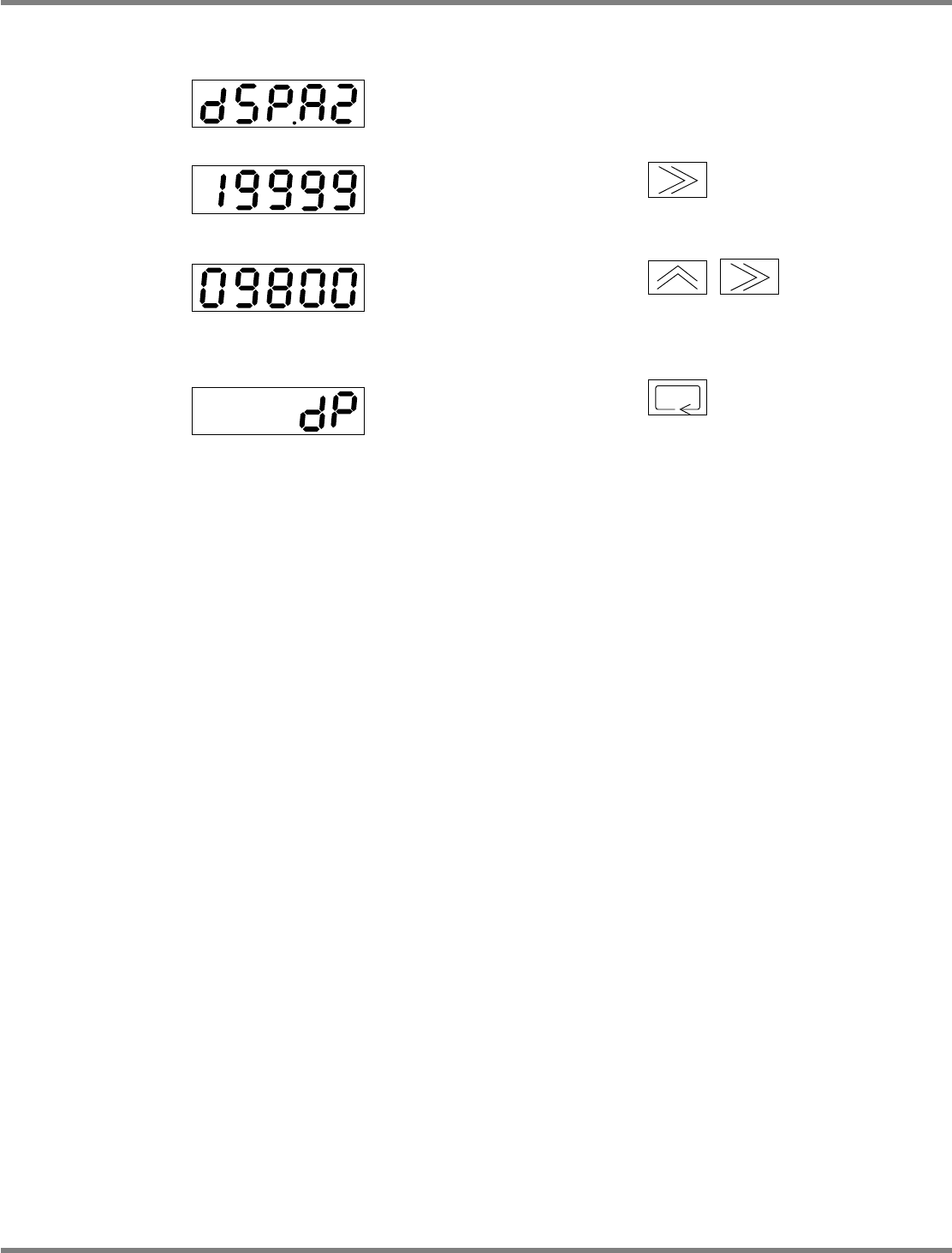
5. Setting the indicated value 2
1
Set a screen display to ‘dSP.A2.’
2
Press to blink ‘19999.’
3
Press to set the
display to ‘09800.’
4
Press to accept.
EJM4A-421E
EJM4A-423E
EJM4A-424E
EJM4A-422E
NPM
Maintenance Edition
9.7 Placement Load
Page 9-48 EJM9BE-MB-09M-21
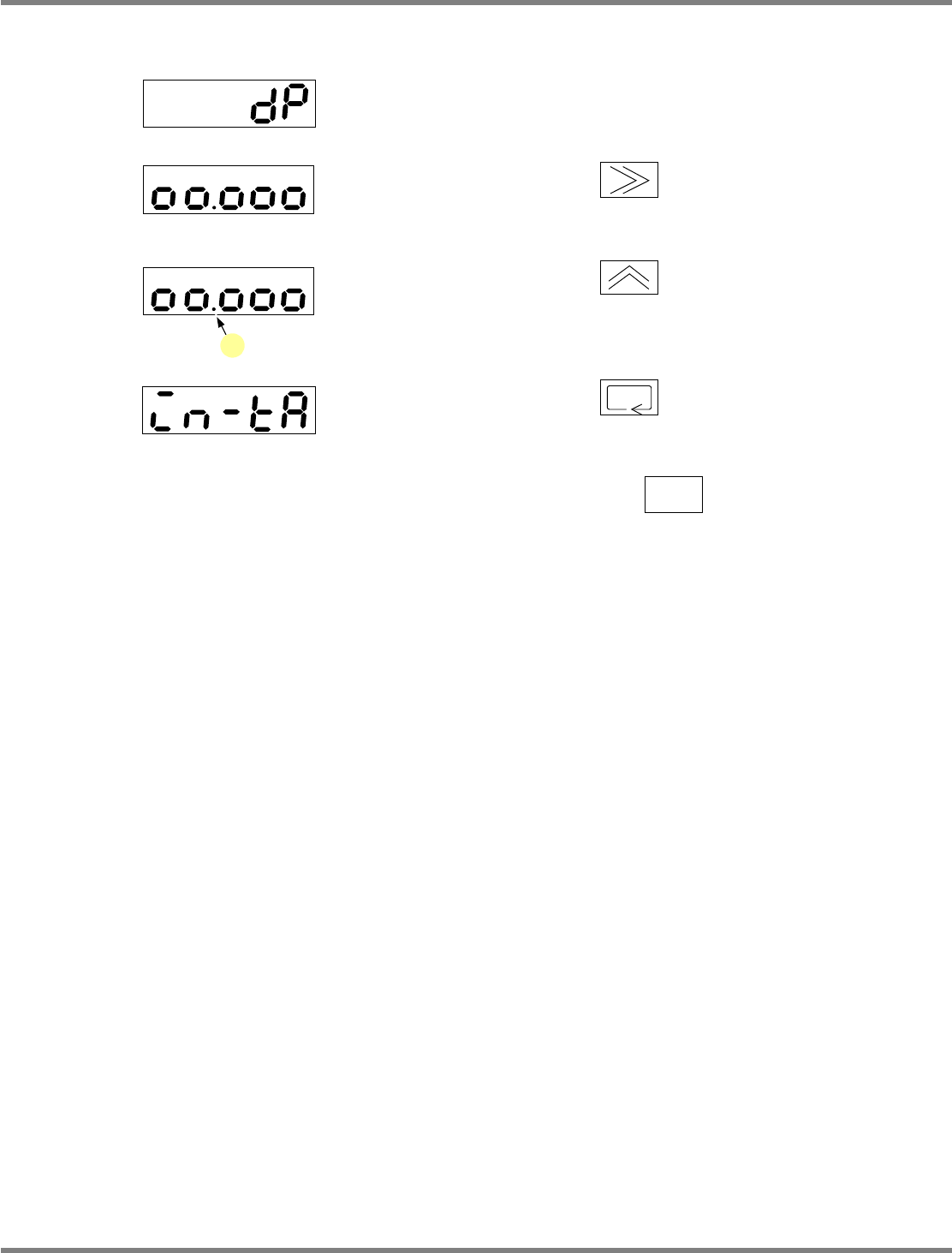
6. Setting the decimal point position
1
Set a screen display to ‘dP.’
2
Press to blink ‘00.000.’
3
Press to set a decimal point
(a) at the position ‘00.000.’
4
Press to accept.
5
Hold down for one second or
more.
•
The operation level returns.
EJM4A-424E
EJM4A-415E
EJM4A-147E
a
EJM4A-147E