NPM Calibration Manual-En.pdf - 第5页
NPM Maint en anc e E di ti on 9.1 NPM Calibrati on It ems and Pr ocedures Page 9-4 EJM9BE-M B-09M-21 9.1. 3 Common Procedure The c alibr ation m enu opens. 1 Press . • T he uni t menu opens. 2 Press . • T he cali br atio…
NPM
Maintenance Edition
9.1 NPM Calibration Items and Procedures
EJM9BE-MB-09M-21 Page 9-3
9.1.2 Jigs to be Used for Calibration
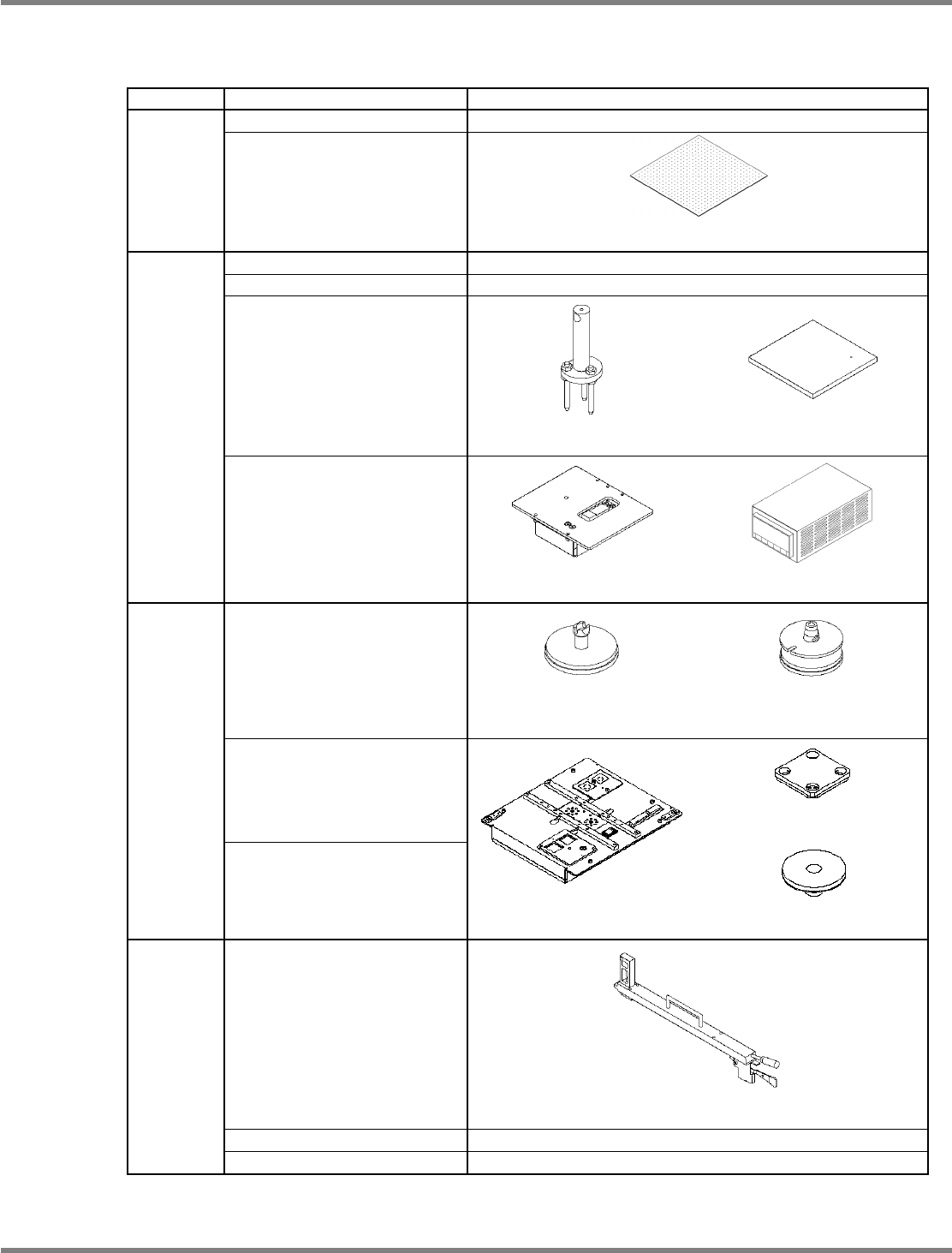
The table below lists the types of jigs to be used for calibration.
STEP Menu Jigs used
H-camera XY org
−
STEP 1
PlaneCorrXY
Plane-compensation jig
(N610064253AA)
Head/PlaneCorrZ
−
Width adjusting
−
Mnt Pos/Conv
Support-pin height jig
(N610084259AA)
Placement-height teaching jig
(N610003319AA)
STEP 2
Mount load
Load measuring jig
(N610084605AA)
Load cell meter
(N610093887AB)
For 12-/8-nozzle head
(N610071657AA)
For 2-nozzle head
(N610003301AA)
L-camera
Line camera jigs
Jig station
Jig component
(N610102559AA)
STEP 3
3DCamera (Option)
Jig station
(N610087861AA)
Light luminosity jig
(N610071689AA)
Height offset
Pickup-position-height teaching jig
(N610003318AA)
VerticalCamera (Option)
−
STEP 4
Tray
−
NPM
Maintenance Edition
9.1 NPM Calibration Items and Procedures
Page 9-4 EJM9BE-MB-09M-21
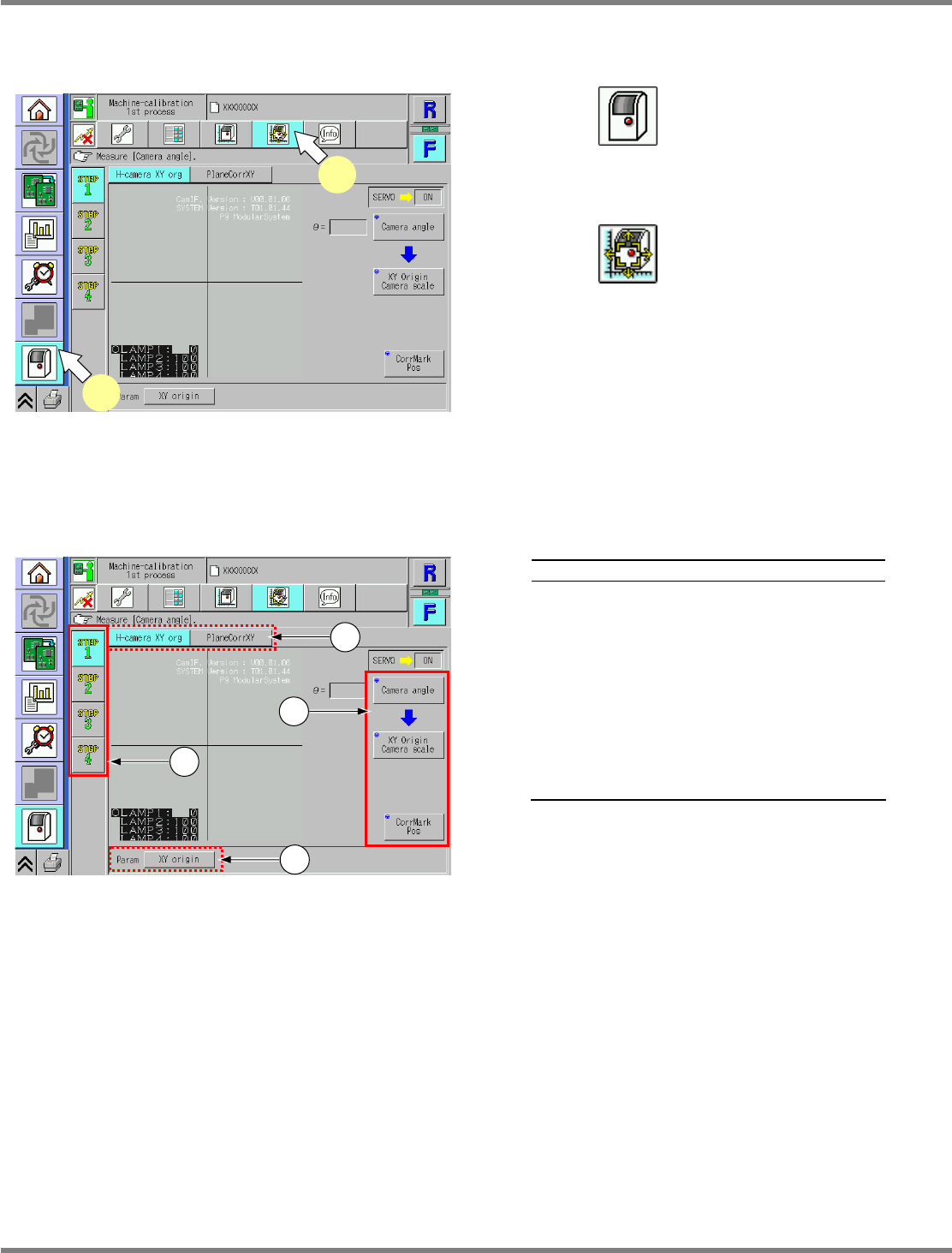
9.1.3 Common Procedure
The calibration menu opens.
1
Press .
•
The unit menu opens.
2
Press .
•
The calibration menu opens.
9.1.4 Explanation of the Calibration Menu Screen
Explanation
a
Calibration processes (1st to 4th) are
displayed.
b
Items in calibration processes (1st to
4th) are displayed.
c
Motion items required for performing or
preparing the calibration are displayed.
d
Parameters to be set by the calibration
are displayed. Pressing a button
displays the currently registered
parameters.
UnitCalibAxisOrigin-01E00
1
2
UnitCalibAxisOrigin-01E00
a
d
c
b
NPM
Maintenance Edition
9.2 Head Camera XY Origin
EJM9BE-MB-09M-21 Page 9-5
9.2 Head Camera XY Origin
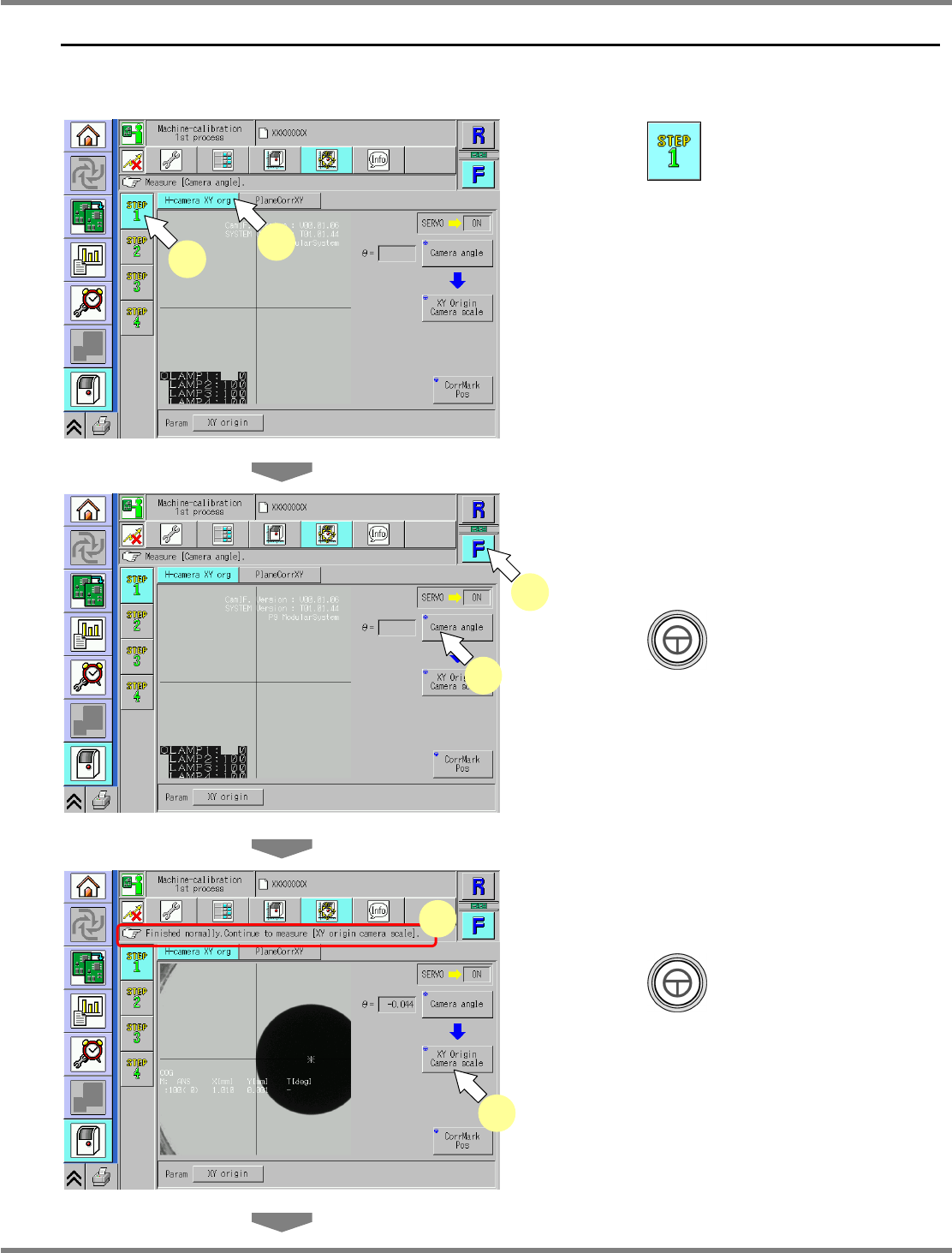
This procedure is common to 12-nozzle, 8-nozzle, and 2-nozzle heads.
1
Press .
2
Press [H-camera XY org].
3
Select a table.
∗
Select the target table for calibration.
4
Press + [Camera angle].
•
The calibration is carried out.
5
Check that it is successfully complete.
6
Press + [XY Origin Camera
scale].
•
The calibration is carried out.
UnitCalibAxisOrigin-02E00
6
5
UnitCalibAxisOrigin-01E00
1
2
UnitCalibAxisOrigin-01E00
3
4