NPM Calibration Manual-En.pdf - 第55页
NPM Maint en anc e E di ti on 9.8 Li ne Camer a Page 9-54 EJM9BE-M B-09M-21 26 Press + [OK]. • T he head mov es to the worki ng posi tion. 27 Check the line cam era jig. 12-nozz l e head ∗ Check t hat the li ne ca m er a…
NPM
Maintenance Edition
9.8 Line Camera
EJM9BE-MB-09M-21 Page 9-53
21
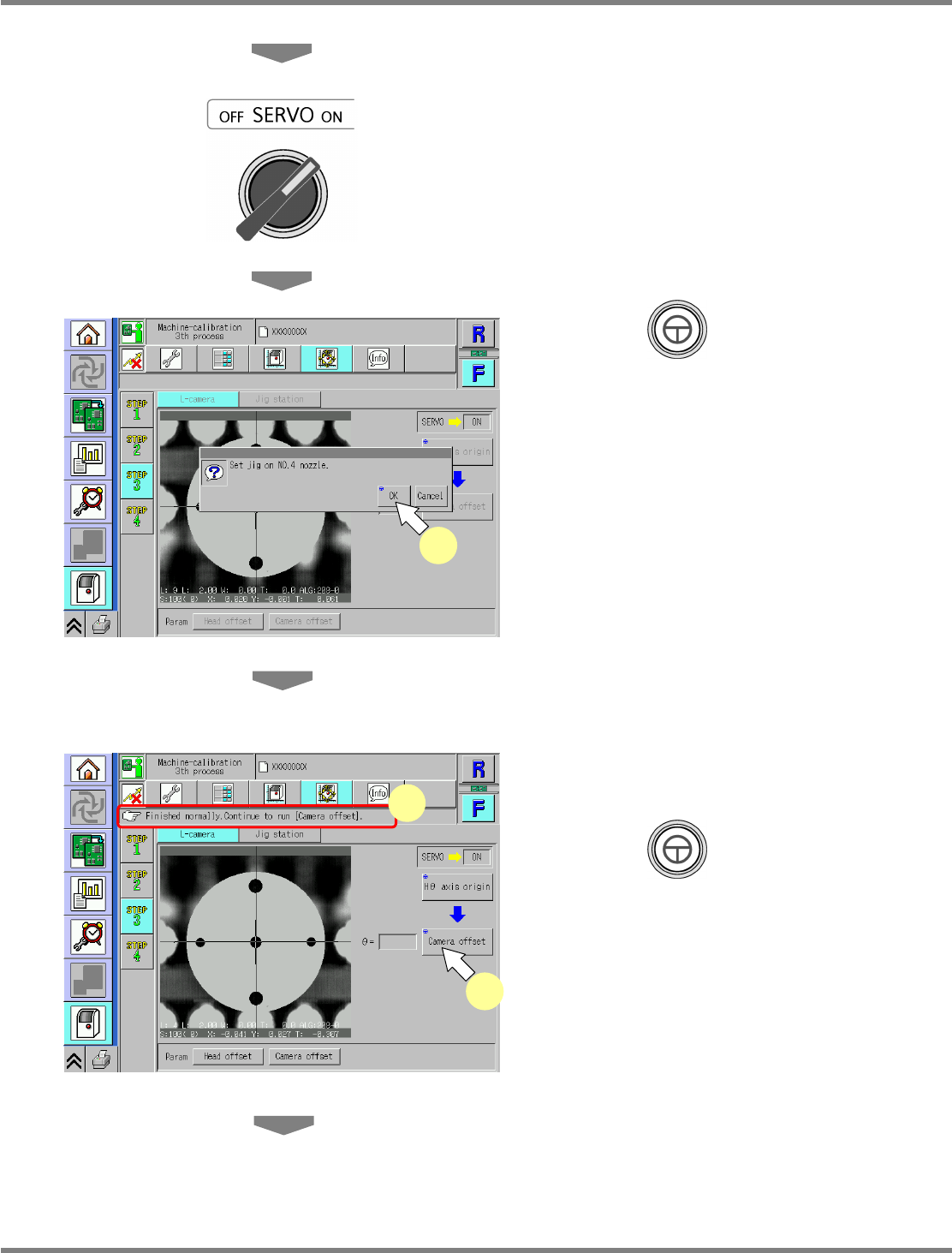
Close the safety cover.
22
Turn ON the servo switch.
23
Press + [OK].
•
The calibration is carried out.
∗
For the 2-nozzle head, perform steps 12 to 17
again, and proceed to the following steps.
24
Check that it is successfully complete.
25
Press + [Camera offset].
UnitCalibLineCamera-06E00
24
25
UnitCalibLineCamera-05E00
23
NPM
Maintenance Edition
9.8 Line Camera
Page 9-54 EJM9BE-MB-09M-21
26
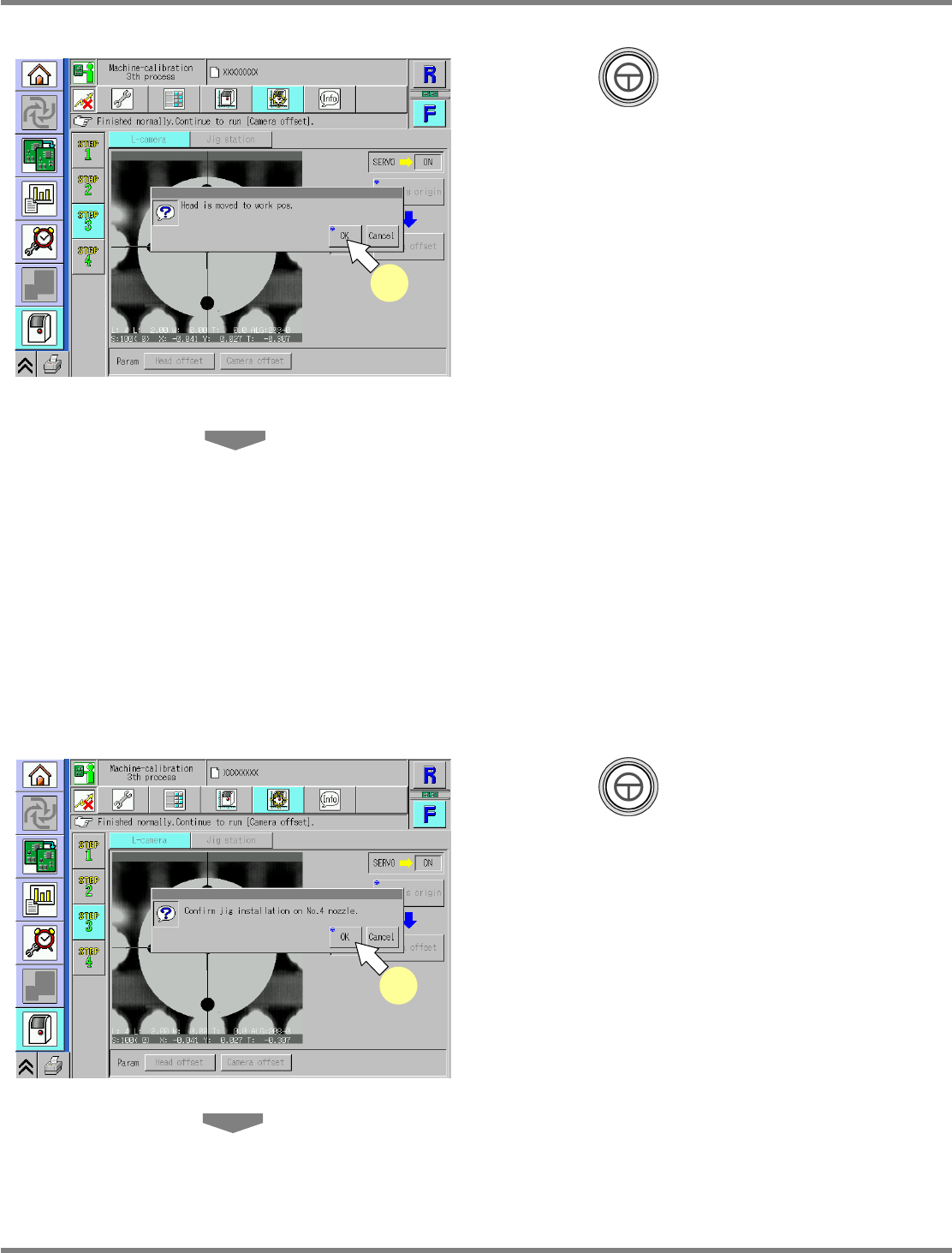
Press + [OK].
•
The head moves to the working position.
27
Check the line camera jig.
12-nozzle head
∗
Check that the line camera jig is attached to
the nozzle position 4.
8-nozzle head
∗
Check that the line camera jig is attached to
the nozzle position 3.
2-nozzle head
∗
Check that the line camera jig is attached to
the nozzle position 2.
28
Press + [OK].
•
The calibration is carried out.
UnitCalibLineCamera-07E00
26
UnitCalibLineCamera-08E00
28
NPM
Maintenance Edition
9.8 Line Camera
EJM9BE-MB-09M-21 Page 9-55
29
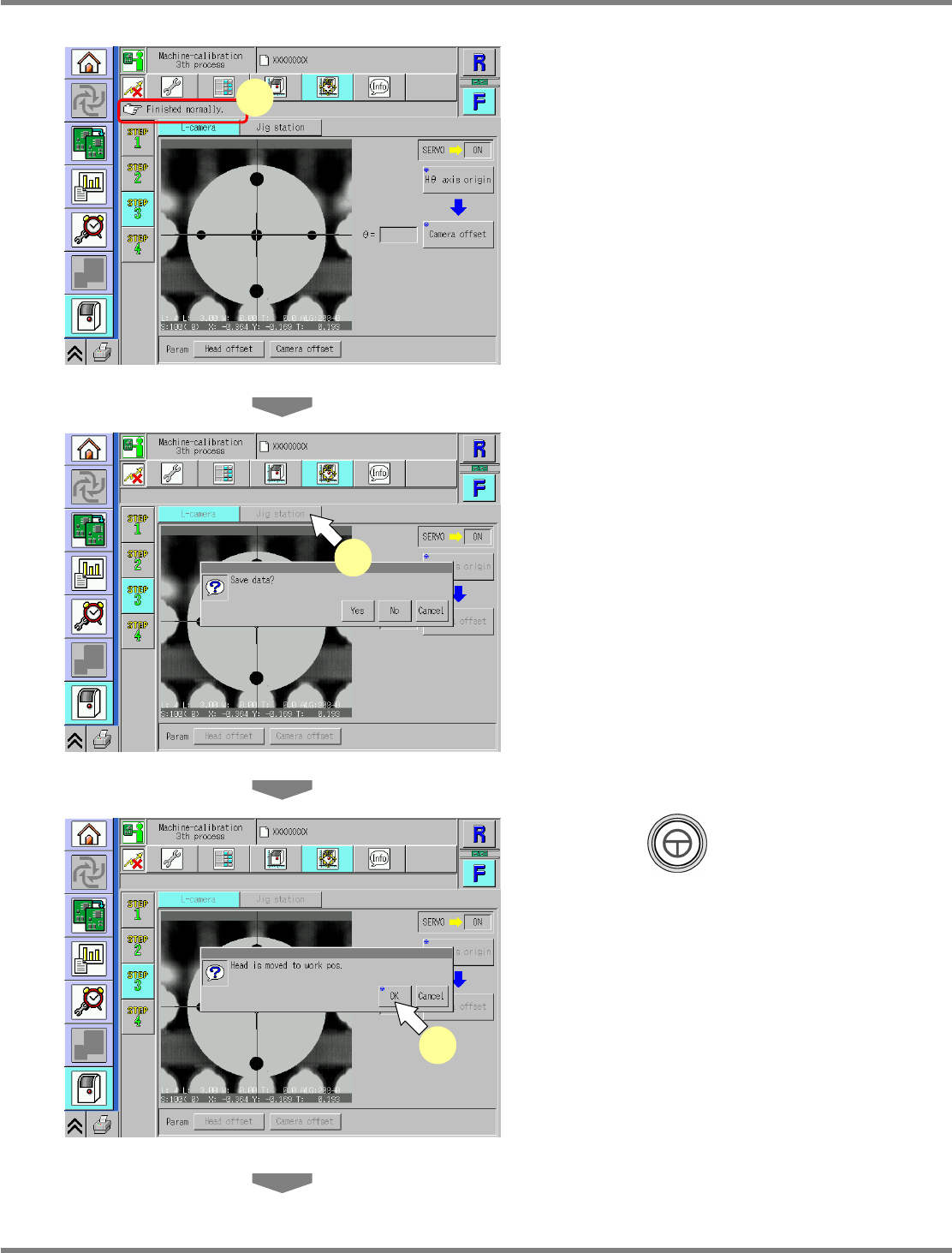
Check that it is successfully complete.
∗
Perform steps 3–32 for also the other table.
30
Press [Jig station].
•
When exiting this screen to the other one, you
are always prompted to save the data.
∗
To save the data obtained by the calibration,
press [Yes].
•
If you press [No], the return-to-origin process
is carried out and the data obtained by the
calibration are lost.
•
After the above operation, the next screen is
displayed.
31
Press + [OK].
•
The head moves to the working position.
UnitCalibLineCamera-09E00
29
UnitCalibLineCamera-10E00
30
UnitCalibLineCamera-11E00
31