NPM Calibration Manual-En.pdf - 第6页
NPM Maint en anc e E di ti on 9.2 Head Cam er a X Y O rigi n EJM9BE-M B-09M-21 Page 9-5 9.2 Head Ca mera XY Or igin Thi s procedur e i s co mm on to 12-noz zle, 8-nozzl e, and 2-noz zl e heads. 1 Press . 2 Press [H-cam e…
NPM
Maintenance Edition
9.1 NPM Calibration Items and Procedures
Page 9-4 EJM9BE-MB-09M-21
9.1.3 Common Procedure
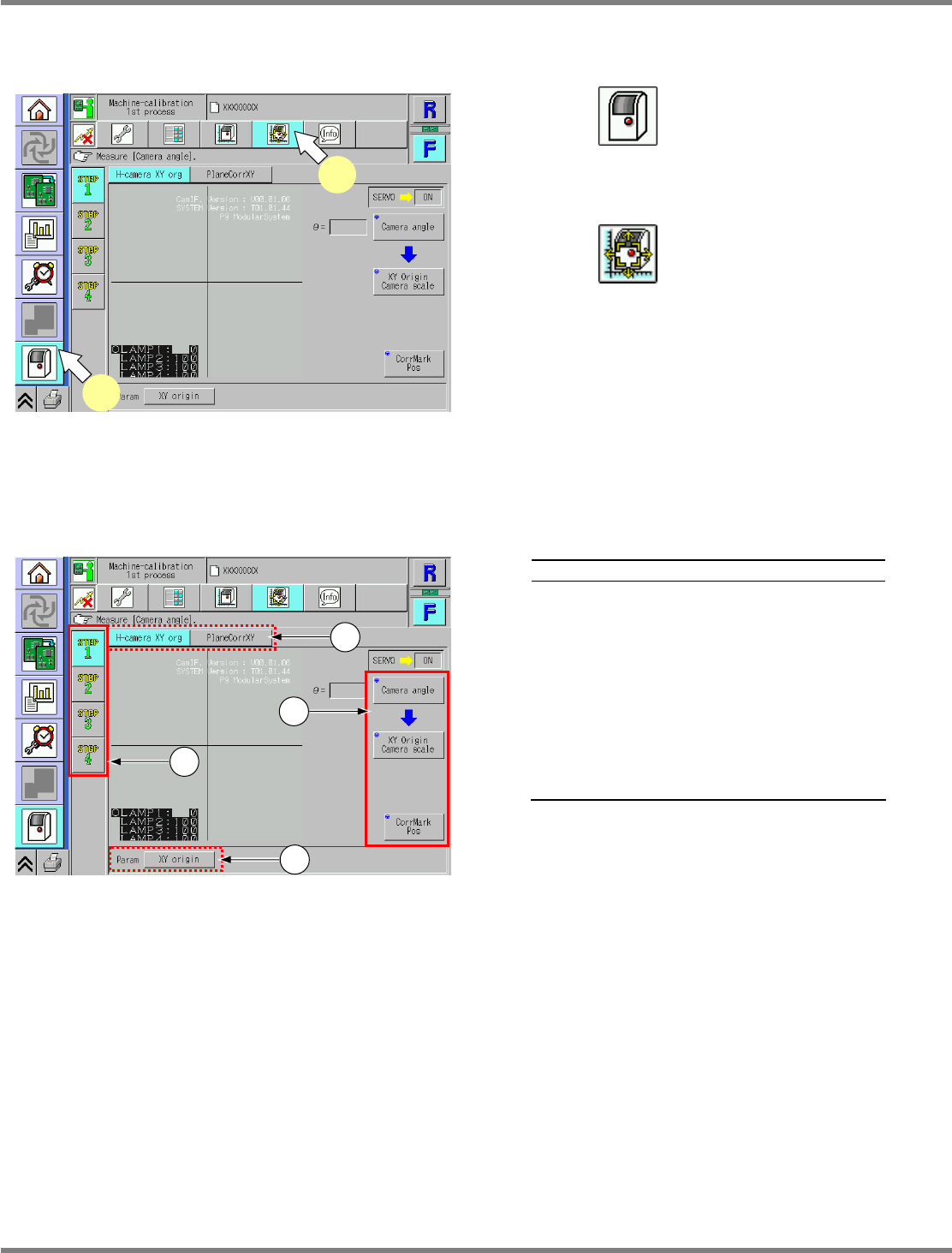
The calibration menu opens.
1
Press .
•
The unit menu opens.
2
Press .
•
The calibration menu opens.
9.1.4 Explanation of the Calibration Menu Screen
Explanation
a
Calibration processes (1st to 4th) are
displayed.
b
Items in calibration processes (1st to
4th) are displayed.
c
Motion items required for performing or
preparing the calibration are displayed.
d
Parameters to be set by the calibration
are displayed. Pressing a button
displays the currently registered
parameters.
UnitCalibAxisOrigin-01E00
1
2
UnitCalibAxisOrigin-01E00
a
d
c
b
NPM
Maintenance Edition
9.2 Head Camera XY Origin
EJM9BE-MB-09M-21 Page 9-5
9.2 Head Camera XY Origin
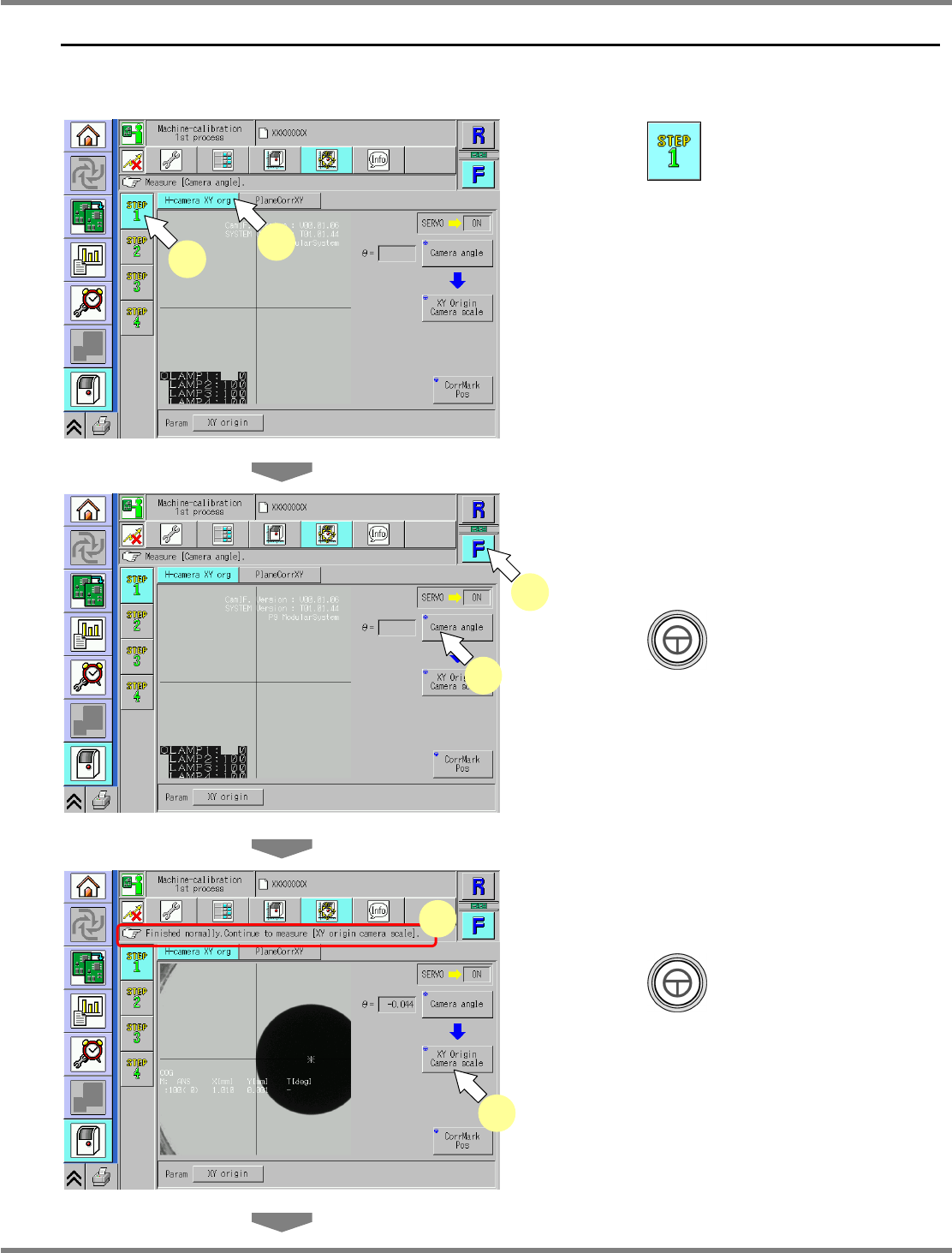
This procedure is common to 12-nozzle, 8-nozzle, and 2-nozzle heads.
1
Press .
2
Press [H-camera XY org].
3
Select a table.
∗
Select the target table for calibration.
4
Press + [Camera angle].
•
The calibration is carried out.
5
Check that it is successfully complete.
6
Press + [XY Origin Camera
scale].
•
The calibration is carried out.
UnitCalibAxisOrigin-02E00
6
5
UnitCalibAxisOrigin-01E00
1
2
UnitCalibAxisOrigin-01E00
3
4
NPM
Maintenance Edition
9.2 Head Camera XY Origin
Page 9-6 EJM9BE-MB-09M-21
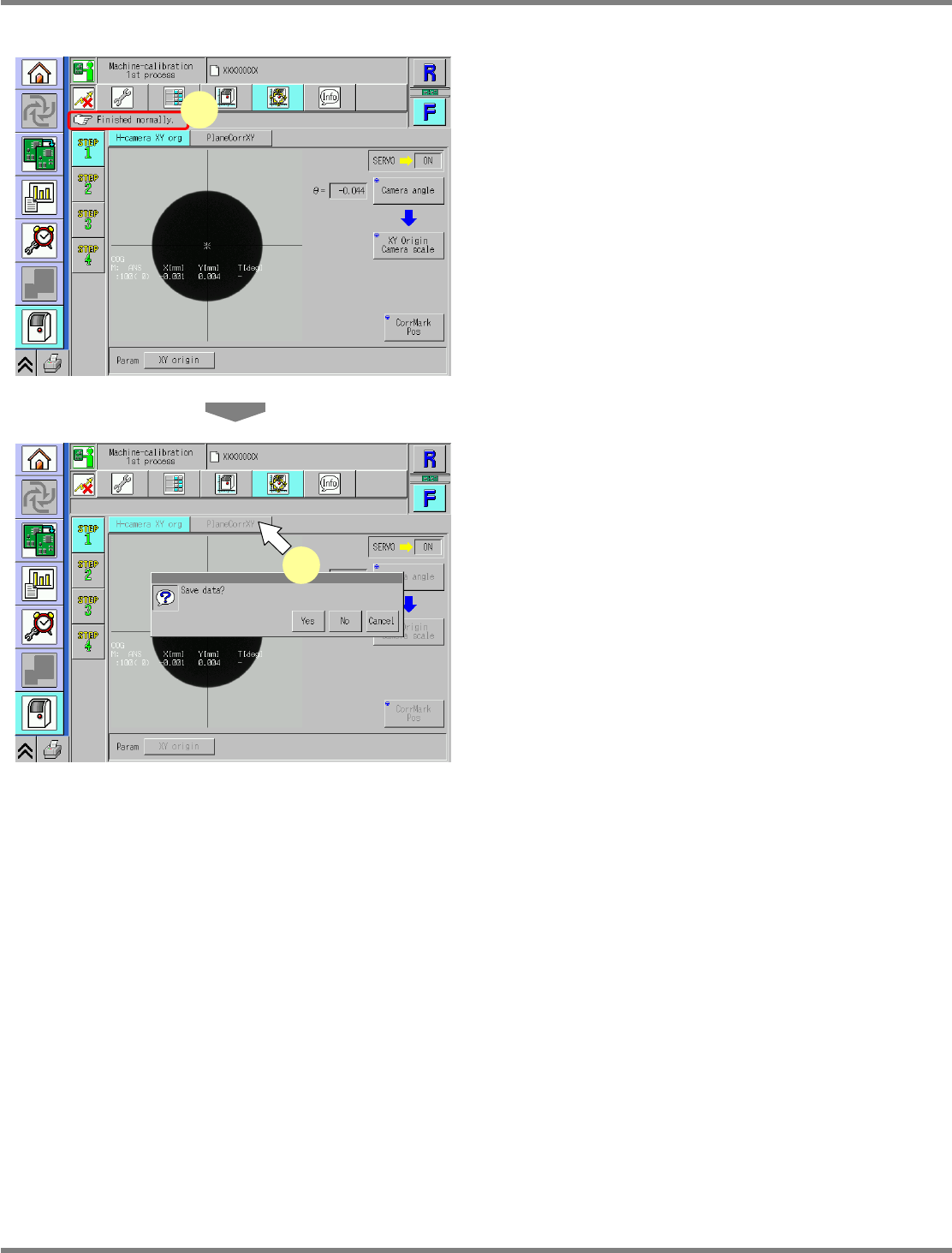
7
Check that it is successfully complete.
∗
Perform steps 3–7 for also the other table.
8
Press [PlaneCorrXY].
•
When exiting this screen to the other one, you
are always prompted to save the data.
∗
To save the data obtained by the calibration,
press [Yes].
•
If you press [No], the return-to-origin process
is carried out and the data obtained by the
calibration are lost.
•
After the above operation, the next screen is
displayed.
UnitCalibAxisOrigin-03E00
7
UnitCalibAxisOrigin-04E00
8