NPM Calibration Manual-En.pdf - 第65页
NPM Maint en anc e E di ti on 9.9 Ji g Stati on Page 9-64 EJM9BE-M B-09M-21 34 Detach the nozz l es from the nozzl e changer. 35 Close the safe ty cover. 36 Turn ON the se rvo switch. 37 Press + [OK]. • T he screen sel e…
NPM
Maintenance Edition
9.9 Jig Station
EJM9BE-MB-09M-21 Page 9-63
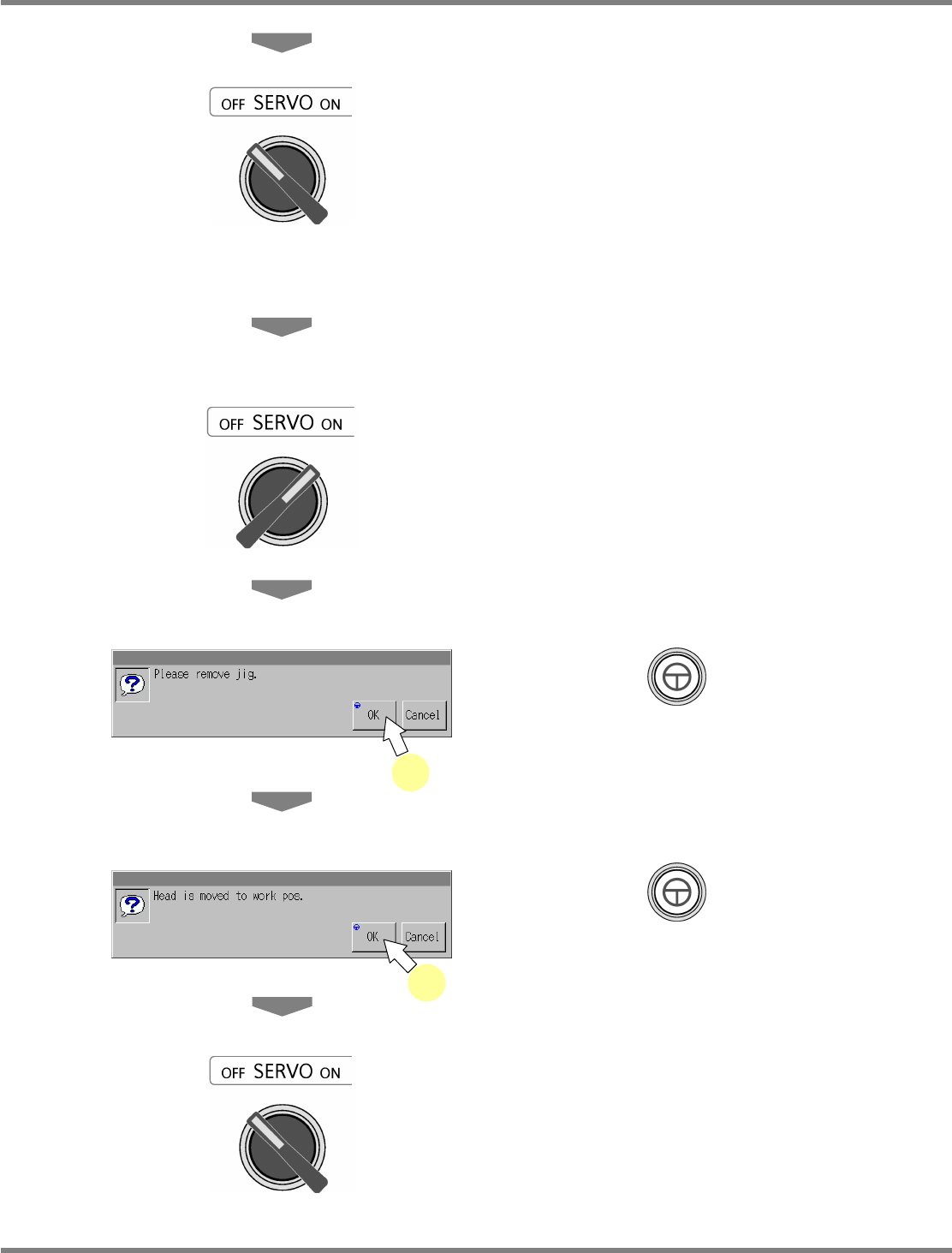
25
Turn OFF the servo switch.
26
Open the safety cover.
27
Remove the jig station.
28
Close the safety cover.
29
Turn ON the servo switch.
30
Press + [OK].
31
Press + [OK].
•
The head moves to the working position.
32
Turn OFF the servo switch.
33
Open the safety cover.
31
30
NPM
Maintenance Edition
9.9 Jig Station
Page 9-64 EJM9BE-MB-09M-21
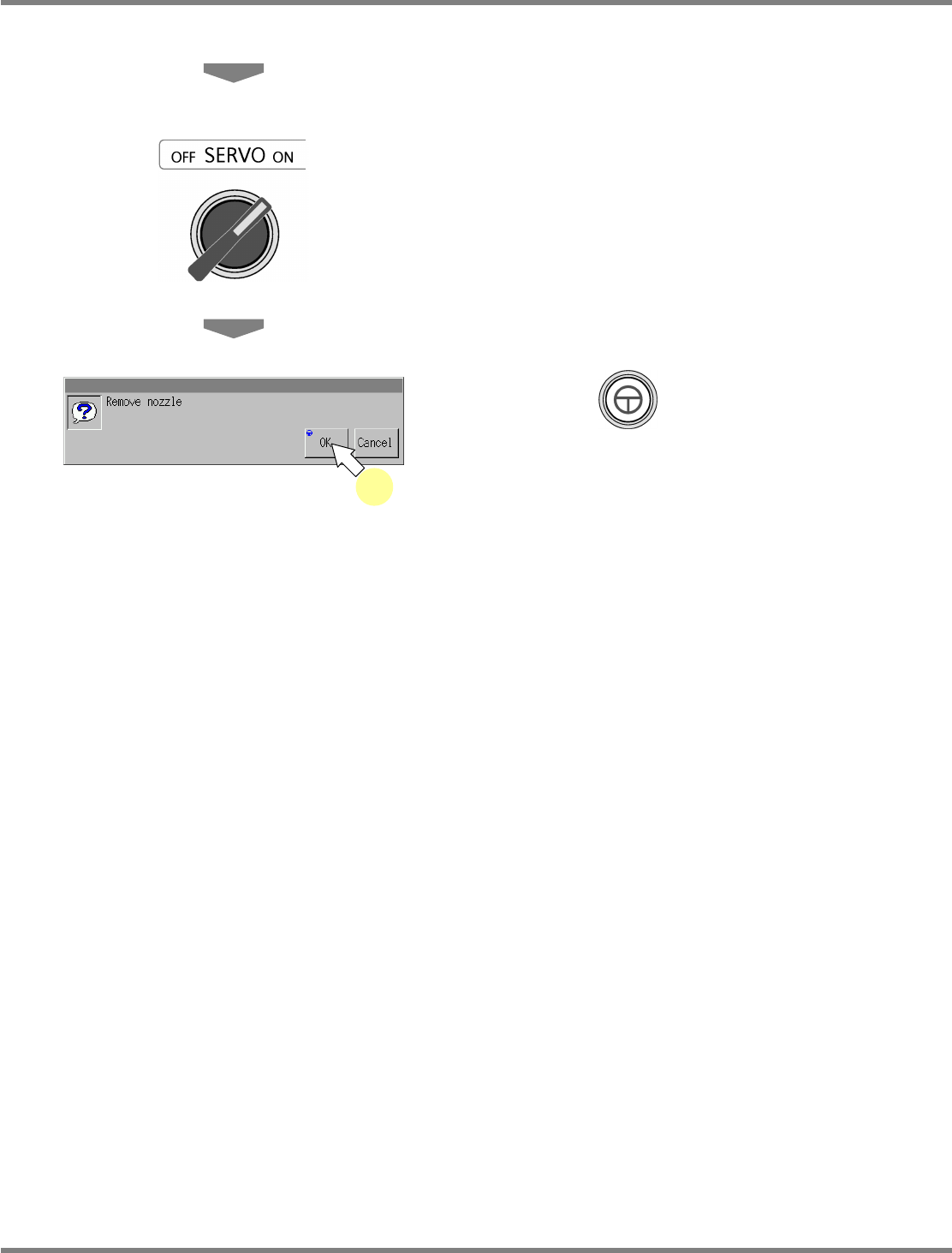
34
Detach the nozzles from the nozzle
changer.
35
Close the safety cover.
36
Turn ON the servo switch.
37
Press + [OK].
•
The screen selected in step 23 is displayed.
37
NPM
Maintenance Edition
9.10 3D Camera
EJM9BE-MB-09M-21 Page 9-65
9.10 3D Camera
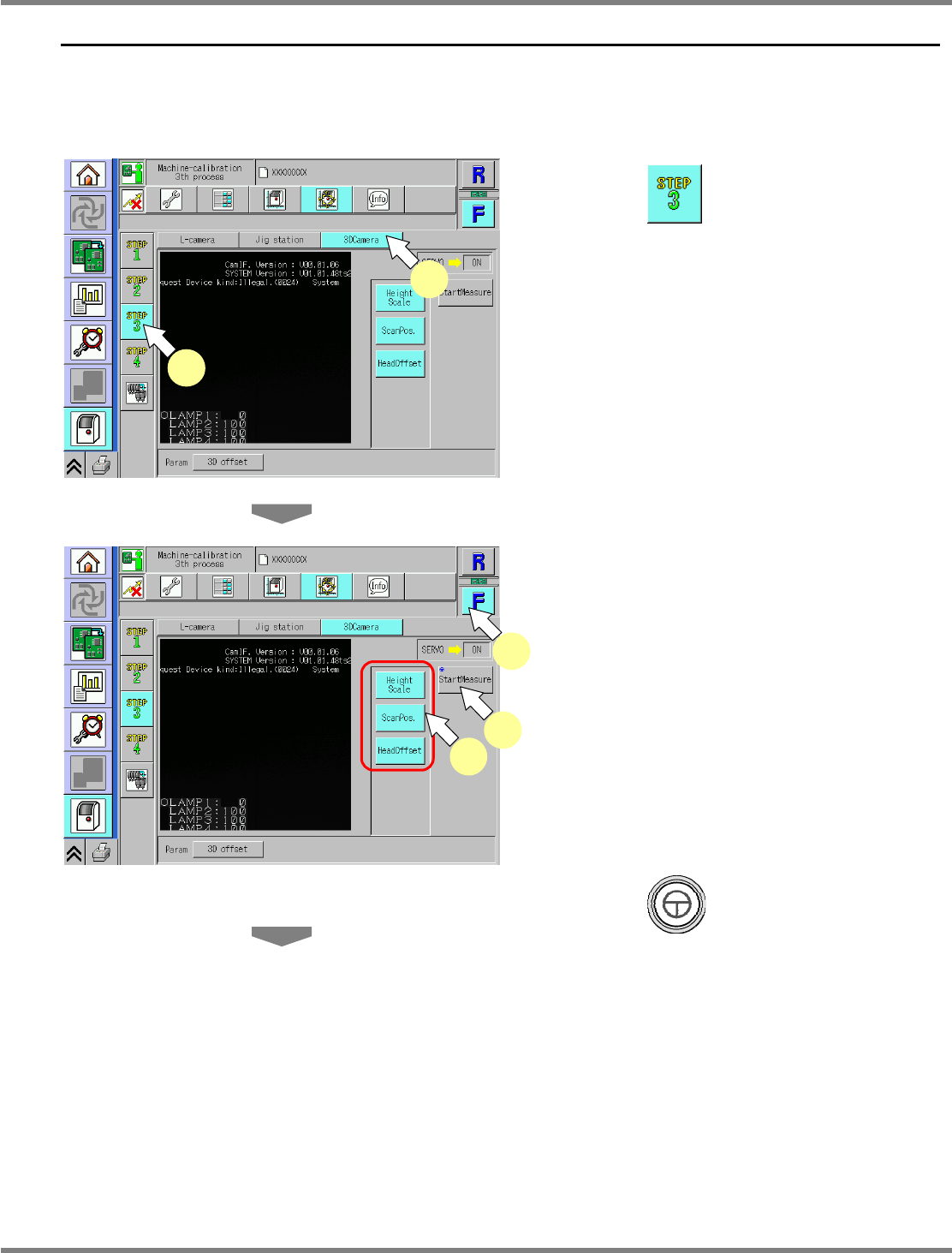
This procedure is common to 8-nozzle and 2-nozzle heads.
∗
It uses the jig station, as with the line camera.
∗
Remove all support-pins before performing calibration.
1
Press .
2
Press [3DCamera].
∗
Check that no PCBs remain in the machine.
3
Select a table.
∗
Select the target table for calibration.
4
Select all the measurement items.
•
The selected items are displayed in light blue.
(The deselected items are grayed out.)
5
Press + [StartMeasure].
UnitCalibCamera3D-01E01
4
3
5
UnitCalibCamera3D-01E01
1
2