NPM Calibration Manual-En.pdf - 第71页
NPM Maint en anc e E di ti on 9.10 3D Camer a Page 9-70 EJM9BE-M B-09M-21 23 Turn OFF the se rvo switch. 24 Open the s afety cover. 25 Remove the j i g station. 26 Close the safe ty cover. 27 Turn ON the se rvo switch. 2…
NPM
Maintenance Edition
9.10 3D Camera
EJM9BE-MB-09M-21 Page 9-69
19
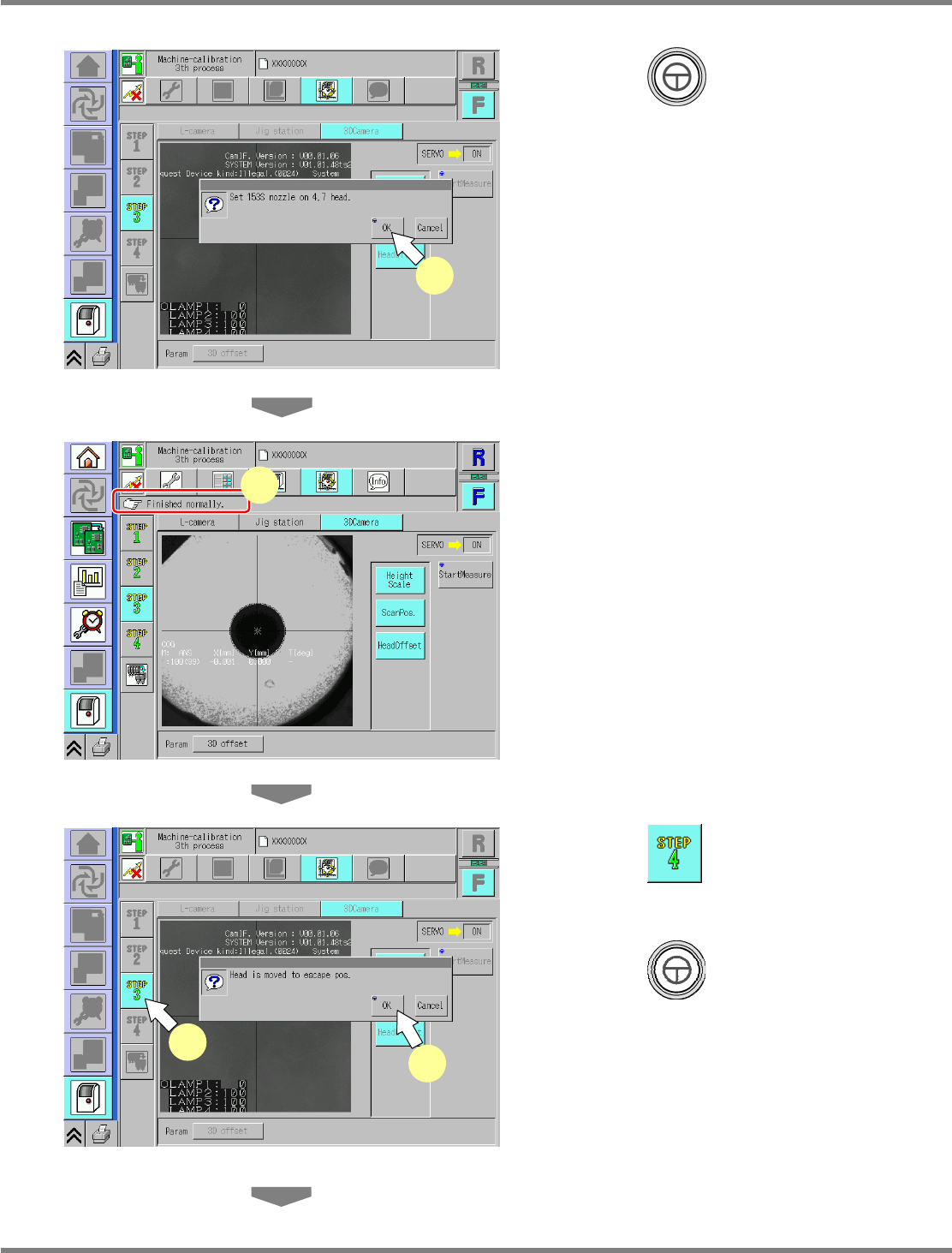
Press + [OK].
•
The calibration is carried out.
20
Check that it is successfully complete.
∗
Perform steps 3–22 for also the other table.
∗
In this calibration, when it is complete
successfully, the measured parameters will be
saved.
21
Press .
22
Press + [OK].
•
The head moves to the retraction position.
UnitCalibCamera3D-04E00
19
UnitCalibCamera3D-02E00
21
22
UnitCalibCamera3D-05E00
20
NPM
Maintenance Edition
9.10 3D Camera
Page 9-70 EJM9BE-MB-09M-21
23
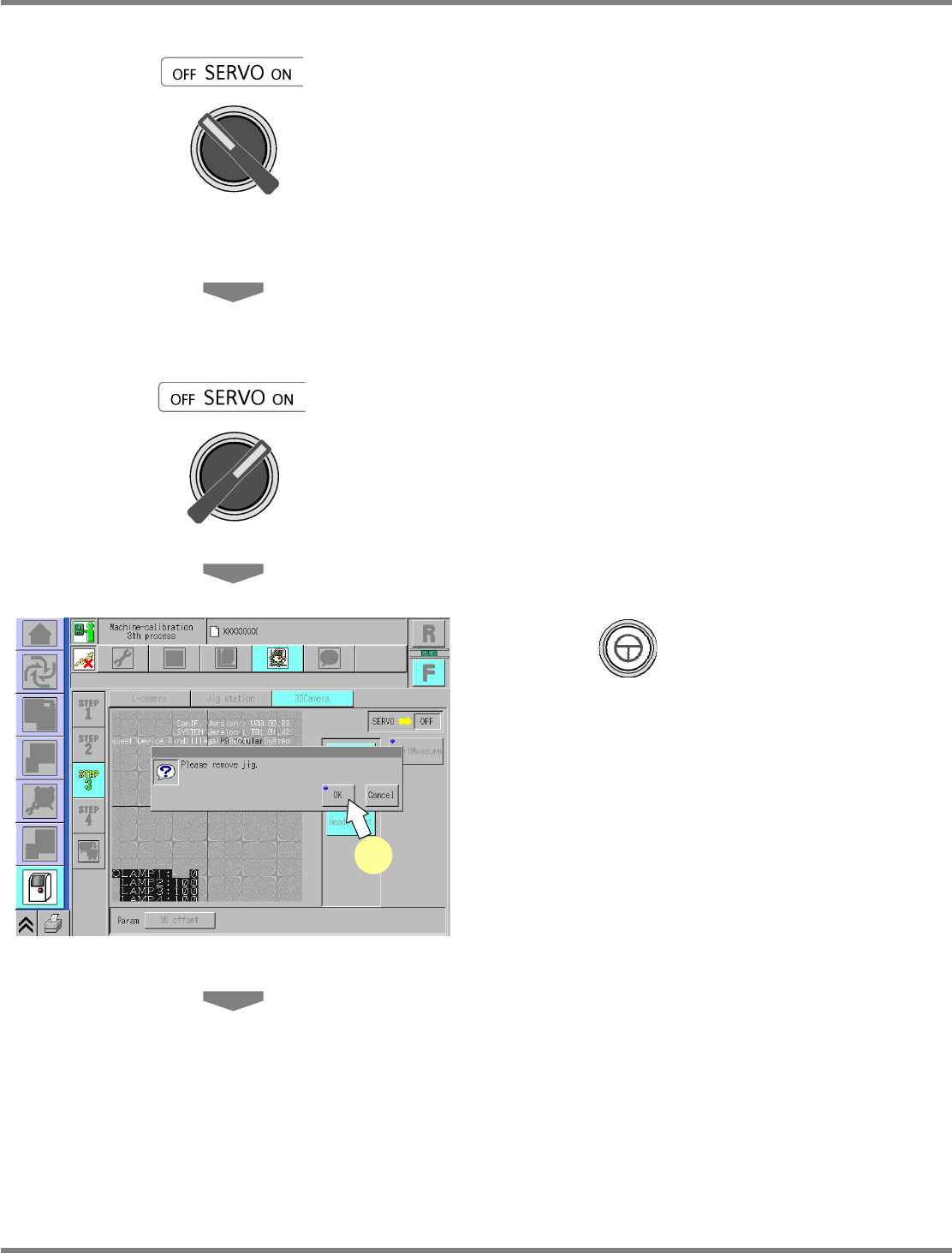
Turn OFF the servo switch.
24
Open the safety cover.
25
Remove the jig station.
26
Close the safety cover.
27
Turn ON the servo switch.
28
Press + [OK].
UnitCalibCamera3D-10E00-K
28
NPM
Maintenance Edition
9.10 3D Camera
EJM9BE-MB-09M-21 Page 9-71
29
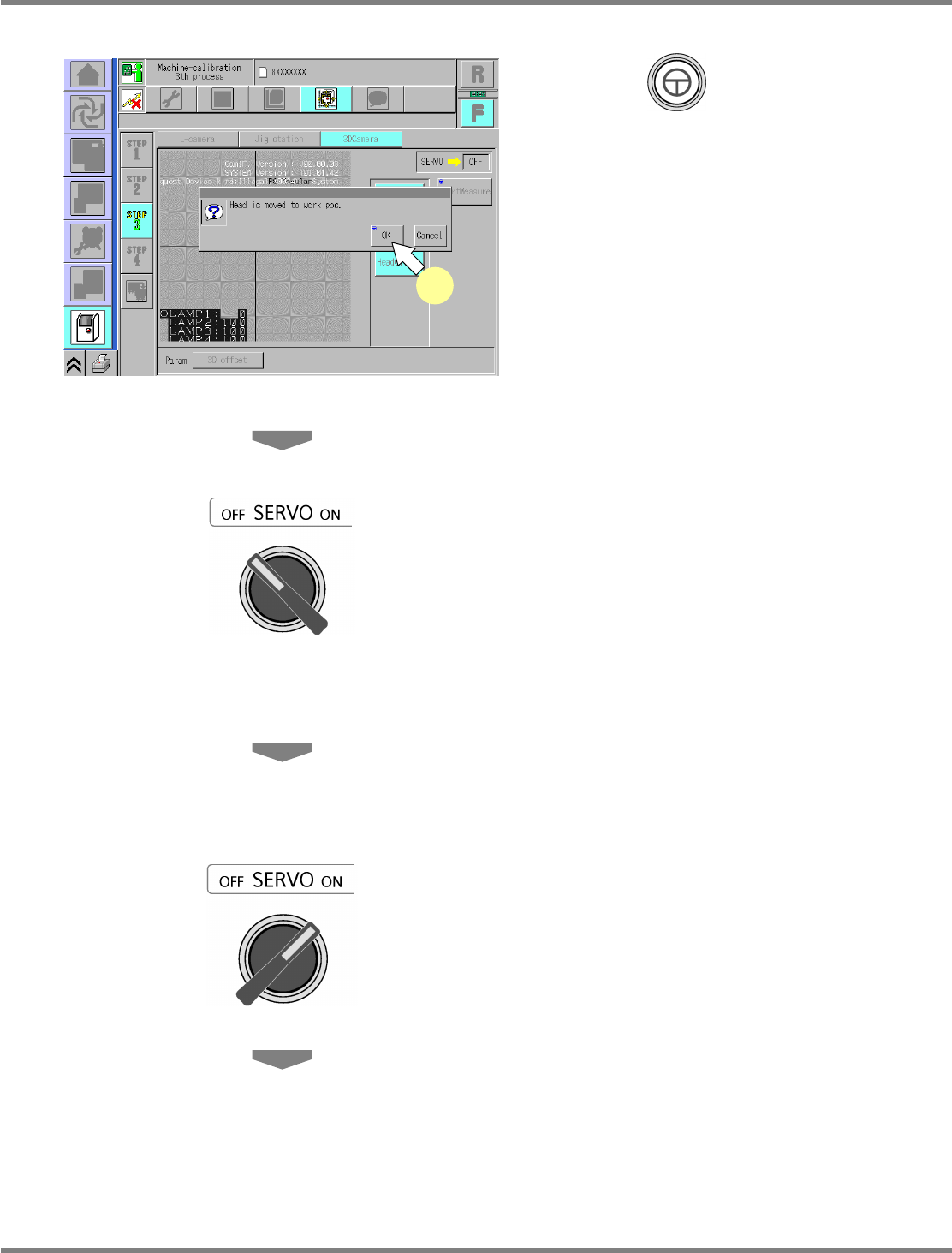
Press + [OK].
•
The head moves to the working position.
30
Turn OFF the servo switch.
31
Open the safety cover.
32
Remove the nozzles from the nozzle
changer.
33
Close the safety cover.
34
Turn ON the servo switch.
UnitCalibCamera3D-11E00-K
29