NPM Calibration Manual-En.pdf - 第72页
NPM Maint en anc e E di ti on 9.10 3D Camer a EJM9BE-M B-09M-21 Page 9-71 29 Press + [OK]. • T he head mov es to the worki ng posi tion. 30 Turn OFF the se rvo switch. 31 Open the s afety cover. 32 Remove the nozz l es f…
NPM
Maintenance Edition
9.10 3D Camera
Page 9-70 EJM9BE-MB-09M-21
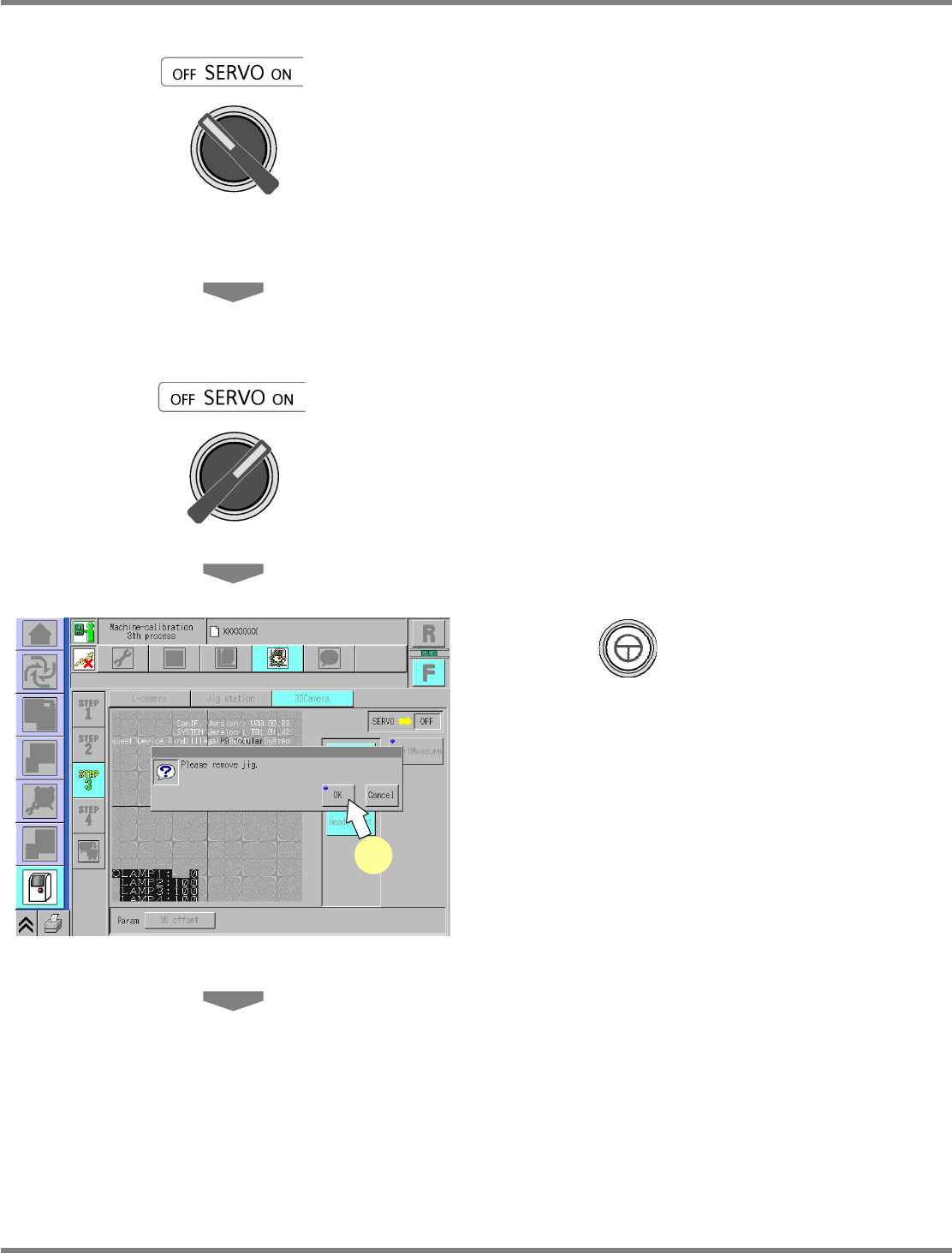
23
Turn OFF the servo switch.
24
Open the safety cover.
25
Remove the jig station.
26
Close the safety cover.
27
Turn ON the servo switch.
28
Press + [OK].
UnitCalibCamera3D-10E00-K
28
NPM
Maintenance Edition
9.10 3D Camera
EJM9BE-MB-09M-21 Page 9-71
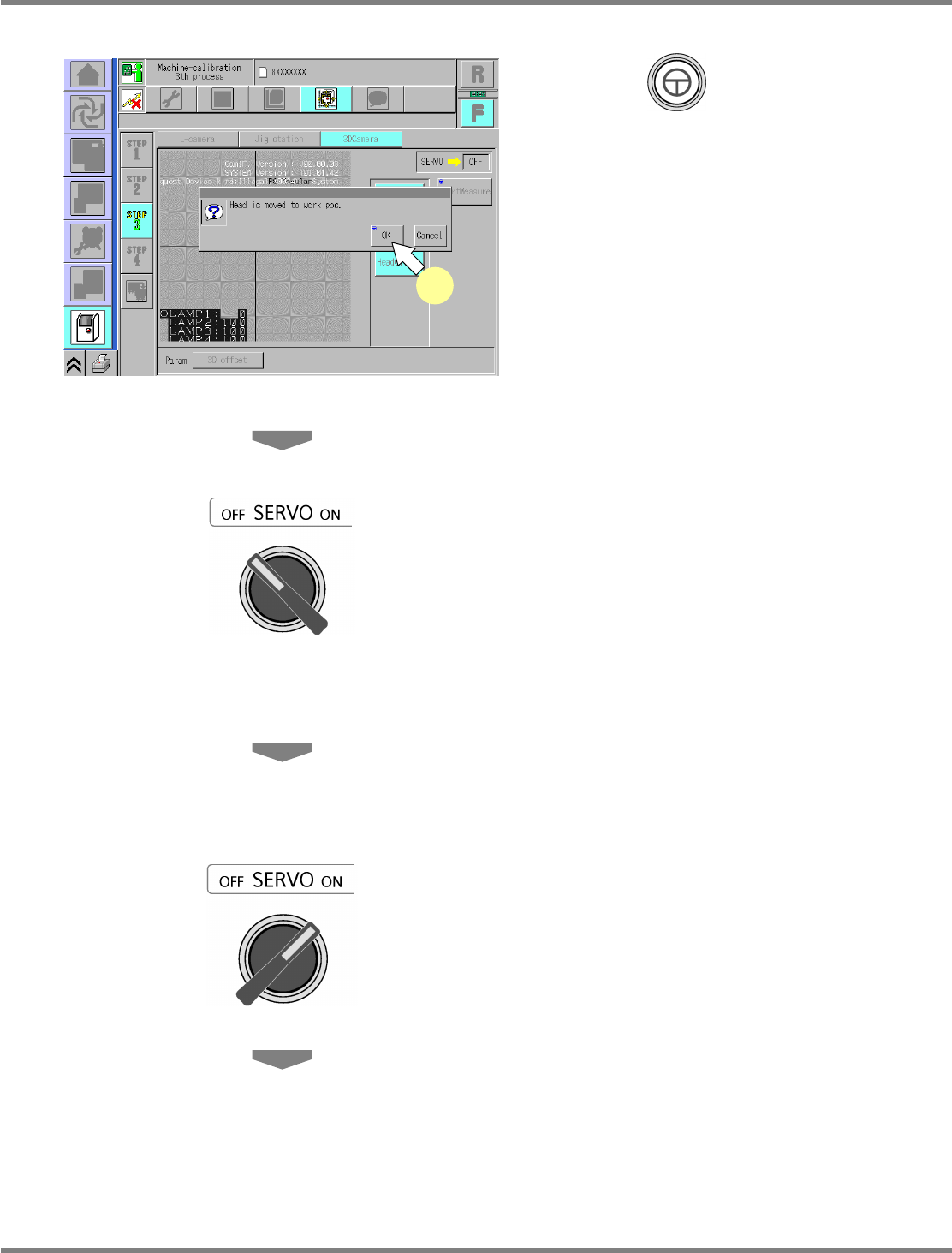
29
Press + [OK].
•
The head moves to the working position.
30
Turn OFF the servo switch.
31
Open the safety cover.
32
Remove the nozzles from the nozzle
changer.
33
Close the safety cover.
34
Turn ON the servo switch.
UnitCalibCamera3D-11E00-K
29
NPM
Maintenance Edition
9.10 3D Camera
Page 9-72 EJM9BE-MB-09M-21
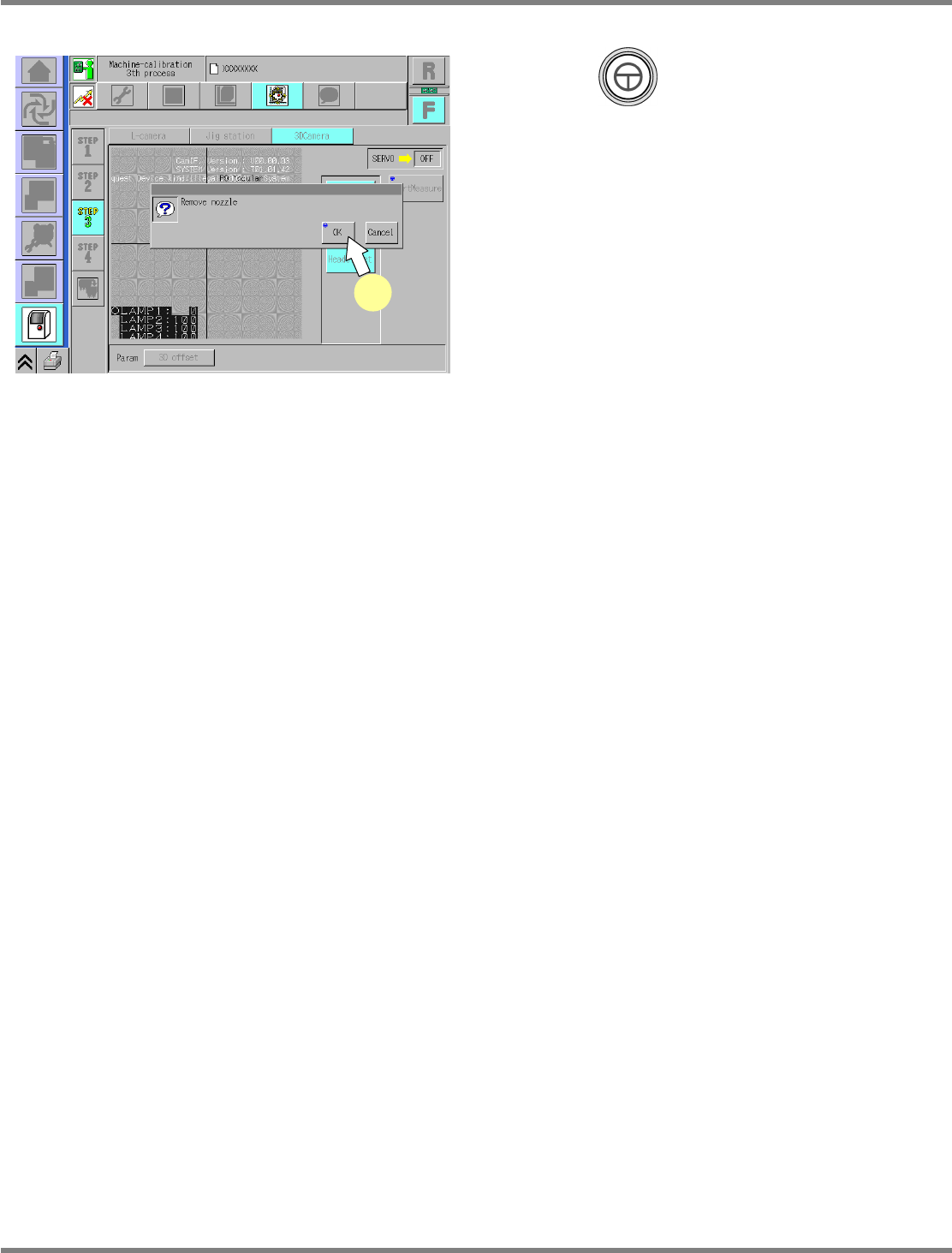
35
Press + [OK].
•
The screen selected in step 23 is displayed.
UnitCalibCamera3D-12E00-K
35