NPM Calibration Manual-En.pdf - 第73页
NPM Maint en anc e E di ti on 9.10 3D Camer a Page 9-72 EJM9BE-M B-09M-21 35 Press + [OK]. • T he screen sel ect ed in st ep 23 is display ed. UnitCalibCa m era3D-12E00- K 35
NPM
Maintenance Edition
9.10 3D Camera
EJM9BE-MB-09M-21 Page 9-71
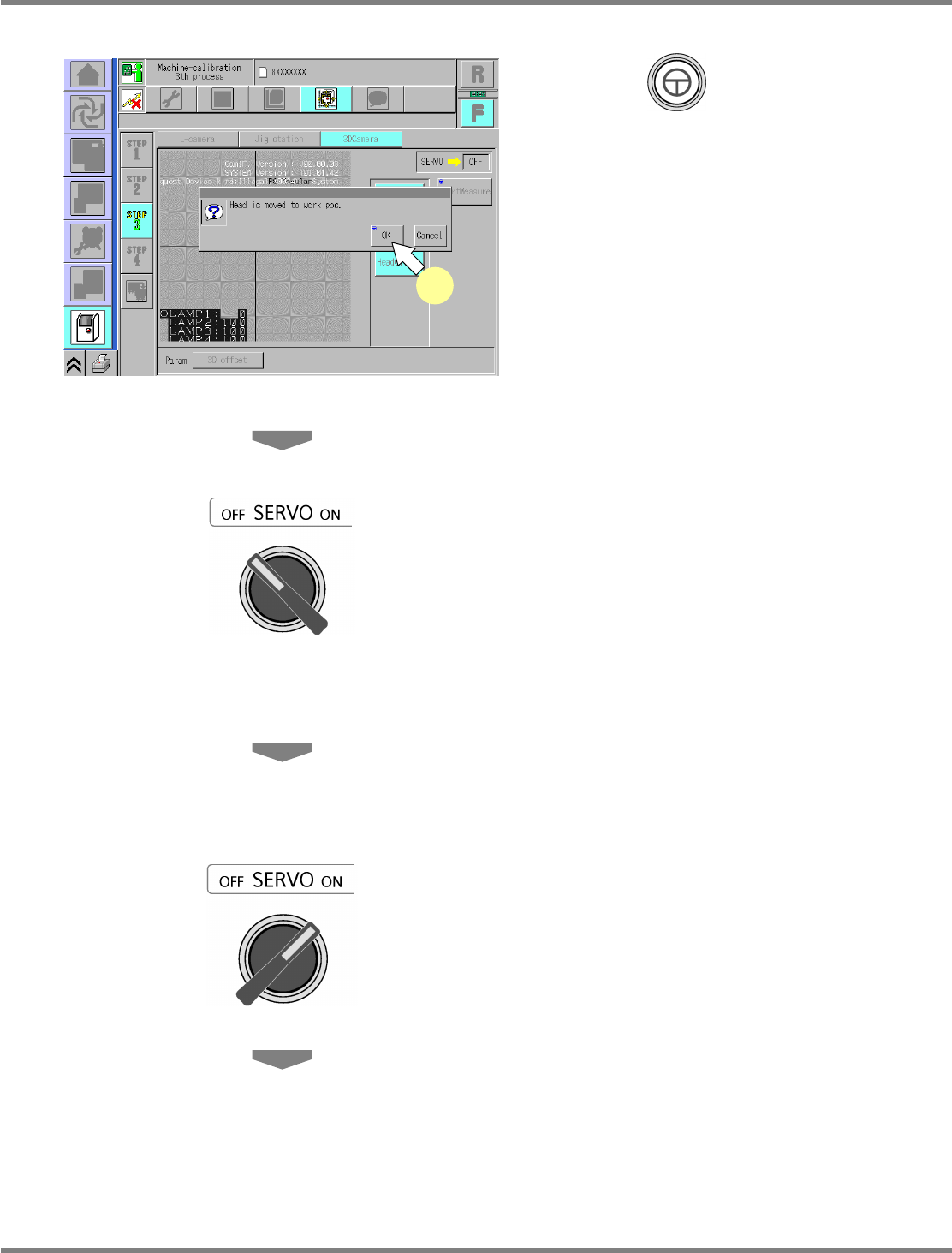
29
Press + [OK].
•
The head moves to the working position.
30
Turn OFF the servo switch.
31
Open the safety cover.
32
Remove the nozzles from the nozzle
changer.
33
Close the safety cover.
34
Turn ON the servo switch.
UnitCalibCamera3D-11E00-K
29
NPM
Maintenance Edition
9.10 3D Camera
Page 9-72 EJM9BE-MB-09M-21
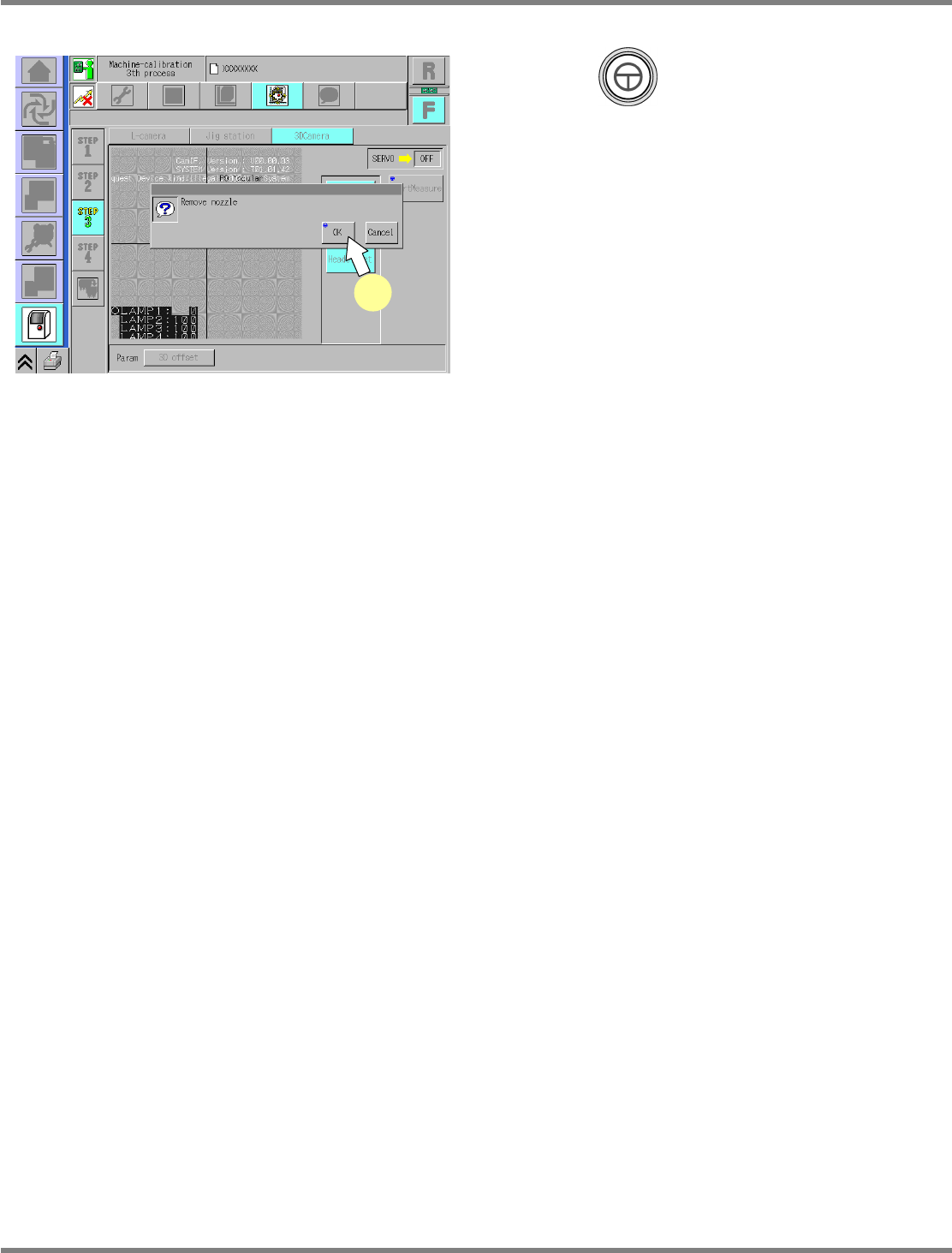
35
Press + [OK].
•
The screen selected in step 23 is displayed.
UnitCalibCamera3D-12E00-K
35
NPM
Maintenance Edition
9.11 Height Offset
EJM9BE-MB-09M-21 Page 9-73
9.11 Height Offset
This procedure is common to 12-nozzle, 8-nozzle, and 2-nozzle heads.
∗
Before performing calibration, remove the feeders from the slots Nos. 1, 2, 3, 8, 9, 10, 15, 16
and 17.
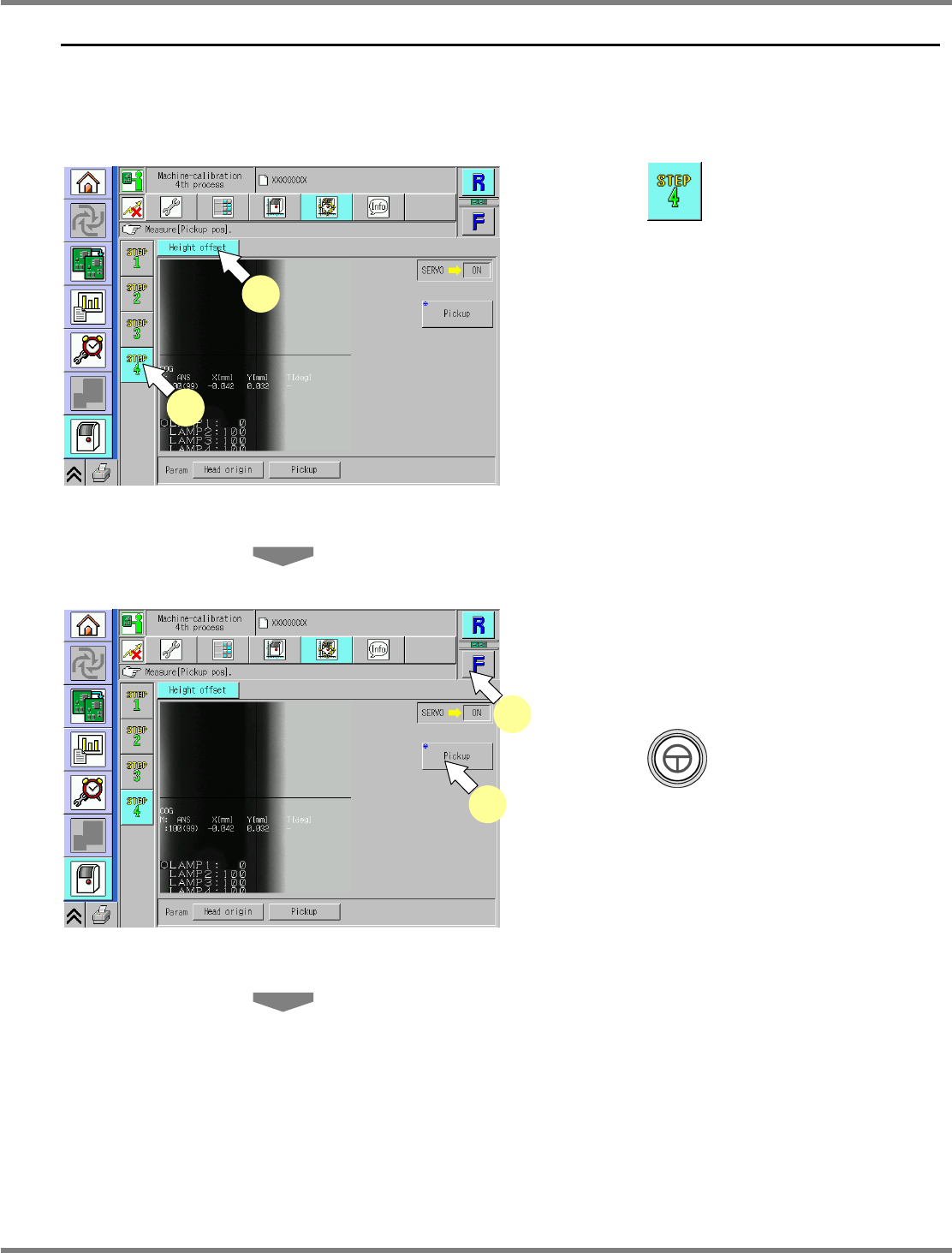
1
Press .
2
Press [Height offset].
3
Select a table.
∗
Select the target table for calibration.
4
Press + [Pickup].
•
The head moves to the working position.
UnitCalibHeadHightMeasure-01E00
3
4
UnitCalibHeadHightMeasure-01E00
1
2