NPM Calibration Manual-En.pdf - 第74页
NPM Maint en anc e E di ti on 9.11 Hei ght Off set EJM9BE-M B-09M-21 Page 9-73 9.11 Height Offs et Thi s procedur e i s co mm on to 12-noz zle, 8-nozzl e, and 2-noz zl e heads. ∗ Bef or e per f ormi ng cali br ation, rem…
NPM
Maintenance Edition
9.10 3D Camera
Page 9-72 EJM9BE-MB-09M-21
35
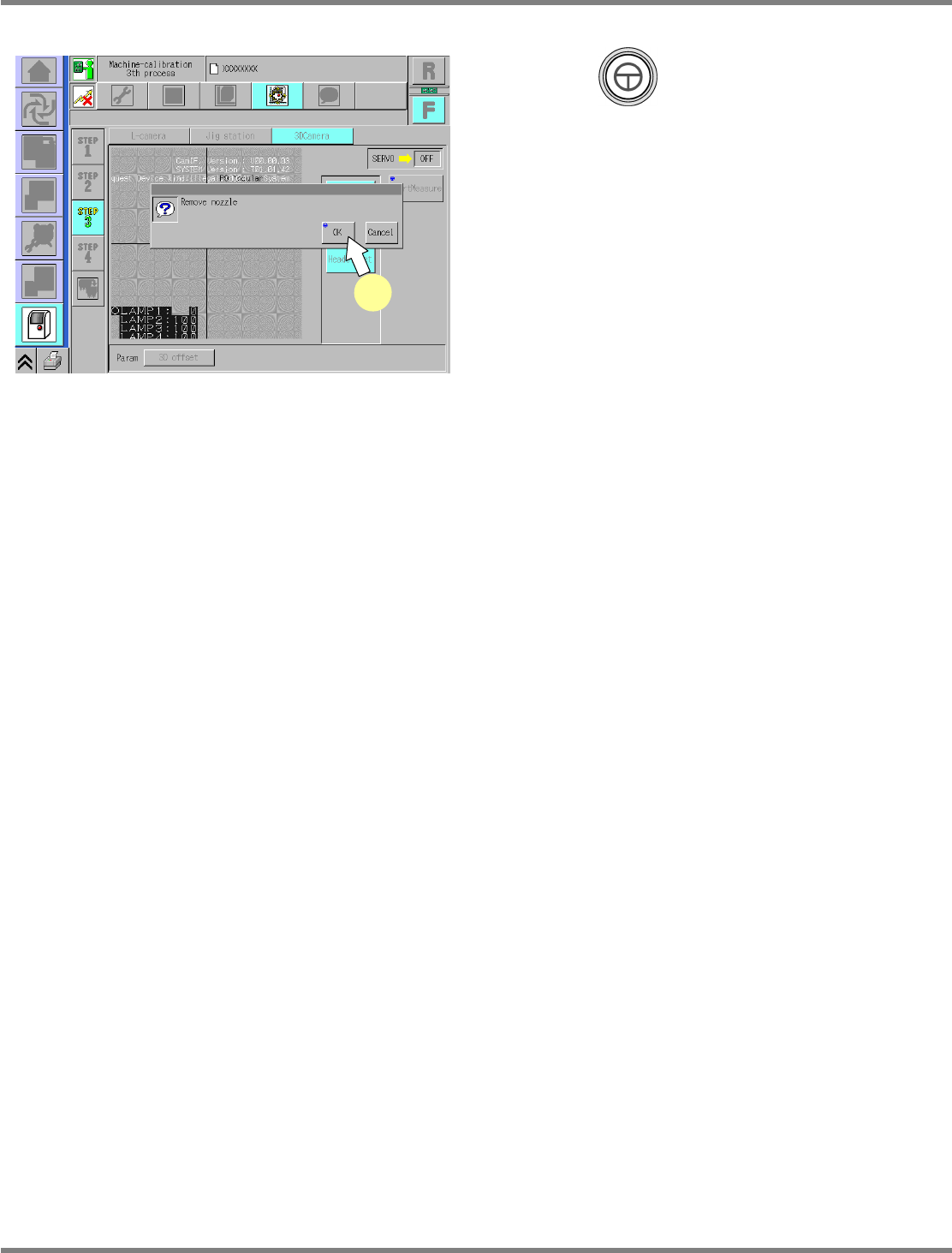
Press + [OK].
•
The screen selected in step 23 is displayed.
UnitCalibCamera3D-12E00-K
35
NPM
Maintenance Edition
9.11 Height Offset
EJM9BE-MB-09M-21 Page 9-73
9.11 Height Offset
This procedure is common to 12-nozzle, 8-nozzle, and 2-nozzle heads.
∗
Before performing calibration, remove the feeders from the slots Nos. 1, 2, 3, 8, 9, 10, 15, 16
and 17.
1
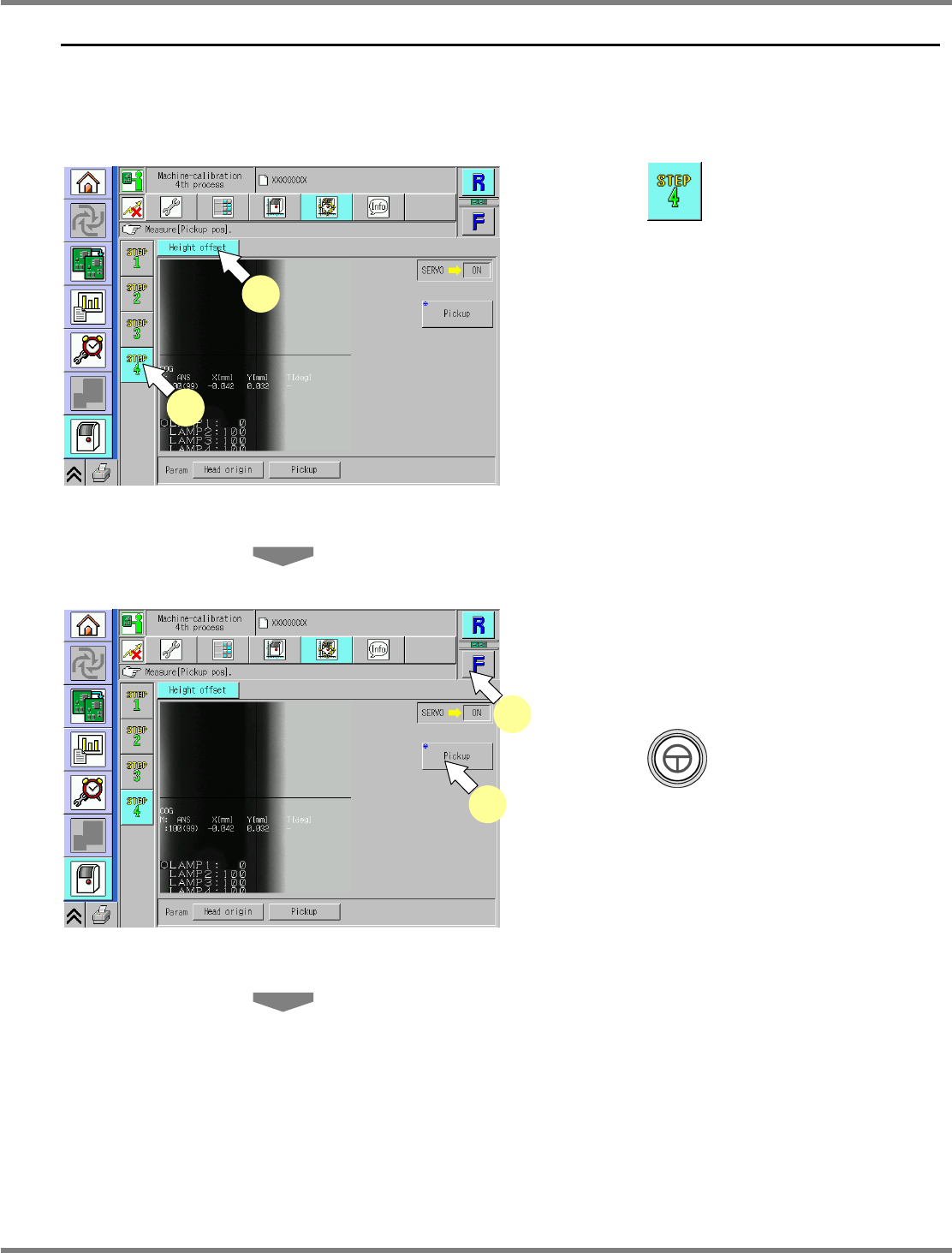
Press .
2
Press [Height offset].
3
Select a table.
∗
Select the target table for calibration.
4
Press + [Pickup].
•
The head moves to the working position.
UnitCalibHeadHightMeasure-01E00
3
4
UnitCalibHeadHightMeasure-01E00
1
2
NPM
Maintenance Edition
9.11 Height Offset
Page 9-74 EJM9BE-MB-09M-21
5
Attach the nozzle.
12-nozzle head
∗
Attach the 230CS nozzle to the nozzle
position 4.
8-nozzle head
∗
Attach the 230C nozzle to the nozzle position
3.
2-nozzle head
∗
Attach the No.1003 nozzle to the nozzle
position 2.
6
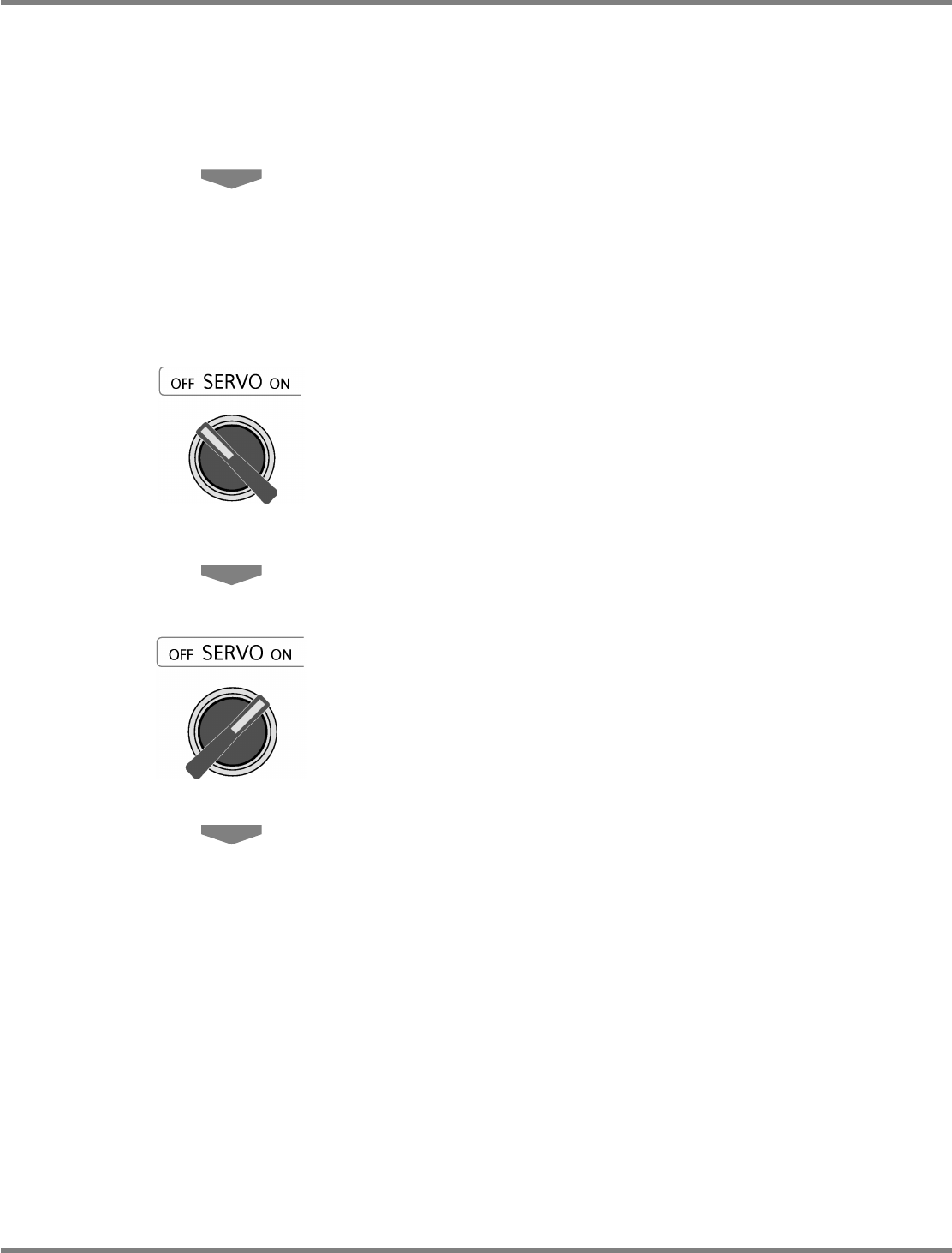
Turn OFF the servo switch.
7
Open the safety cover.
8
Attach the nozzle.
9
Close the safety cover.
10
Turn ON the servo switch.