NPM Calibration Manual-En.pdf - 第83页
NPM Maint en anc e E di ti on 9.12 Ver tic al Li ne Ca m era Page 9-82 EJM9BE-M B-09M-21 15 Turn OFF the se rvo switch. 16 Open the s afety cover. 17 Detach the nozzles. 18 Close the safe ty cover. 19 Turn ON the se rvo …
NPM
Maintenance Edition
9.12 Vertical Line Camera
EJM9BE-MB-09M-21 Page 9-81
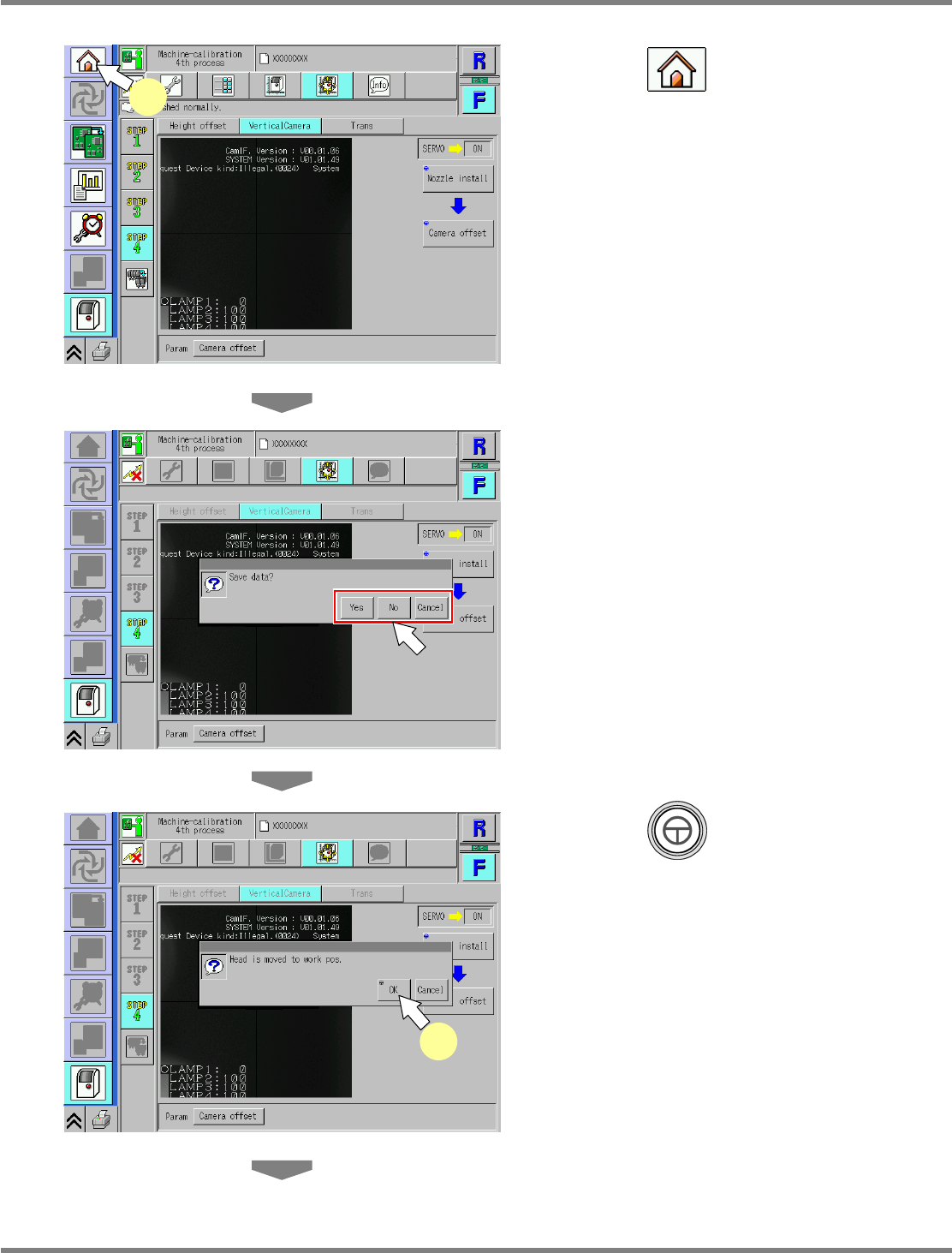
13
Press .
•
When exiting this screen to the other one, you
are always prompted to save the data.
∗
To save the data obtained by the calibration,
press [Yes].
If you press [No], the return-to-origin process is
carried out and the data obtained by the
calibration are lost.
After the above operation, the next screen is
displayed.
14
Press + [OK].
•
The head moves to the retraction position.
UnitCalibVerticalLineCamera-03E00
13
UnitCalibVerticalLineCamera-07E00
14
UnitCalibVerticalLineCamera-04E00
NPM
Maintenance Edition
9.12 Vertical Line Camera
Page 9-82 EJM9BE-MB-09M-21
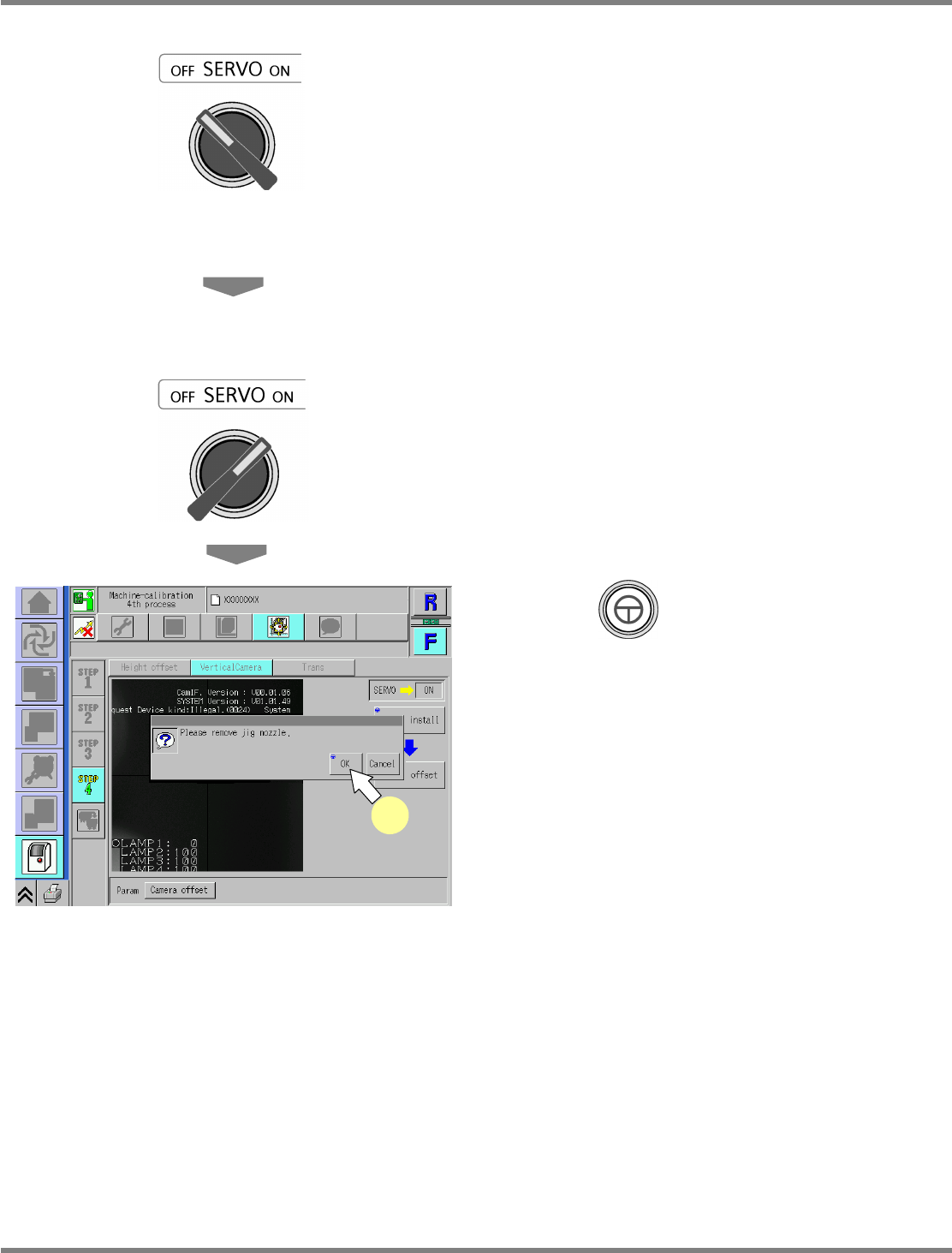
15
Turn OFF the servo switch.
16
Open the safety cover.
17
Detach the nozzles.
18
Close the safety cover.
19
Turn ON the servo switch.
20
Press + [OK].
•
The screen selected in step 13 is displayed.
UnitCalibVerticalLineCamera-05E00
20
NPM
Maintenance Edition
9.13 Tray
EJM9BE-MB-09M-21 Page 9-83
9.13 Tray
The following is the calibration procedure for the machine equipped with the tray feeder.
This procedure is exclusive to the machines with 8-nozzle head or 2-nozzle head.
Perform operation from the rear side.
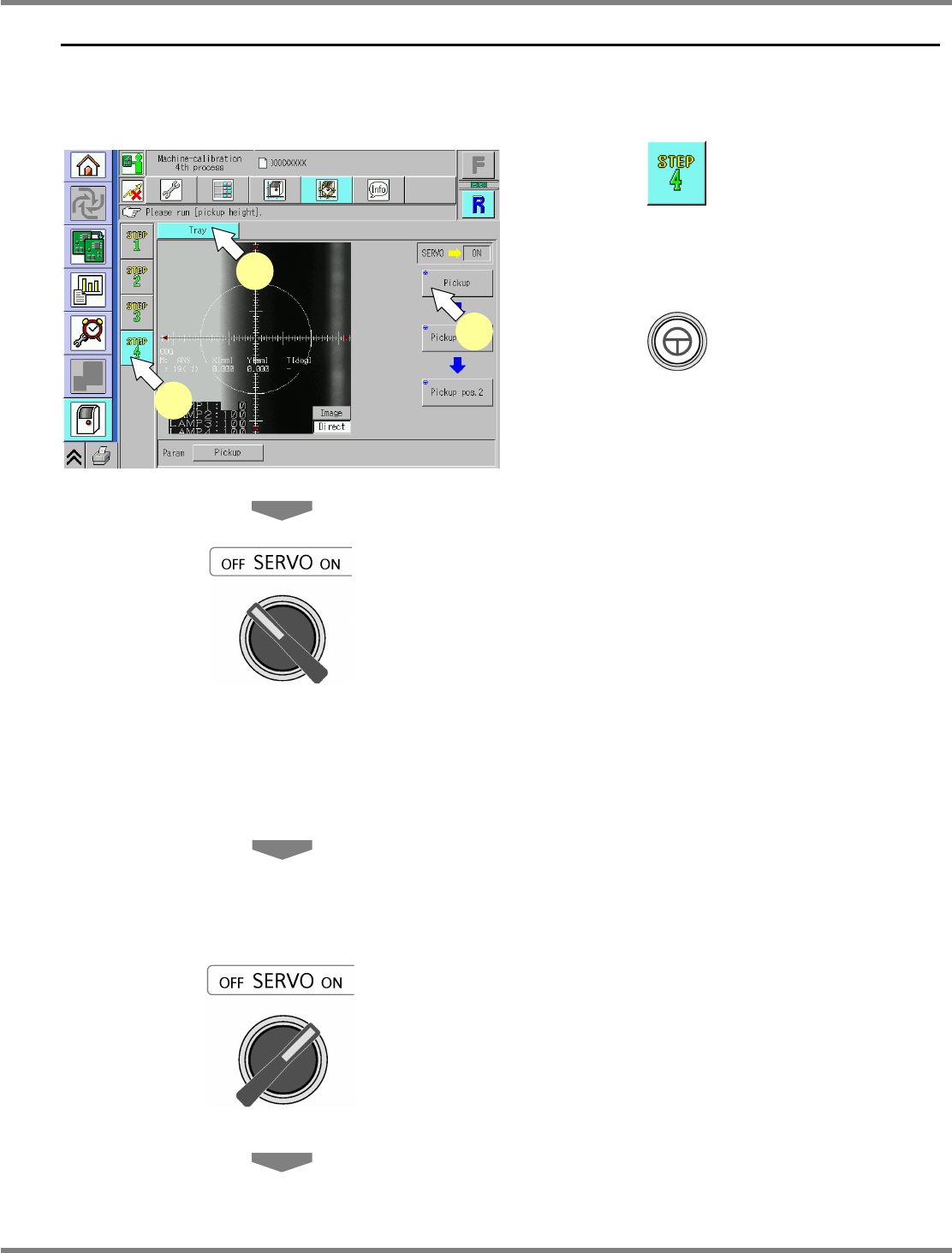
1
Press .
2
Press [Tray].
3
Press + [Pickup].
4
Turn OFF the servo switch.
5
Open the safety cover.
6
Attach the nozzle.
8-nozzle head
∗
Attach the No. 230C nozzle to the nozzle
position 3.
2-nozzle head
∗
Attach the No.1003 nozzle to the nozzle
position 2.
7
Close the safety cover.
8
Turn ON the servo switch.
UnitCalibTrayPos-01E00
1
2
3