NPM Calibration Manual-En.pdf - 第90页
NPM Maint en anc e E di ti on 9.14 Accu racy Ve rificat ion EJM9BE-M B-09M-21 Page 9-89 3 M CDAT A (Pr oduction Pr ogram) Ther e are t hree head types: 12-noz zl e, 8-nozz l e, and 2 -noz zl e. The suppl y secti on is on…
NPM
Maintenance Edition
9.14 Accuracy Verification
Page 9-88 EJM9BE-MB-09M-21
Chip accuracy
Our specified jig chips are used for the placement check for chip components.
This jig chip is made of a ceramic material (as with an actual component) that is specially
plated.
It has enough shape stability to acquire the placement offset correctly.
Jig chip Model No. ERJJ02AAAAAV
Component shape 1.0 mm
×
0.5 mm Thickness 0.14 mm
It is indispensable to check the accuracy by the jig chips.
When mounting 0402 components, the offset dedicated to them will be used preferentially.
Before mounting 0402 components, it is recommended to register the offsets by angle with
0402R components and to verify the accuracy of them.
General-purpose accuracy and 3D (OP) accuracy
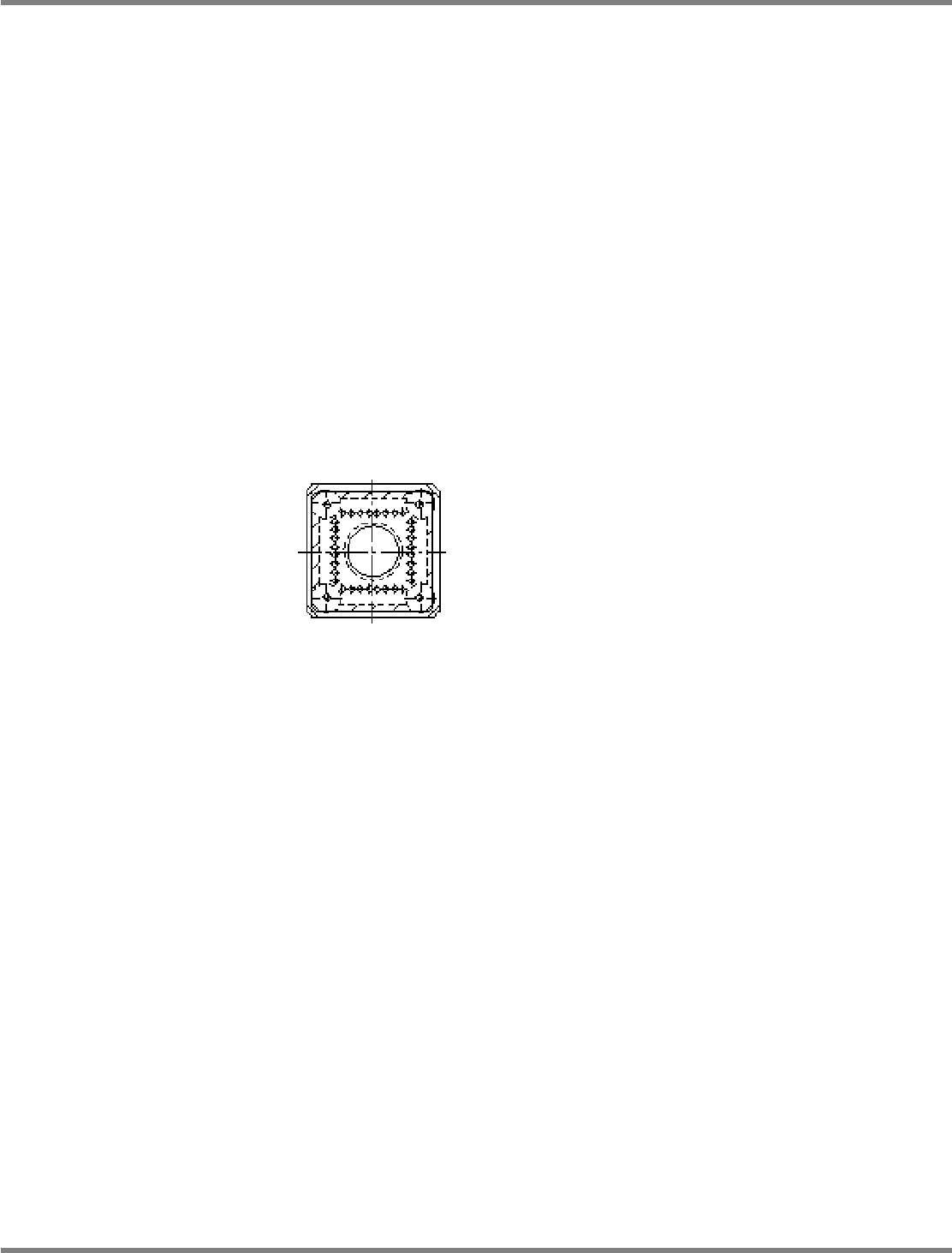
The dedicated JIG_BGA is used.
The metal plate where a BGA shape pattern is formed correctly is fixed in a resin case.
The accuracy is measured by placing each case.
JIG_BGA Model No. N610087876AA
NPM
Maintenance Edition
9.14 Accuracy Verification
EJM9BE-MB-09M-21 Page 9-89
3 MCDATA (Production Program)
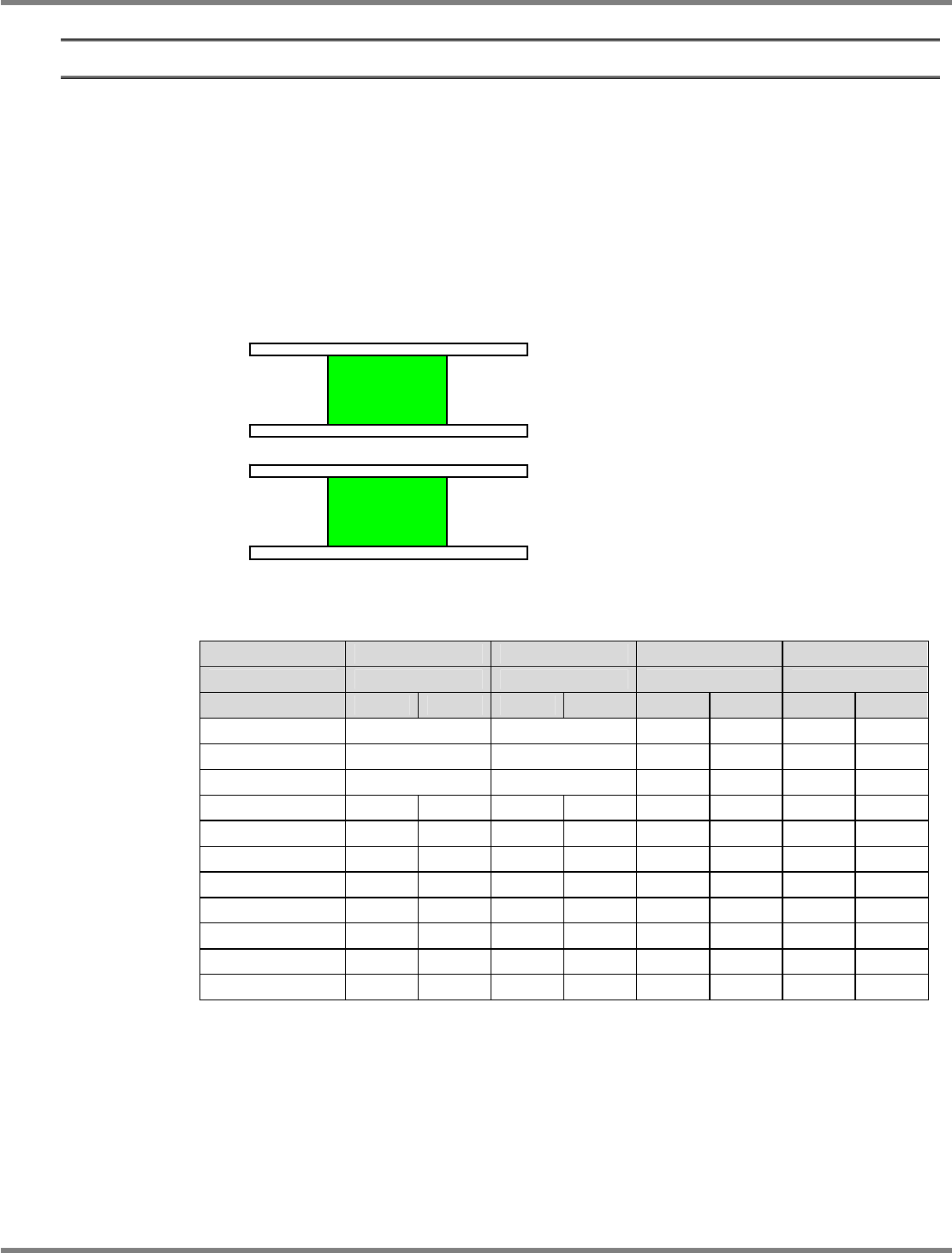
There are three head types: 12-nozzle, 8-nozzle, and 2-nozzle.
The supply section is on the front: feeder only, on the rear: feeder (F) or tray (T).
Shown below is the major configuration of heads and supply sections.
In the head pattern, for example, 8-8F shows the front: 8 nozzles, the rear: 8 nozzles,
feeder-supply section.
Likewise, 2-2T shows the front: 2 nozzles, the rear: 2 nozzles, tray-supply section.
For the machine equipped with the 12-nozzle head and the 8-nozzle head, both heads are used
for efficiency.
For machines with dual conveyor, the placement accuracies are checked at the lanes 1 and 2.
: Placing by front and rear heads Head designation: Placing by designated head only
Offset Chip Micro General-purpose 3D
Component to use
Jig chip 0402R JIG_BGA JIG_BGA
Head pattern Front Rear Front Rear Front Rear Front Rear
12-12F
--- --- --- ---
12-8F
--- 8 --- 8
8-8F
8 8 8 8
12-2F 12 --- 12 --- --- 2 --- 2
8-2F 8 --- 8 --- 8 2 8 2
2-2F --- --- --- --- 2 2 2 2
12-2T 12 --- 12 --- --- 2 --- 2
8-2T 8 --- 8 --- 8 2 8 2
2-2T --- --- --- --- 2 2 2 2
12-8T 12 --- 12 --- --- 8 --- 8
8-8T 8 --- 8 --- 8 8 8 8
The MCDATA (Production program) are contained in the CD-ROM (Machine system /
Recognition / LNB system disk) that comes with the machine.
Refer to the MCDATA sheet included in the CD-ROM, select the target MCDATA according to
the machine type. Copy it to an SD card once and load it to the machine.
∗
An SD card should be prepared by the customer.
Lane 2
Lane 1
NPM
Maintenance Edition
9.14 Accuracy Verification
Page 9-90 EJM9BE-MB-09M-21
9.14.2 Detailed Processes
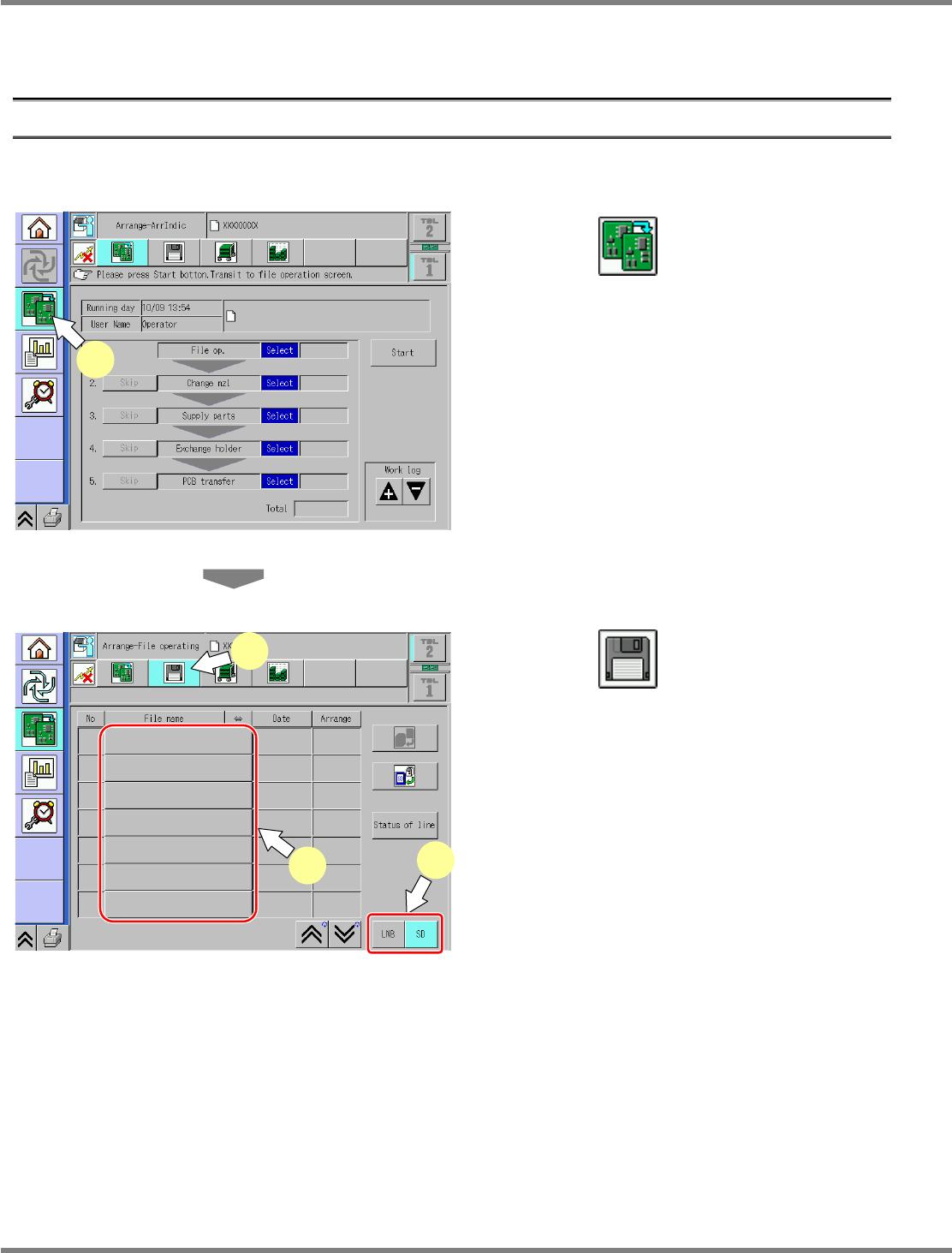
This subsection details the processes using the operation screens.
1 Preparation for Production
①
Selection of MCDATA (Production Program)
1
Press .
Select the changeover screen.
2
Press .
3
Select the source to load.
Select the source to load.
Data is input from the SD card.
4
Select the MCDATA (production
program) copied to an SD card from
the CD-ROM.
∗
This step is the same as that for usual
preparation for production.
ChangeWorkState-01E04
1
ChangeFileOpeProData-01E01
2
3
4