NPM Calibration Manual-En.pdf - 第91页
NPM Maint en anc e E di ti on 9.14 Accu racy Ve rificat ion Page 9-90 EJM9BE-M B-09M-21 9.14. 2 Detail ed Processes Thi s subs ect i on detai l s the pr ocesses u sing t he operat ion screen s. 1 Preparation f or Produc …
NPM
Maintenance Edition
9.14 Accuracy Verification
EJM9BE-MB-09M-21 Page 9-89
3 MCDATA (Production Program)
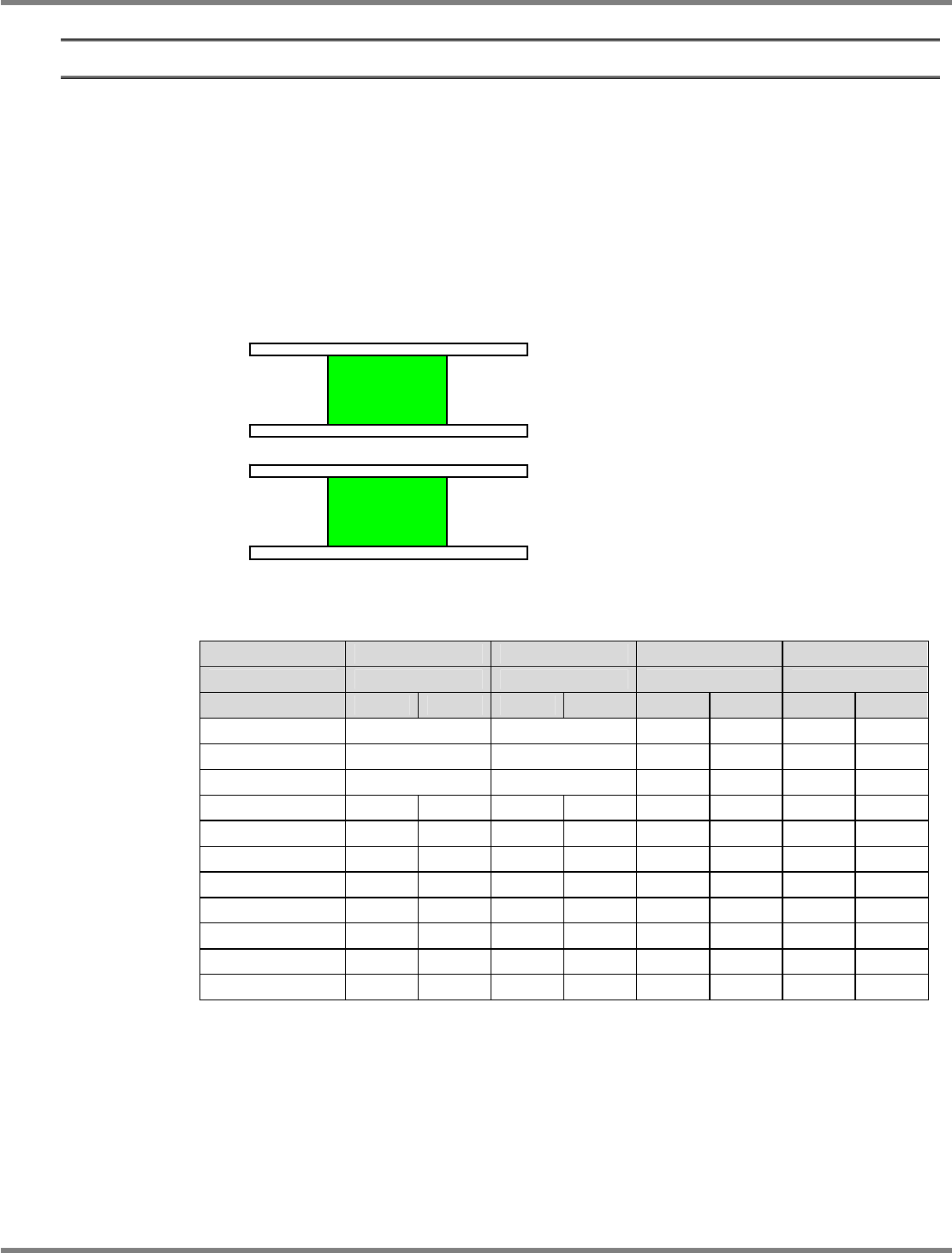
There are three head types: 12-nozzle, 8-nozzle, and 2-nozzle.
The supply section is on the front: feeder only, on the rear: feeder (F) or tray (T).
Shown below is the major configuration of heads and supply sections.
In the head pattern, for example, 8-8F shows the front: 8 nozzles, the rear: 8 nozzles,
feeder-supply section.
Likewise, 2-2T shows the front: 2 nozzles, the rear: 2 nozzles, tray-supply section.
For the machine equipped with the 12-nozzle head and the 8-nozzle head, both heads are used
for efficiency.
For machines with dual conveyor, the placement accuracies are checked at the lanes 1 and 2.
: Placing by front and rear heads Head designation: Placing by designated head only
Offset Chip Micro General-purpose 3D
Component to use
Jig chip 0402R JIG_BGA JIG_BGA
Head pattern Front Rear Front Rear Front Rear Front Rear
12-12F
--- --- --- ---
12-8F
--- 8 --- 8
8-8F
8 8 8 8
12-2F 12 --- 12 --- --- 2 --- 2
8-2F 8 --- 8 --- 8 2 8 2
2-2F --- --- --- --- 2 2 2 2
12-2T 12 --- 12 --- --- 2 --- 2
8-2T 8 --- 8 --- 8 2 8 2
2-2T --- --- --- --- 2 2 2 2
12-8T 12 --- 12 --- --- 8 --- 8
8-8T 8 --- 8 --- 8 8 8 8
The MCDATA (Production program) are contained in the CD-ROM (Machine system /
Recognition / LNB system disk) that comes with the machine.
Refer to the MCDATA sheet included in the CD-ROM, select the target MCDATA according to
the machine type. Copy it to an SD card once and load it to the machine.
∗
An SD card should be prepared by the customer.
Lane 2
Lane 1
NPM
Maintenance Edition
9.14 Accuracy Verification
Page 9-90 EJM9BE-MB-09M-21
9.14.2 Detailed Processes
This subsection details the processes using the operation screens.
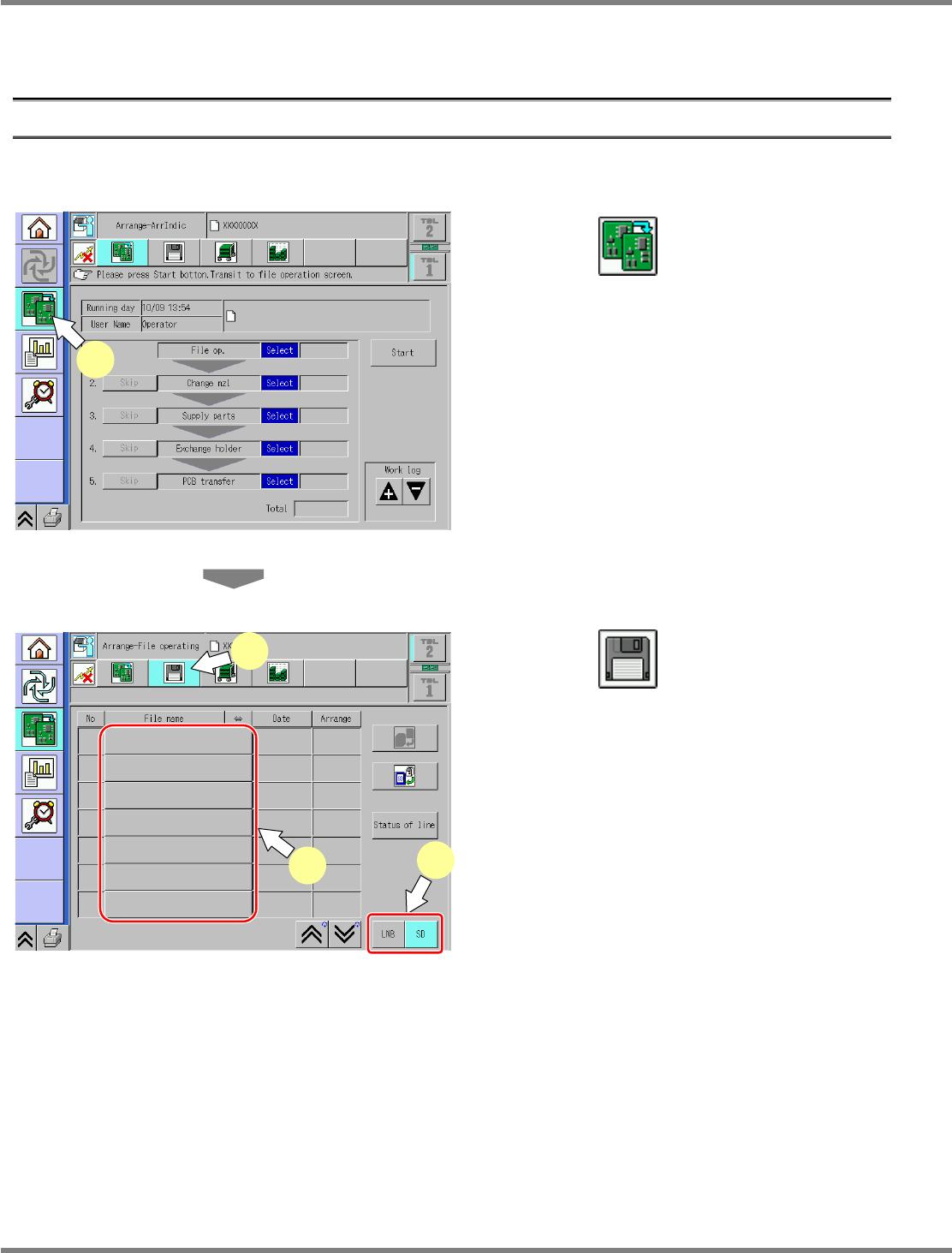
1 Preparation for Production
①
Selection of MCDATA (Production Program)
1
Press .
Select the changeover screen.
2
Press .
3
Select the source to load.
Select the source to load.
Data is input from the SD card.
4
Select the MCDATA (production
program) copied to an SD card from
the CD-ROM.
∗
This step is the same as that for usual
preparation for production.
ChangeWorkState-01E04
1
ChangeFileOpeProData-01E01
2
3
4
NPM
Maintenance Edition
9.14 Accuracy Verification
EJM9BE-MB-09M-21 Page 9-91
②
Preparation for Placement, Checking of Pickup Positions, Setting of
Nozzles
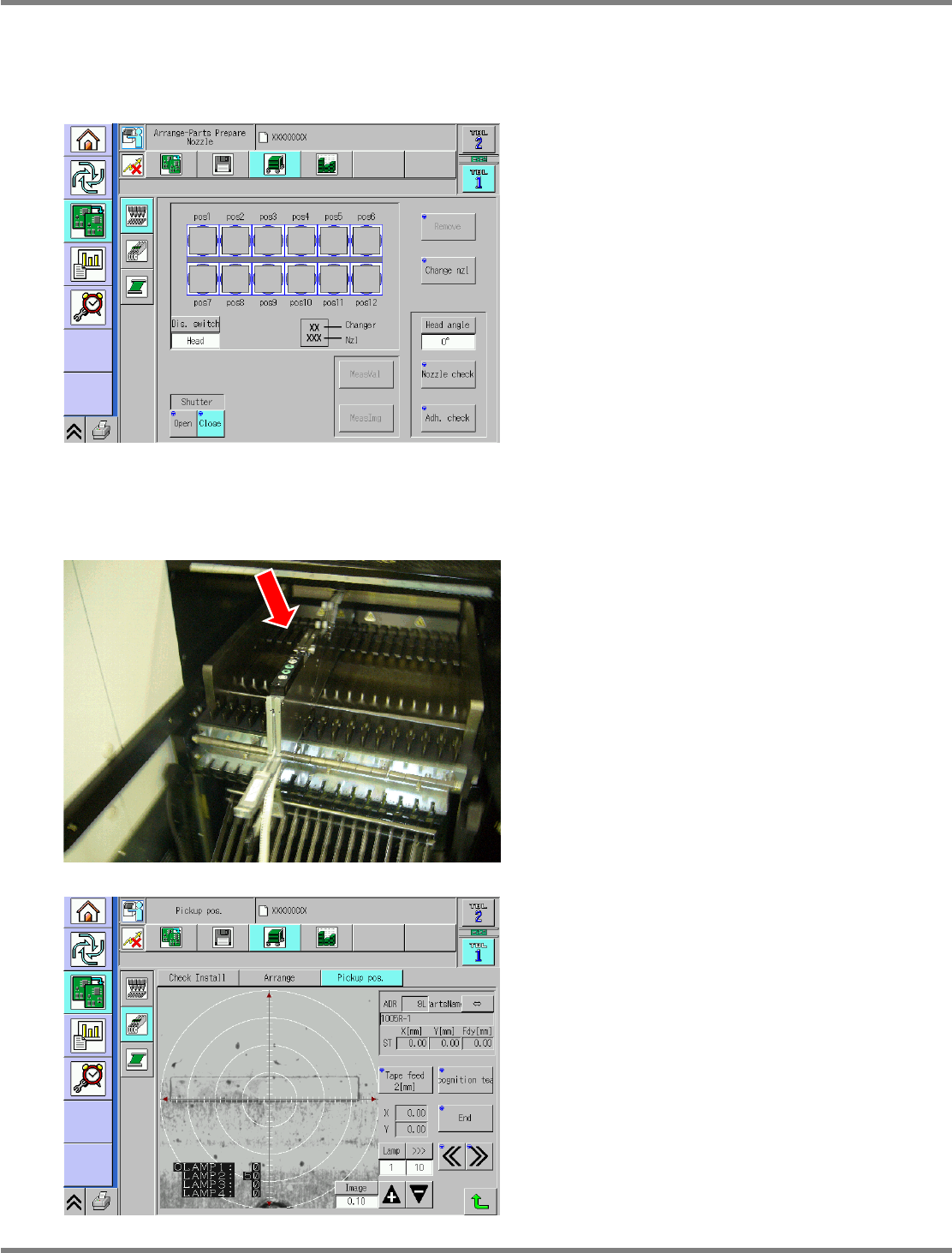
1
Set the nozzles to the nozzle holders.
Set the appropriate nozzles to the nozzle
holders.
∗
This step is the same as that for usual
preparation for production.
2
Supply parts.
Supplying parts (for chips)
•
Set the jig chips to the feeder and install it to
the No. 7 slot.
For placing in front and rear beams, set on the
front and the rear.
∗
This step is the same as that for usual
preparation for production.
•
For chip placement, the pockets in the feeder
are taught as appropriate.
∗
This step is the same as that for usual
preparation for production.
ChangeNozzleSet-01E03
ChangeFeederPickupTeach-01E01