1OM-1505-004_w.pdf - 第107页
1OM-1505 3-2 1. Automatic Operation : Chap.3 1.1 Inspections before Automatic Operation 1.1.1 Conrmation of Power Supply Conrm that the main breaker (connected to this machine) in the factory is set to "ON". …
1OM-1505
1. Automatic Operation : Chap.3
3-11002-002
1. Automatic Operation
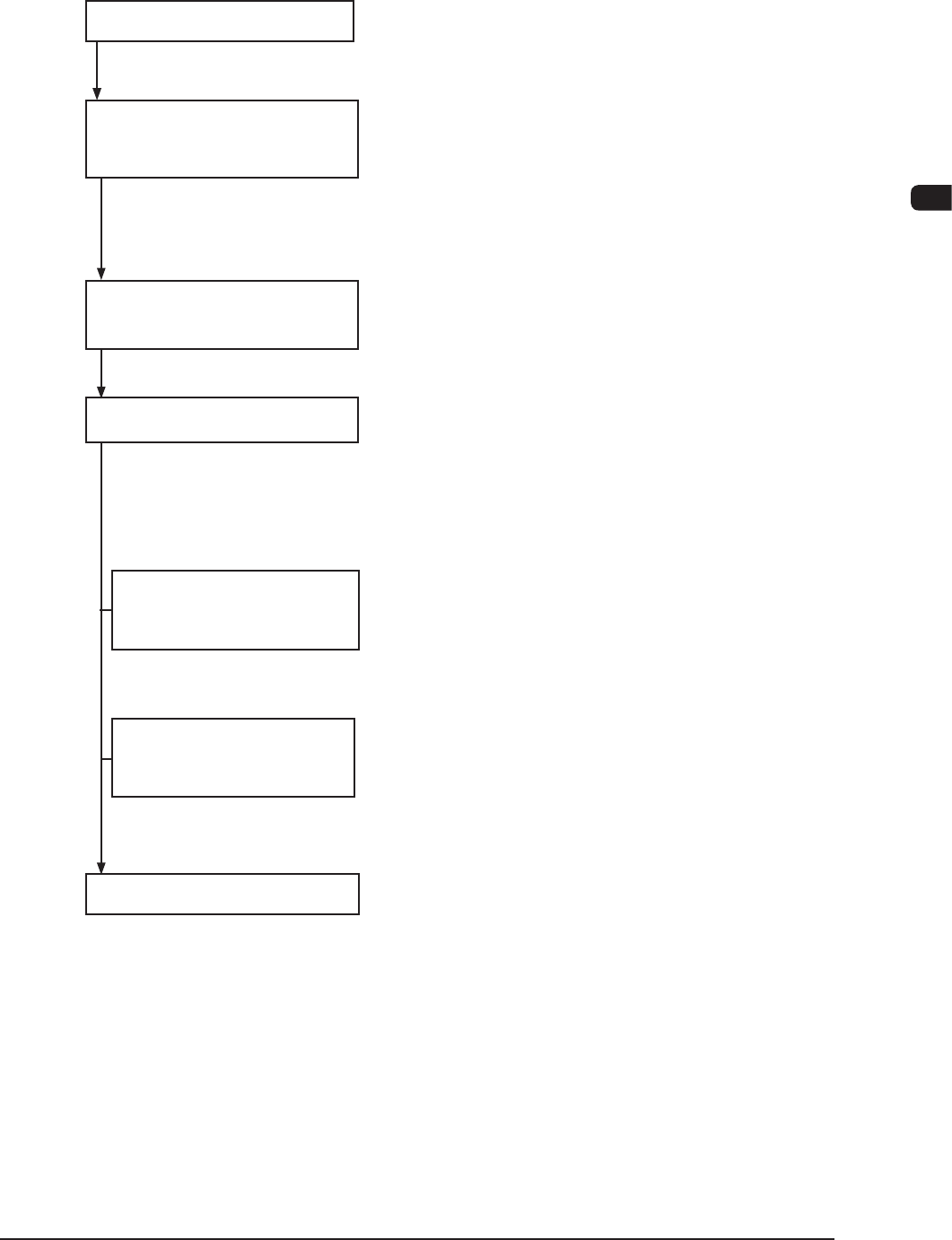
The automatic operation flow is as follows.
Program Change Operation Refer to "Chapter 4" for details.
Inspections before 1.1.1 Conrmation of Power Supply
Automatic Operation 1.1.2 Conrmation of Air Pressure
1.1.3 Cover Section Check
1.1.4 Safety Check for Surrounding Area of the
Machine
Preparation before
1.2.1 Power Input
Automatic Operation 1.2.2 Preparation for Solder Paste
Start of Automatic Operation 1.3.1 Starting the System Program
1.3.2 Login Operation
1.3.3 Login Operation
1.3.4 Work during Automatic Operation
Materials and PCB 2. Squeegee Replacement and Solder Paste
Replenishment Replenishment
3. PCB Replenishme
nt
Automatic Operation Stop, 4.1 Automatic Operation Sto
Interruption and Re-start 4.2 Interruption of Automatic Operation
4.3 Automatic Operation Re-Start
End of Automatic Operation 1.4.1 Stop of Automatic Operation
1.4.2 Logout
Automatic operation ow F1C1
1OM-1505
3-2
1. Automatic Operation : Chap.3
1.1 Inspections before Automatic Operation
1.1.1 Conrmation of Power Supply
Conrm that the main breaker (connected to this machine) in the factory is set to
"ON".
·
Voltage : 200±20 V AC, 3-Phase
·
Apparent Power : Approx. 7.7 kVA or less)
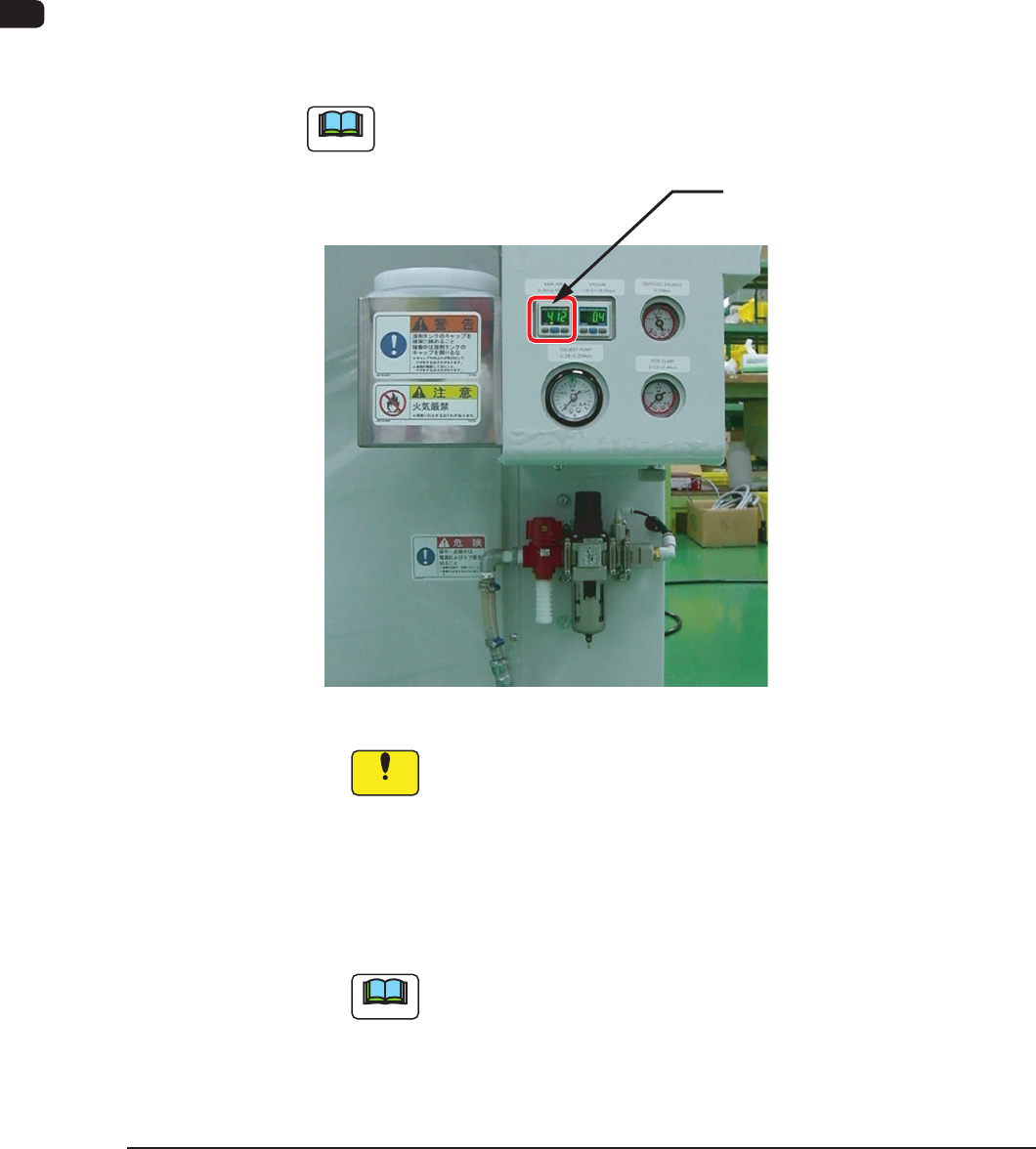
1.1.2 Conrmation of Air Pressure
Conrm that the air pressure is set to the value specied below.
·
Main Pressure : 0.45 MPa (4.6 kgf/cm
2
)
Note
Never adjust the pressure.
The pressure switch is already set to "0.4MPa (4.1 kgf/cm
2
).
Main Pressure
0.45 MPa (4.6 kgf/cm
2
)
F1C2
Notice
(a) Do not change the set air pressure. Otherwise, the pneumatic
devices will not work normally.
(b) Use of Dry and Clean Air
Be sure to use dry and clean air.
If moisture, oil, dust, etc., enter a pneumatic device (air cylinder,
etc.,) used in this machine, it will result in a breakdown of the
machine.
Note
Dry and Clean Air:
Moisture : Dew Point -17° or lower (Atmospheric Pressure)
Oil : 0.1 mg/m
3
or less (ANR)
Dust : Solid Material 0.01 mm or less
0906-001
1OM-1505
1. Automatic Operation : Chap.3
3-3
1.1.3 Cover Section Check
DANGER
There are strong motorized and high-voltage areas
inside the machine. Special caution should be
paid not to touch them. Doing otherwise will cause
personal injury (serious accident).
•
Only qualied maintenance personnel should
detach the covers.
•
The machine should be operated with the covers
being attached.
•
If a cover is detached, be sure to reattach it.
•
Be sure to transparent covers before operating the
machine.
•
Do not disengage the interlock mechanism of the
transparent covers (door type).
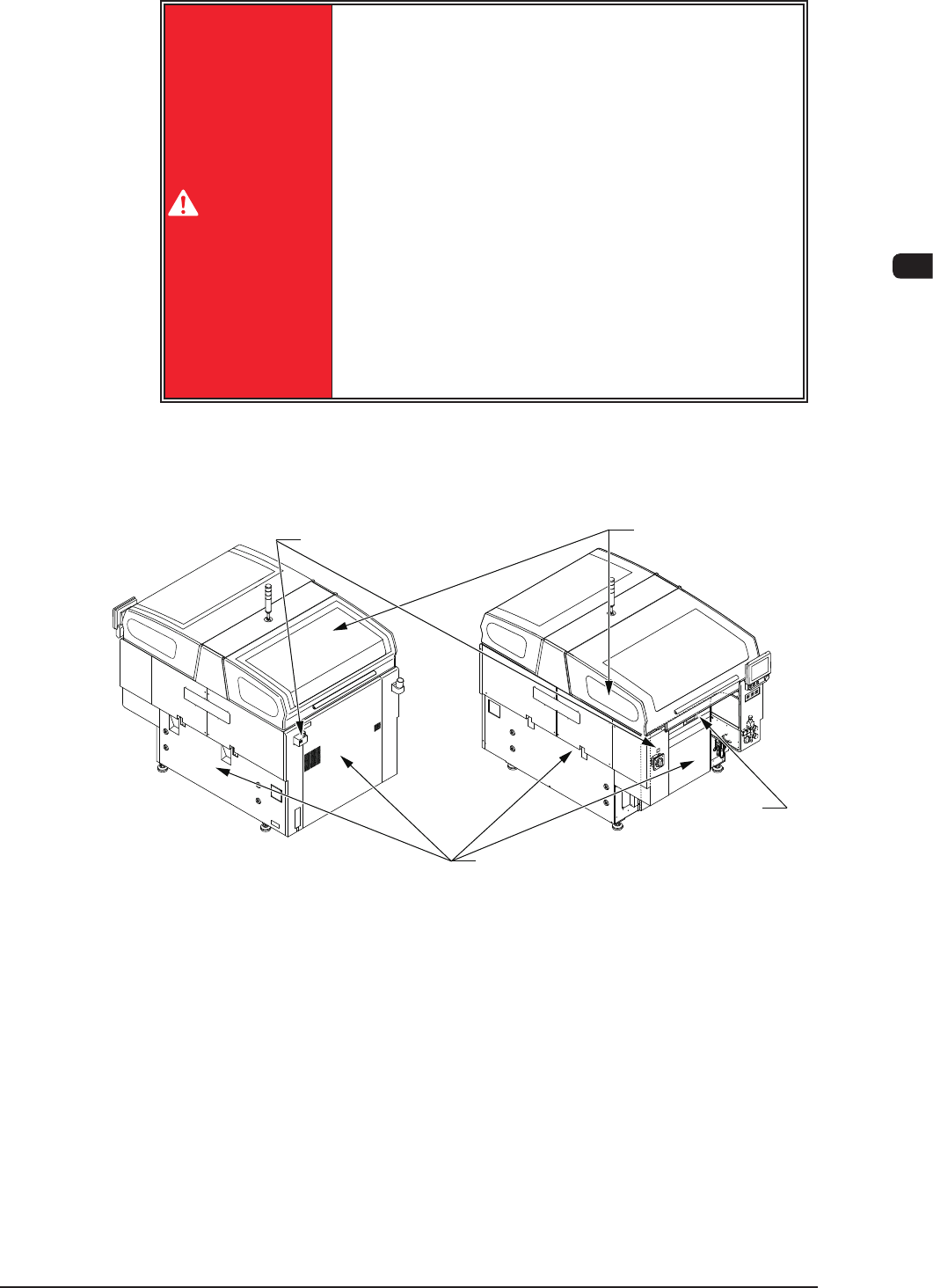
Conrm that the transparent covers on the upper section of the machine and safety
doors around the base Maintenance Shutter have been closed.
Safety Cover
Maintenance
Shutter
Front Side of MachineRear Side of Machine
Transparent Cover
Cover Lock Switch
F1C3
1002-002