1OM-1505-004_w.pdf - 第110页
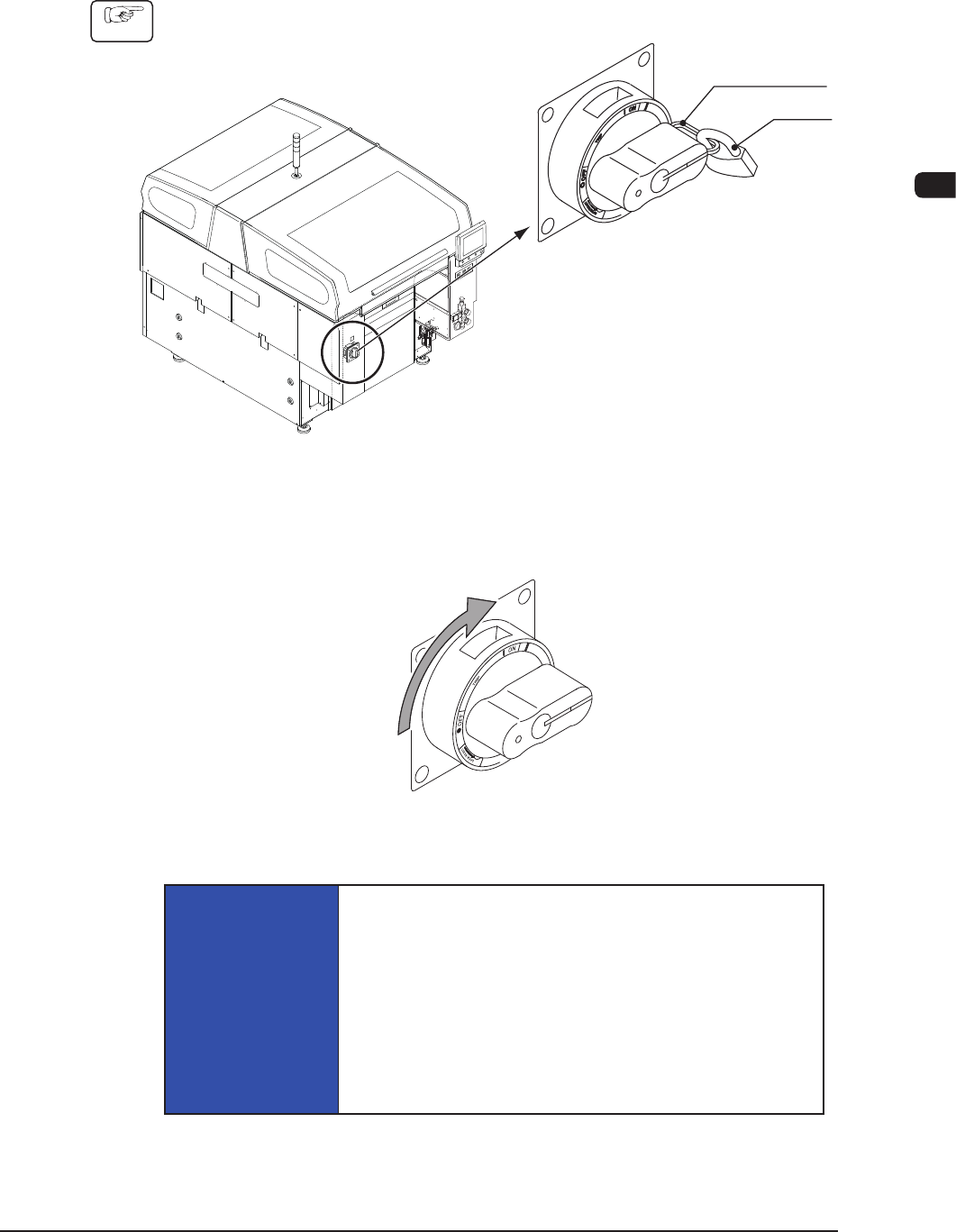
1OM-1505 1. Automatic Operation : Chap.3 3-5 1.2 Preparation before Operation 1.2.1 Power Input Procedure (1) Remove the padlock from the lock lever of the power breaker . Lock lever Padlock Power Breaker F1C4 (2) Set th…

1OM-1505
3-4
1. Automatic Operation : Chap.3
1.1.4 Safety Check for Surrounding Area of the Machine
Before starting the operation, perform the safety check for the surrounding area of
the machine.
CAUTION
Before starting the automatic operation, check carefully
that there is no person around the machine (especially on
the other side of the machine operation). Make sure that
no objects (tools, parts, etc.) are left behind.
0906-001
1OM-1505
1. Automatic Operation : Chap.3
3-5
1.2 Preparation before Operation
1.2.1 Power Input
Procedure
(1) Remove the padlock from the lock lever of the power breaker.
Lock lever
Padlock
Power Breaker
F1C4
(2) Set the power breaker to "ON".
(Power is supplied to the machine.)
Power Input
F1C5
NOTICE
Before re-supplying power to the machine, shut
down the power breaker and wait for about 10
seconds. After that, turn on the power breaker again.
If the power breaker is turned on immediately after it was
shut down, the previous data (the data retained before the
current is intercepted) will not be reset, leading to a rare
malfunction in the breaker.
1002-002
1OM-1505
3-6
1. Automatic Operation : Chap.3
1002-002
1.2.2 Preparation for Solder Paste
Procedure
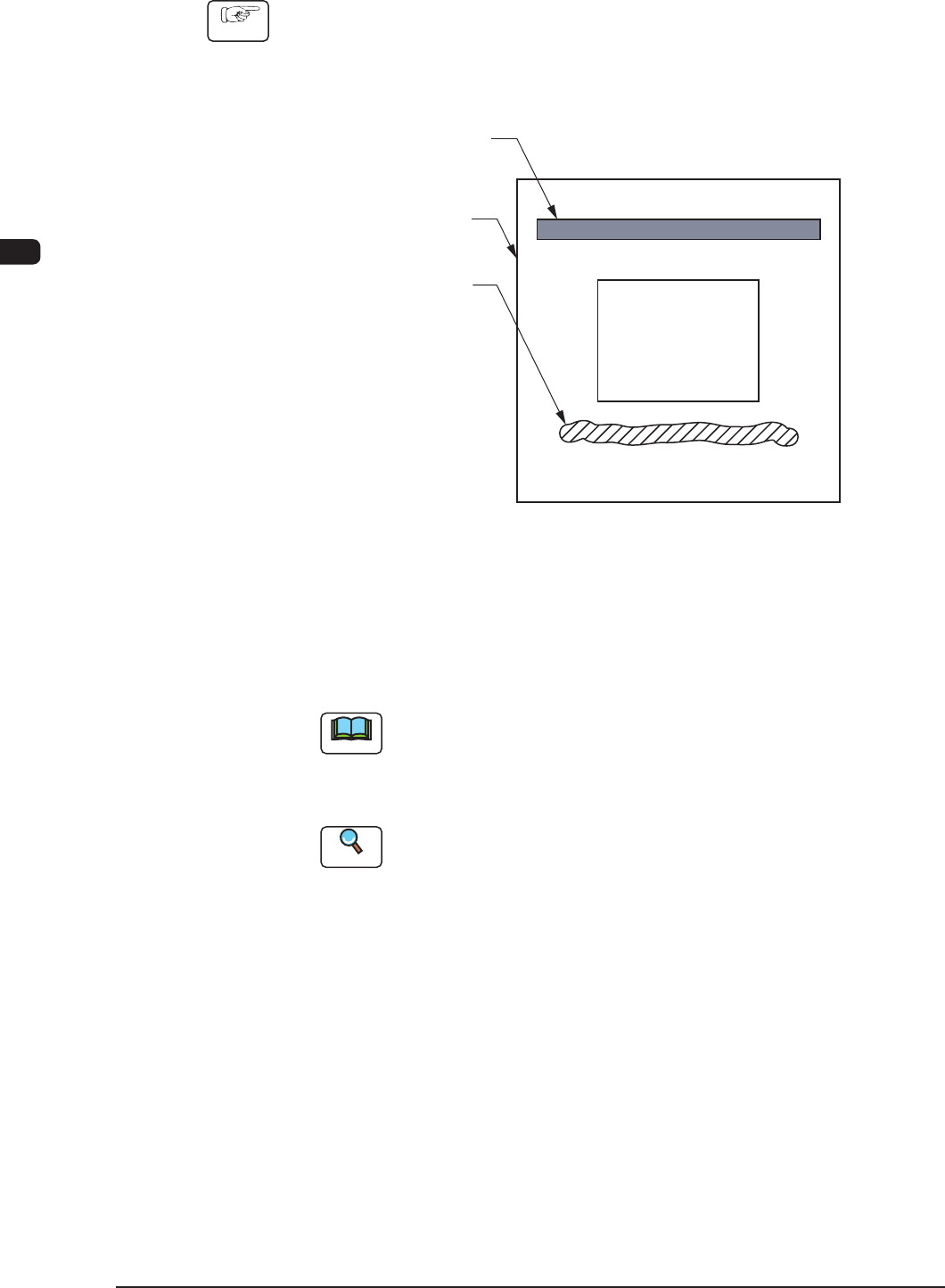
(1) Press the cover lock switch on the machine front and open the transparent
covers on the machine front.
(2) Replenish solder paste on the stencil.
Squeegee
Printing Pattern
Stencil
Solder Paste
(Rear Side of Machine)
(Front Side of Machine)
F1C12
(3) Close the transparent cover.
(4) Press the cover lock switch.
Note
If solder paste is left free for a long period of time, it dries and cannot be
used any more.
Therefore, it must be supplied right before the automatic operation is
started.
Reference
Refer to "5.2 Squeegee Change" in "Chapter 3 (Vol. 2)" for details.