1OM-1505-004_w.pdf - 第121页
1OM-1505 3-16 2. Squeegee Replacement and Solder Paste Replenishment : Chap.3 2.2 Solder Paste Replenishment during the Automatic Operation Procedure (1) Press the [STOP] button on the operation panel. (The automatic ope…
1OM-1505
2. Squeegee Replacement and Solder Paste Replenishment : Chap.3
3-15
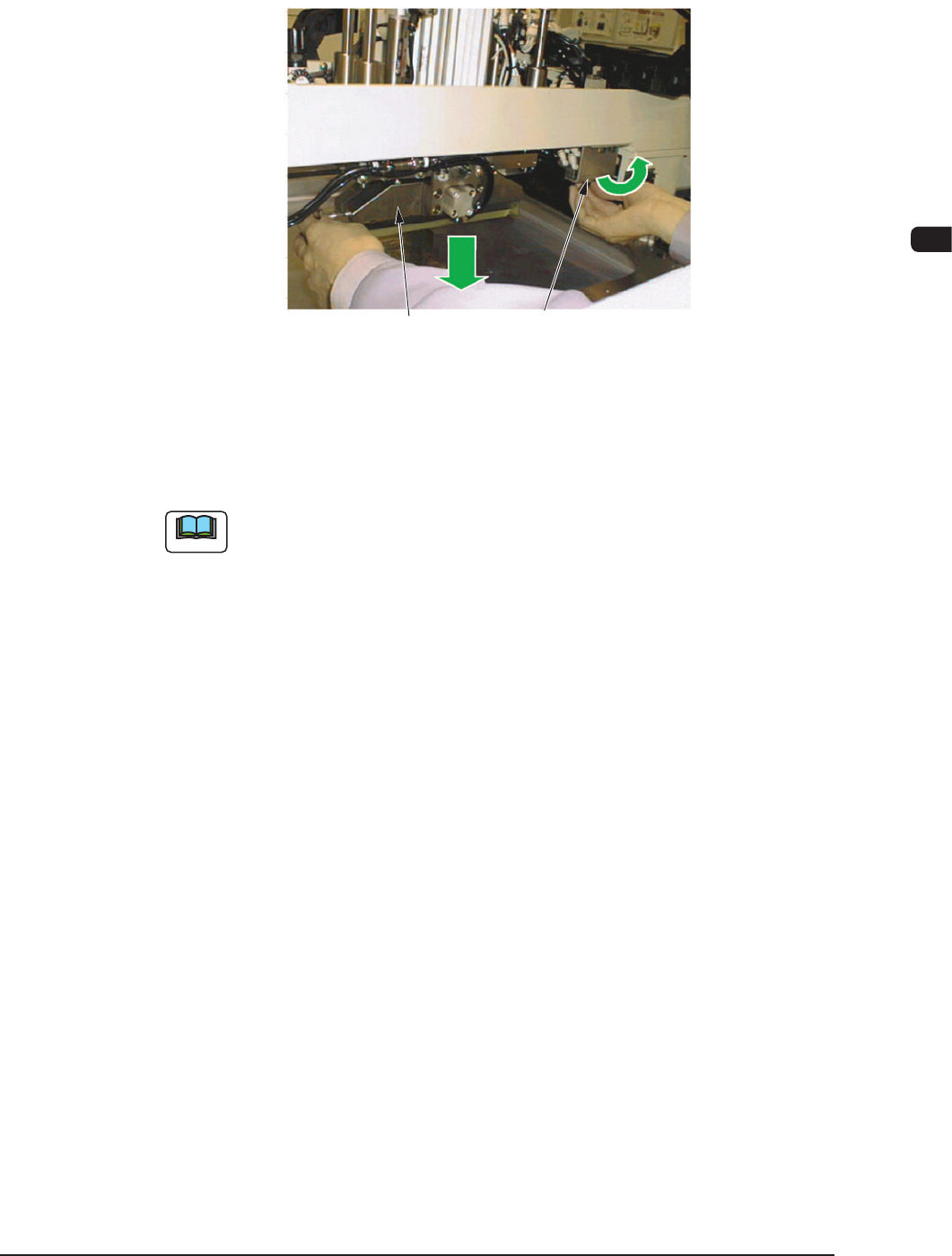
(7) Push down the mechanical valve switch (used to clamp the squeegee) to the
left side (unclamping) and pull down the squeegee from the squeegee holder
to detach.
Squeegee
Mechanical Valve Switch
(to clamp the squeegee)
F1C16
(8) Push down the mechanical valve switch to the right side to clamp the
squeegee.
Note
(a) Hold the squeegee securely and attach it. If the squeegee falls down on the
stencil, the stencil may be damaged.
It is recommended that a protective plate should be prepared by the user
and placed it on the stencil.
(b) The squeegee should be clamped from the rear side of the holder and then
from the front side.
1002-002
1OM-1505
3-16
2. Squeegee Replacement and Solder Paste Replenishment : Chap.3
2.2 Solder Paste Replenishment during the Automatic
Operation
Procedure
(1) Press the [STOP] button on the operation panel.
(The automatic operation is stopped temporarily.)
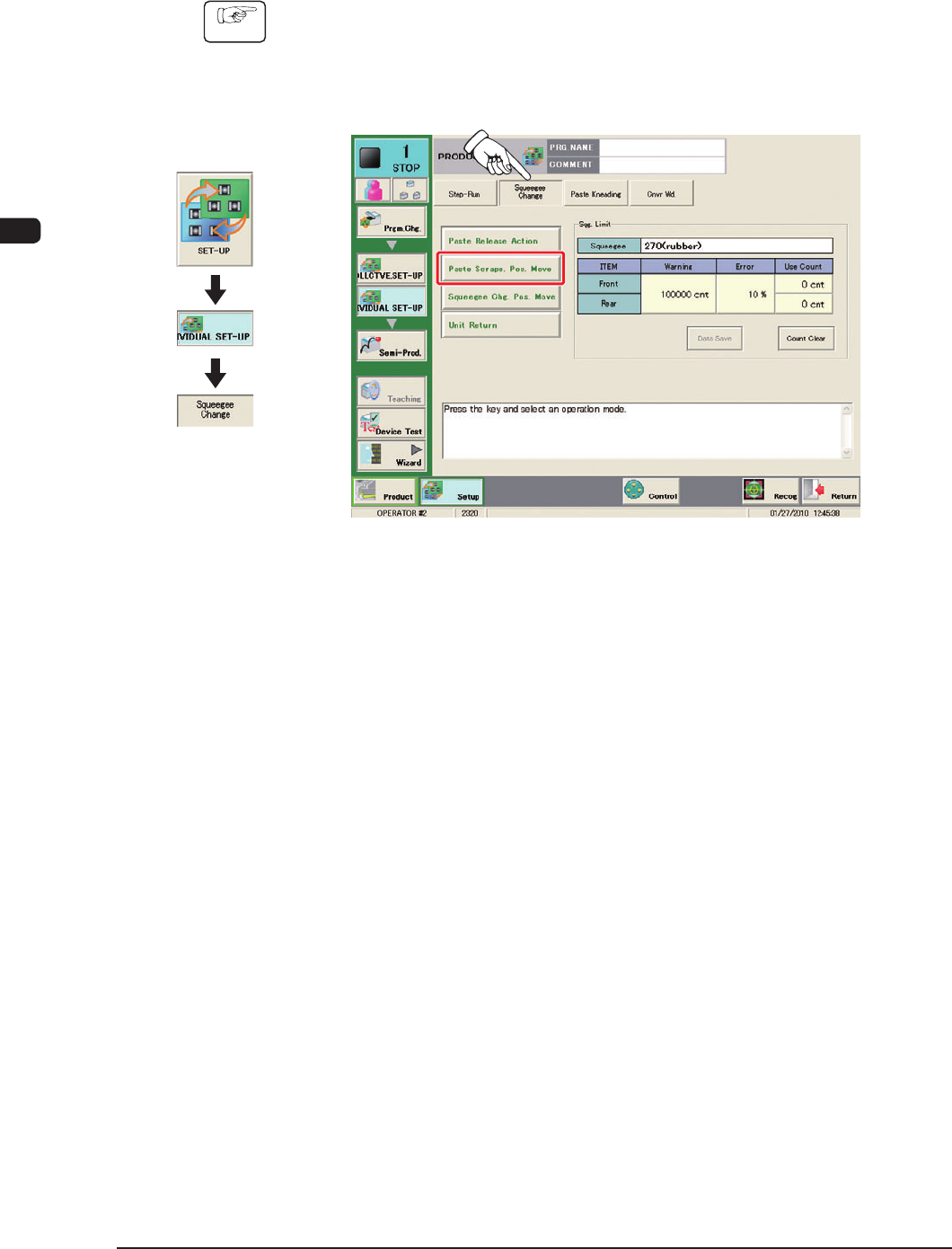
(2) Press the [Squeegee Change] tab to display the following tab sheet.
F1C17
(3) Select the [Paste Scrape. Pos. Move] button and press the [START] button on
the operation panel.
(The squeegees and stencil are moved to the paste scraping position.)
(4) Press the cover lock switch.
1002-003
Graphic
Development
1OM-1505
2. Squeegee Replacement and Solder Paste Replenishment : Chap.3
3-17
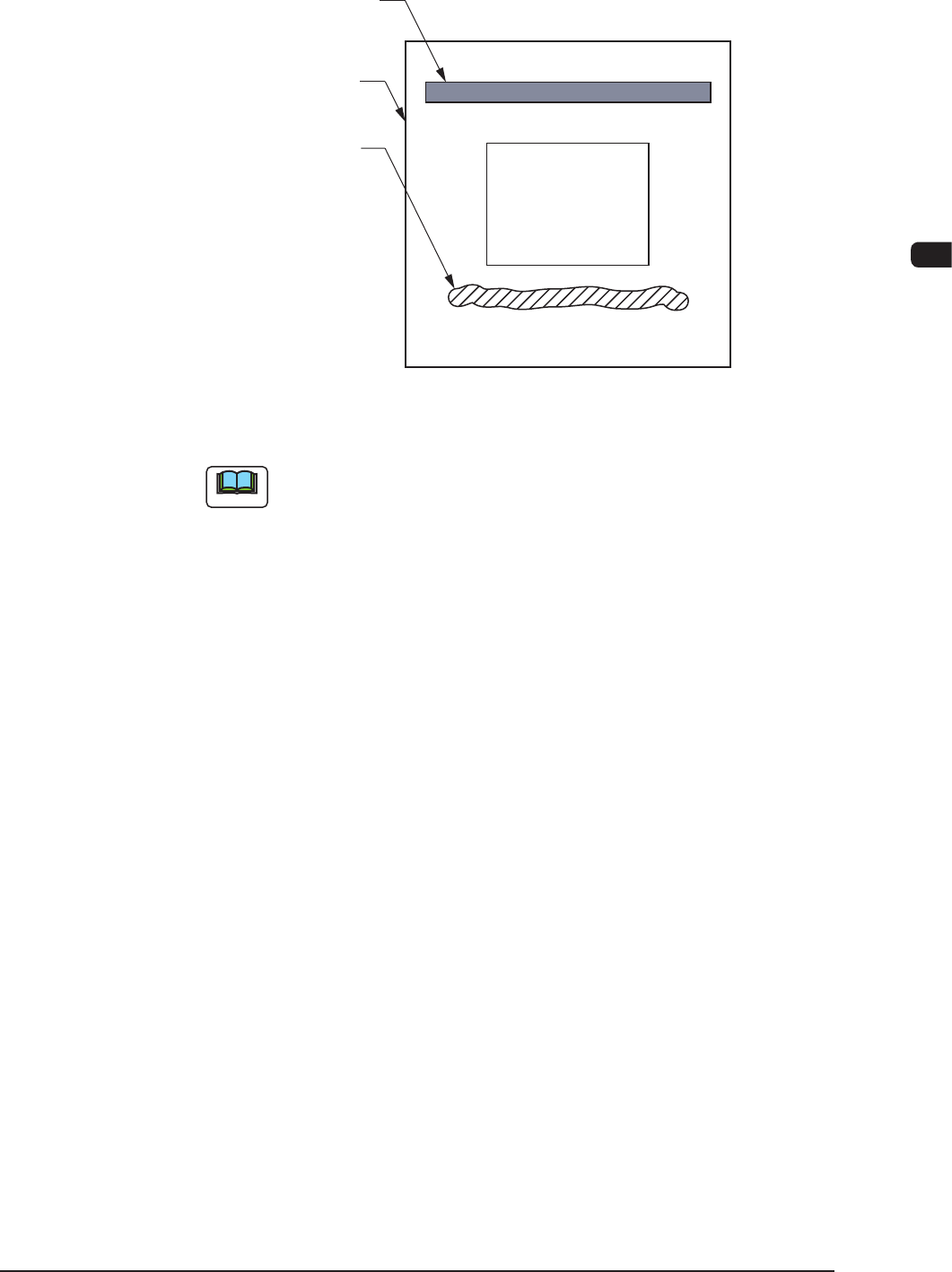
(5) Open the transparent covers on the machine front and replenish the solder
paste over the left solder paste on the stencil.
Squeegee
Printing Pattern
Stencil
Solder Paste
(Rear Side of Machine)
(Front Side of Machine)
F1C18
Note
Depending on the condition of the machine stop, the solder paste is located
on the rear side of the stencil.
(6) Close the transparent covers.
(7) Press the cover lock switch.
(8) Press the [STOP] button on the operation panel.
(The Automatic Operation is re-started.)
1002-002