1OM-1505-004_w.pdf - 第128页
1OM-1505 0906-001 4-A Chapter 4 Program Change Operation This chapter describes how to perform a program change operation. 1. Outline of Program Change Operation 2. Preparation for Program Change Operation 3. Program Cha…
1OM-1505
5. Running-In Operation : Chap.3
3-221002-002
5. Running-In Operation
After the machine has been stopped for a long period of time, perform a running-
in operation for approx. 30 minutes to smoothly start up the machine.
Procedure
(1) Select an appropriated pattern program in the "PRGM. CHANGE" window
in the "Setup" menu and perform the processing until the completion of the
conveyor width setup operation.
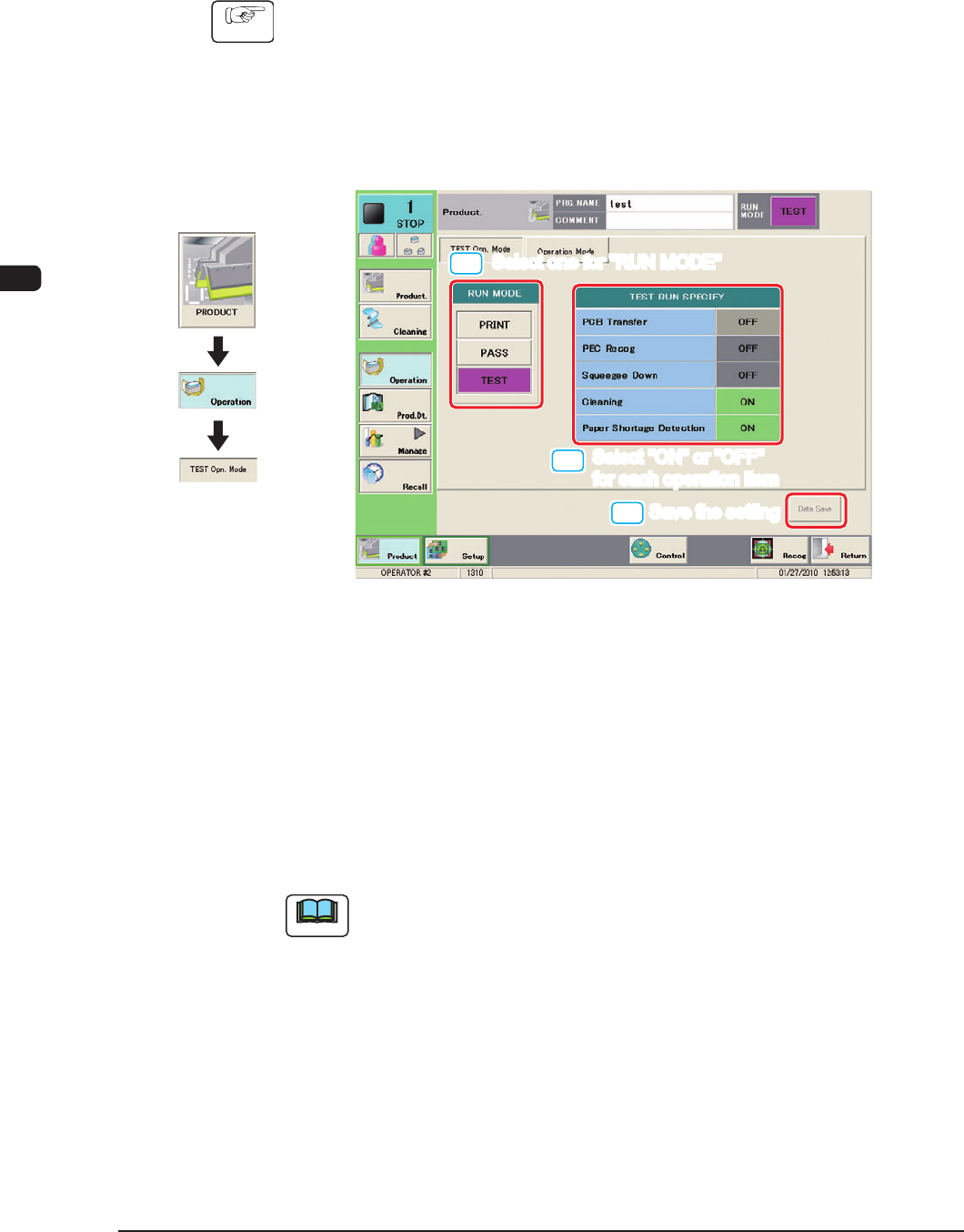
(2) Press the "TEST Opn. Mode" tab.
(The following tab sheet will be displayed.)
[1]
[2]
[3]
Select one for "RUN MODE"
Select one for "RUN MODE"
Select "ON" or "OFF"
for each operation item
Select "ON" or "OFF"
for each operation item
Save the setting
Save the setting
F1C25
(4) Press the [TEST] button for the "RUN MODE".
(5) Select "ON" or "OFF" for each item in the "TEST RUN SPECIFY" pane and
press the [Data Save] button.
(The specied test pattern will be set for the running-in operation.)
(6) Press the [START] button on the operation panel.
(The running-in operation will be started.)
Note
To stop the running-in operation, press the [STOP] button on the operation
panel.
Graphic
Development

1OM-1505
0906-001 4-A
Chapter 4
Program Change Operation
This chapter describes how to perform a program change operation.
1. Outline of Program Change Operation
2. Preparation for Program Change Operation
3. Program Change Operation
4. Test Print and Automatic Operation

1OM-1505
0906-001 4-B