1OM-1505-004_w.pdf - 第132页
1OM-1505 3. Program Change Operation: Chap.4 4-3 3. Program Change Operation 3.1 Selection of Run Mode Set the "RUN MODE" on the "TEST Opn. Mode" tab shieet in the "Operation" window. Nomall…
1OM-1505
4-2
2. Preparation for Program Change Operation: Chap.4
2. Preparation for Program Change Operation
2.1 Preparation of PCB Backup Jig or PCB Vacuum Jig
Create the PCB backup jig or PCB vacuum jig required for the PCB production
referring to "Chapter 5 Basic Information" and Chapter 6.1 Specications of
Backup Jig Making.
Note
When the backup pins are used, the above is not required.
2.2 Stencil Preparation
Create the stencil for printing required for the PCB production, referring to
"Chapter 5 Basic Information".
2.3 Creation of Pattern Program for Production Model
A pattern program is required for the automatic operation of the machine.
Reference
Refer to "Chapter 2 Pattern Program" in "Volume 2: Programming and Machine
Data" for details.
2.4 Registration of Pattern Program for Production Model
Transmit the pattern program data from the network terminal (option) to the
machine.
1002-002
1OM-1505
3. Program Change Operation: Chap.4
4-3
3. Program Change Operation
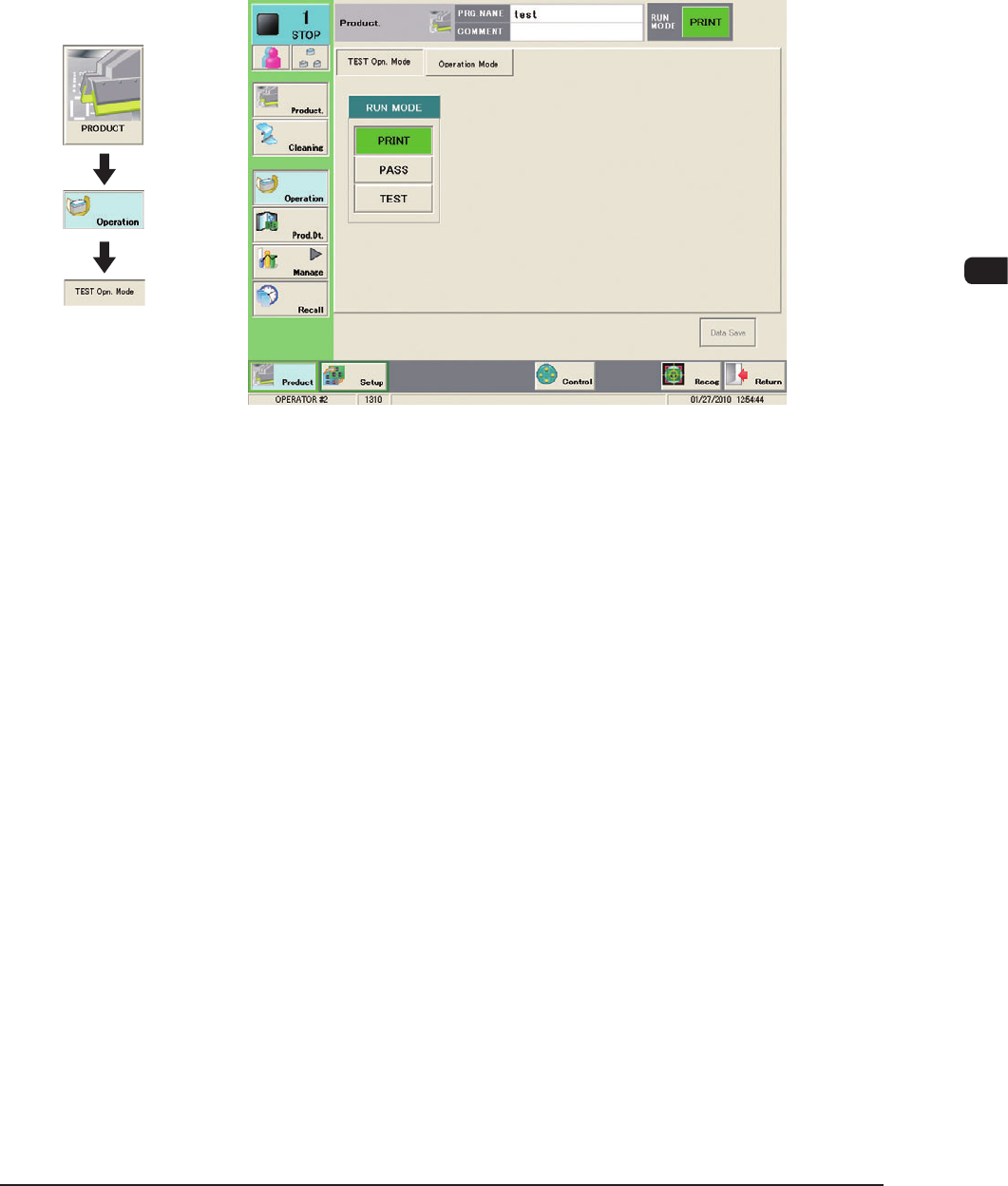
3.1 Selection of Run Mode
Set the "RUN MODE" on the "TEST Opn. Mode" tab shieet in the "Operation"
window.
Nomally, select "Print".
F1D1-1
1002-002
Graphic
Development
1OM-1505
4-4
3. Program Change Operation: Chap.4
3.2 Selection of Production Model
Setup the product model.
Procedure
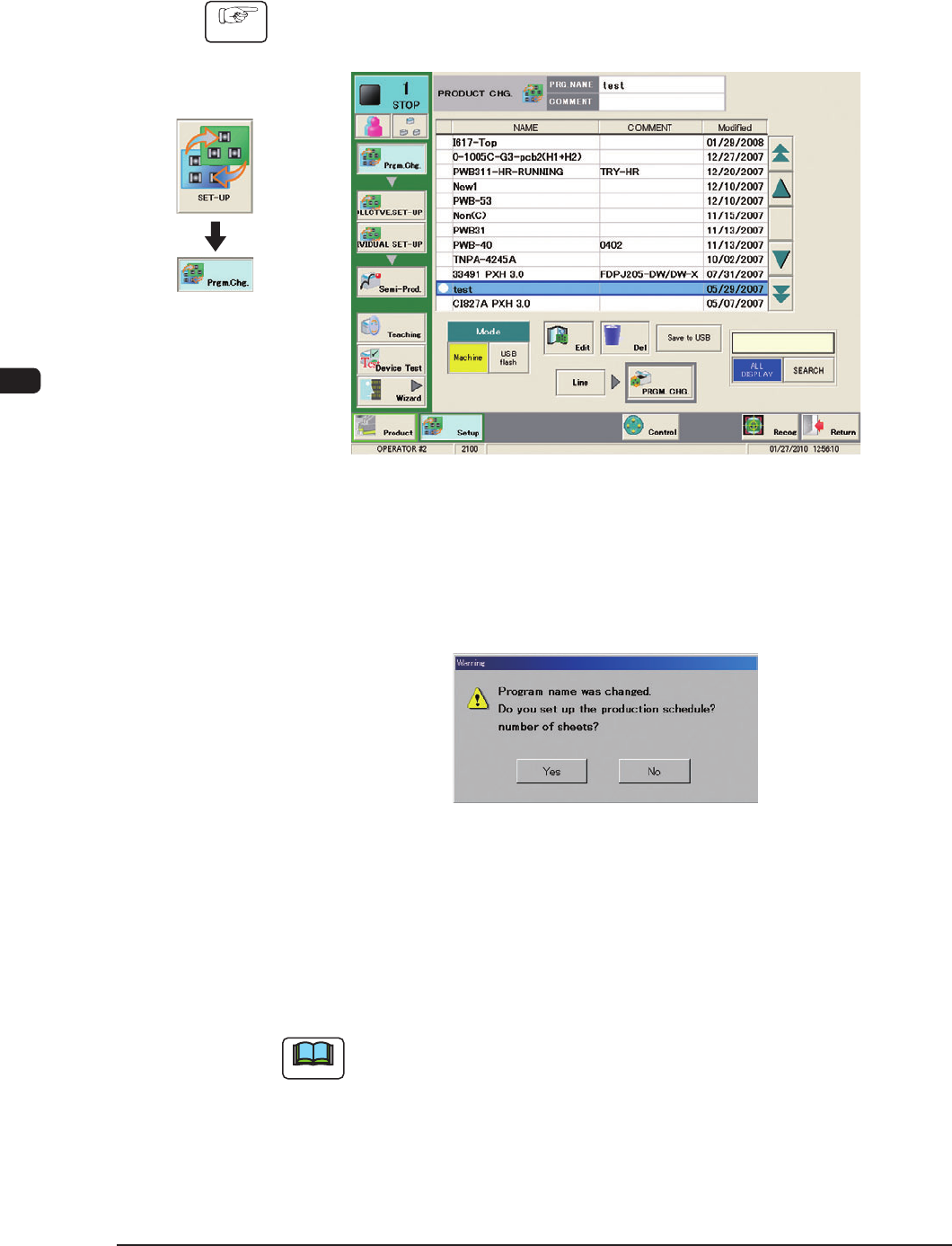
(1) Display the "PRODUCT CHG." window, following the procedures on the
developed graphics.
"PRGM. CHG" Window F1D2
(2) Select the program name to be specied as a current one (production model).
(3) Press the [PRGM. CHG.] button.
"Warning" window will be displayed.
F1D3
(4) Press the [Yes] or [No] button.
When the [Yes] button is pressed, the product model is changed and the
"Productions Schedule Number of PCB" setup window.
When the [No] button is pressed, the product model is changed and appears
and the background color turns blue.
Note
If an error is found in the pattern program, the program change operation is not
executed.
In this case, correct the pattern program and perform the program change
operation again.
1002-002
Graphic
Development