1OM-1505-004_w.pdf - 第138页
1OM-1505 3. Program Change Operation: Chap.4 4-9 3.7 Squeegee Attachment This section describes the attachment procedure for the squeegees prepared for the product model. Procedure (1) Press the [Squeegee Chg. Pos. Move]…
1OM-1505
4-8
3. Program Change Operation: Chap.4
3.5 PEC Recognition Test
The PEC recognition test for the product PCB is performed in the "PEC Recog.
Test" tab sheet (Operation Sequence: [Maint.] button in the main menu
→
"DEVICE TEST" button
→
"PEC Recog. Test" tab).
Reference
Refer to "7.1 PEC Recognition Test" in "Chapter 1 (Vol. 3)" for details.
3.6 2 Camera AUTO Calibration
The ne adjustment for the positions of the PEC recognition camera and stencil
recognition camera are performed using the [2 Camera Auto Calibration] button in
the "Semi-Auto Opn." tab sheet (Operation Sequence: "Setup"
→
"INDIVIDUAL
SET-UP"
→
"Semi-Auto Opn." tab).
Reference
Refer to "5.1 Semi-Auto Opn." in "Chapter 3 (Vol. 2)" for details.
1002-002
1OM-1505
3. Program Change Operation: Chap.4
4-9
3.7 Squeegee Attachment
This section describes the attachment procedure for the squeegees prepared for the
product model.
Procedure
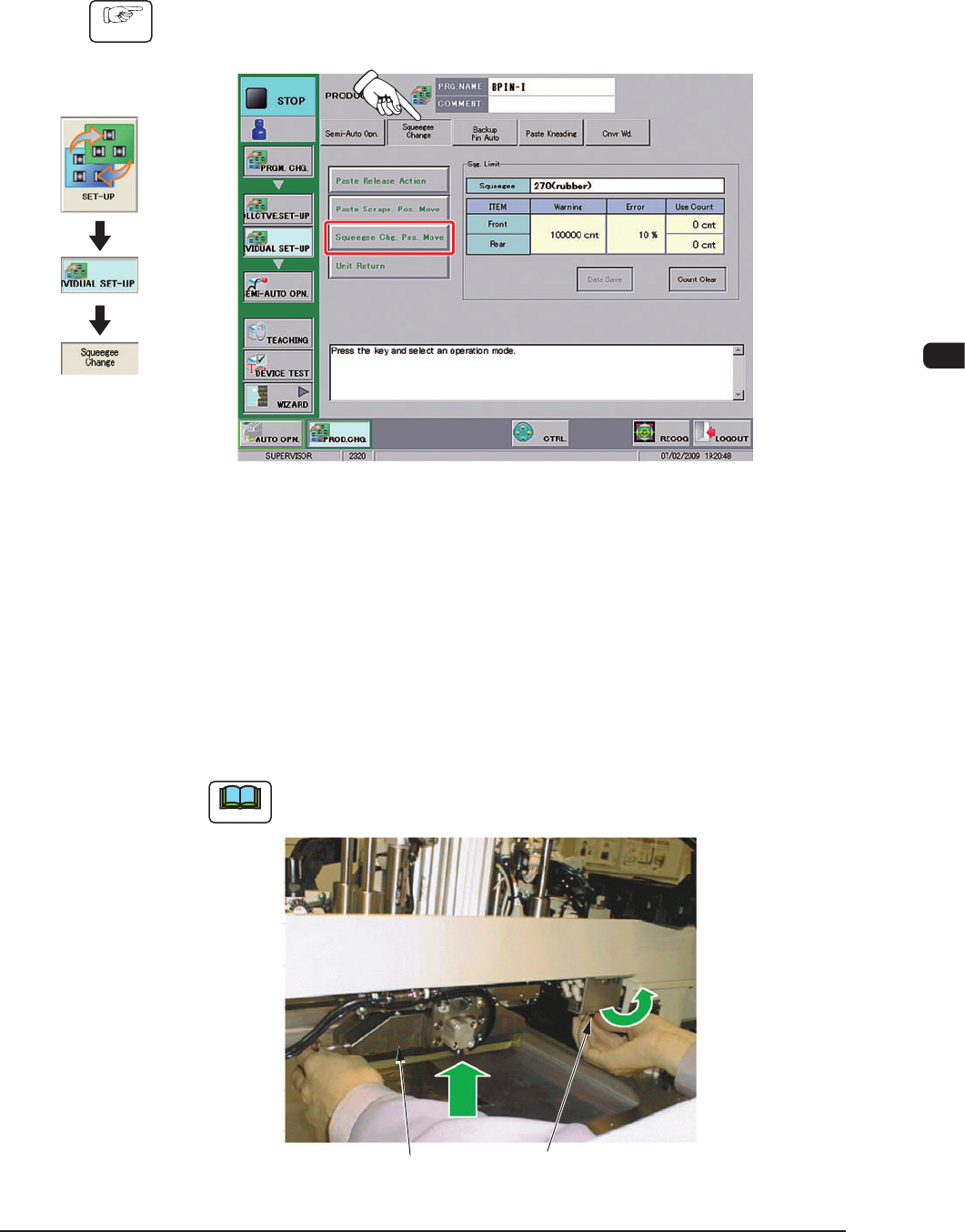
(1) Press the [Squeegee Chg. Pos. Move] button on the "Squeegee Change" tab
sheet.
F1D5
(2) Press the [START] button on the operation panel.
The squeegee head will be moved to the front.
(3) Press the cover lock switch.
(4) Open the transparent cover on the machine front.
(5) Push down the mechanical valve switch (used to clamp the squeegee) to the
left side (unclamping, and insert the squeegee into the squeegee holder center
hole.
Note
The squeegee holder center hole is not seen easily. Therefore, look it up
from the bottom to check.
Squeegee Mechanical Valve Switch
(to clamp the squeegee)
F1D6
1002-003
Graphic
Development
1OM-1505
4-10
3. Program Change Operation: Chap.4
(6) While pushing the squeegee tightly against the lower surface of the squeegee
holder, push down the mechanical valve switch to the right side to clamp the
squeegee.
Note
(a) The squeegee should be clamped from the rear side of the holder and
then from the front side.
(b) When the squeegee is pulled downward using the reverse procedure
of the above, it can be removed.
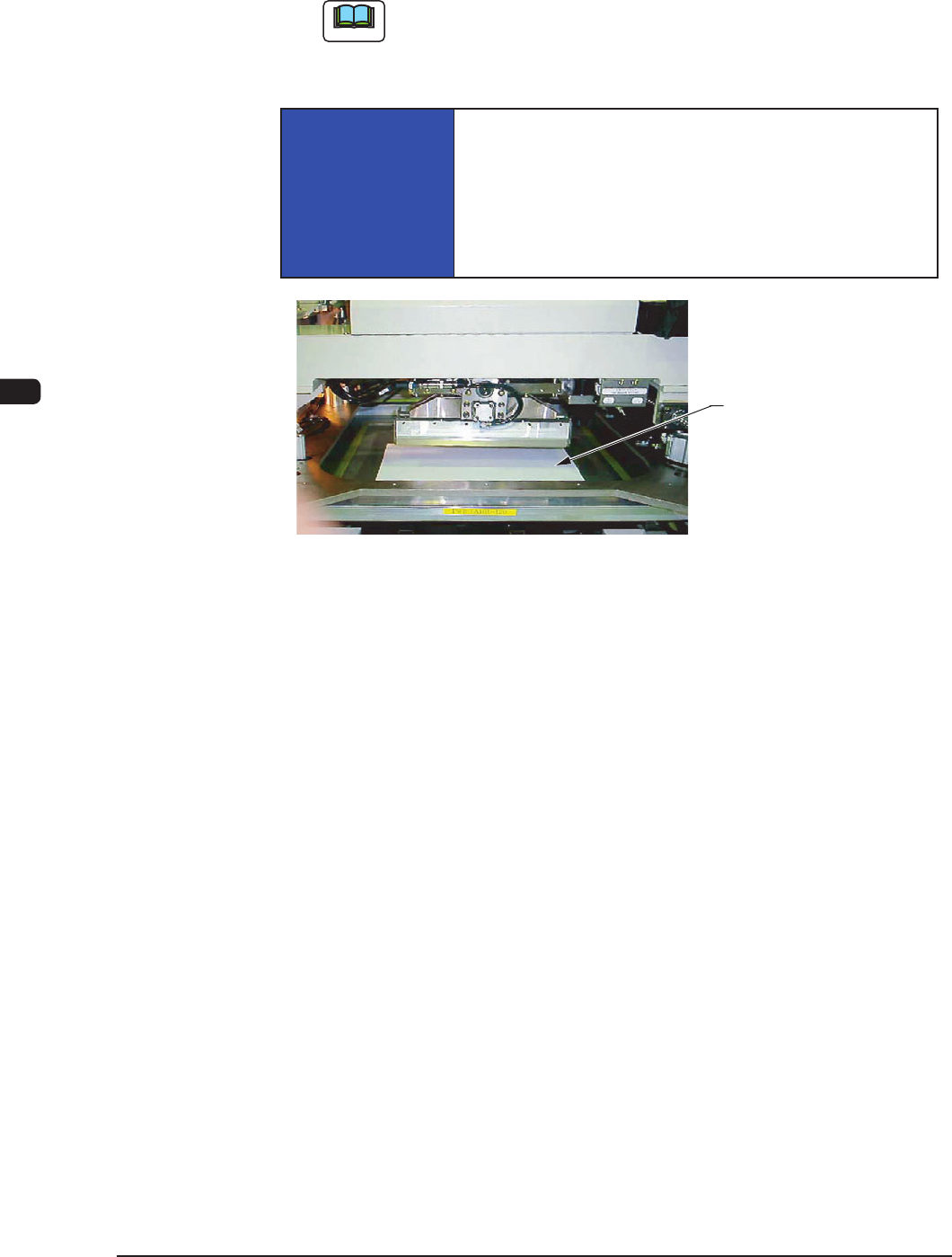
NOTICE
Hold the squeegee securely and attach it.
If the squeegee falls down on the stencil, the stencil might
be damaged.
It is recommended that a protective plate should be
prepared by the user and placed it on the stencil.
Stencil Protective Plate
Stencil Protective Plate Use Example F1D7
1002-002