1OM-1505-004_w.pdf - 第141页
1OM-1505 4-12 3. Program Change Operation: Chap.4 (5) Press down the mechanical valve switch to the rear to release the stencil clamping cylinder . Stencil Clamping Mechanical Valve Switch F1D9 (6) Draw the stencil to th…
1OM-1505
3. Program Change Operation: Chap.4
4-11
3.8 Stencil Attachment
This section describes the attachment procedure of the stencil prepared for the
product model.
Stencil Size Change
For the stencil size, the following 7 types are provided.
750 × 750, 7
36 × 736, 720 × 720, 750 × 650, 650 × 750,
650 × 550, 600 × 550 (Option)
Note
Stencil Size of "600
×
550" is an option.
The stencil with the above size can be attached using the optional
attachment.
Procedure
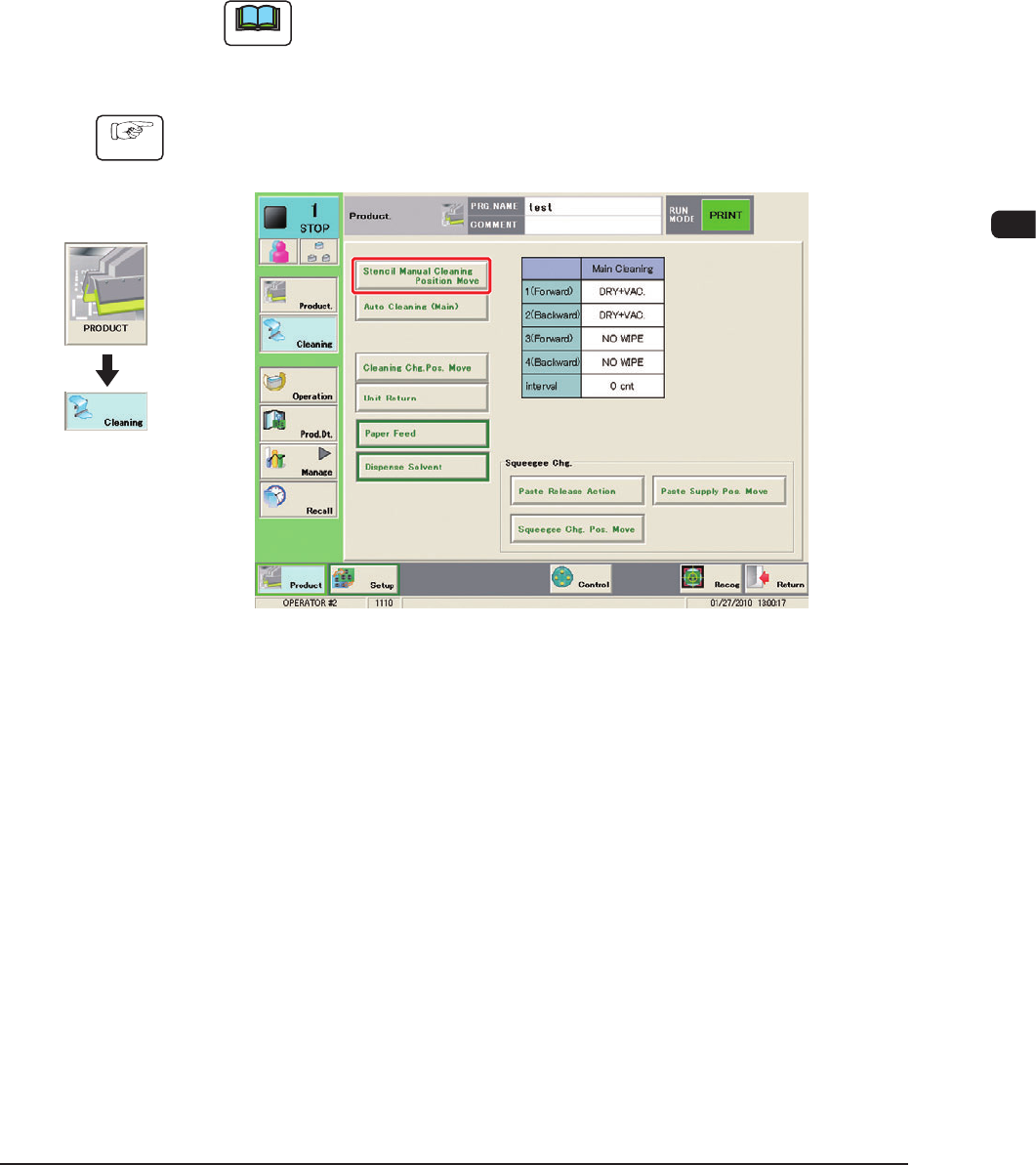
(1) Press the [Stencil Manual Cleaning Position Move] button in the
"CLEANING" window.
F1D8
(2) Press the [START] button on the operation panel.
(The stencil will be moved to the front.)
(3) Press the cover lock switch.
(4) Open the transparent cover on the machine front.
1002-002
Graphic
Development
1OM-1505
4-12
3. Program Change Operation: Chap.4
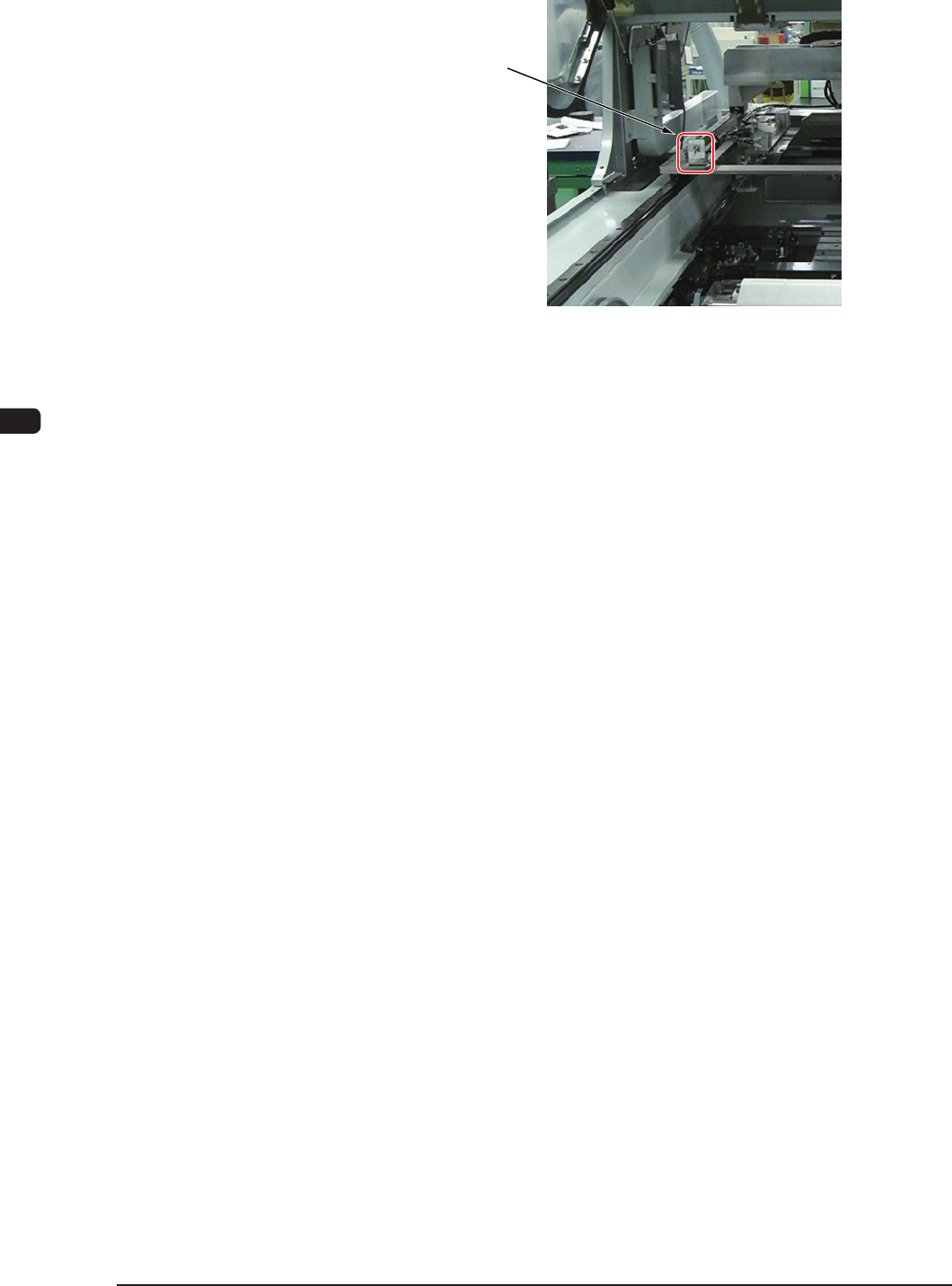
(5) Press down the mechanical valve switch to the rear to release the stencil
clamping cylinder.
Stencil Clamping
Mechanical Valve
Switch
F1D9
(6) Draw the stencil to the front to remove.
(7) Adjust the stencil direction.
0906-001
1OM-1505
3. Program Change Operation: Chap.4
4-13
(8) Close the transparent covers and press the cover lock switch.
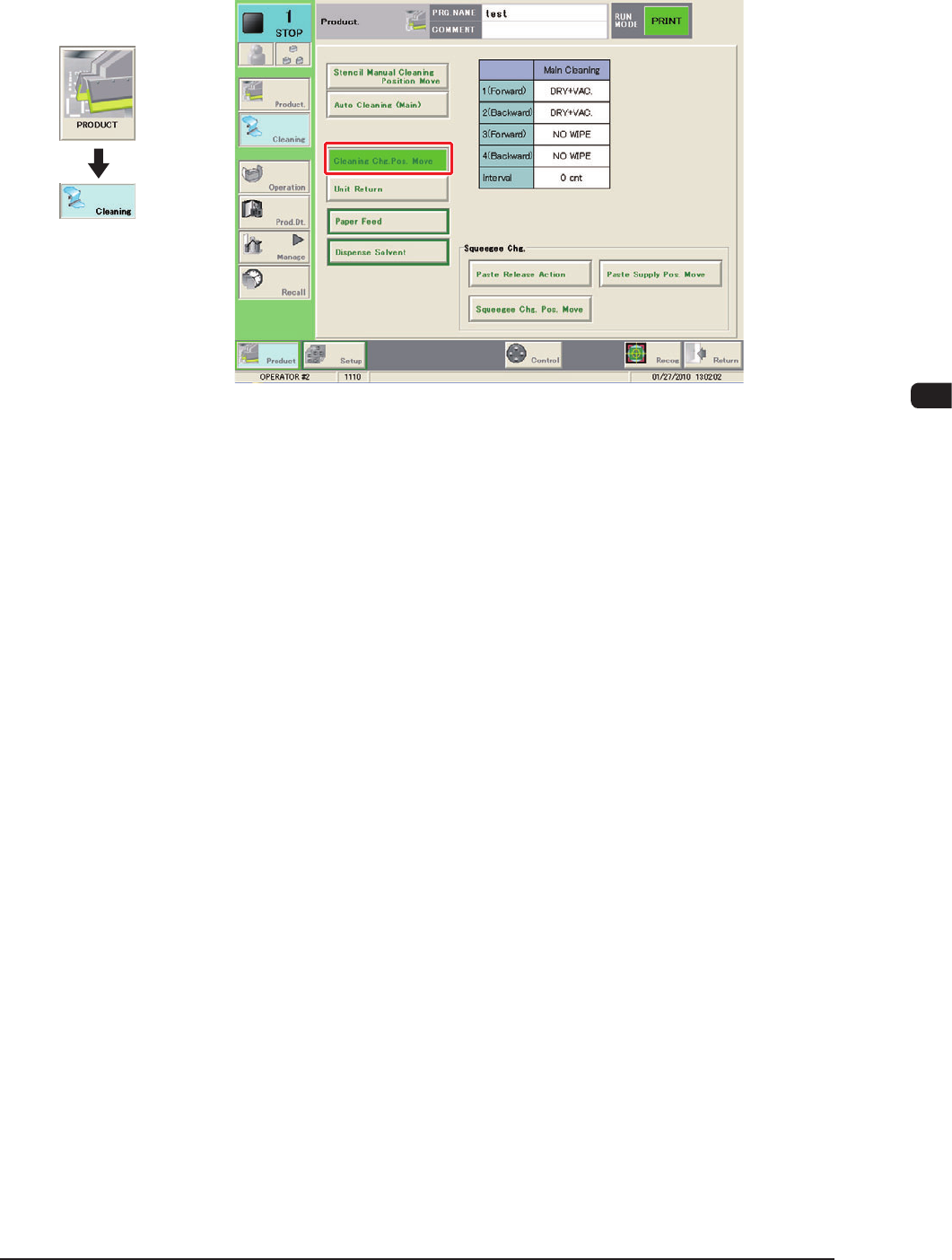
(9) Press the [Cleaning Chg. Pos. Move] button in the "CLEANING" window
F1D11
(10) Press the [START] button in the operation panel.
(The stencil will move to the rear side of the machine.)
(11) Press the cover lock switch.
(12) Open the transparent cover on the rear side.
1002-002
Graphic
Development