1OM-1505-004_w.pdf - 第56页
1OM-1505 1. What is Screen Printing Machine? : Chap.1 1-1 1. What is Screen Printing Machine? The screen printing machine is used to dispense solder paste on the lands of a printed circuit board through the silk-based st…

1OM-1505
0906-001 1-B
1OM-1505
1. What is Screen Printing Machine? : Chap.1
1-1
1. What is Screen Printing Machine?
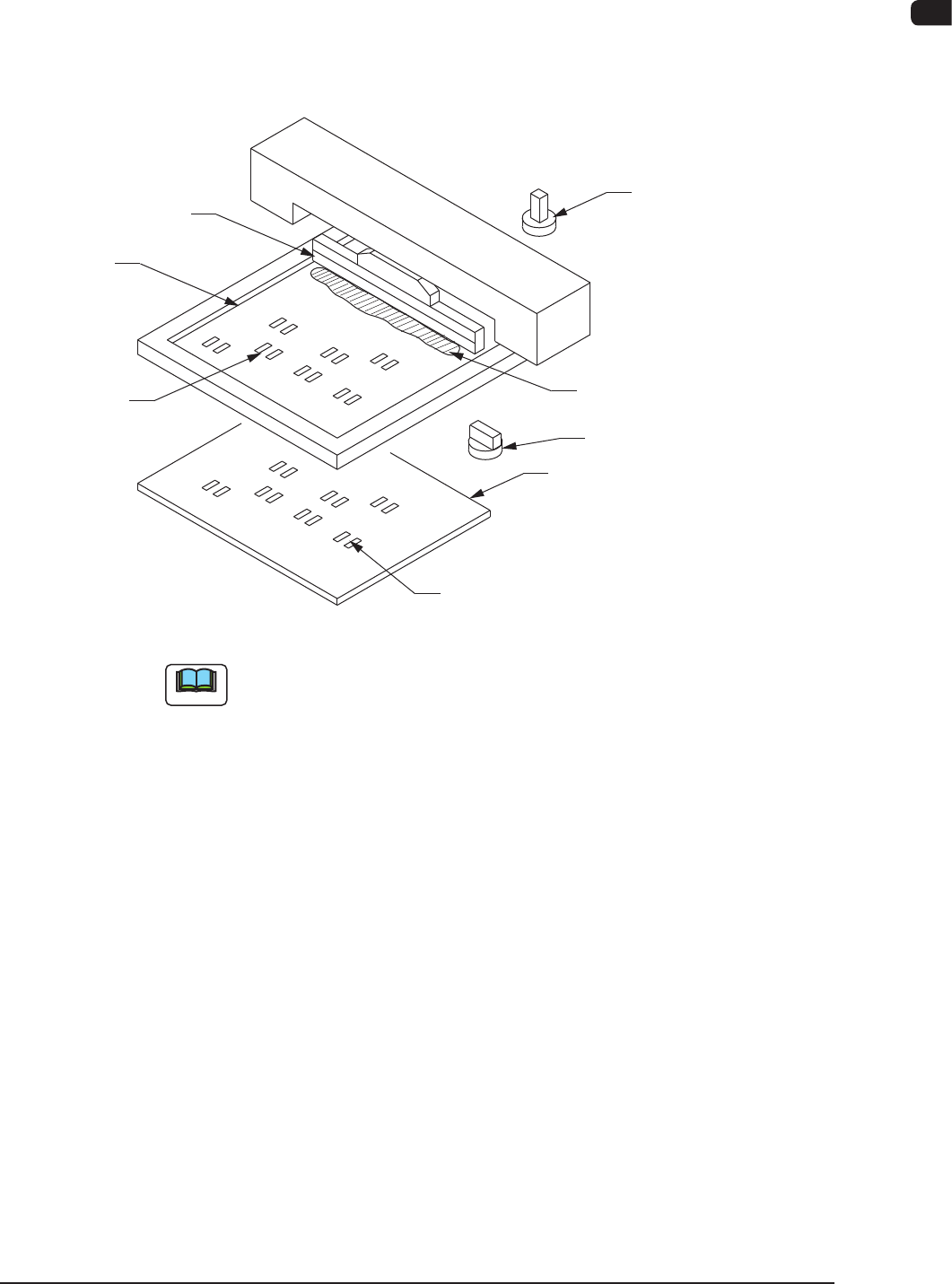
The screen printing machine is used to dispense solder paste on the lands of a
printed circuit board through the silk-based stencils.In addition, it is equipped
with a two-camera calibration system for PEC and stencil recognition and a high
rigidity mechanism, enabling high precision printing.
Squeegee
Stencil
Open Area on
Stencil
Land
Printed Circuit Board (PCB)
PEC Recognition Camera
Stencil Recognition
Camera
Solder Paste
F1A1
Note
The contents described in the instruction manuals are based on "PCB Transfer
Reference: Front Side of Machine" and "PCB Flow Direction: From Left to
Right".
The PCB transfer reference and the PCB flow direction differ, depending upon
the selected model.
SIGMA-P4 FL : "Front Side" (PCB Transfer Reference) and "From Left to
Right" (PCB Flow Direction)
SIGMA-P4 FR : "Front Side" (PCB Transfer Reference) and "From Right to
Left" (PCB Flow Direction)
SIGMA-P4 RL : "Rear Side" (PCB T
ransfer Reference) and "From Left to
Right" (PCB Flow Direction)
SIGMA-P4 RR : "Rear Side" (PCB Transfer Reference) and "From Right to
Left" (PCB Flow Direction)
1002-002
1OM-1505
1-2
2. Names and Functions of Each Section : Chap.1
2. Names and Functions of Each Section
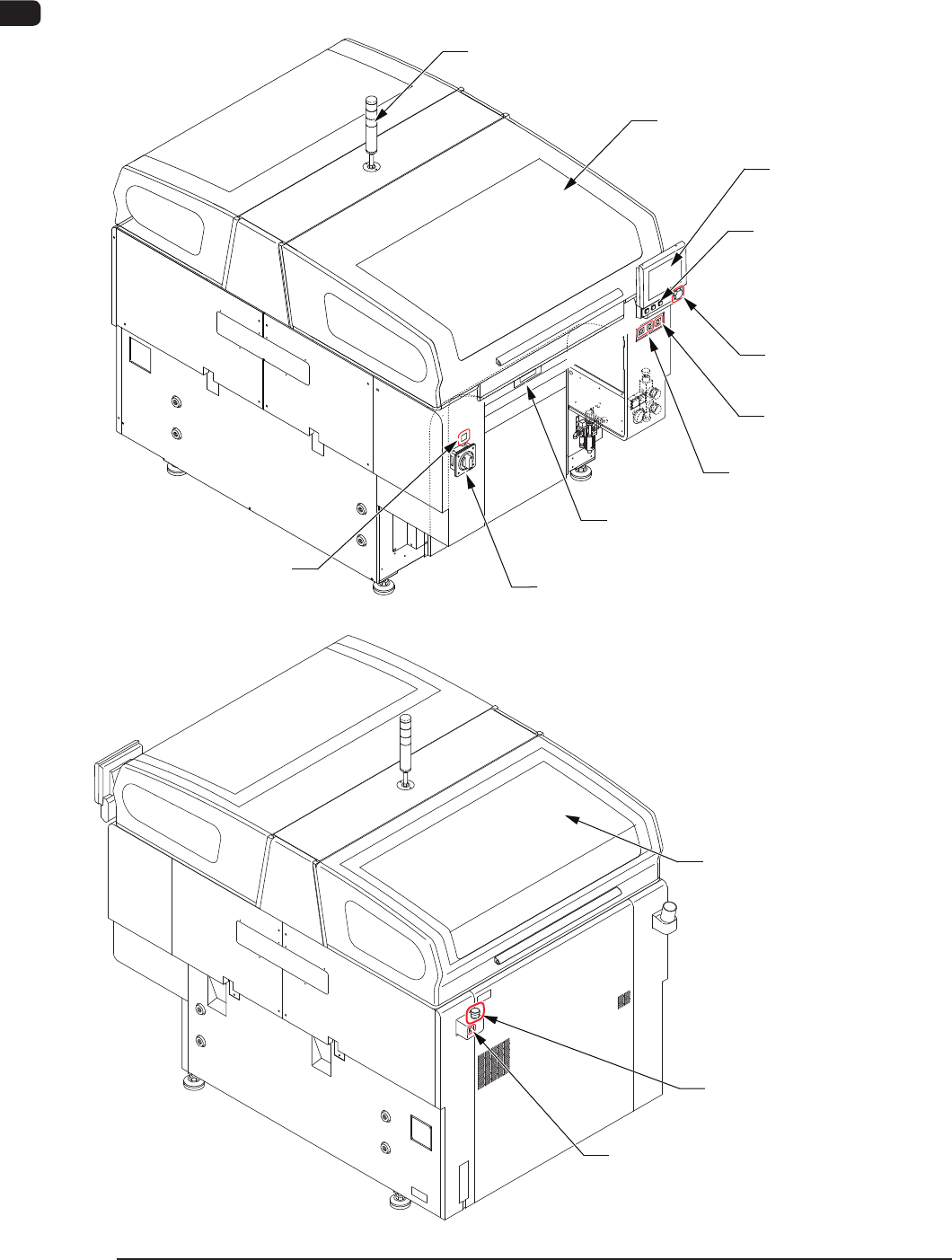
2.1 Appearance of Machine
[EMERGENCY
STOP] Switch (2.2)
USB Port (2.8)
Touch Screen (2.7.1)
Operation Panel (2.7.2)
Light Tower (2.6)
Front Side of Machine
Transparent Cover (2.4)
Cover Lock
Switch (2.3)
Ethernet LAN (2.9)
Power Breaker (2.5)
Maintenance Shutter (2.4)
Transparent Cover (2.4)
[EMERGENCY STOP]
Switch (2.2)
Cover Lock
Switch (2.3)
Rear Side of Machine
F1A2
1002-002