1OM-1505-004_w.pdf - 第60页
1OM-1505 2. Names and Functions of Each Section : Chap.1 1-5 0906-001 Short Appendix: Cover Lock Switch • Cover Lock Switch Switch Status Machine Status LED ON Condition when the operator permits the "cover lock ope…
1OM-1505
1-4
2. Names and Functions of Each Section : Chap.1
2.3 Cover Lock Switch
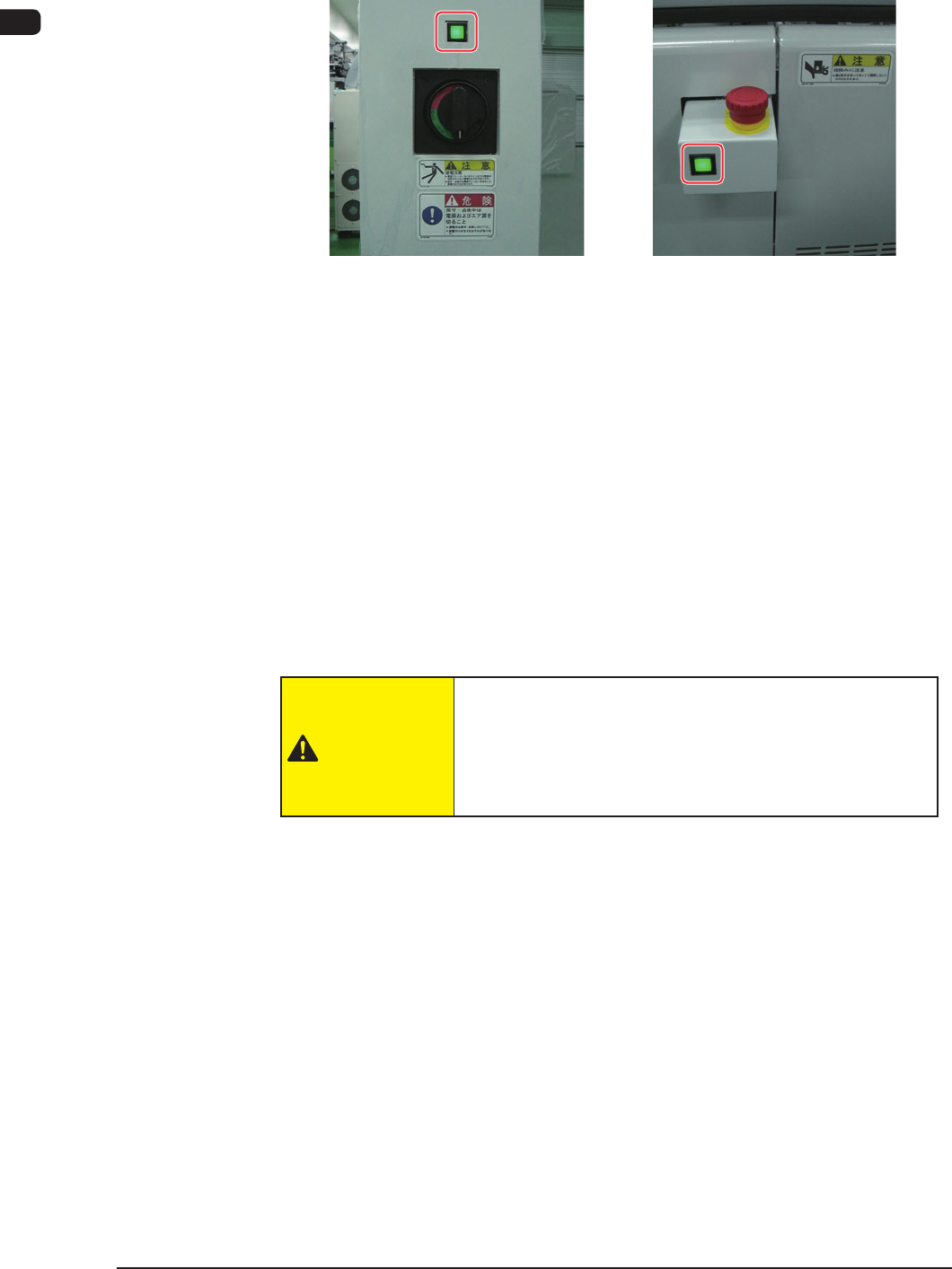
Front Side of Machine Rear Side of Machine
F1A4
The cover lock switch is used to allow the automatic operation and located in the
front and rear surfaces of the machine.
When this switch is in ON mode, the transparent covers can not be opened
because the electromagnetic locks are activated.
Also, while any of the transparent covers is opened, the LED of this switch can
not be turned ON.
When this switch is pressed, the LED of the switch illuminates in green and the
transparent cover is in LOCK mode.
The automatic operation is performed with the transparent covers set in LOCK
mode.
When this switch is pressed again, the LED illuminates and the interlock is
cancelled.
CAUTION
When the cover lock switch is pressed, the interlock
function of the transparent covers is deactivated.
Do not operate the machine with the lock function
deactivated, except for the setup operation.
0906-001
1OM-1505
2. Names and Functions of Each Section : Chap.1
1-50906-001
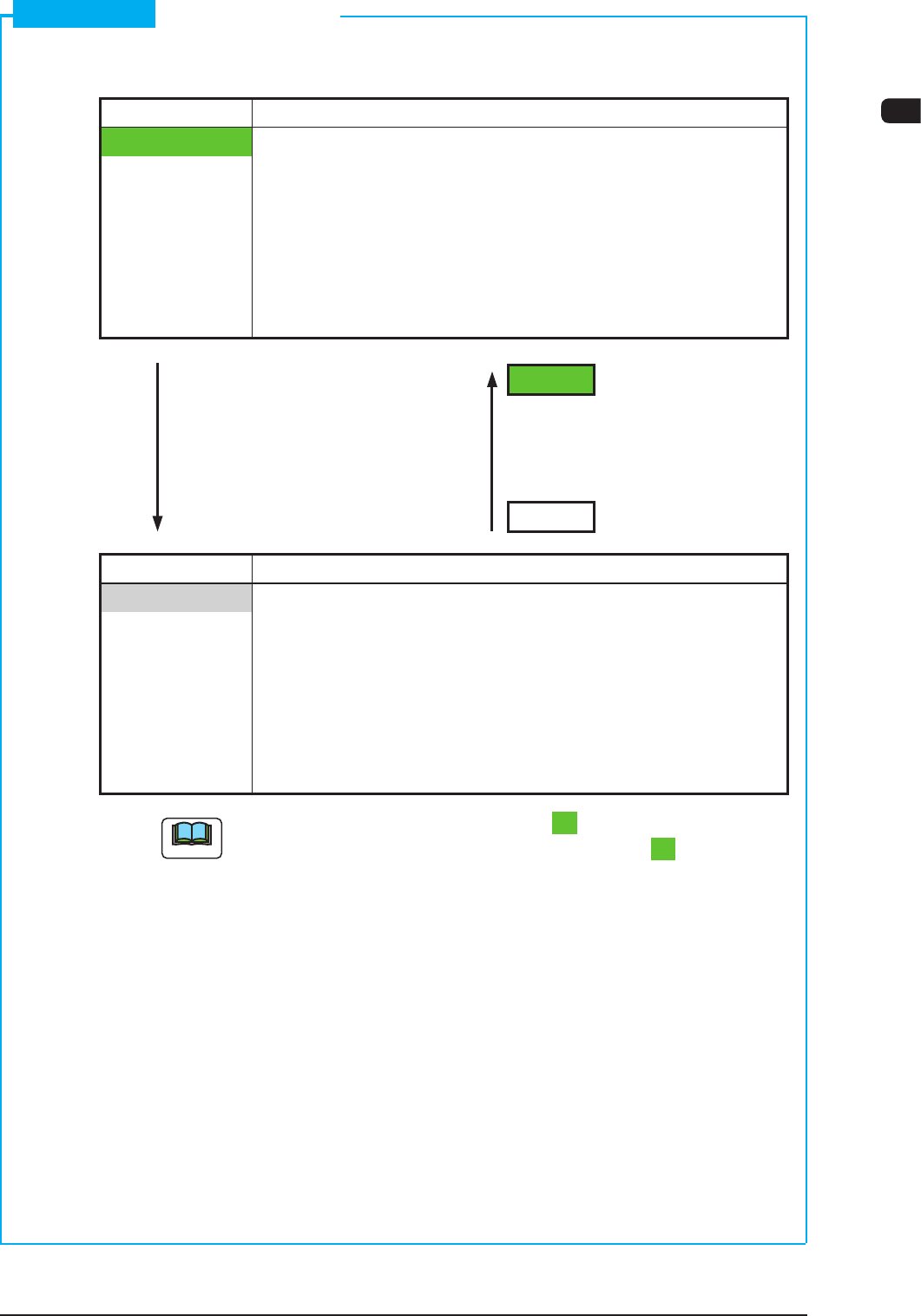
Short Appendix: Cover Lock Switch
•
Cover Lock Switch
Switch Status Machine Status
LED ON Condition when the operator permits the "cover lock
operation"
•
Transparent Cover Electromagnetic Lock
: Locked
(Transparent Cover
Opening Operation
Unavailable)
LED ON
Switch ON Switch ON
(No Distinction between (No Distinction between
Short and Long Pushes) Short and Long Pushes)
LED OFF
Switch Status Machine Status
LED OFF
Condition when the operation does not permit the "cover
lock operation"
•
Transparent Cover Electromagnetic Lock
: Unlocked
(Transparent Cover
Opening/Closing
Operation Available)
Note
While the LED of the [Cover Lock] switch is "ON", power is supplied to the
main circuit of the beam with the [Cover Lock] switch kept "ON".
1OM-1505
1-6
2. Names and Functions of Each Section : Chap.1
2.4 Cover Section
DANGER
There are strong motorized and high-voltage areas
inside the machine. Special caution should be
paid not to touch them. Doing otherwise will cause
personal injury (serious accident).
•
Only quali
ed maintenance personnel should
detach the covers.
•
The machine should be operated with the covers
being attached.
•
If a cover is detached, be sure to reattach it.
•
Be sure to transparent Covers before operating
the machine.
•
Do no
t disengage the interlock mechanism of the
covers.
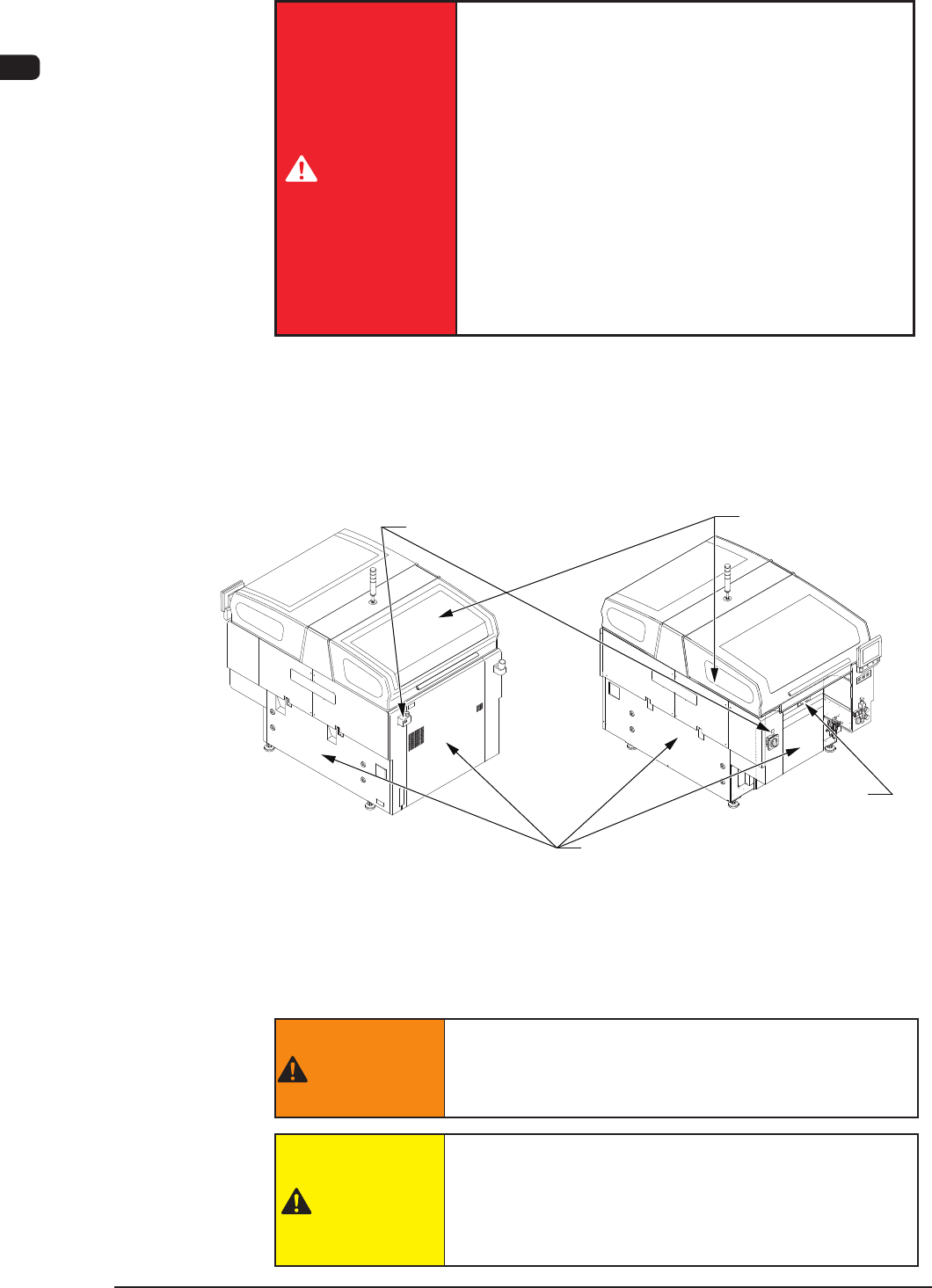
The transparent covers and safety doors are provided on the upper section of the
machine and around the base, respectively, so that part of the body, cloth or object
does not touch the moving section in the machine, in order to prevent from the
danger during the automatic operation.
Safety Cover
Maintenance
Shutter
Front Side of MachineRear Side of Machine
Transparent Cover
Cover Lock Switch
F1A5
The cover lock switch is provided for the transparent cover on the upper section
of the machine. When the transparent cover is closed and the switch is turned ON
to illuminate the LED, the electromagnetic lock is activated to disable the opening
of the transparent cover.
WARNING
Be sure to keep the all doors closed to avoid any
danger when the automatic operation is started or
during the automatic operation.
CAUTION
Avoid hand and nger injuries.
•
Your hand or nger might get caught in the transparent
covers and get injured.
•
Hold the handgrip rmly and open or close the cover
(door type) slowly.
1002-002