1OM-1505-004_w.pdf - 第63页
1OM-1505 1-8 2. Names and Functions of Each Section : Chap.1 2.5.2 Unlocking the Power Breaker Remove the padlock from the lock lever of the power breaker. Front Side of Machine Lock Lever Padlock Power Breaker F1A8 2.5.…
1OM-1505
2. Names and Functions of Each Section : Chap.1
1-7
2.5 Power Breaker
Lock Lever
Padlock
Power Breaker
F1A6
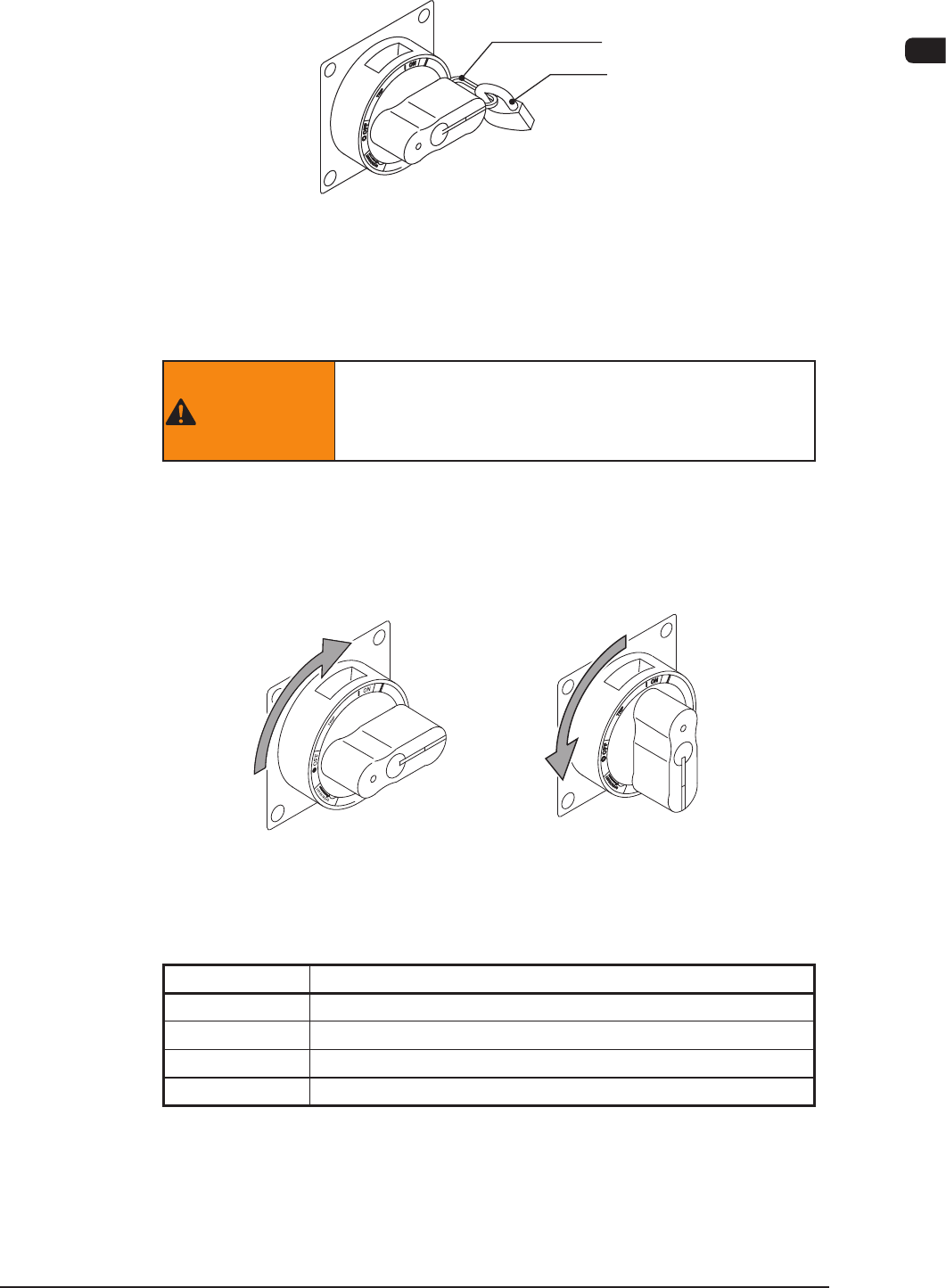
The power breaker is used to supply or shut off the power to the main machine.
The power breaker can be locked with a padlock.
WARNING
Before performing maintenance work, etc., shut off
the power breaker and lock the power breaker with
the padlock.
2.5.1 Operation of Power Breaker
Turn on the power breaker to supply power to the machine.
Turning off the power breaker shuts off the power to the machine.
Power ON Power OFF
Power Breaker
F1A7
Symbol/Name Function
| (ON)
Power ON
TRIPPED
Power OFF due to Overcurrent
○ (OFF)
Power OFF
RESET
Unuse
T1A1
0906-001
1OM-1505
1-8
2. Names and Functions of Each Section : Chap.1
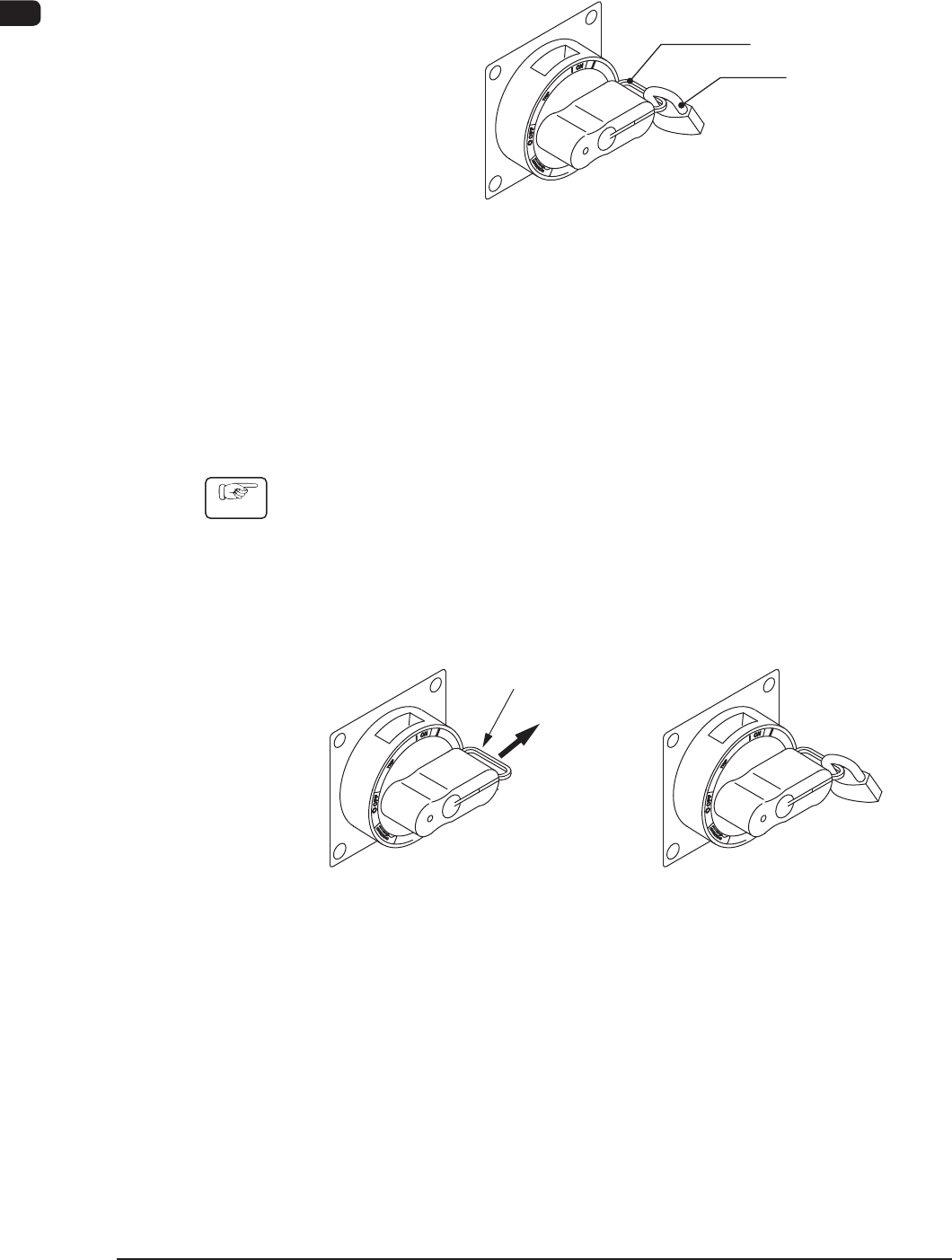
2.5.2 Unlocking the Power Breaker
Remove the padlock from the lock lever of the power breaker.
Front Side of Machine
Lock Lever
Padlock
Power Breaker
F1A8
2.5.3 Locking the Power Breaker
Lock the power breaker with the padlock when the machine is not to be used for a
long period of time.
Power Breaker Locking Procedure with Padlock
Procedure
(1) Pull out the lock lever of the power breaker in Direction A (indicated in the
gure below).
Be sure not to release your hand from the lock lever. Otherwise, the lock
lever will pull back in place.
(2) Engage the shackle of the padlock through the lock slot and lock the crank.
(Unlocked) (Locked)
A
Lock Lever
F1A9
0906-001
1OM-1505
2. Names and Functions of Each Section : Chap.1
1-9
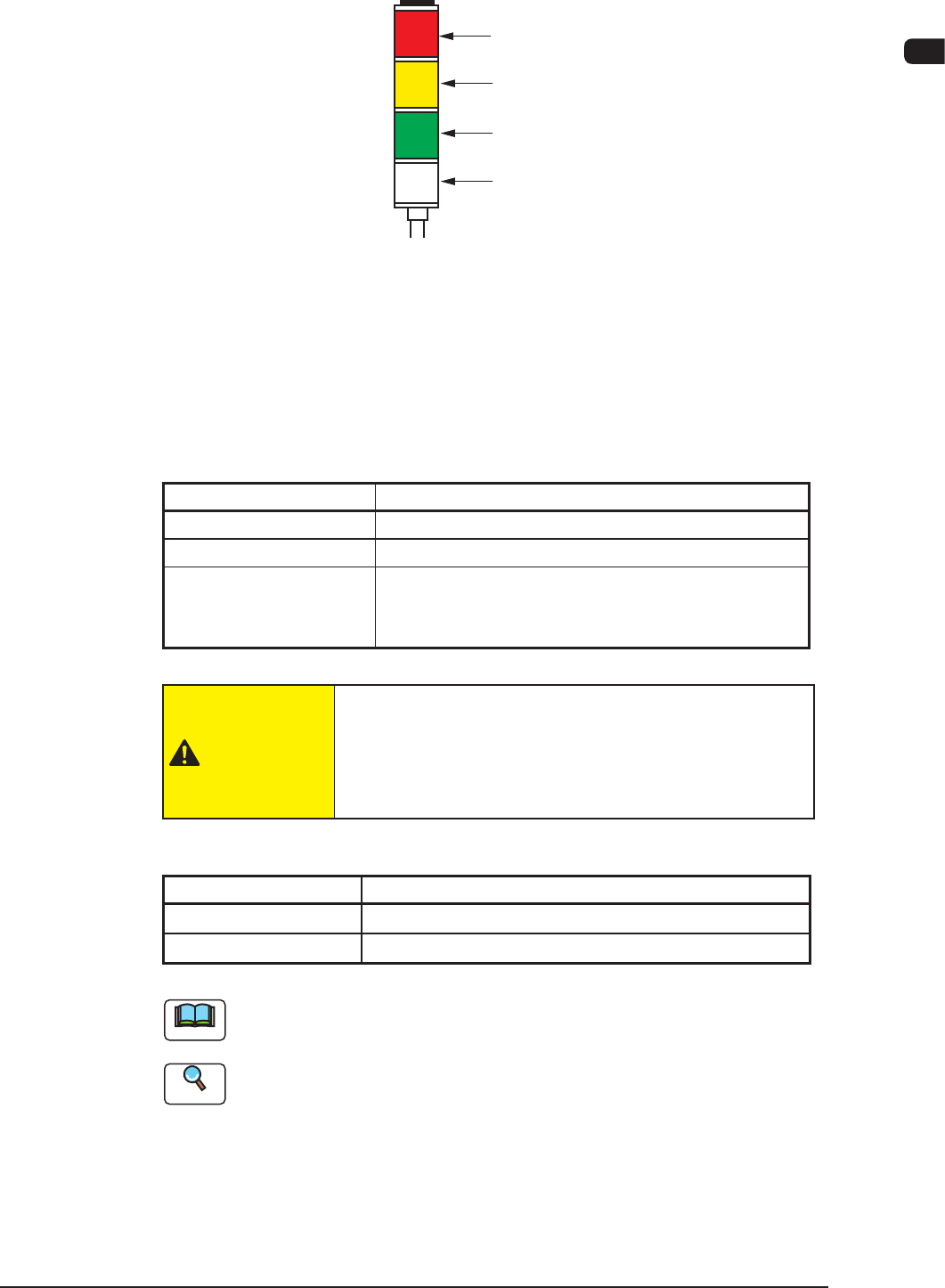
2.6 Light Tower
Red
Yellow
Green
Buzzer
Light Tower
F1A10
The light tower indicates the status of the machine with the lamps and buzzer
sounds.
•
Lamp Colors (ON Mode)
The machine is factory-adjusted upon shipment.
Lamp Colors (ON Mode) Machine Status
Red
Error (Operation Stopped)
Yellow
Component Shortage (Warning)
Green
Automatic Operation
When the machine is in the standby mode, this lamp
flickers.
T1A2
CAUTION
When the green lamp is ON or flickering (ON and OFF),
it indicates that the static machine is in the "Automatic"
mode (standby mode). Do not touch any moving areas of
the machine.
•
Buzzer
Buzzer Machine Status
Continuous Sound
Emergency Stop
Intermittent Sound
Error
T1A3
Note
The status of the machine corresponding to the parameters specied for each
lamp color and buzzer sound can be changed in the "MAC. SET-UP" window.
Reference
Refer to "5.1 Tower Lamp/Buzzer" in "Chapter 1 (Vol. 3)" for details.
0906-001