1OM-1505-004_w.pdf - 第86页
1OM-1505 1. Startup : Chap.2 2-1 1002-002 1. Startup Con rm that the machine is powered. After the con rmation, hold down the [POWER ON] button for more than 1 second. The [POWER ON] button illuminates in red, the syst…

1OM-1505
0906-001 2-B
1OM-1505
1. Startup : Chap.2
2-11002-002
1. Startup
Con rm that the machine is powered. After the con rmation, hold down the
[POWER ON] button for more than 1 second.
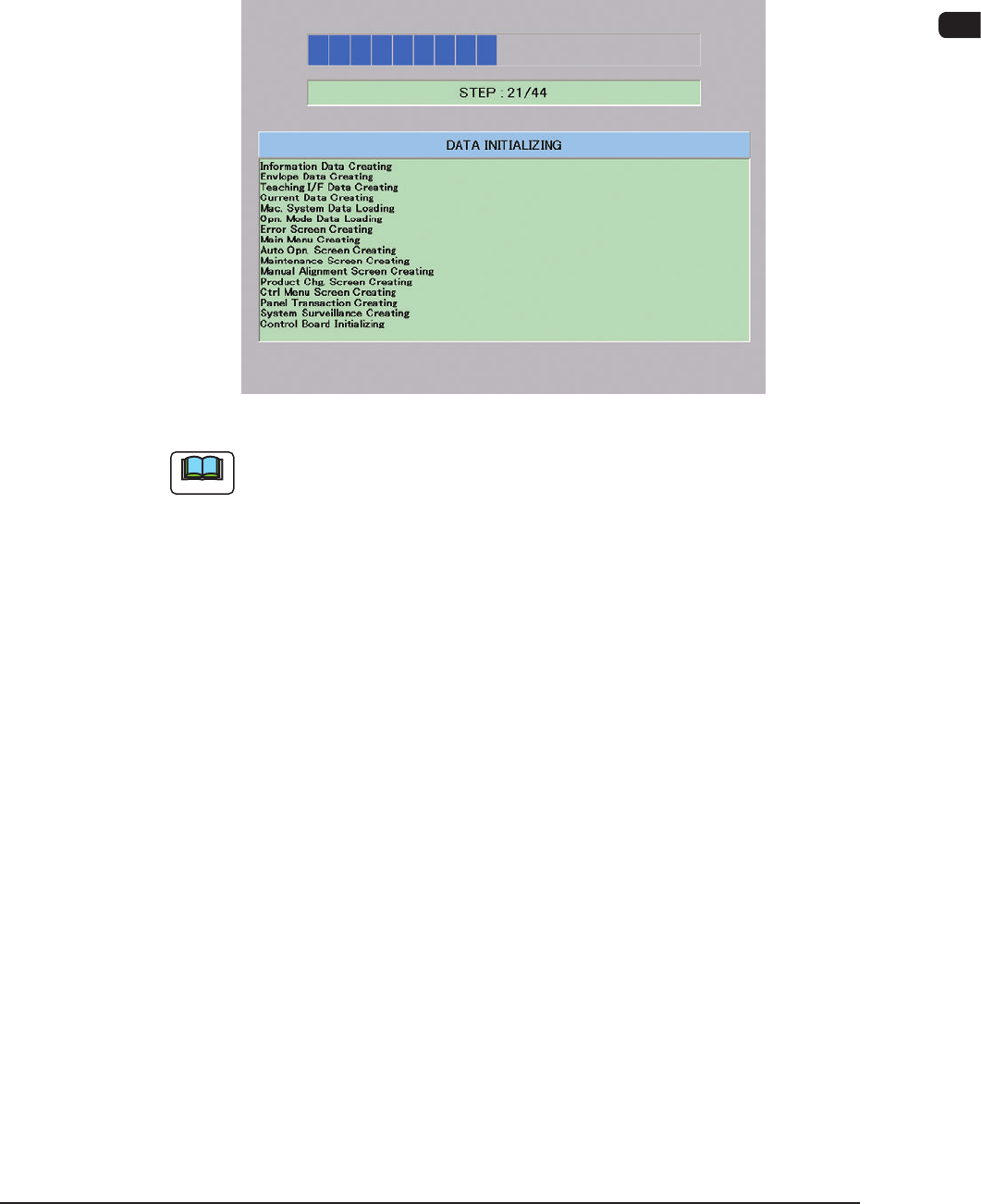
The [POWER ON] button illuminates in red, the system program starts, andthe
machine executes the self-diagnostics program.
"Self-Diagnostics (Data Initializing)" Window F1B1
Note
It takes about 2 to 3 minutes for the machine to make a self-diagnostics.
Please wait until another window appears.
1OM-1505
2-2
1. Startup : Chap.2
1002-002
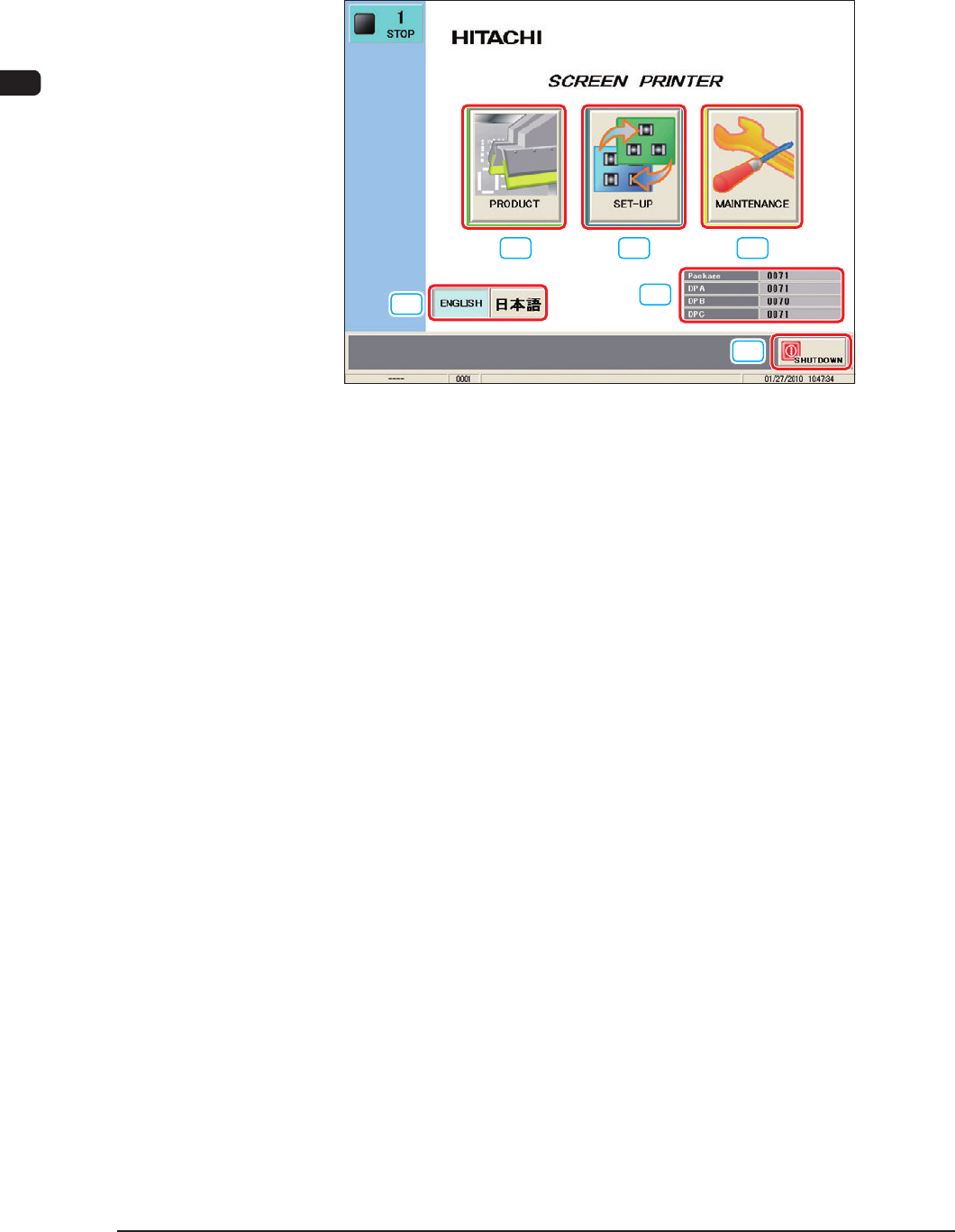
1.1 "Top" Window
When the self-diagnosis is completed, the [Power ON] button turns yellowish
green and the following window appears on the touch screen.
[1]
[2] [3]
[4]
[5]
[6]
F1B2
[1] [PRODUCT] Button
When this button is pressed, the "PRODUCT" window appears.
[2] [SET-UP] Button
When this button is pressed, the "SET-UP" window appears.
[3] [MAINTENANCE] Butoon
When this button is pressed, the "Select Login User" window appears. When
the login user is selected, "MAINTENANCE" window appears.
[4] [Language Selection] Button
Press the language to which the current language is changed to change the
language to be displayed.
[5] Software V
ersion
In this data box, the software version is indicated.
[6] [SHUT DOWN] Button
When this button is pressed, the power to the machine is shutdown after the
shutdown processing is completed.