00192792-02.pdf - 第90页
2 Retrofitting Instructions: M atrix Tray Changer MTC on S-25 HM (Option) SIPLACE 80 S-25 HM 2.8 Installing t he MTC 01/01 Issue 90 Å S tarting fr om the SITE ST main vi ew , sel ect the ICON " Revolver heads" …
SIPLACE 80 S-25 HM 2 Retrofitting Instructions: Matrix Tray Changer MTC on S-25 HM (Option)
01/01 Issue 2.8 Installing the MTC
89
NOTE:
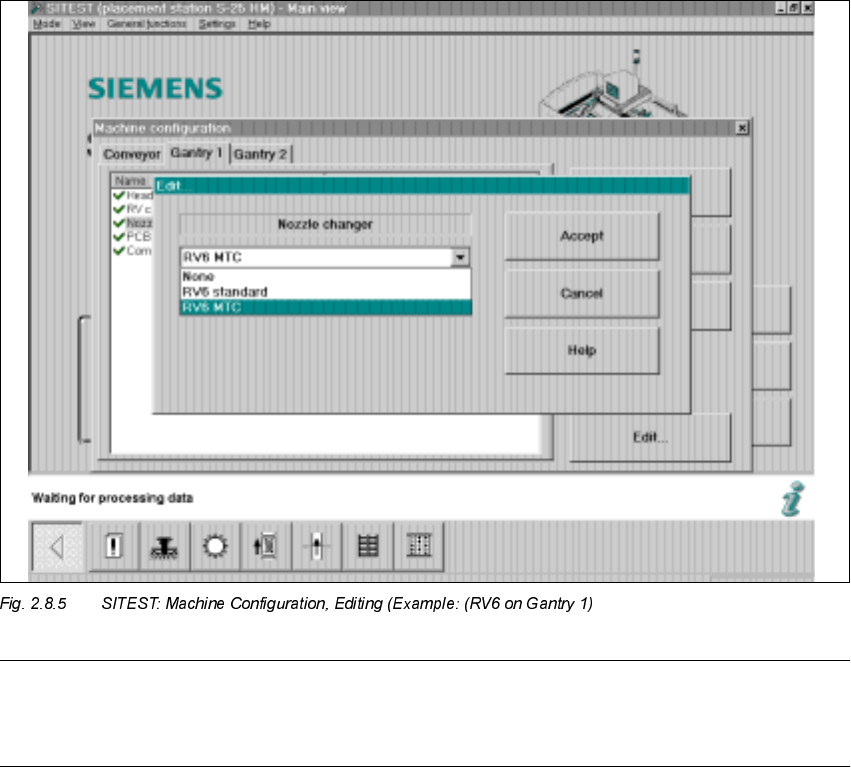
If the 12-segment revolver head is installed and configured at this gantry, the option "RV12 MTC"
appears in the "Edit" window for the nozzle changer.
Å Click on "RV6 MTC" -> Select "Accept" (button).
Å If an MTC has been installed at both locations (1 and 3), select "Gantry 2" now.
In addition, select "Nozzle changer" -> "RV6 MTC" or "RV12 MTC" (depending on the entry in
the "Edit" window. The entry depends on whether the 12-segment or the 6-segment revolver
head module is configured at the selected gantry) -> "Accept" (button).
Å Select the pertinent gantry in the "Machine configuration" menu:
"Component reject position" -> "Reject box table" or "Reject box MTC".
Å To exit the menu "Machine configuration", select "Accept" again.
Å The main view is displayed and the message is received:
7KHPDFKLQHFRQILJXUDWLRQKDVFKDQJHG
6KXWGRZQUHVWD UWWKHPDFKLQH!&OLFNRQ2.EXWWRQ
Å Boot the machine and change back to the SITEST program.
Å Now perform the total reference run (button).
2 Retrofitting Instructions: Matrix Tray Changer MTC on S-25 HM (Option) SIPLACE 80 S-25 HM
2.8 Installing the MTC 01/01 Issue
90
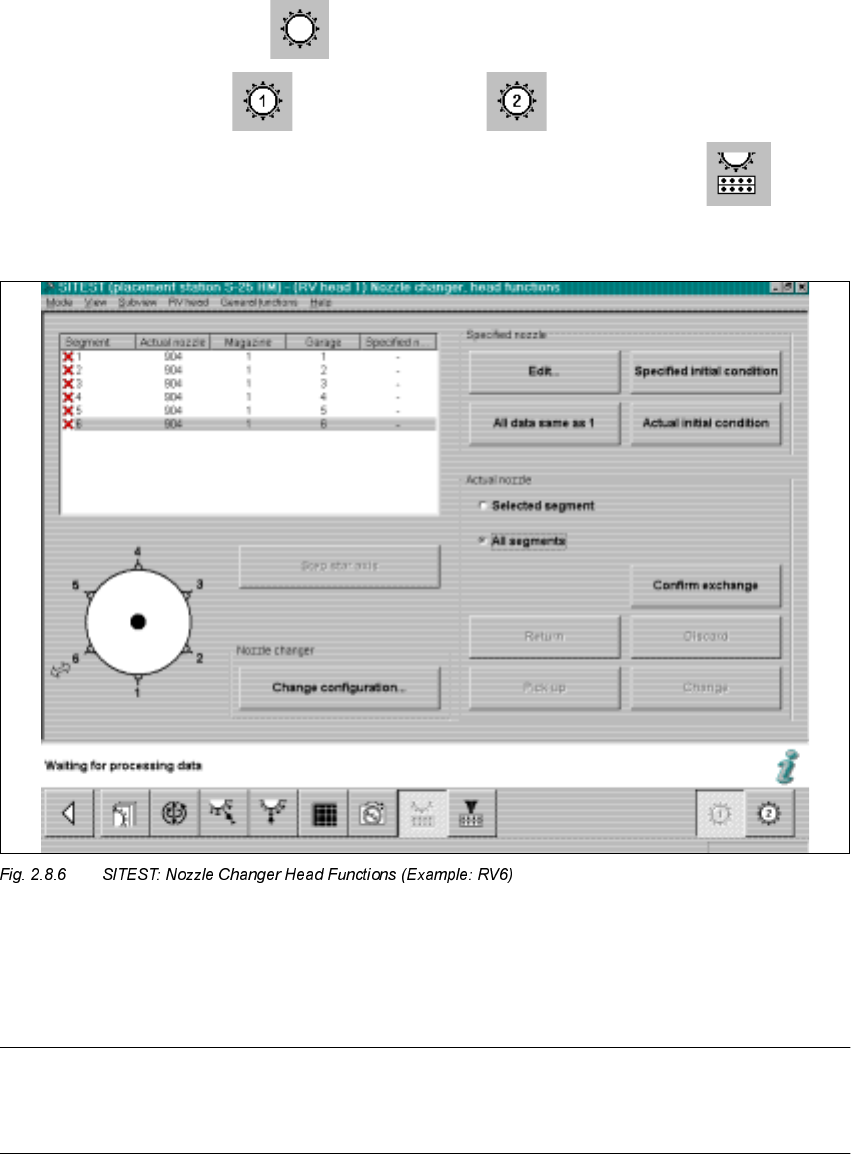
Å Starting from the SITEST main view, select
the ICON "Revolver heads" -> and
then "Revolver head 1" or "Revolver head 2" .
Å In the menu "Functions", click on the ICON "Nozzle changer head functions" .
The following will appear on the screen:
Å On the 6-segment revolver head, insert one 9-series nozzle and one 8-series nozzle.
Å In case of an 12- segment revolver head it is only necessary to insert a random 9-series nozzle
on the head (see also Fig. 2.8.10 and NOTE you will find under it).
NOTE
On 12-segment revolver head, there MUST be ONE large nozzle on the head or in garage 1 of
the magazine in question for the measurement of the large nozzles (800 series).
SIPLACE 80 S-25 HM 2 Retrofitting Instructions: Matrix Tray Changer MTC on S-25 HM (Option)
01/01 Issue 2.8 Installing the MTC
91
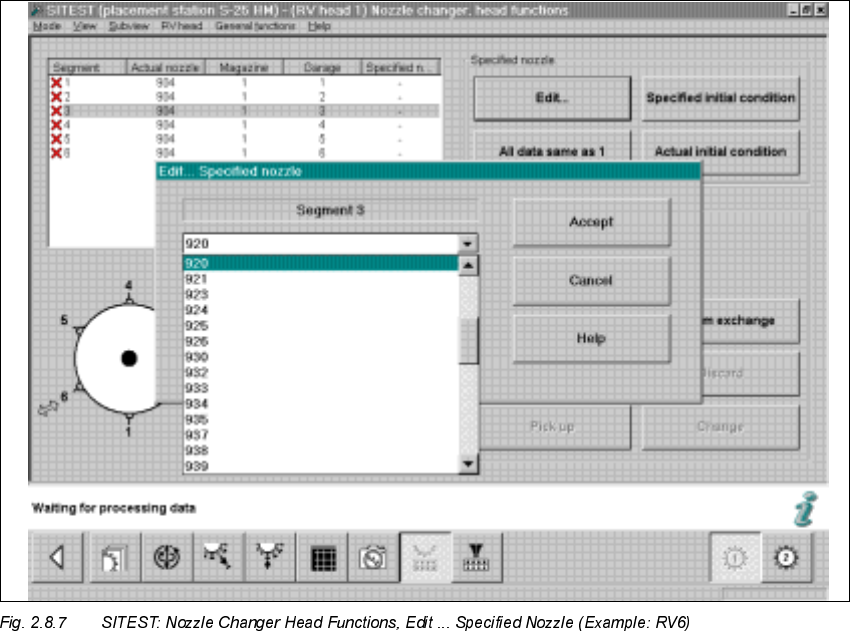
Å Double-click on the line in question as shown on the following screen or select "Edit" (button):
Å In the window that is opening, "Edit...", select the specified nozzle (e.g., type 920) that is con-
figured in the setup -> Select "Accept" (button).
Å Make this selection for each segment in succession.
Å In conclusion, select "Confirm exchange" (button).