00192792-02.pdf - 第92页
2 Retrofitting Instructions: M atrix Tray Changer MTC on S-25 HM (Option) SIPLACE 80 S-25 HM 2.8 Installing t he MTC 01/01 Issue 92 Å Select " Nozzle changer , h ead func tions -> "Change c onfigura tion&quo…
SIPLACE 80 S-25 HM 2 Retrofitting Instructions: Matrix Tray Changer MTC on S-25 HM (Option)
01/01 Issue 2.8 Installing the MTC
91
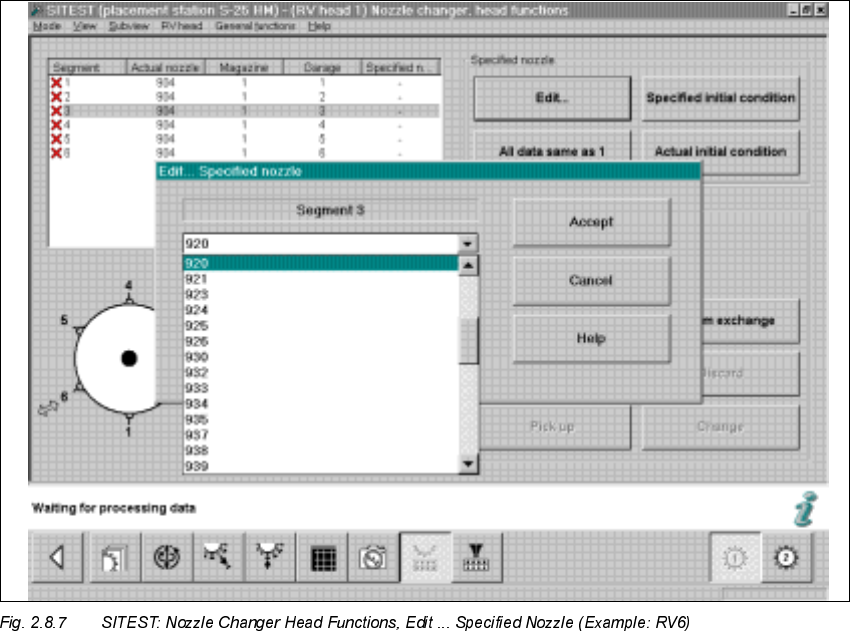
Å Double-click on the line in question as shown on the following screen or select "Edit" (button):
Å In the window that is opening, "Edit...", select the specified nozzle (e.g., type 920) that is con-
figured in the setup -> Select "Accept" (button).
Å Make this selection for each segment in succession.
Å In conclusion, select "Confirm exchange" (button).
2 Retrofitting Instructions: Matrix Tray Changer MTC on S-25 HM (Option) SIPLACE 80 S-25 HM
2.8 Installing the MTC 01/01 Issue
92
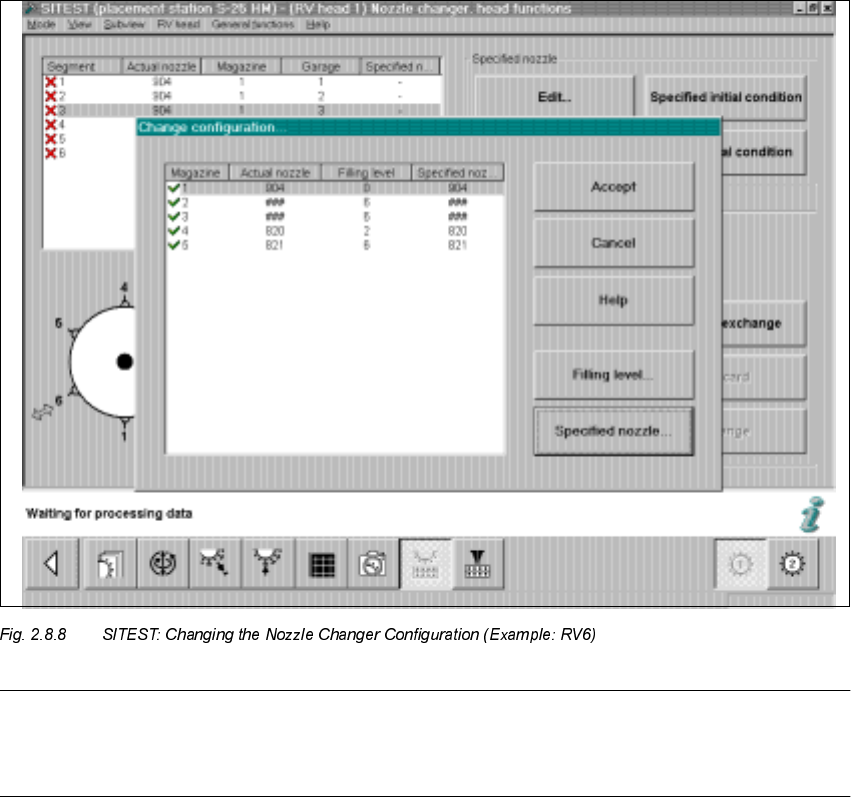
Å Select "Nozzle changer, head functions -> "Change configuration".
The following screen will appear:
NOTE:
- 9 -series magazines must be defined with 9-series nozzle type (e.g., type 920),
- 8-series magazines with an 8-series nozzle type (e.g., type 820).
Å For each magazine, select the SPECIFIED nozzle (e.g., type 920 / 820) that was previously
defined on the head -> Select "Accept" (button) to accept this nozzle as the ACTUAL nozzle.
Å For each magazine, set the "Filling level" (button) to "0" -> Select "Accept" (button) -> Check
the filling levels.
SIPLACE 80 S-25 HM 2 Retrofitting Instructions: Matrix Tray Changer MTC on S-25 HM (Option)
01/01 Issue 2.8 Installing the MTC
93
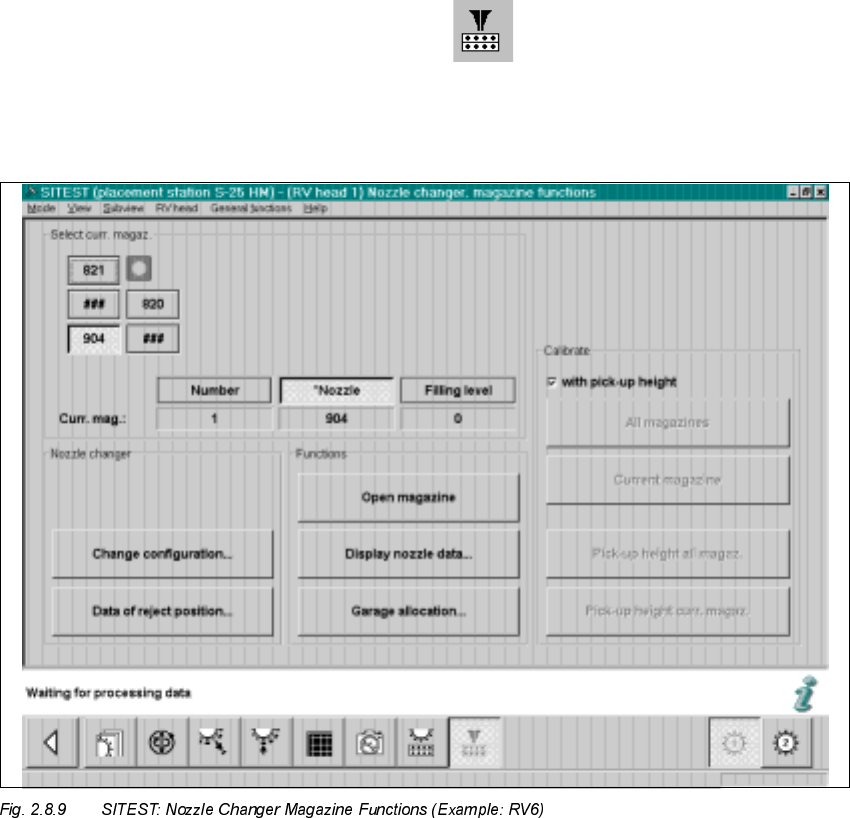
Å To measure / calibrate the new nozzle changer, select
the ICON "Nozzle changer magazine functions" .
Depending on which revolver head is configured for this gantry, the screen for the relevant noz-
zle changer MTC, Fig. 2.8.9 or Fig. 2.8.10 is displayed: