00192792-02.pdf - 第98页
2 Retrofitting Instructions: M atrix Tray Changer MTC on S-25 HM (Option) SIPLACE 80 S-25 HM 2.9 Re-installing for Operation without MTC 01/01 Issue 98 )LQDO6WHS V S pecify the first job and se t up the MTC and th…
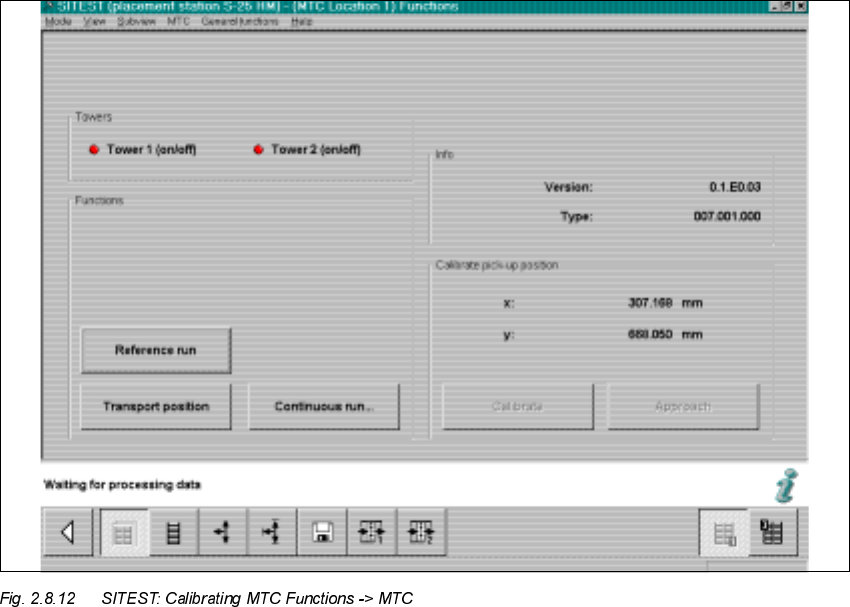
SIPLACE 80 S-25 HM 2 Retrofitting Instructions: Matrix Tray Changer MTC on S-25 HM (Option)
01/01 Issue 2.8 Installing the MTC
97
Å The display follows: "Function is carried out".
Å Select "Store machine data" and exit the SITEST program.
&RQILJXULQJWKH 2SWLRQ07&DWWKH/LQH&RPSXWHU
Use the software version description LRU 502.01, Item no.: 00192397-01 (G + E)
Å Allocate the name
07&B[B/HYHOV
for the MTC at the line computer
-> see the above-mentioned description, section "New Matrix Tray Changer".
Å Configure the MTC at the line computer starting with SW V502.01:
- in the station editor, if the MTC remains permanently allocated to the station or
- in the setup editor, if the MTC is also reconfigured within the line.
Proceed as detailed in the above-mentioned description.
2 Retrofitting Instructions: Matrix Tray Changer MTC on S-25 HM (Option) SIPLACE 80 S-25 HM
2.9 Re-installing for Operation without MTC 01/01 Issue
98
)LQDO6WHSV
Specify the first job and set up the MTC and the nozzle changer MTC in accordance with the spec-
ifications of setup optimization:
– The setup of the
07&
is described in detail in the MTC User Manual.
– The setup of the
QR]]OHFKDQJHU
MTC / insertion of the nozzles is performed analogously to
the procedure for the standard nozzle changer as described in User Manual 502.xx.
5HLQVWDOOLQJIRU2SHUDWLRQZLWKRXW07&
Å Remove the MTC as described in detail in the User Manual.
Å The installed nozzle changer MTC remains installed and unchanged for operation without
MTC.
Å Likewise, the holder for the (short) empty-tape duct also remains installed.
The long empty-tape duct that is required can be mounted on the spacer bolts.
Å Re-install the following parts that were removed while the MTC was being retrofitted:
– 2 spacers, left and right, and tape waste chute
– Long empty-tape duct
– Holddown, left
– Rail, component table (RH side) -> Mount the holddown, buffer and centering piece back
on this rail.
– LH safety door and safety pane (ESLON) of RH safety door
– Angle piece from the machine frame, 2 screws M5
– Component reject box standard
Å The option MTC is automatically recognized as "not present" if either the MTC OR the associ-
ated component changeover table is not connected when the machine is started (interface and
power supply cable).
Å Adjust the configuration in re the component reject box on the station computer (SITEST).
Å Adjust the configuration of the station (without MTC) on the line computer.
q