DECAN_S2_Admin(Eng_Ver4.5).pdf - 第108页
4-27 Tools Shortcut M enu <Clea r> but t on Deletes the details about the part and feeder from the message wi ndow . <Oldest Order> option button Displays the details about the part and feeder in or der f…
4-26
Advanced Chip Shooter DECAN S2 Administrator’s Guide
<Threshold Value[0-255]> group
Images seen through SMVision consist of each pixel. In accordance with the
brightness, each pixel has a unique value ranging between 0 and 255. Here, ‘Threshold
Value’ signifies the border value determining whether each pixel should be recognized
in white or black. In the above figure, MMI is setup to be recognized as white when
the value is 100 or higher, and black when the value is less than 100.
<Real Display/Binary> button
Shows the image seen through SMVision in real display as seen by the naked eye
or binary image recognized by MMI.
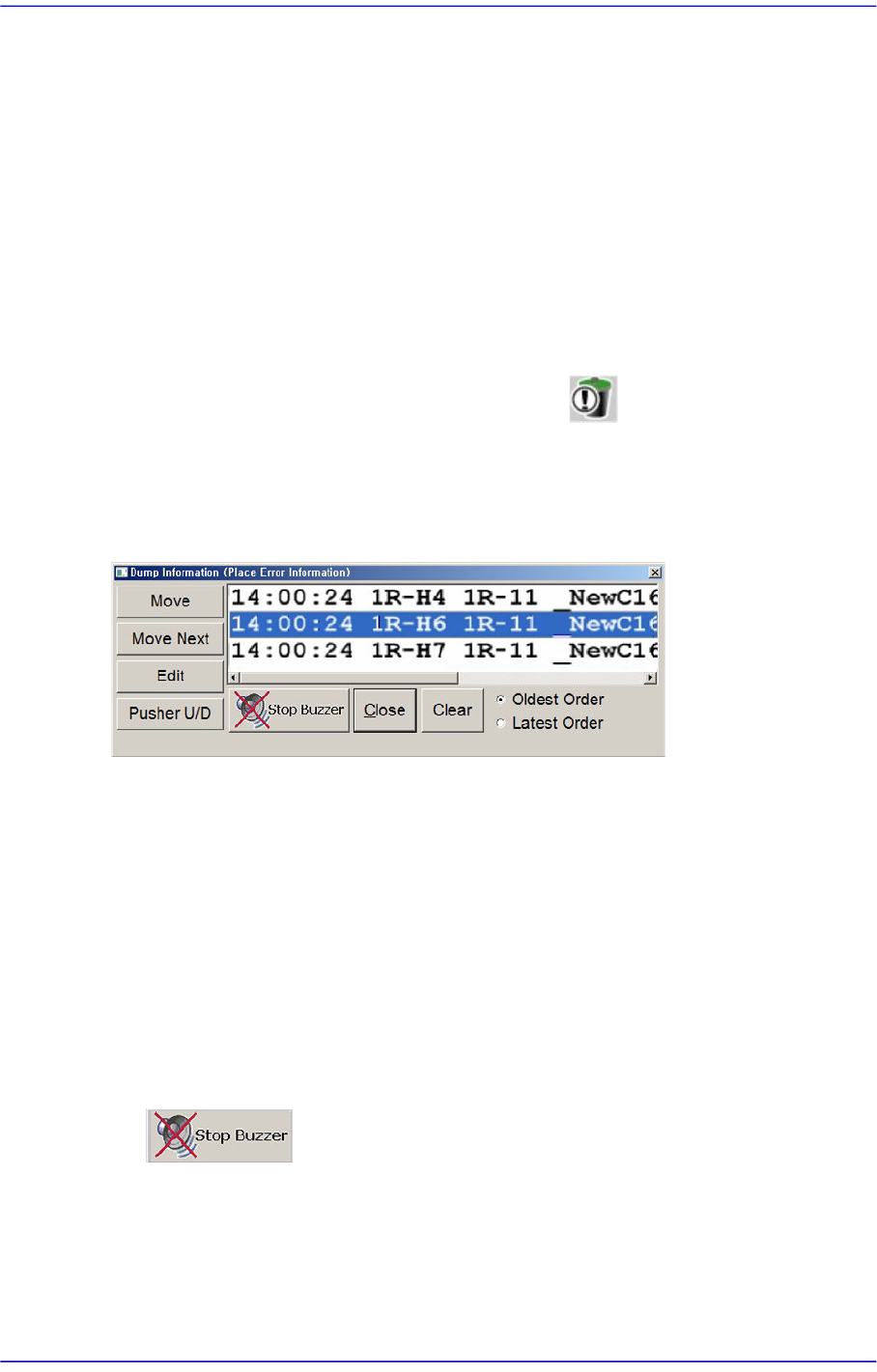
4.8. Dump Information (Place Error Information)
Used for confirming the message window indicating the contents on the abandoned parts
by placement error and feeder.
Figure4.9 “Dump Information (Place Error Information)” dialog box
<Move> button
Moves the fiducial camera to the position at where an error has occurred.
<Move Next> button
Moves the fiducial camera to the position at where an error has occurred.
<Edit> button
Used to open the “Feeders” dialog box and edit the data related to the tape feeder, stick
feeder and tray feeder. For further details, refer to “8.1 Feeder [F4]”.
<Pusher U/D> button
Selects the feeder to which an error occurred in the list box for feeding.
button
Stops the sound of the buzzer.
<Close> button
Close the corresponding dialog box.
4-27
Tools Shortcut Menu
<Clear> button
Deletes the details about the part and feeder from the message window.
<Oldest Order> option button
Displays the details about the part and feeder in order from the oldest one in the
message window.
<Latest Order> option button
Displays the details about the part and feeder in order from the latest one in the
message window.
4.9. Part Dump All
Used for dumping all the parts picked up by the head in the dump box.
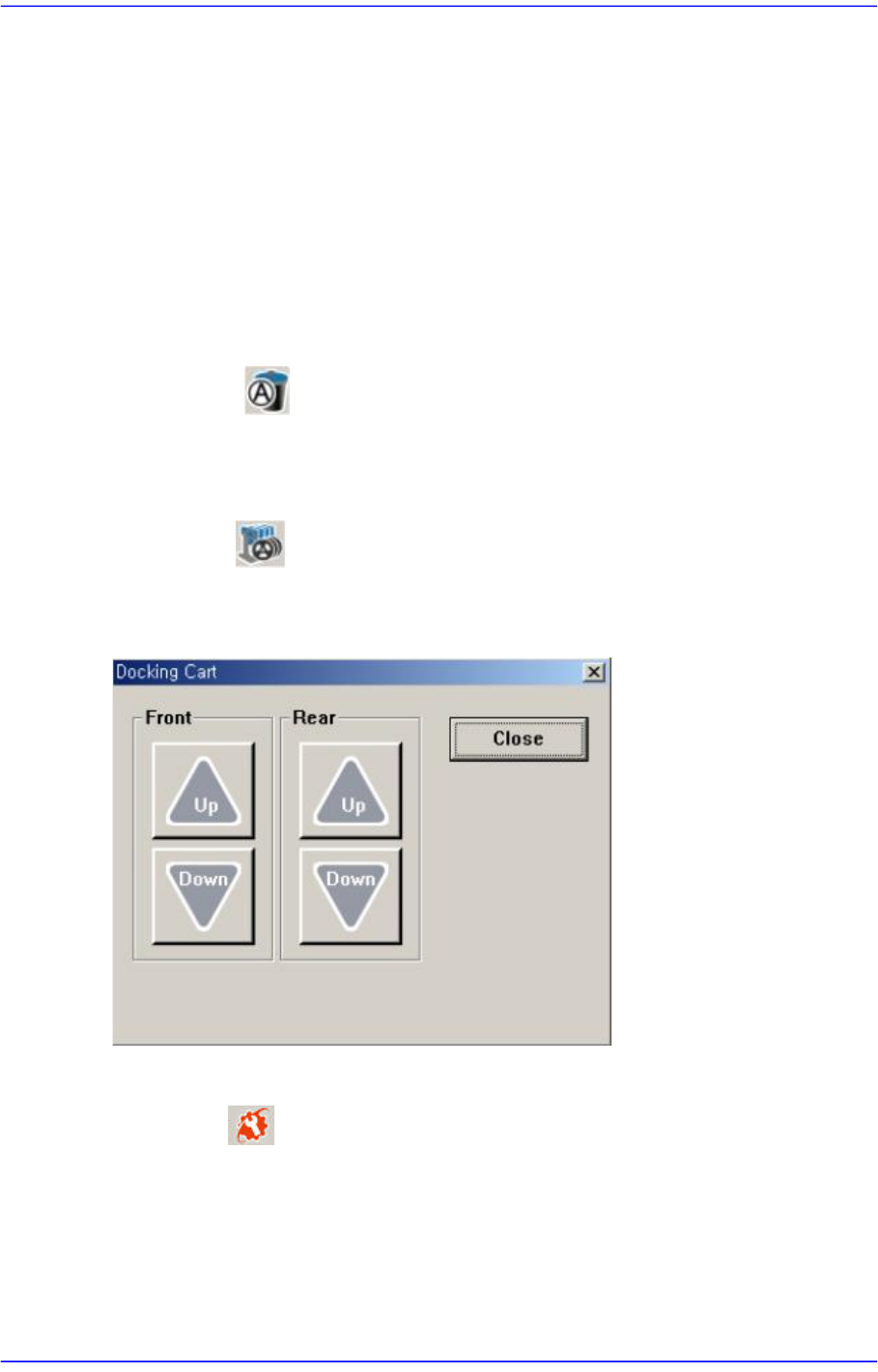
4.10. Docking Cart
Used to manipulate the movement of the front or rear side docking cart clamp when
applying the docking cart to the machine. Docking cart is option.
4.11. PM Manager
The PM Manager is a management menu that is used for the maintenance of the machine
in the MMI (Man-Machine Interface), an application program for machine operation. The
items to be inspected as well as check periods can be checked through the PM Manager,
and the machine can be managed more efficiently through the schedule check function.
For more details, refer to “Appendix. PM Manager” of the “Administrator’s Guide”
4-28
Advanced Chip Shooter DECAN S2 Administrator’s Guide
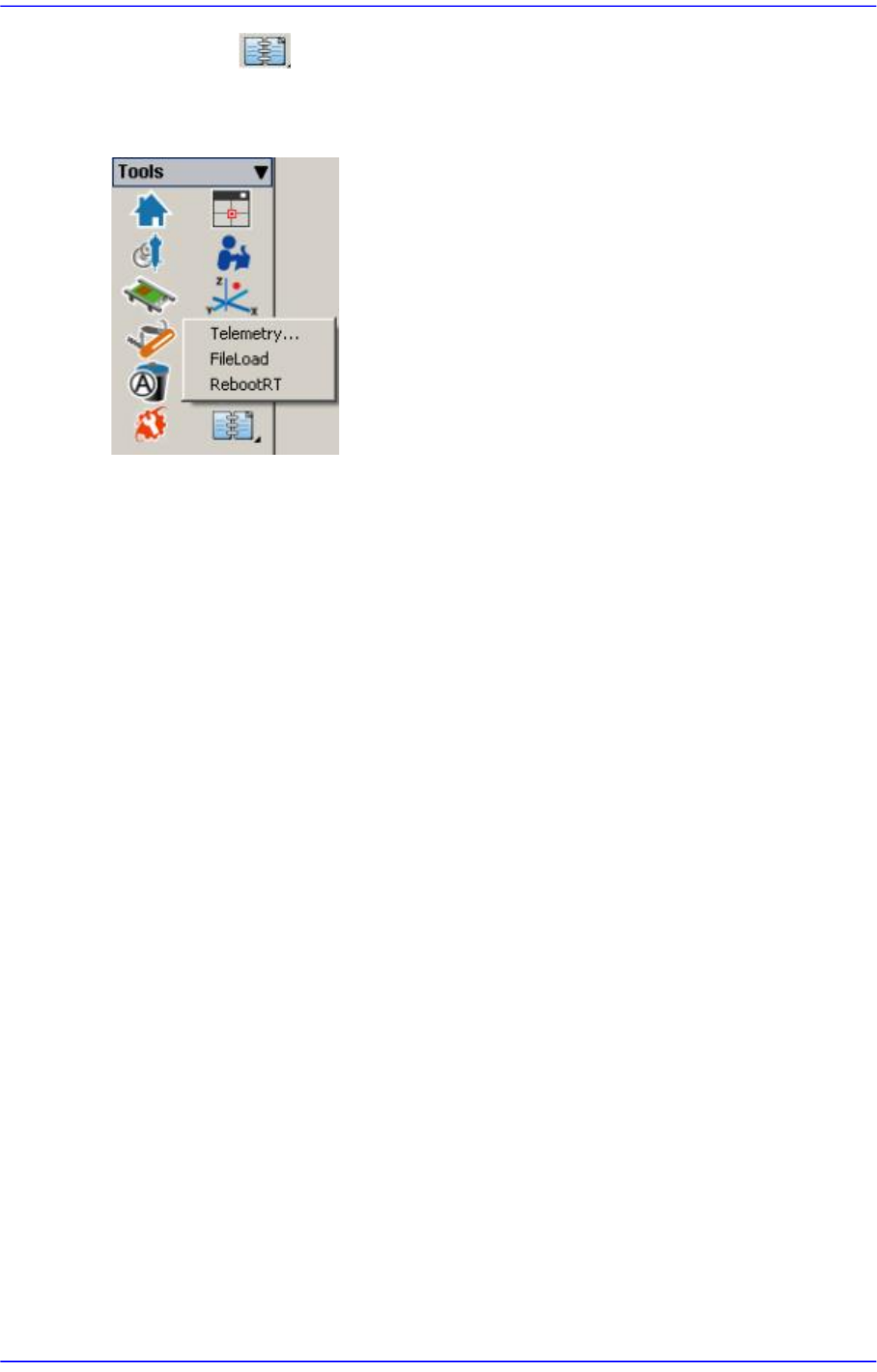
4.12. Data Logging
Use to record and manage various items related to the use of the machine. It is mainly
utilized to solve problems occurring in the machine using the log file recorded here.