DECAN_S2_Admin(Eng_Ver4.5).pdf - 第202页
7-37 Part Registration <Image Capture> b u tton Helps to specify t he optimum lighting value. The lighting is gradually changed automatically and the images are saved. The user can check the best image and identi…
7-36
Advanced Chip Shooter DECAN S2 Administrator’s Guide
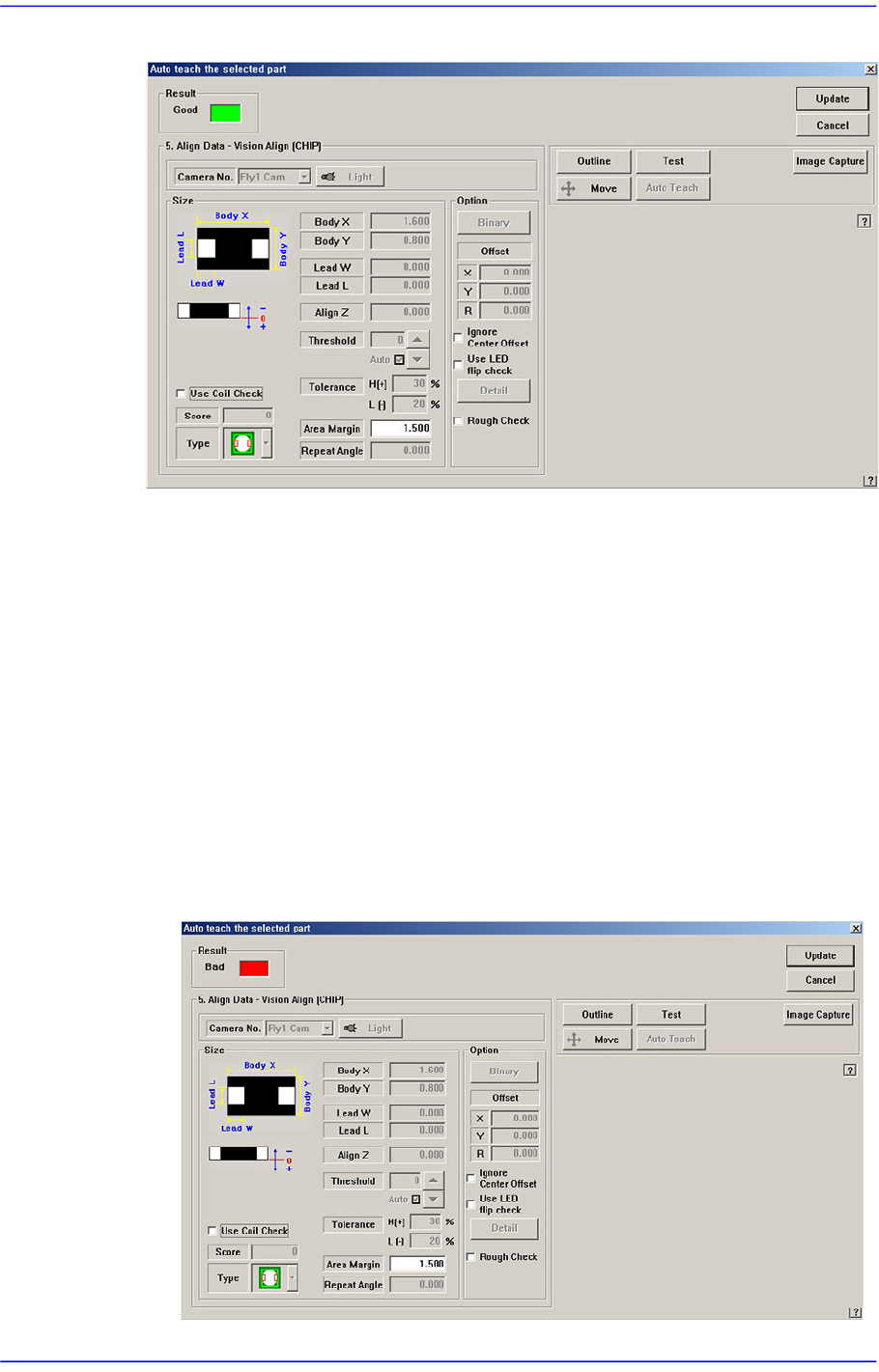
Figure7.9 “Auto Teach the selected part-Good” dialog box
<Result>
Displays whether or not Auto Teach has been successfully performed.
<Update> button
Saves the component align data obtained by Auto Teach and closes the dialog box.
<Cancel> button
Neglects the component align data obtained by Auto Teach and closes the dialog
box.
<Align Data> group
Displays Auto Teach results.
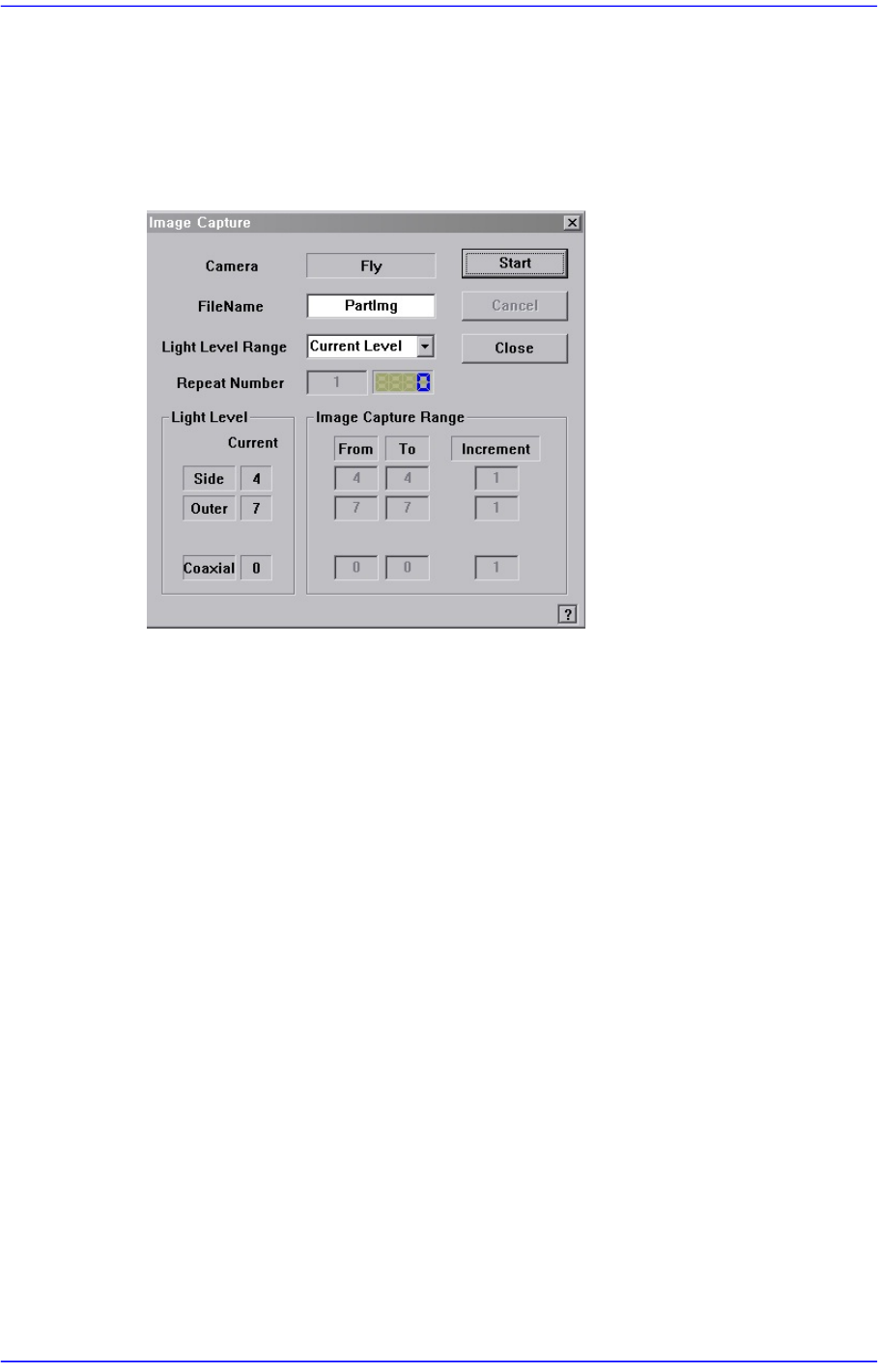
Following is the message box when auto teach fails.
Figure7.10 “Auto Teach the selected part-Bad” dialog box
7-37
Part Registration
<Image Capture> button
Helps to specify the optimum lighting value. The lighting is gradually changed
automatically and the images are saved. The user can check the best image and
identify the optimum lighting value.
Figure7.11 “Image Capture” dialog box
<Camera> caption box
Displays the camera to be used for image capture.
<Filename> edit box
Enters the filename to be used for image saving.
<Light Level Range> combo box
Enters the filename to be used for image saving.
Rough
Saves the image by increasing the level of each light by 5.
Fine
Saves the image by increasing the level of each light by 1 within the range of
the light level before and after the currently set light level.
All Range
Saves the image for all light levels.
User Define
The user sets the range and interval of the light level change.
Repeat Number
Indicates the number of times an image has been saved.

7-38
Advanced Chip Shooter DECAN S2 Administrator’s Guide
Light Level
Displays the current light level.
Image Capture Range
Displays the range and interval of the light level change to be used for saving the
image. If the light level range is set as User Define, the user can directly enter and
correct the range.
From
Displays the starting level of the light level change.
To
Displays the finishing level of the light level change.
Increment
Sets the interval of the light level change.
<Start> button
Starts image capture.
<Cancel> button
Stops image capture.
<Close> button
Closes the dialog box.