DECAN_S2_Admin(Eng_Ver4.5).pdf - 第240页
7-75 Part Registration 1: Lead End 2: Bright Ar ea
7-74
Advanced Chip Shooter DECAN S2 Administrator’s Guide
7.1.4.3. Placing HDMI Connector
When placing the HDMI Connector, register the part data and teach the placement point of
the corresponding part. It cannot be used for the equipment without the fix camera.
Part Data Registration
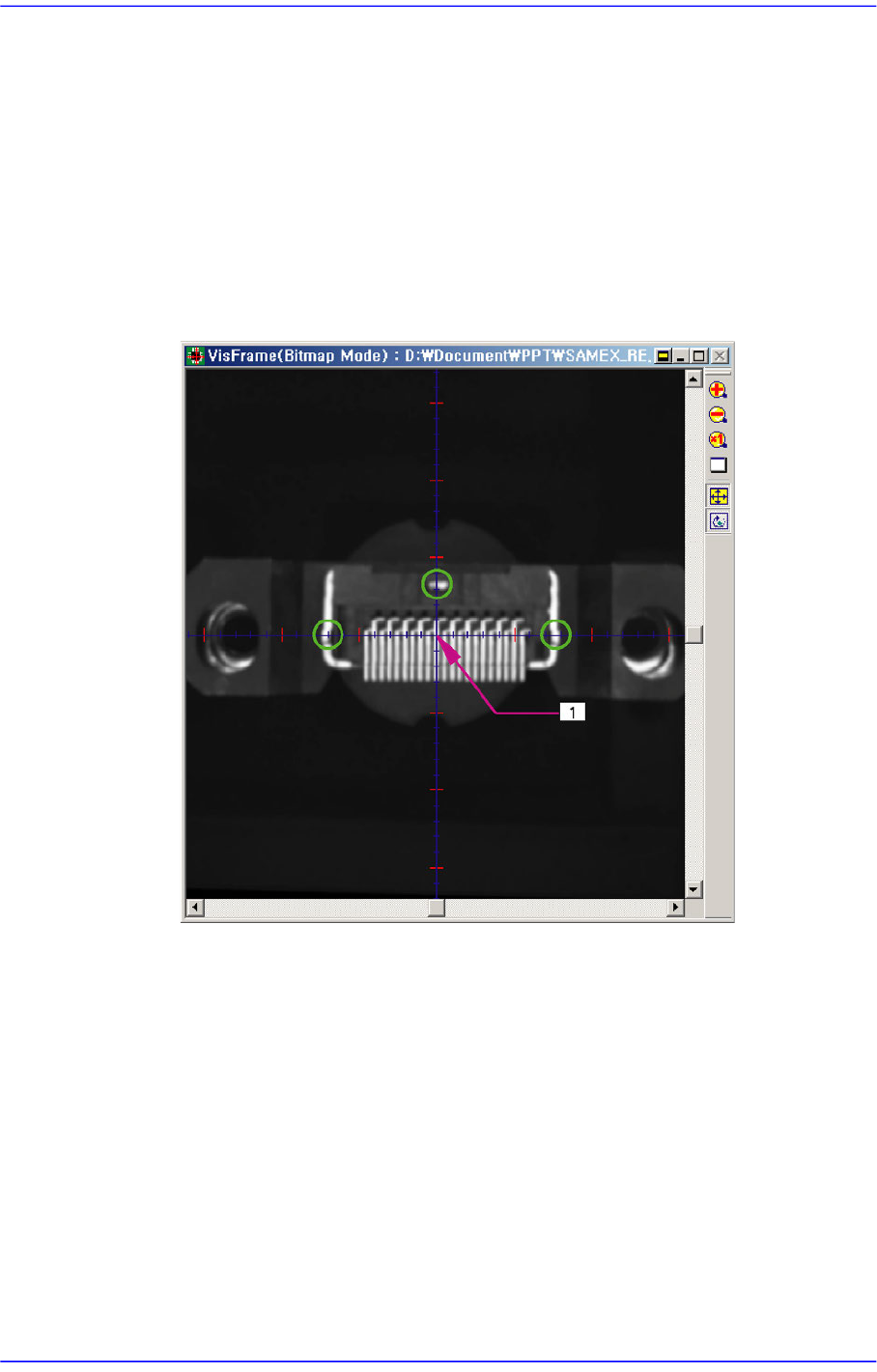
Move the head that picked up the part to the center of the fix camera using the
teaching box as shown in the following figure.
Move the gantry so that the pin position into which the part is inserted can be
placed on the cross hair of the SMVision window. Set the accurately taught
position to the center of the part.
1: Part Center
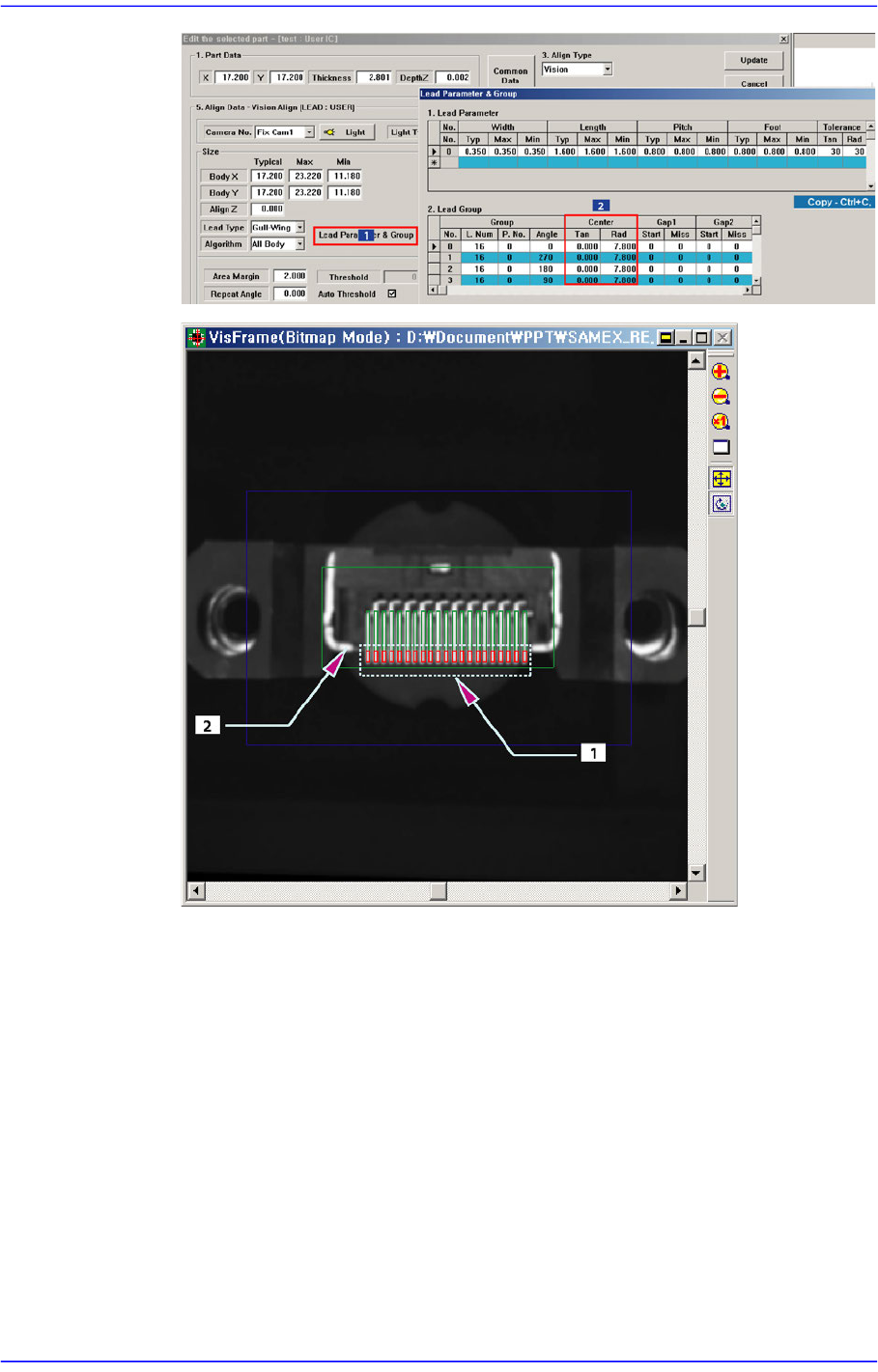
Click the <Lead Parameter & Group> button and change the Rad and Tan values
of the lead center among the lead parameters. At this time, perform adjustment so
that the lead end does not get placed on the horizontal line in parallel to the bright
area of the part.
7-75
Part Registration
1: Lead End
2: Bright Area
7-76
Advanced Chip Shooter DECAN S2 Administrator’s Guide
Placement point teaching
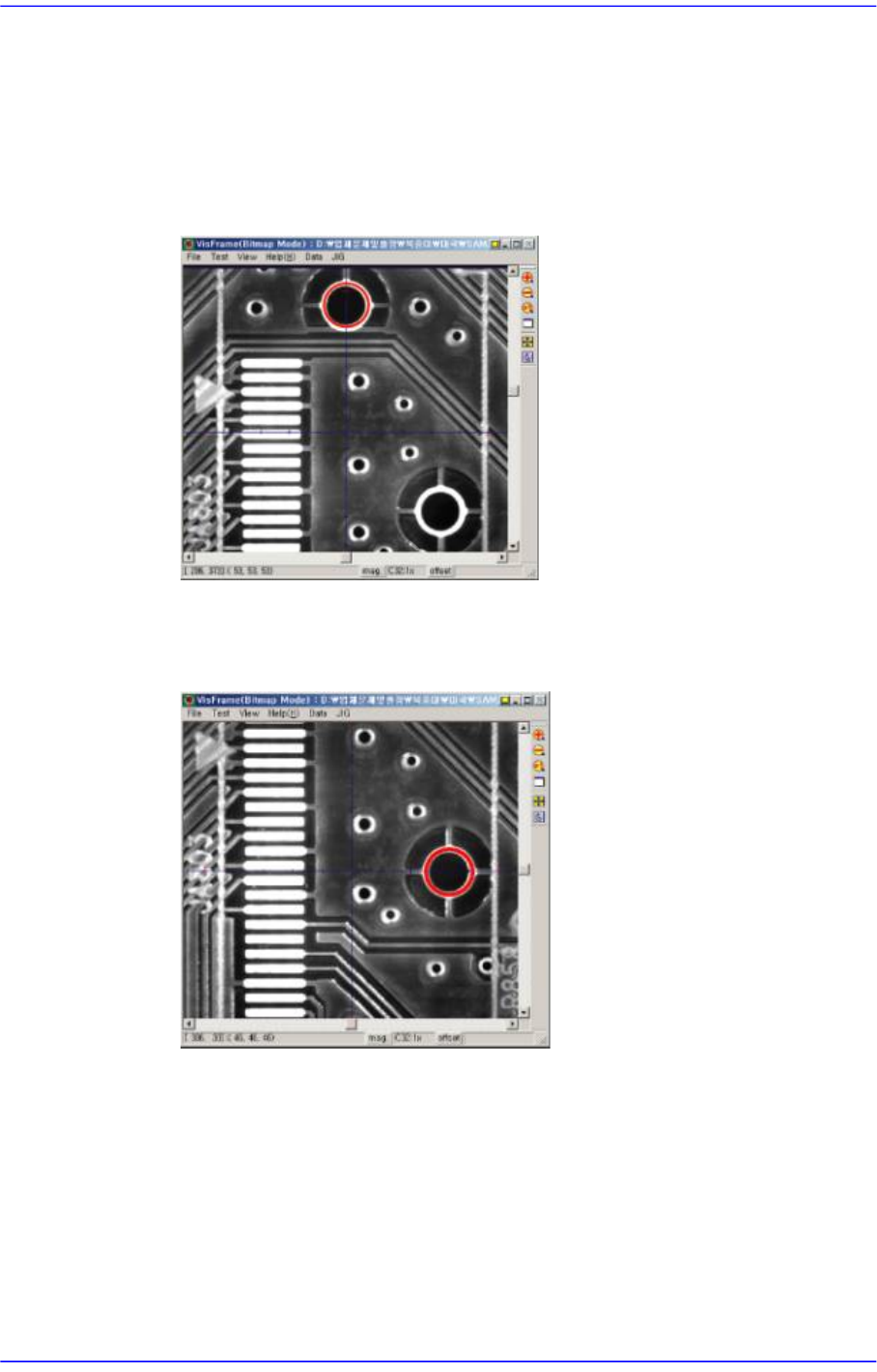
Select the Reference of the corresponding part in the Step dialog box and click the
<Move> button to move the fiducial camera to the corresponding position.
Since the inserting holes for the corresponding part on the PCB do not appear on
the SMVision window, determine the X coordinate of the placement point based
on the center of the upper inserting hole as shown in the following figure.
Move the fiducial camera in the Y axis direction using a jog function and set the
center of the inserting hole to the Y coordinate of the placement point as shown in
the following figure.