DECAN_S2_Admin(Eng_Ver4.5).pdf - 第281页
8-24 Advanced Chip Shooter DECAN S2 Admi nistra t or’s Guide As per the f ollowing figure, input two c orner points of pocket No’s. 1, 2 and 3 that face each other diagonally . <2Pocket X-Axis> Enter coordinate o…
8-23
Feeder Setup
The pick-up position of the parts can also be designated using the following
method.
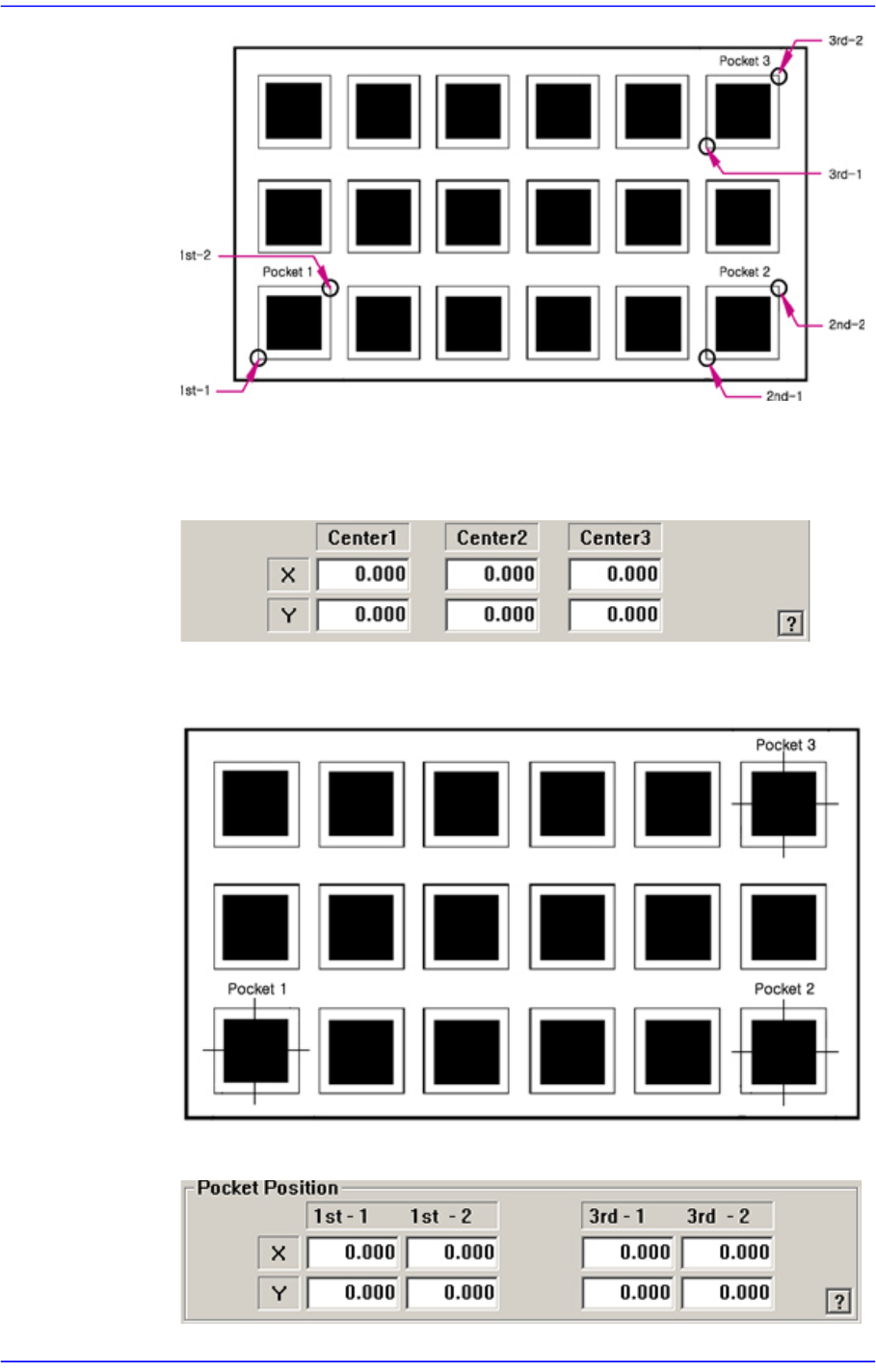
<3Pocket Center>
As shown in the following figure, input the coordinates of the center points of
pocket No’s. 1, 2 and 3.
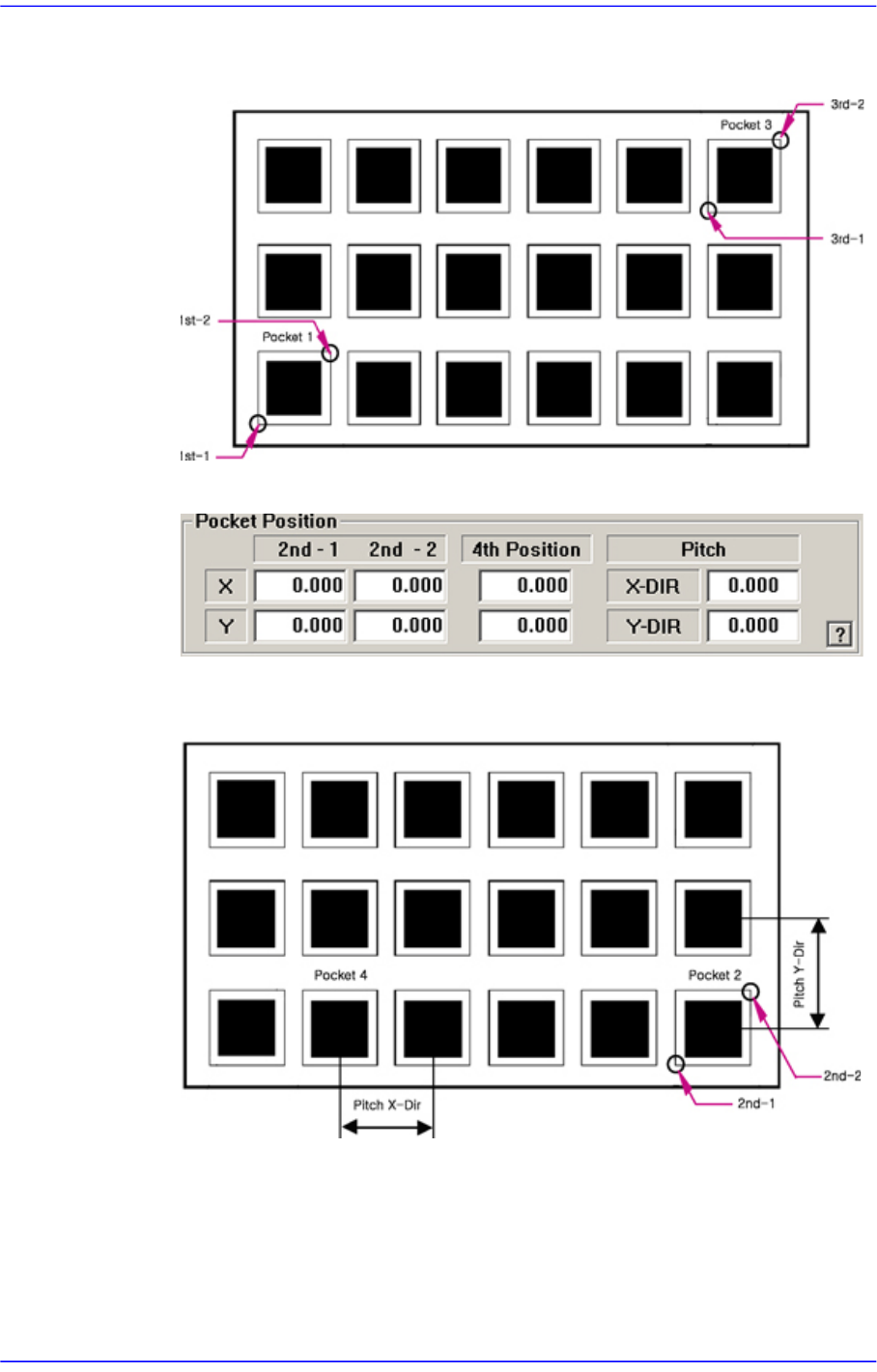
<2Pocket Diagonal>
8-24
Advanced Chip Shooter DECAN S2 Administrator’s Guide
As per the following figure, input two corner points of pocket No’s. 1, 2 and 3 that
face each other diagonally.
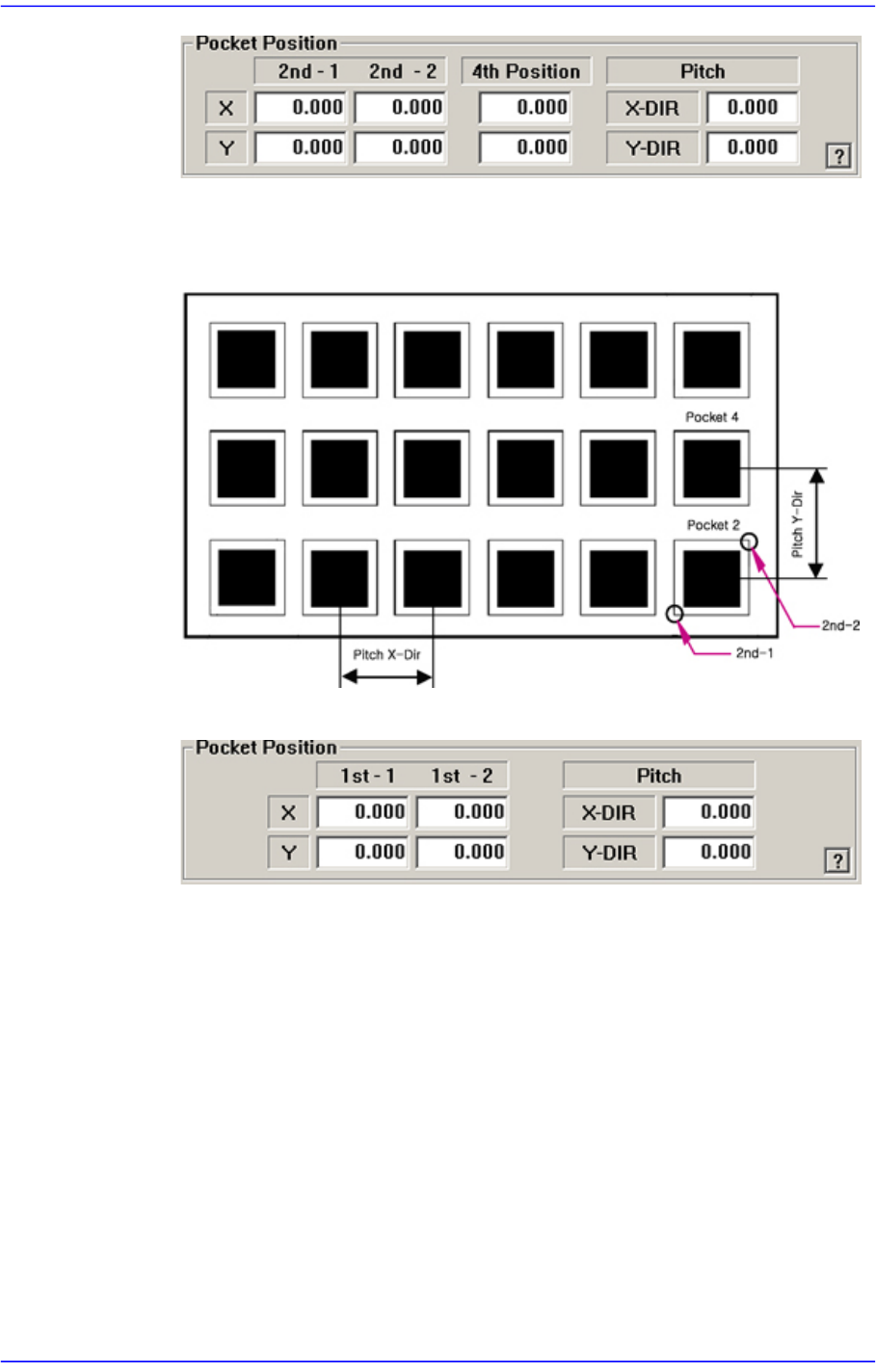
<2Pocket X-Axis>
Enter coordinate of a pocket center in the X direction, coordinate of the diagonal
vertex of the second pocket and the pitches in the X and Y directions.
<2Pocket Y-Axis>
8-25
Feeder Setup
As shown in the following figure, input the coordinates of the center point of any
one pocket in the Y direction, the coordinates of the two corners in the diagonal
position of the second pocket and the pocket pitch in the X and Y directions.
<1Pocket>
As shown in the following figure, input the coordinates of the center point of
pocket No. 1 and the pocket pitch in the X and Y directions.